
Toca Boca World
Educational4.4 out of 5
For Android · Toy Tap LLP
 Analysis by Gamesive
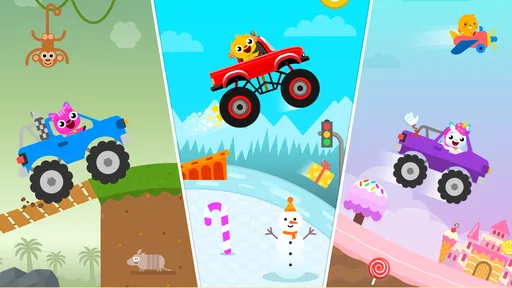
I’d treat Kids Monster Truck Games 2+ as a small, playful activity for a young child rather than a full educational program. The idea is easy to understand: give little ones a monster-truck adventure that can hold their attention while they explore a game on a phone or tablet. That makes it a possible fit for short stretches at home, though parents should keep expectations modest about how much structured learning it provides.
The game is free to download, so a family can try it without an initial purchase. It also offers in-app purchases at $2.99 per item. I would keep that distinction in mind: free access makes it easy to test whether a child enjoys the truck theme, while any additional spending is a separate choice rather than something I’d assume is necessary.
The app is made by Toy Tap LLP and is listed as an educational game for everyone. Its audience is clearly young children, but the broad age classification does not tell a parent whether the experience suits a particular child’s attention span or stage of development. I’d make that call by sitting with the child for an initial session and seeing whether the game feels comfortable and engaging.
Its public reception is encouraging, with a 4.6 average from 6.4K ratings, and it has passed 10M installs. Those figures suggest that many families have tried it, but they can’t guarantee that it will suit your child or explain what the game feels like in use. I would use them as context, not as a substitute for checking the experience yourself.
For me, the main value is the focused theme. A monster truck is an immediately recognizable hook for children who like big vehicles, and that can make the game easier to introduce than a broad learning app with several unrelated activities. A child who is already drawn to trucks may be more willing to sit down and explore a game built around that interest.
That appeal is also practical for parents. If you need a brief, contained screen activity while preparing a meal or waiting for an appointment, a simple vehicle-themed game can be easier to offer than a long video or an open-ended app. I would still treat it as a short break, not as a dependable way to keep a child occupied for an extended stretch.
The educational label is worth approaching carefully. I see the game’s strongest promise as playful engagement for young minds, not a clearly defined lesson plan. If you are choosing between this and an app intended to teach a specific skill, such as early reading or number recognition, the more focused learning tool may be the better match. Here, the truck adventure is the point; educational value should not be assumed to mean a formal curriculum.
One useful approach is to make the first session a shared activity. Let the child explore while you watch what holds their attention, then talk about the trucks and the choices they encounter. This turns a screen session into an opportunity for conversation instead of leaving the app to do all the work. It also gives you a quick sense of whether the child can navigate comfortably or becomes frustrated.
A second practical tip is to decide on a stopping point before handing over the device. Young children can find it difficult to stop an enjoyable activity, especially when a game is presented as an adventure. I would frame it as a short play turn and give a gentle reminder before putting the device away. That routine is useful whether the child loves this game or loses interest quickly.
It can also work as a low-pressure choice between activities. For example, on a rainy afternoon, a parent could offer a short truck-game turn before moving on to blocks, drawing, or outdoor play when the weather clears. Used this way, it adds variety without becoming the default answer to boredom. The game is more likely to feel like a treat when it has a clear place in the day.
The first tradeoff is that free access does not mean every part of the experience is necessarily included at no cost. Since in-app purchases are available, I would check the purchase controls on the device before letting a young child play alone. That is a sensible precaution for any app with optional spending, and it helps keep a quick trial from turning into an accidental purchase.
Another consideration is the difference between a lively theme and educational depth. A monster truck can capture a child’s interest, but parents looking for guided lessons, a clear progression in a subject, or a specific learning objective may prefer a dedicated educational app. I would not choose this one as a replacement for books, hands-on play, or an activity designed around a particular skill.
It may also be a poor fit for children who are not interested in vehicles. The central appeal is specific rather than universal, so a child who prefers animals, puzzles, pretend play, or creative drawing may simply move on. That is not a flaw so much as a reason to match the app to the child instead of installing it because it is popular.
Parents should also think about how they want to manage screen time. A free game is easy to download and revisit, but convenience can make it tempting to use whenever a child is restless. I’d reserve it for moments when a short digital activity is genuinely useful, and balance it with play that involves movement, conversation, or real objects. That boundary matters more than whether a child likes the truck theme.
I’d consider it for a young child who already enjoys monster trucks or large vehicles and is ready to explore a simple mobile game with an adult nearby. It may also suit parents who want a free starting point before deciding whether a themed game belongs in the family’s collection. Because it is listed for everyone, it is positioned for a broad audience, but individual suitability still depends on the child.
It is less compelling for families who want a no-purchase environment without checking settings, a substantial learning curriculum, or an activity that can hold an older child’s interest through complex goals. If your priority is teaching a specific concept, I’d choose an app that clearly centers that concept. If your child is simply enthusiastic about trucks and you want a short game to try together, this is a more natural candidate.
Compared with the usual alternatives, such as general preschool learning collections or video apps, this game has a narrower identity. That focus can be an advantage when a child is captivated by trucks; it can also limit its usefulness when they want variety or a particular lesson. I would choose it for the interest it serves, rather than expecting it to cover every kind of play or learning in one place.
The current version is 6.6.3, and the listed minimum operating system is Android 7.0. That makes the Android requirement straightforward to check before downloading: confirm the device’s system version first, particularly if you are using an older phone or tablet that a child mainly uses for games. The release date is March 18, 2024, which gives a reference point for when the app first appeared.
If you are deciding whether to keep it, I’d give it a simple test: does the child return to the truck theme willingly, can they use it without repeated frustration, and does it fit the short screen-time slot you had in mind? Those questions are more useful than trying to measure it against every educational app. If the answer is no, there is little reason to keep it installed just because many people have downloaded it.
I’d try Kids Monster Truck Games 2+ if a child in your home already likes monster trucks and you want a free game to explore together. Its strongest value is the clear vehicle theme and easy-to-understand appeal, not a promise of deep instruction. The 4.6 average and large install base offer some reassurance that it has attracted a broad audience, while the in-app purchases are a reason to check device settings before handing it to a child.
I would skip it if you are searching specifically for a structured educational course, a varied collection of activities, or a game built around interests other than trucks. For the right child, it can be a handy short diversion; for everyone else, a different learning or play app may deliver more relevant value. My recommendation is to try it without spending first, supervise the initial session, and keep it only if the child’s enjoyment justifies a place in your screen-time routine.
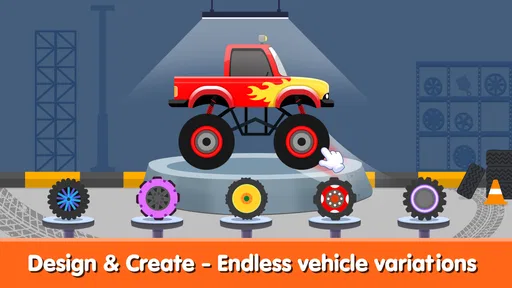
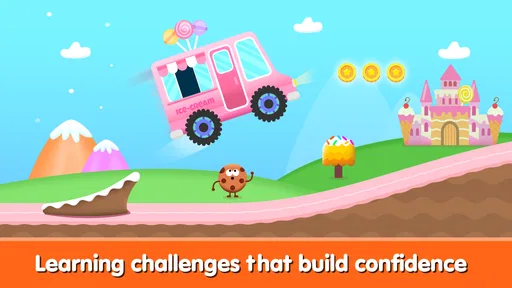
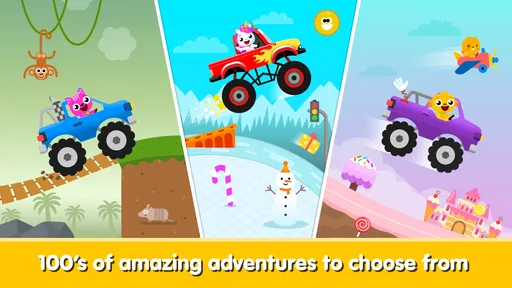
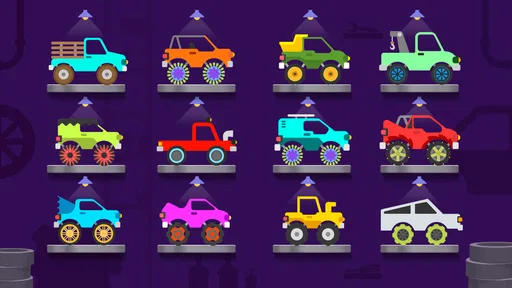
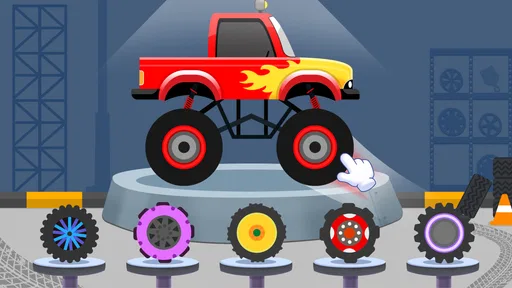
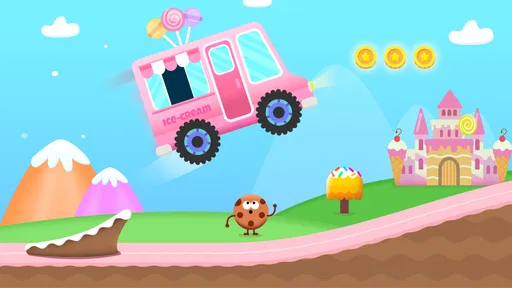
Kids Monster Truck Games 2+ is a driving game designed for young children, generally featuring monster trucks, simple controls, and playful courses. The emphasis is on accessible play rather than realistic driving or complicated challenges, making it suitable for little ones who are just learning to use a touchscreen. Exact activities and features can vary by version, so check the store listing before downloading.
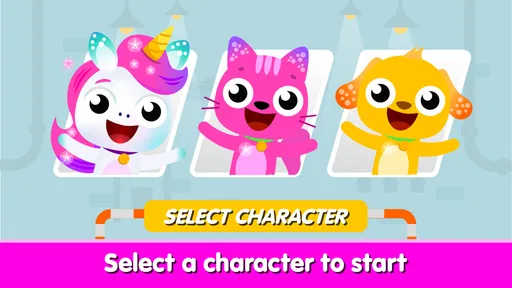
The age-focused design and straightforward gameplay are intended to make the game approachable for toddlers and preschool-aged children. However, every child develops at a different pace, and a young player may still need help navigating menus or understanding the controls. Parents should review the current age rating and store details, then supervise initial play to decide whether the content and difficulty suit their child.
Basic gameplay may be available offline once the game has been installed, but internet access can be required for downloading the app, loading certain content, or using features that depend on online services. Availability can differ between releases and devices. If you want your child to play without a connection, test the game in airplane mode before relying on offline access, and check the developer’s current description.
The presence of advertising, optional purchases, or other paid features can depend on the version and the platform where you download Kids Monster Truck Games 2+. Review the Google Play or App Store listing for pricing and purchase disclosures before installing. For a child’s device, consider enabling parental controls and requiring approval for purchases, and check the game’s settings for any available ad or privacy options.
Before downloading, confirm that the app is compatible with your device and that its age rating, permissions, privacy information, and payment details meet your expectations. Children’s games can differ in how they handle ads, data, and online features, so read the current store listing rather than relying only on the title. It is also useful to try the controls yourself and review the game with your child.
On Android, Kids Monster Truck Games 2+ asks for these permissions.
4.6 out of 5
6,435 reviews
Educational · Toy Tap LLP

Educational4.4 out of 5
Educational4.3 out of 5
Educational4.5 out of 5

Educational4.1 out of 5
Educational3.3 out of 5

Educational4.4 out of 5

Educational4.7 out of 5
Educational4.4 out of 5

Educational3.3 out of 5
Educational4.5 out of 5

Educational4.6 out of 5
Educational4.5 out of 5

Educational4.5 out of 5

Educational4.6 out of 5
Educational4.5 out of 5

Educational3.8 out of 5

Educational4.4 out of 5

Educational4.5 out of 5

Educational4.4 out of 5



Gamesive reviews games on its own and is not paid by developers for scores. We do not host game files: the download buttons open the official Google Play and App Store pages. Names, icons and screenshots belong to their owners.