Coloring Games: Color & Paint
For Android & iOS · RV AppStudios
- 4.4 out of 5Rating
- 122.42KReviews
- 100.00M+Downloads
- EducationalGenre
Game details
- Version
- Varies with device
- Updated
- Requires
- Varies with device
- Price
- Free
- Age rating
- Everyone
- In-app purchases
- No
Screenshots
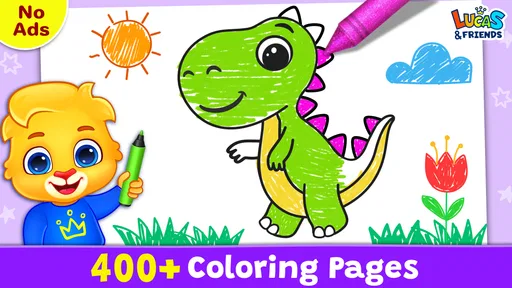
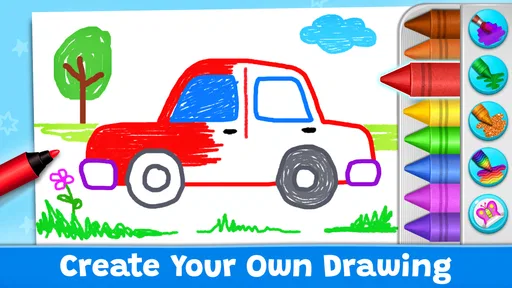
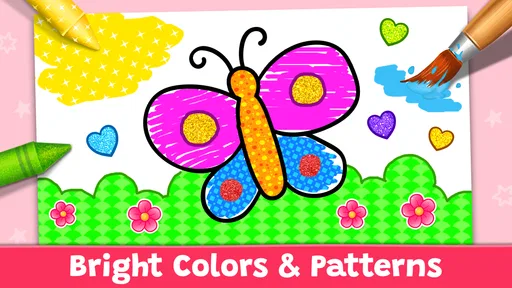
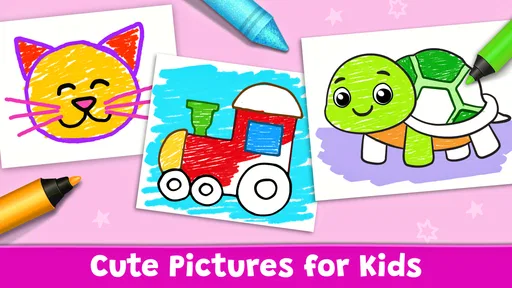

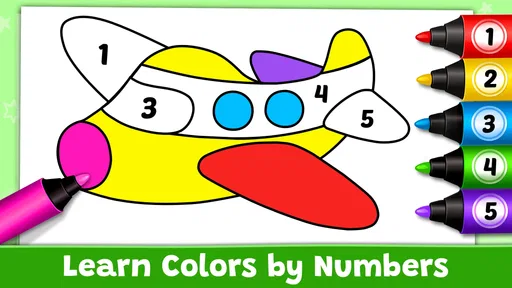
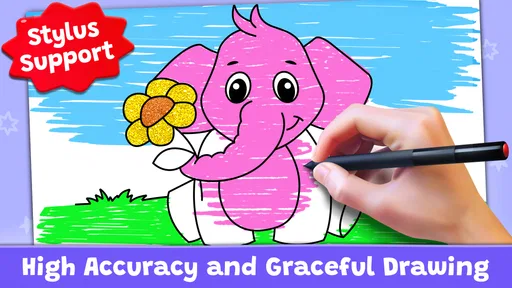
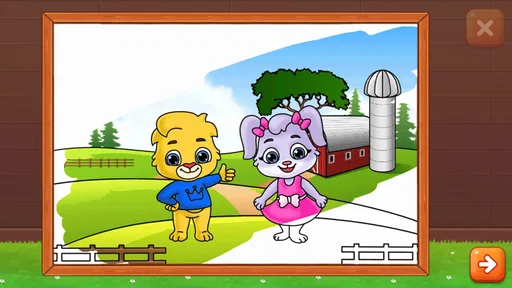
Coloring Games: Color & Paint review
 Analysis by Gamesive
When I’m choosing a coloring game for a child, I’m looking for more than a digital page to fill in. It should be easy to start, offer enough variety to hold a young child’s attention, and leave room for learning without turning play into a lesson. Coloring Games: Color & Paint is aimed at that overlap: it is an educational game built around coloring, painting, neon-style drawing, and simple learning activities. I’d consider it for a child who enjoys making pictures and benefits from having a few different ways to play in one app.
What to look for in a children’s coloring game
The first question is whether the child wants a calm activity or a game with more variety. A basic digital coloring book is often the better fit when the goal is simply to choose a picture and color it. This game’s wider mix may appeal more to children who like switching between drawing styles and educational play. That variety is its main decision-making advantage, but it also means it is not purely a quiet coloring tool.
Age matters, too. The game carries an Everyone content rating, and its presentation is directed at children. That makes it a reasonable option to explore with younger players, though an age label cannot tell you whether a particular child will find the controls comfortable or the activities engaging. I’d try it alongside the child at first, then see whether they can choose an activity and continue without needing frequent help.
It is free to download, which makes it easy to test before committing to a routine. RV AppStudios is the developer, and the game has been available since November 6, 2019. Its scale is notable: it has passed 100 million installs, with an average rating of 4.4 from around 122,000 ratings. Those figures suggest broad appeal, but I would still judge it by whether its mix suits the child in front of me rather than treating popularity as a guarantee.
A better fit for variety than for one specific art task
The appeal here is the combination of activities described by the game itself: coloring, painting, neon drawing, and educational games. I would choose it when a child tends to lose interest after finishing one picture or wants a change of pace without leaving the same app. If the child has a very specific goal, such as practicing detailed drawing or working through a structured school lesson, a focused art or learning app may serve that purpose better.
One useful way to introduce it is to let the child pick a mode rather than presenting the app as a single open-ended activity. A choice between coloring and drawing can make the first session feel manageable, while a later change to an educational activity can refresh interest. This small bit of guidance helps avoid the common problem of a young player opening an app, facing several possibilities, and immediately asking an adult what to do.
Where this game earns its place
For everyday use, I see the strongest case as a short creative break: a child has a few minutes before dinner, is waiting for a sibling, or needs a quiet activity during a trip. The app’s several kinds of play give a parent options without having to switch between separate coloring and drawing apps. It can also work as a low-pressure starting point for a child who likes pictures but is not yet interested in making a drawing from a blank page.
The different styles matter because they invite different kinds of participation. Coloring can feel approachable when a child wants to fill in an existing image; drawing offers a more open creative choice; neon-style art gives the activity a noticeably different look. I would use that contrast deliberately: if a child is tired of filling spaces, suggest trying the drawing option rather than pushing them to finish another picture. The value is not that every mode suits every child, but that the app gives them a way to change the kind of creative task.
There is also a practical learning angle. Educational activities can make the game more useful to a family that wants screen time to include something beyond free drawing. I would keep expectations modest: this is still a children’s game, not a substitute for a teacher, workbook, or guided practice. It can provide an enjoyable setting for learning-oriented play, while an adult can connect what the child does on screen to real-world colors, shapes, or drawing materials.
A helpful routine is to treat the app as a prompt rather than a complete activity. After a digital coloring session, ask the child to name the colors they chose, or invite them to make a similar picture with crayons. That makes the screen activity easier to extend into hands-on play and gives the adult a chance to see what the child actually enjoys. It also keeps the app from becoming the only place where the child experiments with art.
Small choices that make sessions work better
For a first session, I’d sit with the child and let them explore one activity at a time. That is not because the game needs to be treated as complicated; it is a way to find out which kind of play holds their interest. Once they have a favorite, they can start there on later visits. If they get restless, offer a different style instead of insisting they complete the current one. That approach uses the app’s variety as a practical tool rather than expecting every activity to be equally compelling.
For shared play between siblings or friends, I would make the turn-taking rule clear before handing over the device. A coloring activity can be a natural place to take turns choosing colors or deciding what to draw, but a child who wants uninterrupted control may not enjoy sharing. In that situation, it is better to treat the game as an individual activity and choose a separate cooperative game for group play.
Parents deciding whether to allow independent use should focus on the child’s own ability to navigate the activities and on the household’s usual screen-time rules. A general age rating does not replace those judgments. Trying the game together first gives a quick, realistic sense of whether a child can move between its creative options comfortably and whether the content feels suitable for that family.
How it compares with other choices
Compared with a conventional coloring-book app, this game’s broader emphasis is its clearest distinction. A dedicated digital coloring book may be preferable for a child who wants a straightforward sequence of pictures and little else. Here, the mix of painting, neon drawing, and educational play is more appealing when variety is the priority. The trade-off is that a child looking for one consistent, highly focused coloring experience may prefer the simpler alternative.
Compared with open-ended drawing apps, this game is more obviously intended for children and combines art with learning-oriented play. A drawing tool designed for older users may offer a more suitable workspace for someone who wants to develop detailed artwork, while a structured educational app may be more appropriate when a parent is targeting a specific skill. I would not choose this game as a professional art tool or as a complete learning program; its strengths are accessibility and a child-friendly blend of activities.
The distinction is useful when a parent is comparing categories rather than just counting features. Ask what the child does when given a blank page: do they want to color something already prepared, explore a different visual style, or practice making their own images? This game is most compelling when the answer changes from day to day. If the answer is always one narrow task, a specialist alternative may be less distracting and easier to fit into that child’s interests.
What to expect from the free option
Because the game is free, there is no purchase decision to make before trying it. That lowers the cost of experimenting, but free access does not automatically make an app the right choice for every family. I would still check the experience with the child and decide whether the activities are worth keeping in their rotation. Its large audience and strong average rating are useful context, not a promise that every child will enjoy the same parts.
One limitation of a multi-activity app is that variety can be a distraction as well as a benefit. A child who moves quickly from one option to another may spend more time choosing than creating. A parent can reduce that friction by suggesting a single activity at the start, then allowing a switch after a reasonable stretch of play. If the child repeatedly wants only one kind of task, a dedicated app may make the experience more direct.
Another trade-off is that digital creativity is different from working with physical materials. The game can offer a convenient way to draw or color on a device, but it does not replace the sensory experience of paper, crayons, paint, or markers. For children who are learning how tools feel and how to control them, real art supplies remain important. I see this app as a convenient companion for moments when physical supplies are impractical, not as a reason to set them aside.
Switching from another app or from paper
If a child already uses a simple coloring app, trying this one should be an easy comparison: see whether the additional drawing styles and educational activities lead to longer or more varied creative sessions. There is no need to replace a familiar favorite if it already suits the child. A switch makes sense only if the child is asking for more kinds of play or has become bored with a single repeated format.
Moving from paper coloring to a screen is a different decision. A device offers portability and quick access, which can be useful while waiting or traveling. Paper offers a tactile experience and a finished picture the child can keep or display. I’d use each in the setting where it works best: the app for a contained, convenient activity, and physical materials when the goal is hands-on making or a keepsake.
For a parent who already has several children’s apps installed, the practical question is whether this one adds a distinct role. Its combination of coloring, painting, neon drawing, and educational activities gives it a reason to sit alongside a focused drawing or learning app, but not necessarily to replace both. If storage, screen time, or simplicity is a concern, keep only the app the child returns to willingly and uses with the least prompting.
Who I’d recommend it to
I’d recommend Coloring Games: Color & Paint to parents looking for a free, child-oriented creative game that offers more than one way to make pictures. It is especially worth trying for a child who enjoys switching between coloring and drawing, or for a family that wants a light educational element alongside creative play. The Everyone rating and broad adoption make it an approachable candidate, but a short shared trial is still the best way to see whether its activities suit your child.
I would skip it in favor of a dedicated coloring app if the child wants only a quiet collection of pictures, a focused drawing tool if they want more deliberate art practice, or a structured learning app if the main goal is a specific lesson. That is not a knock against this game; it is simply a matter of matching the format to the job. Its broad mix is most useful when flexibility matters more than depth in any single activity.
My overall view is that this is a sensible option to try for short, creative screen sessions, especially when a child’s interests shift from one kind of art to another. Start by exploring together, notice which activity the child chooses on their own, and use that preference to decide whether the app deserves a regular place in their routine. For the right child, Coloring Games: Color & Paint makes it easy to move between different kinds of creative play; for a child who wants one precise tool or a hands-on art experience, another option will be the better fit.
What we like
- Simple controls make coloring easy for younger players.
- A broad color palette encourages creative experimentation.
- Players can color without needing drawing skills.
- Short sessions work well for quick breaks.
- The app offers a relaxing activity at a gentle pace.
What could be better
- Some content may require an in-app purchase.
- Ads can interrupt the coloring experience.
- The selection may feel repetitive after extended play.
- Fine details can be difficult to color on small screens.
- Young children may need help navigating menus.
Frequently Asked Questions
What is Coloring Games: Color & Paint?
Coloring Games: Color & Paint is a mobile coloring app designed for users who want to fill in pictures using digital colors and drawing tools. Depending on the version available on your device, it may include themed images, free-drawing options, or other creative activities. Check the app listing and screenshots before downloading to confirm which features and content are included in the current release.
Is Coloring Games: Color & Paint suitable for children?
The app’s coloring activities may appeal to children, but suitability depends on the child’s age and the specific content, advertisements, and in-app purchase options in the version you install. Review the age rating and parental guidance on the Google Play Store or Apple App Store. For younger children, an adult should also check privacy settings and supervise any links, ads, or purchase prompts.
Does Coloring Games: Color & Paint work offline?
Some coloring apps let you use previously loaded pictures without an internet connection, while downloading new images, receiving updates, or viewing certain features may require internet access. Offline availability can differ by app version and device, so it is best to test the functions you need before relying on them away from Wi-Fi or mobile data. Consult the store listing for current requirements.
Is Coloring Games: Color & Paint free to download and use?
The app may be available to download at no initial cost, but that does not necessarily mean every feature is free. Some versions of coloring apps include advertisements, optional purchases, or paid content. Check the pricing and in-app purchase details on the relevant app store before installing, and use device-level purchase restrictions if children share the device or you want to avoid accidental spending.
How can I save or share pictures made in Coloring Games: Color & Paint?
Saving and sharing options depend on the tools included in the version you install. Look for a save, gallery, or share control after completing a picture, and check whether the app requests access to photos or files on your device. If you plan to share a child’s artwork, review the destination and privacy settings first; avoid assuming that creations are automatically backed up or private.
Permissions
On Android, Coloring Games: Color & Paint asks for these permissions.
- Other
- view network connections, full network access, run at startup, control vibration, prevent device from sleeping, Google Play license check
Languages
Coloring Games: Color & Paint is also available in 1 other languages on our site.
EspañolJuegos de colorear y pintar
User reviews
4.4 out of 5
122,420 reviews
- 73%
- 12%
- 5%
- 3%
- 6%
Download Coloring Games: Color & Paint
Educational · RV AppStudios · Free
Games like Coloring Games: Color & Paint
View all: Games like Coloring Games: Color & Paint
Toca Boca Jr: Fun Kids Games
Educational3.3 out of 5
Toca Boca World
Educational4.4 out of 5

Baby Games: Piano & Baby Phone
Educational4.4 out of 5

PBS KIDS Games
Educational4.3 out of 5
More from RV AppStudios
View all: More from RV AppStudiosBaby Games: Piano & Baby Phone
Educational4.4 out of 5
About this listing
- Game
- Coloring Games: Color & Paint
- Developer
- RV AppStudios
- Package
- com.rvappstudios.kids.coloring.book.color.painting
- Version reviewed
- Varies with device
Gamesive reviews games on its own and is not paid by developers for scores. We do not host game files: the download buttons open the official Google Play and App Store pages. Names, icons and screenshots belong to their owners.