Toca Boca World
Educational4.4 out of 5
For Android & iOS · AppQuiz
 Analysis by Gamesive
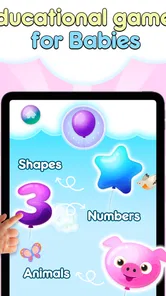
My first impression of Baby Balloons pop is that its appeal depends on a very simple promise: give a young child something bright and easy to tap, and let the screen respond. That makes it less like a conventional game with a destination and more like a small, repeatable play activity. I’d consider it for a toddler who enjoys cause and effect, especially when a parent wants a brief, low-pressure distraction rather than a lesson plan or a competitive challenge.
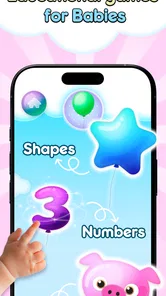
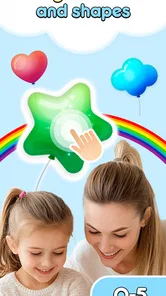
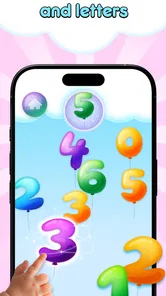
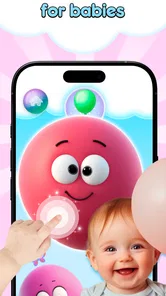
The central action is easy to understand: children pop balloons and bubbles. There is no complicated objective to explain before a child can begin, which matters when attention is brief or a little one is still learning how a touchscreen responds. The most useful first step is to sit beside the child and demonstrate a gentle tap. Then let them try without turning it into a test of speed or accuracy.
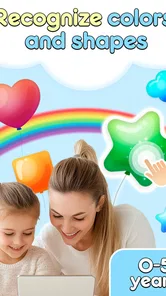
In this kind of educational game for young children, the interaction itself is the point. A balloon appears, the child touches it, and the visual event gives an immediate cue that their action mattered. That connection can make the game approachable for children who are not ready to follow written instructions or navigate several menus. It also gives a caregiver a natural opening to name what the child sees, talk about colors, or take turns pointing and tapping.
AppQuiz develops the game, which is built around sensory play rather than a story or a demanding sequence of tasks. I would not approach it as a structured course: its value is in offering a simple visual interaction that can sit alongside ordinary play. A parent can decide whether to keep the experience quiet and independent or make it more social by naming objects and encouraging the child to choose what to touch.
For a young player, a useful loop needs to be legible: act, see a response, enjoy the moment, and have another chance. Popping balloons and bubbles supports that rhythm because the action is direct and the feedback is visible. The child does not need to remember a long chain of instructions before the next interaction makes sense. That simplicity can be reassuring for a first touchscreen game.
There is a practical trade-off, though. A loop this straightforward is not likely to satisfy a child who wants a growing challenge, a character-led adventure, or a clear sense of progression. It is better suited to brief bursts in which the pleasure comes from repeating an action. If your child is already looking for puzzles, varied goals, or more elaborate controls, I would choose a different kind of game rather than expecting this one to hold attention in the same way.
One way I’d make the experience more engaging without changing the game is to bring a little conversation to it. A caregiver can ask the child to point to a balloon before tapping, take turns choosing what to pop, or pause to talk about what appeared. This turns a repetitive screen action into shared attention. It is also a useful reminder that the app can prompt interaction between child and adult, but it does not replace that interaction by itself.
The reward here is the immediate satisfaction of seeing a touched object pop, not a score or a complicated prize structure. That can be a good fit for very young children, who may respond more to a clear visual result than to points they cannot yet interpret. I like that the basic appeal does not depend on a child understanding a leaderboard or succeeding at a difficult level.
At the same time, repeated popping can lose its novelty. If a child stops watching the screen, starts tapping without interest, or becomes frustrated because the interaction is not going the way they expect, I would end the session rather than push for “one more.” A short activity is still useful if it gives the child a few enjoyable moments; it does not need to become a long period of screen time to justify opening it.
It can also work as a small waiting-room distraction or a transition activity at home, provided an adult is comfortable with the child using a phone or tablet at that moment. For example, while waiting for a meal to be ready, a parent could offer a few minutes of supervised play, then put the device away and move on. That is a more realistic role for this game than relying on it to occupy a child for an extended stretch.
The appeal of a simple action-and-response game is that a child can return to the same basic activity without needing to learn a new system each time. That makes it easy to offer again on another day, but it also means the reset is not necessarily a fresh challenge. I would treat each return as another brief opportunity to explore, not as a new stage that must be completed.
A helpful routine is to let the child lead for a little while, then give a clear ending: one last turn, a wave goodbye to the screen, or a move to a toy or book. This is not a feature of the game; it is a practical way to keep a repetitive activity from becoming a struggle to stop. For children who have trouble with transitions, the adult’s predictable cue may matter more than the game’s next visual response.
Parents may also wonder whether this is meant for an older child or for a child who needs a more educationally structured experience. The age rating is Everyone, but in practice the simple tapping concept is most naturally aimed at young children. Older kids who expect objectives, varied mechanics, or a sense of mastery may find it too basic. Likewise, a parent seeking guided lessons or a carefully sequenced curriculum should look at a more structured learning app.
Compared with early-learning games that ask children to identify objects, solve a puzzle, or follow a multi-step instruction, this is a lighter option. Its strength is ease of entry: a child can explore the central action with little explanation. The trade-off is depth. A more varied game may keep an older or more curious child engaged longer, while a physical toy may be a better choice if you want hands-on play away from a screen.
I would also distinguish sensory play from teaching a specific skill. A parent can use the screen as a prompt for talking and turn-taking, but tapping balloons is not the same as practicing letters, counting, or a school subject. If the goal is a focused learning activity, choose an app that makes that goal explicit. If the goal is a straightforward, visually responsive diversion for a little one, this game has a clearer fit.
There is a similar choice between solo use and shared play. A child may enjoy tapping independently, but sitting nearby lets an adult notice whether the pace is comfortable and add language or turn-taking. For a very young child, that supervision is especially sensible: it gives the adult a chance to guide the activity and stop when the child has had enough. I would not treat the app as a substitute for a parent’s attention simply because the interaction is easy to repeat.
The game is free to download, with optional in-app purchases listed from $0.99 to $6.49 per item. I’d check the purchase settings on the device before handing it to a child, since young players can tap without understanding that a purchase is different from ordinary play. Its Everyone content rating is a useful broad signal, while a caregiver should still decide whether screen use suits the child and the moment.
It has an average rating of 4.4 from around 49,000 ratings, and it has been installed over 10 million times. Those figures suggest that many families have tried it, but they do not tell me whether it will suit a particular child. Version 23.7 is the current release, and the game supports devices running version 7.1 or later. It first appeared on June 28, 2011, so it is an established, simple concept rather than a newly introduced kind of play.
My recommendation is specific: choose Baby Balloons pop if you want a very accessible, repeatable tapping activity for a young child and are happy to keep sessions short. Its action is easy to grasp, the response gives a quick sense of cause and effect, and the next turn is obvious. Skip it if you want a substantial progression system, detailed teaching, or enough variety to occupy an older child for a long time. For the right age and purpose, its simplicity is the feature; for everyone else, that same simplicity is the limit.
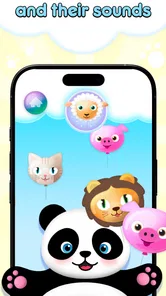
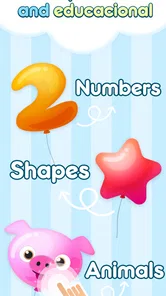
Baby Balloons pop is a simple, child-focused game built around tapping colorful balloons as they appear on the screen. Its straightforward play makes it easy for young children to understand without complex instructions or controls. Depending on the version, balloons may include different colors, sounds, or visual effects. The exact features and presentation can vary by edition, so check the app listing and screenshots to confirm what is included before downloading.
The basic balloon-popping format is generally accessible to toddlers and preschoolers because it relies on simple touch interactions rather than reading or advanced coordination. However, age suitability also depends on the specific edition, its advertisements, in-app purchases, sound effects, and any links to other content. An adult should review the store listing and try the game first, then supervise play and adjust the device’s volume and screen-time settings as appropriate.
A basic balloon-popping game may work offline once it has been installed, but online requirements can differ between versions. An internet connection may be needed to display advertisements, load optional content, or access store and privacy links. If offline play matters to you, test the app with the device disconnected after installation. Also check the app’s store description for any stated connectivity requirements, since these can change with updates.
Whether Baby Balloons pop includes advertisements or in-app purchases depends on the particular version available in your app store. These details are especially important for an app intended for young children, since ads or purchase prompts can interrupt play or lead to accidental taps. Review the store listing’s monetization information and privacy details before installing. For added protection, use your device’s parental controls to restrict purchases and limit access to external links.
Before downloading, confirm that the app is compatible with your device and operating-system version, and review its age rating, recent update history, privacy information, and user reviews. Check whether it requests permissions that seem unnecessary for a simple game, and look for details about advertising, purchases, and data collection. Because app features and policies can change, verify these points on the current Android or iOS store page and supervise a child’s first use.
On Android, Baby Balloons pop asks for these permissions.
Baby Balloons pop is also available in 1 other languages on our site.
4.4 out of 5
49,263 reviews
Educational · AppQuiz

Educational4.4 out of 5
Educational4.3 out of 5
Educational4.5 out of 5

Educational4.1 out of 5
Educational3.3 out of 5

Educational4.4 out of 5
Educational4.5 out of 5
Educational4.4 out of 5

Educational3.3 out of 5
Educational4.5 out of 5

Educational4.6 out of 5
Educational4.5 out of 5
Educational4.5 out of 5

Educational4.6 out of 5
Educational4.5 out of 5
Educational3.8 out of 5
Educational4.4 out of 5

Educational4.6 out of 5

Educational4.5 out of 5



Gamesive reviews games on its own and is not paid by developers for scores. We do not host game files: the download buttons open the official Google Play and App Store pages. Names, icons and screenshots belong to their owners.