
Toca Boca World
Educational4.4 out of 5
For Android & iOS · RV AppStudios
 Analysis by Gamesive
On a shared tablet, a short maths game can be easier to fit into family life than a workbook that needs an adult to sit beside a child the whole time. Math Kids: Math Games For Kids is aimed at preschool learners, with a focus on early number work rather than broad entertainment. I’d consider it when a child wants a playful way to practise counting and simple calculations, while keeping expectations modest: it can make repetition more inviting, but it is not a substitute for conversation, physical objects, or an adult noticing where a child is getting stuck.
The game is an educational title from RV AppStudios, and its subject matter makes it a plausible choice for a family tablet used by younger children. A practical routine might be to offer it for a brief turn while dinner is being prepared, then ask the child to explain one answer using toys, fruit, or fingers. That small follow-up matters: a correct tap shows a response, while explaining how the child reached it gives you a better sense of whether the idea is taking hold.
Because the activities center on counting, addition, and subtraction, the game is most useful when a child is ready to connect number words with quantities. If your preschooler is still learning to recognize numerals, keep nearby objects in the activity: count blocks together, then return to the screen. If they already handle simple sums comfortably, use the game as light practice rather than assuming it will provide a challenging next step.
I would also treat shared-device use as a household routine, not as a feature of the game. Agree on whose turn it is and when the tablet goes away, especially if siblings use the same device. I would not assume that separate child profiles, progress separation, or family scheduling tools are part of the experience. If those boundaries matter, check how your device handles child accounts and app access before handing it over.
A useful approach is to watch the first few turns and see how the child responds to the questions. Do they count aloud, recognize the symbols, or guess quickly? Each response suggests a different kind of support. Counting aloud can be a good sign that they are using a strategy; fast guessing may mean the activity is moving faster than their understanding. Pause rather than turning every answer into a test.
For a child who gets frustrated by sums, try switching from screen questions to a real-world example. Ask how many crackers remain after one is eaten, or count steps on the way to the bath. Then return to the game another time. This gives the child a concrete bridge between symbolic arithmetic and familiar quantities, and it prevents the app from becoming the sole judge of whether they are “good at maths.”
The title is free, so it is easy to consider as a low-commitment option, but I still recommend an adult checking the app and the device’s settings before a young child uses it independently. Look at how the app appears on your device, whether its current setup suits your household, and what restrictions you want applied to the tablet overall. That is sensible for any app used by a preschooler, especially on a device that also belongs to older family members.
For account boundaries, keep in mind that an app and a device account are not the same thing. If siblings share one tablet login, their use may not be separated in the way you expect. I would avoid promising a child that their activity or progress will be private or individually saved unless you have checked the actual setup. When a child has their own supervised profile, review the app there rather than assuming the adult’s settings carry across automatically.
Coordination can be simple: one adult can choose a short practice moment, while another follows up later with counting during play. There is no need to turn this into a formal lesson. A brief conversation such as “How did you know there were three?” makes the screen activity more meaningful and gives caregivers a shared way to notice what the child understands. If different adults are helping, agree on a calm response to mistakes; correcting every tap can make practice feel like an exam.
The game is rated for Everyone and was released on August 22, 2017. Its preschool emphasis makes it most naturally suited to children at the beginning of number learning, although age alone is a poor guide: one child may enjoy counting games well beyond preschool, while another may need hands-on practice first. I’d use interest and readiness as the deciding factors, not the age label by itself.
Its scale suggests that many families have tried it: it has more than 50 million installs, with an average rating of 4.5 from around 76,000 ratings. Those figures can help establish that it is widely used, but they do not tell you whether its pace or presentation will suit your own child. I’d still sit with them at first, particularly if they are very young or unfamiliar with using a touchscreen for learning.
RV AppStudios has built an educational game rather than a general-purpose maths reference. That distinction is helpful when deciding what to trust it with. It can offer practice in early arithmetic, but I would not use a child’s performance in the game as a complete measure of school readiness or mathematical ability. A child may understand an idea but tap inaccurately; another may arrive at an answer by guessing. Watching and talking remain important.
Compared with worksheets, a game can feel more approachable to a child who resists sitting down to write numbers. Compared with counting real objects, though, a screen is less tangible: a child can tap an answer without physically grouping or moving anything. For that reason, I see this as a companion to ordinary play, not a replacement for it. If your goal is handwriting, number formation, or a structured curriculum, a different resource may be a better match.
It is also worth distinguishing simple practice from tailored instruction. A child who needs an adult to explain why addition works may benefit more from blocks, drawings, or one-to-one help than from another round of questions. On the other hand, a child who already understands the basic idea but wants to practise recognizing sums may enjoy a game format. The right choice depends less on screen time in general and more on what the child is trying to learn at that moment.
One useful trade-off for a shared household is convenience versus individual fit. A free app is easy to try with different children, but siblings can have very different levels and patience. Don’t make the older child’s pace the standard for the younger one, and don’t expect a preschool activity to hold an older learner’s attention. If several children use the tablet, offer it selectively rather than treating it as a single solution for everyone.
I’d recommend giving it a try if you want a straightforward, child-friendly starting point for counting and basic sums, and you are willing to stay involved enough to connect screen answers with everyday quantities. It is particularly easy to fit into a short practice window: a few questions before a meal or during a quiet moment can be followed by a quick count of objects nearby. That makes the activity feel connected to the child’s world instead of isolated on the tablet.
I’d skip it, or at least look for another tool, if you need detailed individual tracking, clearly separated sibling progress, a guided teaching sequence, or substantial challenges for a child who has moved beyond introductory arithmetic. I would also choose offline manipulatives first when a child learns best by touching and rearranging objects, or when screens reliably lead to arguments in your home. Those are not failings of the game; they are signs that another format may serve the child better.
With around 1,100 written reviews alongside its broad audience, the game has clearly attracted plenty of attention, but popularity should be only one part of the decision. I’d judge it by a simple test at home: does the child stay curious, attempt the numbers rather than tap at random, and remain comfortable when an answer needs another try? If so, it may earn a place in your learning routine. If not, a counting walk, blocks on the floor, or an adult-led puzzle could be a happier fit.
My view is that Math Kids works best as a small, supervised piece of a broader early-learning routine. It gives families a convenient way to introduce counting and basic arithmetic in a game setting, and its free price makes trying it straightforward. The main limitation is one of scope: playful screen practice cannot tell you everything about what a child understands, and it may not suit children who need more hands-on guidance or a more advanced challenge.
For a household sharing one device, the best results will come from setting expectations outside the app: decide when the tablet is available, check the account arrangement, and keep practice turns short enough that the child finishes willingly. Pair a question with a real object or a quick explanation, and you will learn more than you would by watching taps alone. Used that way, this educational game can be a useful option for preschool number practice without asking it to do the work of a parent, teacher, or complete maths program.
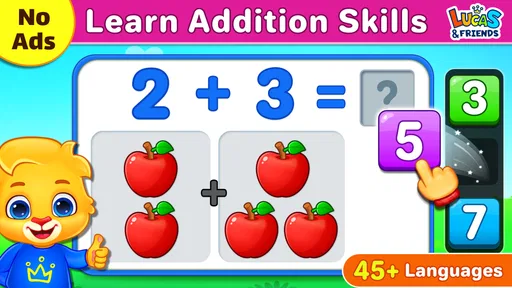
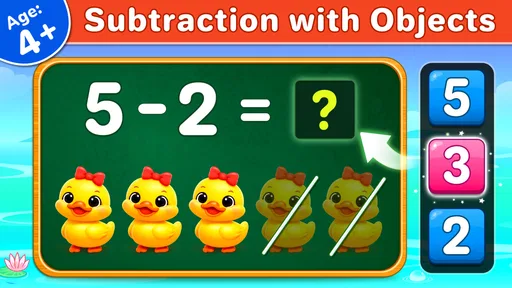
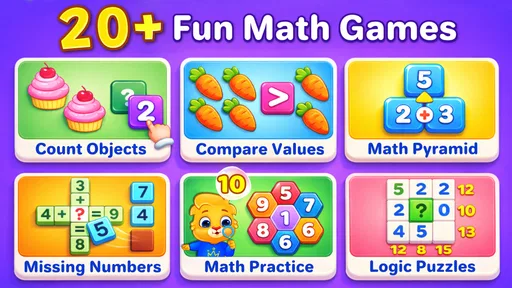
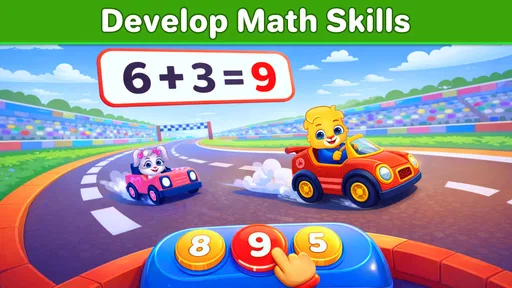
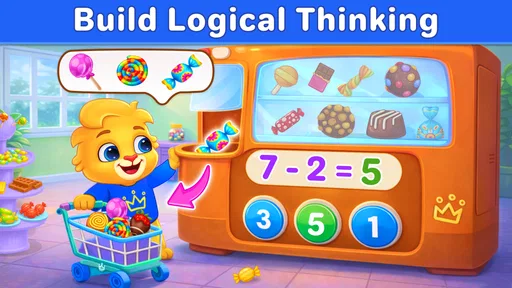
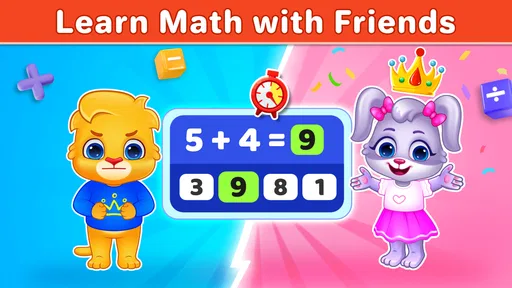
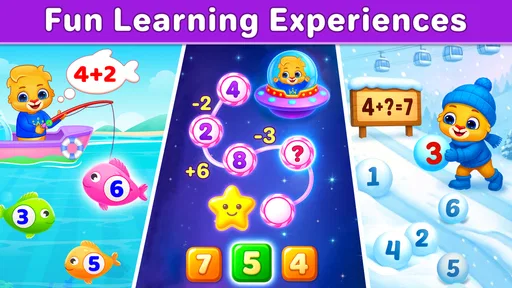
Math Kids: Math Games For Kids is an educational app designed to help young children practise early maths skills through interactive activities. Depending on the available version, its exercises may cover counting, number recognition, addition, subtraction, and comparing quantities. The format is intended to make short practice sessions approachable for beginners, but parents should check the app listing to confirm which activities and age range are included in the version they plan to download.
The app is aimed primarily at children who are beginning to learn numbers and basic arithmetic, so it may suit preschool and early elementary learners. Whether it is appropriate for a particular child depends on their current skills and the difficulty of the available activities. Adults can review the store description and try the exercises with the child first, especially if the child needs accessibility support or more advanced maths practice.
Offline access can vary by app version and platform. Some learning activities may be available after installation without an internet connection, while downloads, advertisements, updates, or other features may require connectivity. Before relying on the app during travel or in a classroom, open it once while online and then test the activities in airplane mode. The current Google Play or App Store listing is the best place to check any stated connection requirements.
The price, advertisements, and optional purchases can differ between Android and iOS, and they may change as the app is updated. Check the store listing for labels such as in-app purchases and read its current details before installing. If a child will use the app, an adult should also review purchase and advertising settings on the device and enable parental controls where appropriate, rather than assuming that every activity is entirely free or ad-free.
The app offers a way to practise foundational maths, but parents should assess its content and privacy practices before handing it to a child. Review the developer information, age rating, privacy disclosures, and any links or advertising shown in the app. Try the activities together initially, check whether the difficulty suits the child, and use device-level parental controls to limit purchases, external links, or screen time as needed.
On Android, Math Kids: Math Games For Kids asks for these permissions.
Math Kids: Math Games For Kids is also available in 2 other languages on our site.
4.5 out of 5
75,968 reviews
Educational · RV AppStudios

Educational4.4 out of 5
Educational4.3 out of 5
Educational4.5 out of 5

Educational4.1 out of 5
Educational3.3 out of 5

Educational4.4 out of 5
Educational4.4 out of 5
Educational4.5 out of 5

Educational4.6 out of 5
Educational4.5 out of 5
Educational4.4 out of 5

Educational3.3 out of 5
Educational4.5 out of 5

Educational4.6 out of 5

Educational4.5 out of 5
Educational4.6 out of 5
Educational4.5 out of 5

Educational3.8 out of 5
Educational4.4 out of 5

Educational4.6 out of 5

Educational4.5 out of 5

Educational4.4 out of 5



Gamesive reviews games on its own and is not paid by developers for scores. We do not host game files: the download buttons open the official Google Play and App Store pages. Names, icons and screenshots belong to their owners.