
Avatar Maker Dress up for kids
Educational3.3 out of 5

For Android & iOS · BabyBus




 Analysis by Gamesive
When I’m looking for something a young child can explore without turning a short wait into a video marathon, Baby Panda World-Learning Game is an appealing option. It is an educational game from BabyBus, aimed at children aged three and up, and its appeal is variety: children can move between games, cartoons, and songs rather than being locked into one activity. I’d treat it as a playful collection for supervised downtime, not as a replacement for a carefully chosen learning plan.
The game is free to download, which makes it easy to try before deciding whether it suits your family. In-app purchases range from $0.49 to $41.99 per item, so “free” describes the entry point, not necessarily every possible purchase. I’d look over the purchase options with a parent before handing over a device, and avoid assuming that every activity or piece of content is included at no cost.
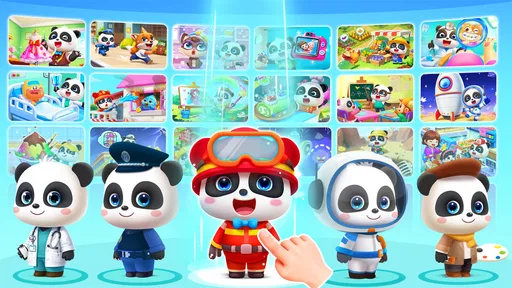
That distinction matters more here than it might in a single-purpose game. BabyBus presents this as a world with more than 200 games, cartoons, and songs, and the range gives children several kinds of things to do. The store summary also says it can be played offline, a useful point for travel or places where a connection is unreliable. Offline play is not the same as knowing that every item is available offline, so I’d check the particular activity before relying on it for a trip.
There is a clear audience signal: it has an Everyone age rating, and the content is positioned for children from age three. The app has a 4.4 average from around 461,000 ratings, and has passed 100 million installs. Those figures suggest broad reach, but I wouldn’t use popularity as a substitute for checking whether the activities fit a child’s temperament, attention span, or family’s screen-time preferences.
In my view, the strongest value is not any single mini-game; it is the ability to offer a change of pace within one app. A child who has finished a simple activity may be willing to listen to a song or watch a cartoon instead of immediately asking for another game. That can make the collection handy for a parent who wants a few age-oriented choices in one place, rather than switching between several separate apps.
The mix also creates a practical opportunity to make screen time more interactive. I’d sit nearby and ask a child to explain what they are doing, name things they recognize, or sing along, rather than treating the app as an electronic babysitter. The app can supply prompts and entertainment, but the conversation around it is where a parent can connect an activity to everyday learning.
A useful routine is to choose one activity before opening the app and agree on a natural stopping point, such as finishing a game or song. A large collection can be exciting, but it can also make it tempting to keep browsing. Setting that small boundary in advance helps keep the variety helpful instead of letting the app become an endless sequence of choices.
Compared with a focused alphabet, number, or reading app, Baby Panda World is broader and less suited to a parent who wants one clearly defined lesson. Its mix of play, cartoons, and music is closer to a children’s entertainment hub with educational intent than to a structured course. That breadth is a strength when a child needs options, but a weakness if you want a measurable progression through a particular skill.
It also differs from handing a child a general video platform. The collection is framed for young children and combines activities rather than relying only on watching. Still, cartoons and songs are part of the experience, so families trying to minimize passive viewing may prefer a hands-on toy, a book, or a single interactive app with fewer distractions. The right comparison depends on what you want from that moment: variety and convenience, or a narrow and deliberate learning task.
The breadth that makes the app convenient can also make it harder to keep a young child focused. With many choices, some children will hop from one thing to another before giving any activity much attention. I’d guide a younger player toward one game at a time, especially if the goal is to practise patience or finish a small task rather than simply stay occupied.
Another tradeoff is that the free download sits alongside optional purchases. If a child can navigate the device independently, it is sensible for an adult to review the purchase controls and account settings before regular use. I would not assume that a child will understand the difference between trying something and paying for it. A quick setup check can prevent an otherwise pleasant app from becoming a source of unexpected spending.
Offline capability is especially attractive for a car journey or waiting room, but I’d prepare in advance instead of opening the app for the first time when the connection is gone. Check that the relevant content works where you need it, and make sure the device has enough battery. That is a small bit of planning, but it matters when offline access is part of the reason you chose the app.
There is also a difference between “educational” and “tailored to my child.” A broad children’s collection can offer entertaining ways to engage, yet it may not match a particular child’s learning needs or sensitivities. If your child is easily overstimulated by switching activities, prefers physical play, or needs targeted support with a specific skill, I’d choose something more focused and keep this as an occasional alternative.
One realistic use is a short wait at a clinic or restaurant. I’d open the app with the child, pick a single activity together, and then close it when the appointment or meal is ready. The mix means there may be a game or song suited to the moment, while the adult’s involvement helps prevent a quick distraction from stretching into an unplanned long session.
It can also be useful when travelling, particularly because the app is described as playable offline. Before leaving home, I’d test the specific activity the child is likely to use and keep a non-screen backup, such as a book or toy. That combination is more dependable than expecting one app to cover every stretch of a journey, and it gives the child a break from the screen.
At home, I’d use it as a shared starting point rather than a stand-alone lesson. If a child encounters a familiar object or idea in a game, a parent can follow up with a drawing, a toy, or a simple question. That approach takes advantage of the app’s range without overstating what a collection of digital activities can teach on its own.
I think it makes the most sense for families with a preschool-aged child who enjoys switching between different types of content and for parents who want a free way to explore a large children’s collection before deciding whether any optional purchases are worthwhile. The app’s current version is 8.39.40.10, and it requires Android 7.0 or later, so device compatibility is worth checking before installing.
It is a less convincing choice for someone looking for a fully structured curriculum, a quiet single-purpose activity, or a guarantee that every part of the collection is free. Parents who prefer to avoid in-app purchases altogether may also find a paid, one-time purchase app more comfortable, although the value comparison depends on the specific alternative. Here, the known price facts are straightforward: the app costs nothing to download, while individual in-app purchases range from $0.49 to $41.99.
BabyBus has built a substantial audience around this title, and it has about 2,100 written reviews in addition to its much larger rating base. I’d take that reach as a reason to consider trying it, not proof that it is right for every household. A child’s response to the format—and an adult’s comfort with the purchase options—are more useful deciding factors.
I’d try Baby Panda World-Learning Game if I wanted a free-to-download collection that could offer a young child several kinds of entertainment, including offline play. The strongest case for it is convenience: games, cartoons, and songs are gathered in one child-focused app, which can be handy for a short, supervised break or a planned activity on the go.
I’d skip it if my priority were a tightly sequenced learning program, minimal choice, or an experience with no optional purchases. The breadth is genuinely useful, but it asks parents to steer the session and check the purchase setup. My recommendation is to try the free entry point, explore alongside the child, and decide from actual use whether the available activities justify spending anything. That makes the app an easy candidate to sample, while keeping its value tied to what your family really uses.
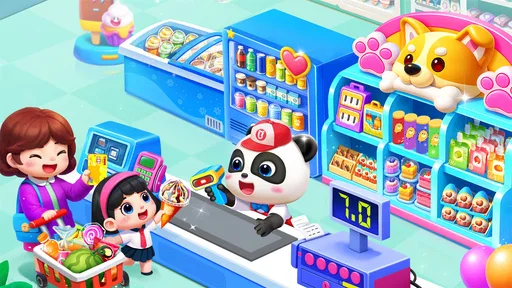
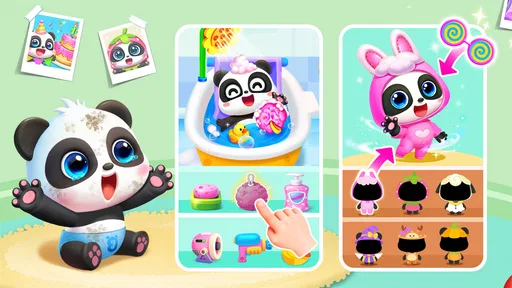
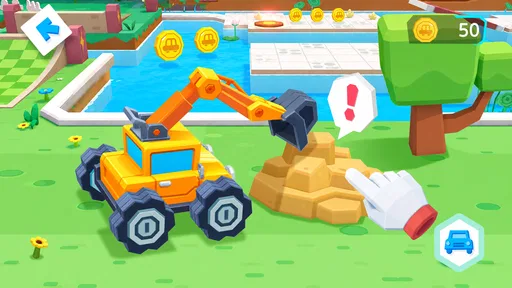
Baby Panda World-Learning Game is a collection of child-friendly activities built around characters and themes from BabyBus. Instead of focusing on a single challenge, it offers a variety of playful experiences, such as pretend play, simple puzzles, and creative tasks. The exact activities may vary by version or update, so check the app listing and in-game menus to see what is currently included.
The game is designed for children, with colorful visuals and simple interactions intended to be approachable for younger players. However, suitability depends on a child’s age, reading ability, and sensitivity to ads or in-app prompts. An adult should explore the app first, review its content and settings, and supervise play, particularly for children who may tap purchase or external-link buttons unintentionally.
Some parts of the experience may work without a connection once they are available on the device, while other content, updates, or features may need internet access. Offline availability can depend on the version, device, and which activities have been downloaded. If you plan to use the game while traveling, test it in airplane mode beforehand and avoid assuming every section will remain accessible offline.
The app may be available to download without an upfront charge, but free access does not necessarily mean every activity is included at no cost. Ads, optional purchases, or locked content can vary by platform, region, and release. Before handing the device to a child, check the current store listing and the app’s parental controls, and use your device’s purchase restrictions to prevent unintended spending.
Start by opening the game together and checking its activities, settings, advertising, and any links or purchase prompts. Use device-level parental controls to restrict spending and access to external content, and supervise play according to the child’s age. Also review the app-store privacy information, since data practices can change between versions, and download the game only from an official app store.
On Android, Baby Panda World-Learning Game asks for these permissions.
Baby Panda World-Learning Game is also available in 2 other languages on our site.
4.4 out of 5
461,183 reviews
Educational · BabyBus

Educational4.3 out of 5
Educational4.5 out of 5

Educational4.1 out of 5
Educational3.3 out of 5

Educational4.4 out of 5

Educational4.4 out of 5
Educational4.5 out of 5

Educational4.8 out of 5
Educational3.3 out of 5
Educational4.5 out of 5

Educational4.6 out of 5
Educational4.5 out of 5
Educational4.5 out of 5

Educational4.6 out of 5
Educational4.5 out of 5
Educational3.8 out of 5
Educational4.4 out of 5

Educational4.6 out of 5

Educational4.5 out of 5

Educational4.4 out of 5



Gamesive reviews games on its own and is not paid by developers for scores. We do not host game files: the download buttons open the official Google Play and App Store pages. Names, icons and screenshots belong to their owners.