
Avatar Maker Dress up for kids
Educational3.3 out of 5
For Android & iOS · Orange Studios Games


 Analysis by Gamesive
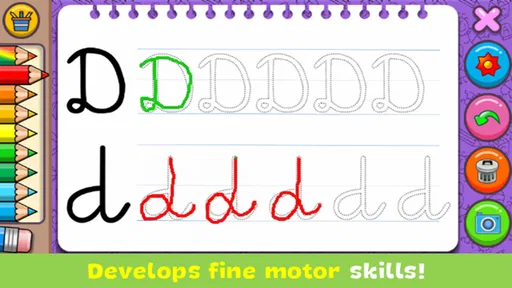
When I first opened Coloring & Learn, I treated it as a small activity to share with a child rather than a lesson that needed a plan. That is the right expectation: the game brings coloring together with educational activities, so a child can move between making a picture and trying something more structured. It is aimed at young learners, and its relaxed, choose-what-to-do approach makes it easy to try without turning a quiet moment into a formal study session.
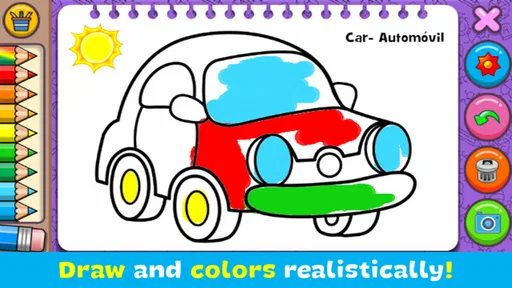
There is a lot to explore, but the most useful first step is deliberately simple: choose a drawing, pick a color, and let the child begin. A first successful result does not need to be a finished masterpiece. For a preschooler, choosing colors and staying with a picture for a few minutes can be the win. I would introduce the game that way, then offer one of its learning activities when the child is ready for a change.
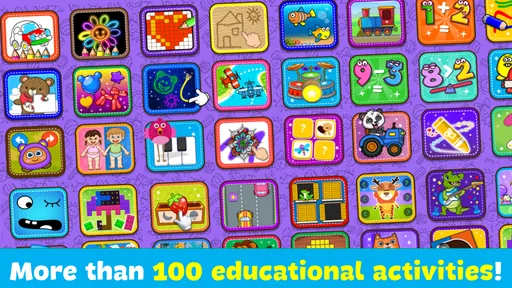
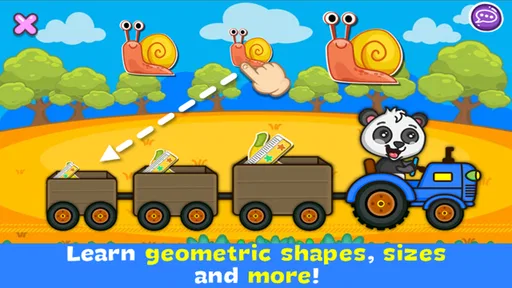
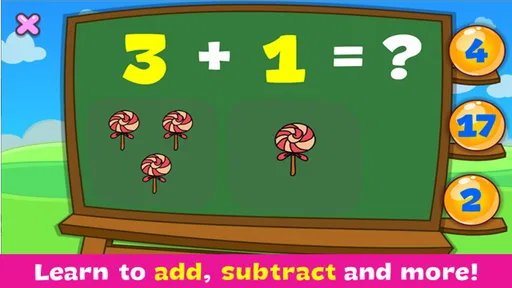
This is an educational game from Orange Studios Games, built around two kinds of activity rather than one long challenge. Its collection includes more than 250 drawings to paint and over 70 educational games. That breadth gives families options: coloring suits a child who wants to create at their own pace, while the shorter learning activities provide a different kind of focus.
The key distinction is that this is not a conventional drawing studio. I would choose it for accessible, child-friendly activities, not for detailed illustration tools, open-ended art projects, or a curriculum with a carefully sequenced path. If your child likes switching between pictures and simple learning tasks, the combination is a strength. If they want complete freedom to draw anything from a blank canvas, a dedicated art app is likely a better fit.
The game has a 4.3 average from around 292,000 ratings and more than 100 million installs. That scale suggests it is familiar to many families, though popularity alone cannot tell you whether its style will suit your child. I would judge it by a short shared session: does the child understand what to do, enjoy choosing an activity, and want to keep going? Those are more useful signals than a high install count.
It is free to download, with in-app purchases listed at $3.49 per item. I would begin without planning to buy anything: first see whether the available activities hold your child’s attention and whether the app fits your household’s routine. Because purchases are possible, it is sensible to check the device’s purchase controls before handing it over. That small preparation keeps a child’s exploratory taps from becoming an unexpected decision for an adult.
The content rating is Everyone, which makes the intended audience broad, but age suitability still depends on the child and how they use a device. Some children will navigate independently; others will benefit from an adult nearby to help choose an activity or keep the session moving. I see it as a shared option for a young child, not a substitute for an adult’s judgement about screen time or learning needs.
The game is listed for Android devices running version 6.0 or later, and its current version is 2.30. Once it is installed, I would avoid giving a child a long explanation. Open the game together, look over the choices, and let them point to something appealing. The first session should be about finding a comfortable starting point, not sampling every drawing and educational activity in one sitting.
A practical way to begin is to offer two choices: a picture to color or a learning activity. That small boundary helps a child make a real decision without being overwhelmed by a large collection. If they choose a drawing, let them lead the color choices. If they choose a game, give them room to try before stepping in. This works especially well during a short break at home, when you want an activity that does not require setting up paper, crayons, or a separate lesson.
For a child who is hesitant, sit beside them and narrate only the next action: choose a picture, select a color, then try applying it. I would not correct the result or insist on coloring neatly. The point is to learn how the activity responds and to make the child feel capable. Once they have completed one small action on their own, it is easier for them to decide whether they want to continue or switch.
In a first session, success can be as modest as filling part of a picture or completing one educational activity. That matters because the app combines different kinds of attention. Coloring is usually more open-ended; a learning game may ask the child to respond to a task. Moving between them can refresh interest, but it can also interrupt concentration. I would let the child finish a chosen activity before suggesting a switch.
One useful routine is to keep the first visit short and end while the child still feels good about what they did. For example, after a snack, a parent could invite a child to color one picture while waiting for a meal, then offer a learning activity another day. This makes the app easier to fit into everyday life and avoids turning its large selection into a demand to keep playing. The aim is a pleasant, repeatable moment, not exhaustive exploration.
Another practical tip is to ask the child to explain their choices rather than quiz them. “Which color did you choose?” or “What would you like to try next?” encourages attention and conversation without making the activity feel like a test. The drawing gives you something concrete to talk about, while the educational games can provide a natural prompt to discuss what the child is doing. An adult’s involvement can make a short digital activity more social.
The first point of confusion may simply be the range of choices. A child who is excited by many options can bounce from one activity to another before settling. I would respond by narrowing the choice, not by trying to explain the whole app. Pick one drawing together, or agree to try one learning activity before returning to the pictures. This gives the child a clear next move without making the session rigid.
A second trade-off is that a large collection does not automatically mean every activity will suit every child. A child who loves coloring may ignore the learning games; another may prefer the more task-focused activities and have little interest in painting. That is not necessarily a problem, but it is worth noticing before assuming the combined format will appeal equally. Let the child show you which side they return to, and use that preference to decide whether the app earns a place in your routine.
It is also easy for an adult to expect a teaching sequence because the game is educational. I would not rely on it as a complete learning plan or assume that every child will progress in a particular order. Its value is more practical: it offers a way to combine creative play with learning-oriented screen activities. If you need structured lessons, progress tracking, or a particular subject taught step by step, a focused educational resource would be a better choice.
Device use can be another source of friction. A child may want to keep playing after a parent thinks the session is done, especially when there are more activities to explore. I find it helpful to set the limit before opening the game, using a simple expectation such as one picture or one activity. That boundary is clearer than asking a child to stop at an unpredictable point, and it keeps the app in the role of a brief activity rather than an open-ended default.
Compared with a basic coloring app, this game’s main difference is that it also offers educational activities, so a child can change the kind of engagement without moving to another app. That is convenient for a parent who wants a little variety in one place. The trade-off is focus: a dedicated coloring app may be preferable for a child who wants more control over artwork, while a subject-specific learning app may suit a family looking for a more deliberate lesson.
Compared with paper and crayons, the digital format is easier to bring out for a quick activity and lets a child explore without needing an adult to prepare materials. But it cannot replace the tactile experience of drawing on paper, and it is still screen time. I would use it as one option among several, not as a reason to put away physical art materials. A child who is happiest making marks with real pencils may simply enjoy a paper activity more.
That comparison also helps clarify who should skip it. I would look elsewhere if the main goal is advanced drawing, a tightly guided course, or a particular educational subject delivered in a progressive sequence. I would also pass if a child consistently dislikes choosing activities on a screen. For families who want a low-pressure mix of coloring and learning games, however, the format is approachable and easy to test without a purchase upfront.
After the first visit, I would build on what the child actually enjoyed. If they stayed with a picture, invite them to choose another on a later day and talk about the colors or details they notice. If they preferred an educational activity, offer that kind of play again while staying nearby in case they need help. There is no need to use every part of the game for it to be useful.
It can help to treat the app as a small menu of options rather than a single activity with a required route. That approach is especially useful for siblings or children with different interests: one may want to color while another is drawn to the learning games. The adult can keep the experience manageable by offering one choice at a time and agreeing on a natural stopping point. This is more likely to preserve the relaxed feel than opening the app and expecting a child to navigate the whole collection alone.
Coloring & Learn was released on July 19, 2016, and its continued presence across a very large install base makes it easy for families to consider. My recommendation is still based on fit, not age or popularity alone: try a short, supervised session and see whether your child enjoys both the creative and learning-oriented sides. Its best use is as an easy, flexible activity for a young child, with an adult setting gentle boundaries and choosing when to switch or stop.
Overall, I would recommend it to parents looking for a free starting point that combines coloring with a variety of educational play, especially for brief moments at home. I would not treat it as a replacement for hands-on art, a structured course, or a child’s everyday play away from screens. Begin with one picture or one learning activity, let the child make the first choice, and judge the experience by whether it leaves them engaged and comfortable. That is the clearest way to tell if this particular mix belongs in your family’s routine.
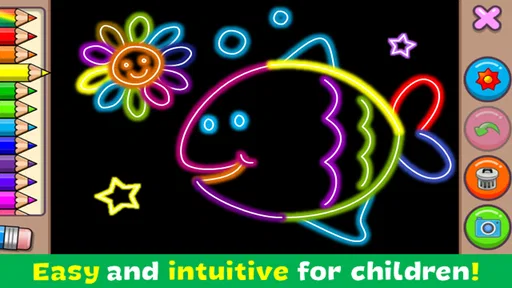
Coloring & Learn is a digital coloring app designed to combine creative play with simple learning activities. Depending on the version available on your device, it may offer pictures to color, drawing tools, and educational themes such as animals, letters, or numbers. Check the app’s store listing for the exact features, supported languages, and age guidance, since content can vary between releases.
The app’s coloring and learning activities are aimed at a younger audience, but suitability depends on the child’s age, interests, and the content included in the version you install. Before handing over a device, review the store’s age rating and the app’s privacy information. It is also sensible for an adult to check any external links, ads, or purchase options and help younger children use the app.
Basic coloring activities may work offline once the app is installed, but this can depend on the version and the specific feature you want to use. Online access may be needed for downloading additional content, displaying advertisements, restoring purchases, or accessing other connected services. If offline use matters to you, try the app after installation with Wi-Fi and mobile data turned off to see which activities remain available.
The app may be free to download, but that does not necessarily mean every feature is free. Some versions may include advertisements, optional in-app purchases, or content that requires payment. Check the Google Play or Apple App Store listing for current pricing and the available purchase details before installing, and use parental controls if children can access the device. Prices and monetization can differ by region or release.
Check that the app is compatible with your Android or iOS device, and review its latest store listing for the developer, update date, permissions, age rating, and privacy details. Look at recent user reviews as well, since performance and available content can change between versions. If the app is intended for a child, confirm whether it contains ads, external links, or in-app purchases before allowing unsupervised use.
On Android, Coloring & Learn asks for these permissions.
Coloring & Learn is also available in 2 other languages on our site.
4.3 out of 5
292,327 reviews
Educational · Orange Studios Games

Educational4.4 out of 5

Educational4.5 out of 5

Educational4.1 out of 5

Educational3.3 out of 5

Educational4.4 out of 5

Educational4.4 out of 5

Music4.3 out of 5
Educational3.3 out of 5
Educational4.5 out of 5

Educational4.6 out of 5
Educational4.5 out of 5

Educational4.5 out of 5

Educational4.6 out of 5
Educational4.5 out of 5

Educational3.8 out of 5

Educational4.4 out of 5

Educational4.6 out of 5

Educational4.5 out of 5

Educational4.4 out of 5



Gamesive reviews games on its own and is not paid by developers for scores. We do not host game files: the download buttons open the official Google Play and App Store pages. Names, icons and screenshots belong to their owners.