
Toca Boca World
Educational4.4 out of 5

For Android · Toy Tap LLP



 Analysis by Gamesive
I find Coloring and Drawing For Girls easiest to understand as a small creative activity that can be shared around a household: one person can choose a picture and colors, then pass the device along when someone else wants a turn. It is an educational game from Toy Tap LLP, aimed at children who enjoy coloring and drawing. The appeal is simple rather than ambitious, which makes it a possible fit for a quiet moment at home, a wait in a queue, or a short break between other activities.
The game’s strongest household use is as a low-pressure invitation to make something. A child who is not ready to follow a long set of instructions can still spend time choosing colors and decorating an image. I would offer it as an activity, not as a substitute for drawing with paper: the screen makes trying colors convenient, while crayons and pencils remain better for practising hand control and making marks freely.
On a shared tablet or phone, I’d set up a simple turn-taking routine before opening it. For example, one child can choose the picture and palette for a turn, while a sibling can pick the next one. This gives them a clear way to share without assuming the game has profiles, turn timers, or family-management tools. The practical benefit is that the activity itself gives children something to talk about: which colors to use, what to add, and when to hand over the device.
A useful tip is to keep the first visit brief and let the child explore rather than trying to produce a finished-looking picture. That helps reveal whether the coloring interaction holds their attention and whether they can use it comfortably. If a child gets frustrated when the result differs from what they imagined, I’d sit beside them and treat each choice as experimentation. The game works best as a casual creative prompt, not a test of artistic skill.
Because a shared device may also contain messages, photos, or other apps, I’d handle the boundary outside the game: agree on whose turn it is, keep the device in a common area when that suits the household, and close the activity when the turn ends. Those are household routines, not features I’d expect the game to enforce. Likewise, I would not assume that one person’s choices or progress are kept separate from another’s unless I had checked how the app behaves on that device.
This matters most when several children have different expectations. One may want to spend time carefully coloring, while another may want to tap through quickly. Taking turns by picture or by a short, agreed session is often easier than negotiating over the device once someone is already absorbed. If the screen is also used for school or work, I’d make the transition explicit so the game does not become an open-ended detour.
Parents may also want to review the app’s purchase settings before handing over a device. The game is free to download, but it includes optional in-app purchases, with items priced from $1.99 to $29.99. I’d check the device’s purchase controls and explain any household rules in plain language. That small bit of preparation is more useful than assuming a child will understand the difference between a free activity and an optional paid item.
The content rating is Everyone, and the game is listed for children, but a rating is only one part of deciding whether it suits a particular child. I’d still supervise younger users when they first explore any app, especially on a device where purchases or other apps are accessible. For older children, the main question is less about the subject matter and more about whether a simple coloring activity is engaging enough for them.
Coloring and Drawing For Girls has a 4.7 average from around 11,000 ratings, and it has been installed over 10 million times. Those figures suggest that many people have tried it, but they do not guarantee that every child will enjoy the experience or that it will suit a particular household’s routines. I’d use a short first session to judge the interface and the child’s interest rather than treating popularity as a promise.
The clearest limitation is the narrow scope implied by a coloring-and-drawing game. A child looking for open-ended digital art tools, detailed lessons, or a broader range of activities may quickly want something else. Compared with paper and washable markers, the app is easier to put away and lets children experiment on a screen, but it cannot provide the tactile practice of holding different drawing tools. Compared with a more advanced art app, it is likely better approached as an accessible pastime than as a place to build serious technique.
When siblings share, I’d avoid asking them to agree on every color choice for a single picture; that can turn a relaxing activity into a small argument. A better arrangement is to let one child make the current picture and give the other a clear next turn. If they enjoy collaborating, they can take turns choosing colors, but that works best when both are happy to share control.
It can also help to connect the digital activity to something away from the screen. After a child finishes a picture, I might ask them to draw a similar shape on paper or tell me why they chose those colors. This gives the app a natural endpoint and makes the session feel like part of a larger creative moment. I would not promise that the game teaches a particular skill; the value here is the chance to make choices and talk about them.
For a caregiver, the simplest check is whether the child can navigate the activity without constant help and whether the household is comfortable with the purchase options. If not, I’d keep the first session supervised or choose paper coloring instead. The game is not automatically a good fit just because it is marked for everyone: a child who dislikes screen-based activities, struggles with turn-taking, or wants a more complex drawing workspace may be happier with another option.
The game is free, runs on Android version 7.0 or later, and its current version is 3.3.6. It was released on November 7, 2023. Those details make it easier to check basic compatibility before setting it up, especially if the household shares an older device. I’d also make sure there is enough room for the app through the usual device settings, rather than assuming compatibility alone guarantees a smooth experience on every phone or tablet.
Since the app is designed around drawing and coloring, I’d introduce it with a concrete choice: “Would you like to color for a few minutes, or draw on paper?” That framing avoids turning the app into a reward that children have to bargain over. It also makes it easier to stop when the agreed turn ends. For a child who tends to ask for more screen time, a clear start and finish is more effective than relying on the game to provide a stopping point.
One small but important distinction for a shared device is that children may leave the app in a state that the next person encounters. I would not assume each family member has a separate space or private collection. If that separation matters, check the app directly and use the device’s own user or account arrangements where available. Keeping expectations modest avoids disappointment and helps prevent one child from thinking another has changed or taken over their work.
I’d recommend Coloring and Drawing For Girls to a family looking for an easy creative option for short, supervised turns, especially if a child already enjoys coloring. Its free entry point makes it straightforward to try, while the in-app purchases are a reason to review purchase settings before sharing the device. Toy Tap LLP’s game is best judged as a convenient screen-based activity, not as a full art course or a replacement for hands-on materials.
My practical verdict is positive with boundaries: try it with one child first, see whether the coloring feels comfortable, and agree on turns and purchase rules before inviting siblings to use it. If the child wants detailed drawing tools, structured instruction, or a fully open-ended art space, I’d look elsewhere. But for a calm, short creative pause that can be passed between family members, this educational game is a reasonable option, provided the household handles sharing and screen-time expectations itself.
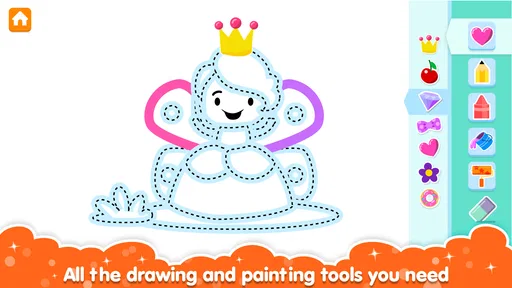
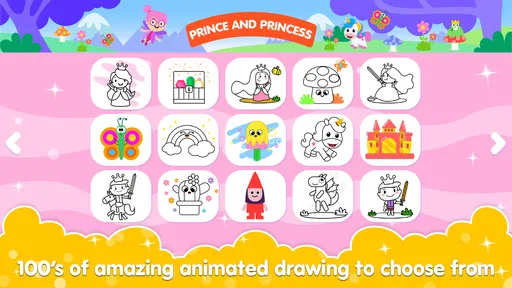
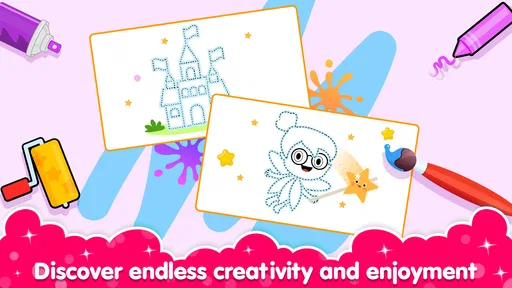
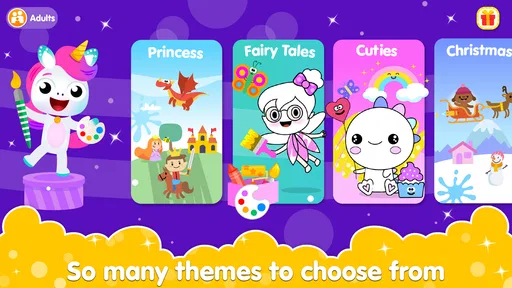
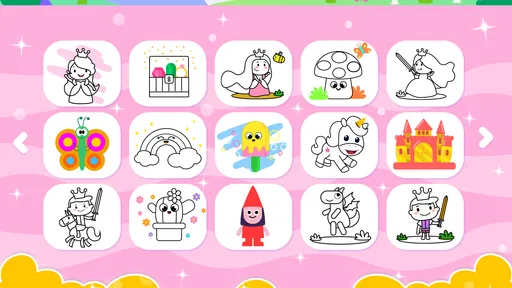
Coloring and Drawing For Girls is designed for children who want to color pictures and explore simple drawing activities on a mobile device. Depending on the version, its pages may feature themes such as animals, fashion, flowers, and characters. The basic idea is to choose an image, select colors, and fill in areas using touch controls. Check the app listing to see which activities and picture sets are included in the version available for your device.
The app is aimed at children and offers a straightforward creative activity, but suitability depends on the child’s age, abilities, and the specific content in the version you download. A parent or guardian should review the store listing, age rating, and any sample images before installation. It is also wise to explore the app together first, especially to check for advertisements, links to other services, or features that may require adult supervision.
Some coloring apps let users open previously available pictures without an internet connection, while other content or features may need to be downloaded or loaded online. Offline behavior can vary by app version and device, so it should not be assumed. Before relying on the app during travel or away from Wi-Fi, open it while connected, check whether the desired pages are available, and consult the developer’s current store information.
The price and monetization model can differ by platform, region, and version. An app may be free to install while displaying advertisements or offering optional paid content, such as additional pictures or features. Review the Google Play or Apple App Store listing for the current price, in-app purchase details, and disclosures. If a child will use the app, consider using device-level parental controls to manage purchases and limit access to advertising or external links.
Before installing, confirm that the app is compatible with your device and review its age rating, privacy information, permissions, and developer details in the relevant app store. For a child’s app, pay particular attention to whether it collects data, includes ads, offers purchases, or links outside the app. Features and policies may change with updates, so check the latest listing and supervise the first use rather than relying solely on the app’s name or description.
On Android, Coloring and Drawing For Girls asks for these permissions.
4.7 out of 5
11,394 reviews
Educational · Toy Tap LLP

Educational4.4 out of 5

Educational4.3 out of 5

Educational4.5 out of 5

Educational4.1 out of 5

Educational3.3 out of 5

Educational4.4 out of 5

Educational4.6 out of 5
Educational4.4 out of 5

Educational3.3 out of 5
Educational4.5 out of 5

Educational4.6 out of 5
Educational4.5 out of 5

Educational4.5 out of 5

Educational4.6 out of 5
Educational4.5 out of 5

Educational3.8 out of 5

Educational4.4 out of 5
Educational4.6 out of 5

Educational4.5 out of 5



Gamesive reviews games on its own and is not paid by developers for scores. We do not host game files: the download buttons open the official Google Play and App Store pages. Names, icons and screenshots belong to their owners.