Toca Boca World
For Android & iOS · Toca Boca
- 4.4 out of 5Rating
- 6.86MReviews
- 100.00M+Downloads
- EducationalGenre
Game details
- Version
- 1.141
- Updated
- Requires
- 7.0
- Price
- Free
- Age rating
- Everyone
- In-app purchases
- $0.49 - $199.99 per item
Screenshots
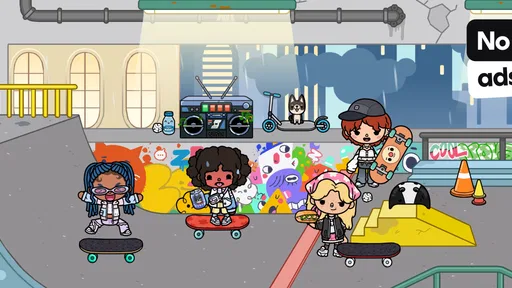
Toca Boca World review
 Analysis by Gamesive
I find Toca Boca World easiest to understand when I picture it on a shared family device: one child starts a story, another wants to rearrange the room, and a parent is trying to keep the handoff calm. This is an educational game from Toca Boca, but it feels less like a lesson and more like a digital play space where children can build scenes and decide what happens in them. That open-ended approach is its biggest strength—and the main thing a household should understand before installing it.
Making a shared screen feel like a play space
Rather than directing players through a fixed sequence of levels, the game invites them to create, customize, and explore. In practice, that means a child can treat it as a setting for pretend play: arrange a scene, move characters around, and invent a situation without needing to reach a particular ending. I like that the activity can follow a child’s mood instead of demanding a long stretch of focused play.
That flexibility suits short everyday moments. A child waiting while dinner is prepared might start arranging a scene, then return later with a new idea. On a shared tablet, siblings can also take turns adding to the same imaginative session, provided they agree on what should stay put. The game gives them material for play; the household still supplies the rules for sharing.
Here is a useful way to introduce it: invite the child to make one small scene and explain what is happening in it. This gives a parent a natural opening to understand how the child is using the game without turning play into a quiz. If the child wants to keep changing things, that is part of the appeal, not a sign that they have missed a goal.
Open-ended play has a real trade-off
Some children thrive when there is no single correct route. They can make up their own purpose and switch directions whenever inspiration strikes. Others want clear instructions, a visible target, or a challenge that confirms they are progressing. For those players, this may feel vague compared with a puzzle game or a structured learning app.
I would not choose it as a substitute for a specific subject lesson or a game designed around measurable practice. Its educational value is closer to encouraging imaginative decisions and self-directed play than teaching a defined curriculum. That distinction matters: a parent looking for spelling exercises or a clear sequence of learning tasks should pick a more focused tool.
Set expectations before the first handoff
On a shared device, the most helpful setup step is not technical; it is agreeing on how the device will be used. Decide whose turn it is, whether another player may change a scene already in progress, and when the device needs to be put away. I recommend making those expectations clear before a child gets absorbed, because an open play space can make “just one more change” feel important.
The game is free to start, but it includes in-app purchases, with individual items priced from 49 cents to $199.99. That broad range makes it especially sensible for an adult to review purchase settings on the device and explain who is allowed to approve spending. I would not treat “free” as meaning that every available option comes without a purchase, and I would make the household rule explicit rather than relying on a child to infer it.
There is also a practical distinction between sharing a device and sharing an account. A family may use one tablet in turns, but that does not automatically mean everyone should share the same account details or make account decisions for one another. Keep any sign-in information and purchase approval under adult supervision, and check the app store’s current device-level controls for the arrangement that fits your household.
For siblings, a simple rotation can prevent the most common conflict: one child wants to create while another wants to edit. Try assigning turns by activity rather than by a timer alone—for example, one person chooses the scene and the next gets to add an idea. This is a low-tech workaround, not a game feature, but it makes the open-ended format easier to share without imposing a rigid play style.
Coordination works better when the story belongs to the players
When children share a screen, they may have different ideas about what makes a scene fun. One might prefer careful decoration; another may want to move things around and invent a sudden twist. I find it useful to frame the session as a shared story: ask each child to contribute one choice, then let them decide how those choices fit together. That approach uses the game’s creative nature while reducing the temptation to argue over who controls every detail.
A short pause between turns can help, too. Before passing the device, have the current player describe what they were making and what they hope the next person will do. The next player can then choose whether to continue or start something different. This small routine makes the handoff feel intentional and helps a child understand that collaborative play does not require everyone to have identical ideas.
Still, this is not necessarily the best pick for a household seeking a strong multiplayer structure or a game that handles turn-taking for children. The value comes from what players imagine, so adult guidance may be useful when ages or play styles differ. If the aim is a game with firm rounds and clear rules, a conventional board-game app may be easier to coordinate.
Age, trust, and adult involvement
The content rating is Everyone, and the game is intended for a broad audience. I would still make the first session a shared one, especially for a younger child. Watching how they explore tells you whether the open format feels comfortable, whether they need help navigating, and whether purchase boundaries need another explanation. A general age rating is useful context, but it cannot replace a parent’s judgment about an individual child.
Toca Boca has a strong identity as the developer behind this particular imaginative play experience, and the game’s scale suggests that many families have found it appealing. It has an average rating of 4.4 from around 6.9 million ratings, alongside roughly 219,000 written reviews, and it has passed 100 million installs. Those figures are reassuring evidence of broad interest, but they do not tell me whether a child who prefers structured goals will enjoy it. I would use them as context, not as a guarantee of fit.
For an adult, a sensible trust routine is simple: look at the device’s purchase controls, decide whether the child may use the game independently, and agree on a stopping point. I would also keep ordinary household privacy habits in place, such as not handing over adult account credentials. These are general shared-device practices, not special controls I am attributing to the game.
The game’s current version is 1.141, and it runs on Android 7.0 or later. That can help when deciding whether an older household device is a candidate, though the app store remains the place to check compatibility for the particular device. On a family tablet, I would also consider screen space: a larger display is often more comfortable for two children watching and discussing a scene together, while a phone is easier to keep to one player at a time.
How it compares with familiar alternatives
Compared with a conventional educational game, this one places less emphasis on right answers and more on making up situations. Compared with a drawing app, it gives children a world to arrange and play within rather than asking them to begin with a blank page. And compared with a tightly scripted adventure, it leaves more room for children to decide what counts as a satisfying session.
That makes it a particularly good fit for a child who already enjoys pretend play, character stories, and rearranging a scene until it feels right. It is less compelling for a child who wants timed challenges, a clear campaign, or an obvious reward for each completed task. I would choose based on the child’s play habits, not simply because the game is labeled educational.
One useful household test is to ask what the child does after opening it. If they immediately begin inventing a story, the open format is probably working. If they repeatedly ask what they are supposed to do next, they may be happier with a guided puzzle or a learning app with clearly explained activities. That quick observation can save a parent from expecting the game to provide structure it is not built around.
My household verdict
I would recommend Toca Boca World to families looking for a flexible creative activity that can fit into short stretches of play and invite children to tell their own stories. Its strengths are the freedom to shape a scene, the low-pressure pace, and the way adults can join in without needing to master complicated rules. For a household with siblings, it can also become a prompt for cooperation—if everyone agrees on how to take turns.
I would pause before choosing it for a child who needs clear goals, or for a family that wants a game to manage shared play automatically. The open-ended design asks players to bring their own ideas, and a shared device still needs ordinary boundaries around turns and purchases. Since the game is free to download but offers paid items, I would check purchase settings before handing over a device and make the spending rule clear.
Overall, I see it as a worthwhile option when the aim is imaginative play rather than formal instruction. Toca Boca’s game has reached a wide audience, but the deciding question is personal: does your child enjoy inventing what happens next? If yes, this can be a welcome addition to a family tablet. If they would rather follow a lesson, solve a defined challenge, or play by fixed rounds, another kind of app will likely suit them better.
What we like
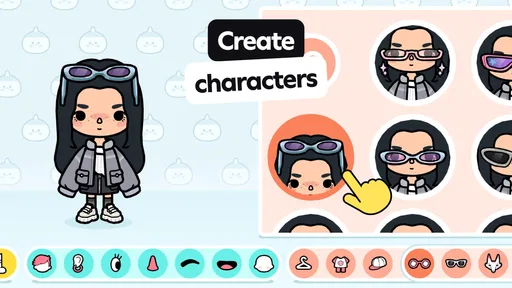
- Create original characters with a wide range of outfits and hairstyles.
- Explore locations at your own pace without timed missions.
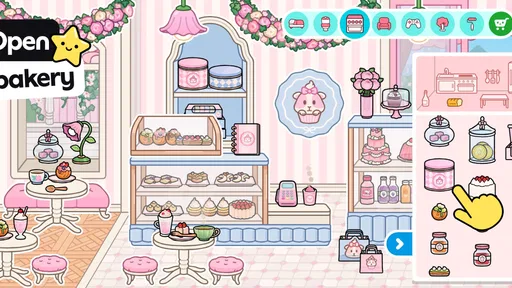
- Use the home designer to arrange furniture and decorate rooms.
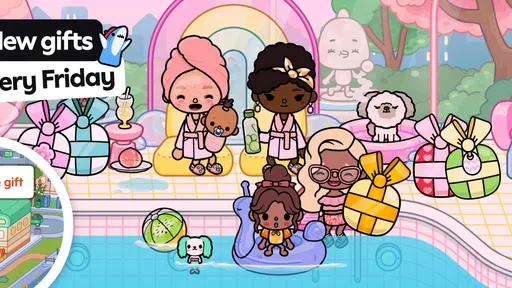
- Regular free updates add new items and activities.
- Play offline after downloading the game and its content.
What could be better
- Many locations and furniture sets require in-app purchases.
- The large download can take up substantial device storage.
- There is no built-in objective for players who prefer structured goals.
- Some activities offer limited interaction after initial exploration.
- Parents may need to manage purchases and screen time settings.
Frequently Asked Questions
What can you do in Toca Boca World?
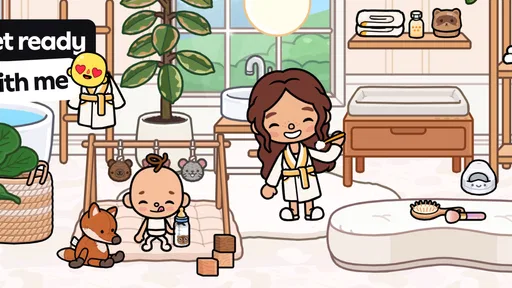
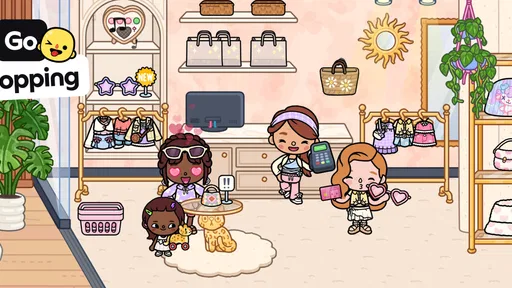
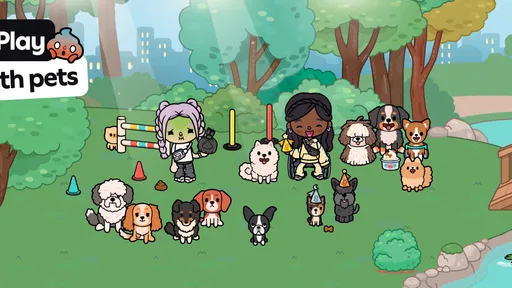
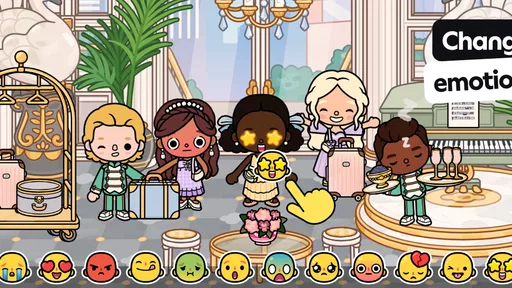
Toca Boca World is a creative play app where you can explore locations, create characters, and make up your own stories. It combines places and characters from the Toca Life series, with activities such as decorating homes, visiting shops, and role-playing everyday scenes. There is no single storyline you need to follow, so the experience is mainly shaped by the locations and content available in your version of the app.
Is Toca Boca World free to download, and does it include in-app purchases?
The app is generally available as a free download, and it offers some locations and features to explore without paying. Additional locations, character options, and other content may be offered as in-app purchases, and the available offers can change. Check the current store listing and purchase details before downloading, especially if a child will use the app. You can also review your device’s purchase settings to help prevent unintended spending.
Is Toca Boca World suitable for children?
Toca Boca World is designed with children in mind and focuses on imaginative, open-ended play rather than competition or combat. However, suitability depends on the child and the way the app is used. Some content may require a purchase, and app features or policies can change over time. Parents should review the current age guidance, privacy information, and device settings, and consider playing together when a child is new to the app.
Does Toca Boca World work offline?
Some previously downloaded parts of Toca Boca World may be playable without an internet connection, but offline access can vary depending on the device, app version, and content. Downloading or updating the app, accessing store offers, and obtaining additional content generally requires a connection. If offline play matters to you, open the app and test the locations you plan to use before relying on it during travel or in a place without reliable internet.
Can you transfer your Toca Boca World progress to another device?
Progress and purchased content may not transfer automatically between devices, operating systems, or accounts. What can be restored depends on the app’s current backup and purchase-restoration options, as well as the store account used for purchases. Before switching devices or reinstalling, check the app’s support guidance and make sure any relevant backups are enabled. Keep purchase receipts where possible, and avoid assuming that a purchase on one platform will be available on another.
Permissions
On Android, Toca Boca World asks for these permissions.
- Photos/Media/Files
- read the contents of your USB storage
- Storage
- read the contents of your USB storage
- Microphone
- record audio
- Wi-Fi connection information
- view Wi-Fi connections
Languages
Toca Boca World is also available in 2 other languages on our site.
User reviews
4.4 out of 5
6,859,390 reviews
- 72%
- 11%
- 5%
- 3%
- 8%
Download Toca Boca World
Educational · Toca Boca · Free
Games like Toca Boca World
View all: Games like Toca Boca World
Toca Boca Jr: Fun Kids Games
Educational3.3 out of 5

Coloring Games: Color & Paint
Educational4.4 out of 5
Baby Games: Piano & Baby Phone
Educational4.4 out of 5

PBS KIDS Games
Educational4.3 out of 5
About this listing
- Game
- Toca Boca World
- Developer
- Toca Boca
- Package
- com.tocaboca.tocalifeworld
- Version reviewed
- 1.141
Gamesive reviews games on its own and is not paid by developers for scores. We do not host game files: the download buttons open the official Google Play and App Store pages. Names, icons and screenshots belong to their owners.