Baby Games: Piano & Baby Phone
For Android & iOS · RV AppStudios
- 4.4 out of 5Rating
- 62.40KReviews
- 50.00M+Downloads
- EducationalGenre
Game details
- Version
- Varies with device
- Updated
- Requires
- Varies with device
- Price
- Free
- Age rating
- Everyone
- In-app purchases
- No
Screenshots
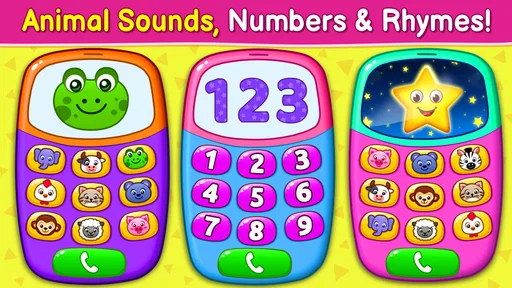
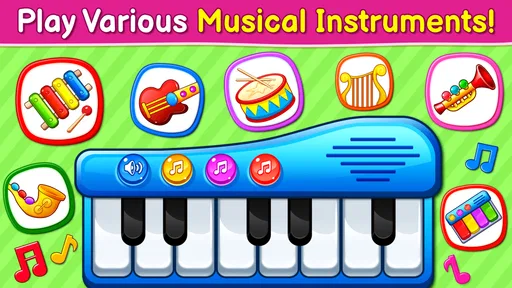
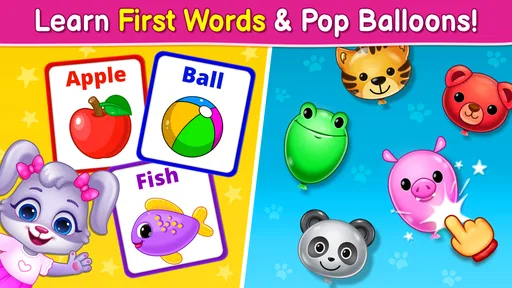
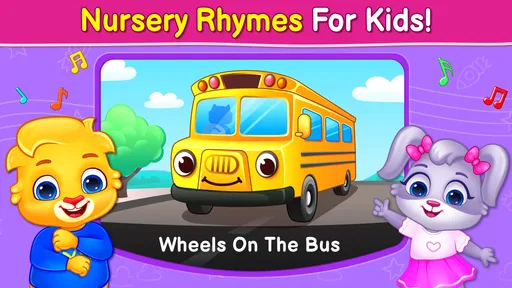
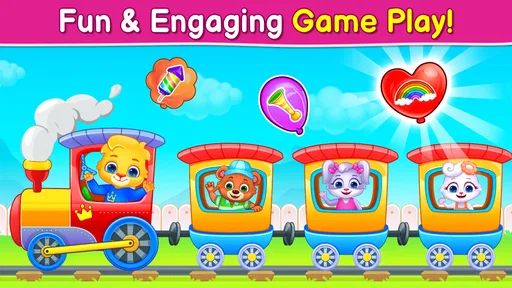
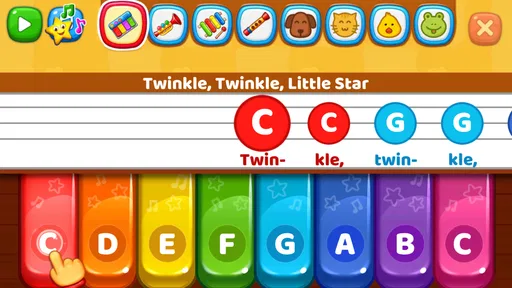
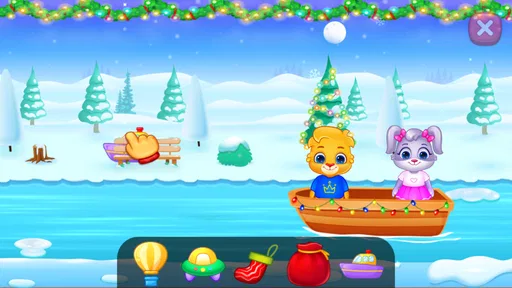
Baby Games: Piano & Baby Phone review
 Analysis by Gamesive
When I hand a young child a phone, I want the first few minutes to feel simple rather than like a lesson they can fail. Baby Games: Piano & Baby Phone is an educational game built around playful sounds and familiar pretend-play ideas. Its focus is a baby piano, musical instruments, nursery rhymes, and a phone-style play experience. That makes it an approachable option for a short stretch of supervised play, especially when a child is curious about tapping buttons and hearing what happens.
My main recommendation is to treat it as a small activity to explore together, not as a replacement for a real instrument, a story, or hands-on play. The appeal is immediacy: a child can try a sound without needing to understand menus or instructions first. Whether that simplicity is a strength or a limitation depends on what you want from a children’s game.
What the play experience is best suited to
The central idea is easy to understand even for a first-time user: tap, listen, and try another sound. A piano and other musical elements give children a chance to connect an action with an immediate response. Nursery rhymes bring a familiar, sing-along quality, while the phone theme draws on an object many children have seen adults use. These are distinct ways into the same basic kind of play: curiosity, repetition, and sound.
I’d expect a child to enjoy this most in brief bursts. It can fit into a quiet moment at home, a wait before dinner, or a transition when an adult needs a few minutes to get something ready. For a realistic first session, sit nearby, let the child choose what to tap, and join in by naming sounds or singing along. That turns tapping into shared play instead of using the screen as background noise.
There is a useful difference between this and a conventional music-learning app. A structured instrument app may ask a child to follow a tune, practise notes, or work toward a defined skill. This game is a lighter starting point: it makes musical interaction feel accessible, but I would not choose it when the goal is systematic piano practice. A real toy piano or singing with a caregiver is also better when you want less screen time or a more tactile experience.
The game is free and is made by RV AppStudios. It is in the educational category and is rated for Everyone, which helps explain its broad family appeal. It has a 4.4 average from around 62,000 ratings and has passed 50 million installs. Those figures suggest many families have tried it, but popularity alone cannot tell you whether its style suits your child; the most useful test is whether the child stays interested without becoming frustrated or overstimulated.
Getting from installation to a calm first session
For a first-time parent, I’d keep setup deliberately low-pressure. Open the game before handing over the device, take a quick look at the starting screen, and be ready to show the child one simple action. This avoids making the first experience a test of navigating an unfamiliar interface. I would also choose a moment when you can sit together rather than introducing it during a rushed or emotionally difficult transition.
The best first success is not completing a task; it is helping the child discover that a tap produces a sound they enjoy. Start with the piano or another clearly musical option, tap once, pause, and invite the child to try. If they respond, echo the rhythm by clapping or humming. If they seem unsure, demonstrate again and let them watch before asking them to take a turn. That small pattern—show, wait, respond—makes the game feel like an interaction rather than a stream of stimulation.
A useful non-obvious tip is to give the child a purpose for each short turn. For example, ask them to find a sound you can sing along with, or take turns choosing a sound and copying its rhythm. This keeps the experience social and gives an adult a natural way to stop. It also helps you notice whether the child is interested in music itself or mainly in the visual act of tapping, which can guide what you offer next.
I would avoid switching rapidly between every available activity during the first session. A child who is still figuring out cause and effect can lose the thread if the adult keeps changing the focus. Let one interaction run for a little while, then offer a different option if attention fades. This is especially helpful with very young children, who may enjoy repeating the same sound far longer than an adult expects.
Common points of confusion for adults and children
Because the game brings together several kinds of baby-friendly play, a parent may initially expect a single, linear activity. It is more helpful to approach it as a collection of playful entry points. If a child taps the same area repeatedly, that does not necessarily mean they have misunderstood the game; repetition is often the point. Watch what holds their attention, and use that as the starting place rather than trying to steer them through everything.
Another possible mismatch is expecting the piano element to teach musical technique. A child can explore sounds and enjoy musical play, but that is different from learning hand position, reading notes, or practising a song in a guided sequence. If those are your priorities, choose an instrument lesson or a more structured music tool. If your goal is simply to invite a child to listen, experiment, and sing with you, this is a more suitable fit.
It is also worth remembering that a screen can make sound play convenient without making it equivalent to physical play. A toy instrument gives a child different tactile feedback, and singing together does not require a device at all. I’d use this game as one option in a mix, rather than letting it become the only way a child encounters music. When the child is restless, wants to move, or is already overloaded by noise, a quiet book, blocks, or a break may work better.
Parents may wonder whether it can keep a child occupied independently. I would not make that the main expectation. A young child may be able to explore simple taps, but shared attention is what makes the sounds more meaningful and gives you a chance to notice when the child has had enough. If you need an activity that reliably holds attention without adult involvement, this may not be the right choice.
How to build on the first good moment
Once a child has found a sound they like, the next step can be simple and offline. Sing a nursery rhyme together, clap a steady beat, or ask the child to take turns choosing when the music begins. You can then put the device away and repeat the same rhythm with your voice or hands. This creates a bridge from digital play to shared musical activity, rather than making the app the whole event.
For a child who wants to explore independently, keep the invitation open-ended: “Which sound should we try?” is more useful than giving a long set of instructions. If they lose interest, stop without insisting they finish every part. A short positive session is a better outcome than stretching the game until it becomes a source of conflict. For a caregiver, this is one of the most practical ways to use a simple children’s game: as a prompt for a small interaction, not a curriculum.
The game was released on April 1, 2019, and its long-running reach is reflected in around 1,600 written reviews as well as its large install base. I would read those broad signals as reassurance that it is an established choice, not proof that every child will respond to it the same way. Temperament matters: one child may happily repeat musical sounds, while another may prefer physical toys or stories.
The strongest reason to try it is its low barrier to musical play. It gives a first-time user a clear path: open the game, model one tap, let the child choose a sound, and turn that moment into a song or a shared rhythm. I’d recommend it to caregivers looking for a free, uncomplicated activity for a supervised short session. I’d skip it when the aim is formal music instruction, extended independent entertainment, or a screen-free experience. Used with those expectations, it can be a pleasant way to spark curiosity—and the best next step is often to carry the tune away from the phone.
What we like
- Simple touch controls suit babies and toddlers.
- Bright visuals help keep young children engaged.
- Several play modes offer variety in one app.
- Sound effects provide immediate feedback to taps.
- Parents can use it for short supervised play sessions.
What could be better
- Some activities may feel repetitive after a while.
- Loud sounds may be startling without volume adjustment.
- Young children may tap ads or store links accidentally.
- The app may collect data depending on its settings.
- It is not a substitute for real-world interaction or learning.
Frequently Asked Questions
What is Baby Games: Piano & Baby Phone?
Baby Games: Piano & Baby Phone is a child-focused mobile app that combines simple pretend-phone activities with musical play. Depending on the available version, children may be able to tap piano keys, hear sounds, and explore colorful, easy-to-use screens. Its activities are designed for casual play rather than formal lessons, so parents should check the app’s current description and screenshots to confirm which features are included on their device.
Is Baby Games: Piano & Baby Phone suitable for my child’s age?
The app is aimed at young children, but the appropriate age depends on the child’s development and the particular activities included in the installed version. Its large, tappable controls may be easier for little hands to use than complex menus, though children may still need help navigating. Check the age guidance in the app store, review the content yourself, and supervise play, especially for toddlers.
Does Baby Games: Piano & Baby Phone work without an internet connection?
Basic activities may work offline after the app has been installed, but internet access could still be needed for first-time setup, advertisements, downloads, updates, or other online features. Offline behavior can vary by version and device, so it is best not to assume that every screen is available without a connection. Test the app in airplane mode before relying on it during travel or in places with limited service.
Is Baby Games: Piano & Baby Phone free, and does it include ads or in-app purchases?
The price and business model can differ between the Android and iOS versions and may change over time. An app listed as free can still contain advertising, optional purchases, or paid features, so review the store listing before downloading and check the app’s settings afterward. For a child’s device, consider using parental controls to prevent accidental purchases and limit exposure to ads or links that leave the game.
Is Baby Games: Piano & Baby Phone safe for children to use?
The app presents itself as child-oriented, but no app should be treated as a substitute for adult supervision. Before handing over a device, check its privacy information, permissions, advertising, external links, and any account or purchase options. Enable suitable parental controls and keep the device’s operating system and app updated. If the app requests access that seems unnecessary for its activities, review that request carefully before granting permission.
Permissions
On Android, Baby Games: Piano & Baby Phone asks for these permissions.
- Device & app history
- read sensitive log data
- Other
- view network connections, full network access, run at startup, control vibration, prevent device from sleeping, Google Play license check
Languages
Baby Games: Piano & Baby Phone is also available in 1 other languages on our site.
ItalianoGiochi per bambini da 1-5 anni
User reviews
4.4 out of 5
62,397 reviews
- 74%
- 7%
- 6%
- 5%
- 8%
Download Baby Games: Piano & Baby Phone
Educational · RV AppStudios · Free
Games like Baby Games: Piano & Baby Phone
View all: Games like Baby Games: Piano & Baby Phone
Toca Boca Jr: Fun Kids Games
Educational3.3 out of 5

Coloring Games: Color & Paint
Educational4.4 out of 5
Toca Boca World
Educational4.4 out of 5

PBS KIDS Games
Educational4.3 out of 5
More from RV AppStudios
View all: More from RV AppStudiosColoring Games: Color & Paint
Educational4.4 out of 5
About this listing
- Game
- Baby Games: Piano & Baby Phone
- Developer
- RV AppStudios
- Package
- com.rvappstudios.baby.games.piano.phone.kids
- Version reviewed
- Varies with device
Gamesive reviews games on its own and is not paid by developers for scores. We do not host game files: the download buttons open the official Google Play and App Store pages. Names, icons and screenshots belong to their owners.