Toca Boca World
Educational4.4 out of 5

For Android & iOS · Pazu Games
 Analysis by Gamesive
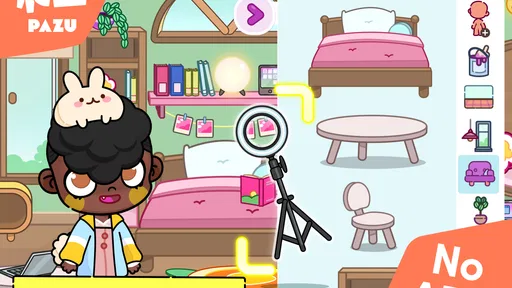
Avatar Maker Dress up for kids is a creative dress-up game for children who enjoy making characters and imagining what happens to them next. I see its appeal less as a conventional game with a clear finish line and more as a small, open-ended play space: children can shape an avatar, then use that character as a starting point for their own ideas. That makes it a natural fit for a quiet stretch at home or a short creative break, though it is not the right choice for every child or every parent.
Made by Pazu Games, this educational game puts avatar creation at the center. The basic invitation is easy to understand even for a young player: make a character, decide what they look like, and imagine a world or story around them. In my view, that open prompt is the strongest part. It gives children more room to make choices than a dress-up activity that only asks them to copy a preset look.
The game’s stated audience is broad, with an Everyone age rating, but that does not mean every child will find the experience equally engaging. A child who likes choosing outfits and inventing characters may happily return to it. Someone who prefers clear goals, levels, or competition may wonder what to do after finishing an avatar. The experience works best when the child enjoys the process of making things rather than needing a reward structure to keep moving.
There is a useful distinction between dressing a character and building a story around one. The first gives children an immediate, visual task; the second invites them to supply the plot themselves. I would encourage a child to explain who the avatar is, where they are going, or what they might do next. That small prompt can turn a brief customization session into imaginative play without requiring an adult to take over.
The game is currently at version 1.13, and it was released on January 5, 2022. Those details establish a visible point in its product history, but they do not, by themselves, show what changed between releases. I would not assume that a particular feature was added or improved without a clear account of it. For a parent deciding whether to try it now, the more practical question is whether the current experience suits the child’s interests and the household’s expectations.
Its broad reach is notable: it has over 50 million installs, alongside an average rating of 3.3 from around 123,000 ratings and roughly 2,600 written reviews. I read that combination as a reason to approach it with realistic expectations rather than as a verdict that settles the question. Many people have tried it, but a popular download can still be a mixed fit for a particular child. The game is free to start, while in-app purchases range from $6.49 to $59.99 per item, so the purchase setup deserves attention before a child plays unsupervised.
Because the available release facts do not provide a change-by-change history, I can’t responsibly attribute specific improvements to version 1.13 or compare it with an earlier build. That is a meaningful limit for existing players who want to know whether an update resolved a particular annoyance. If you already have the game, judge the current version by how well it supports your child’s play today, rather than expecting a particular update to have transformed it.
A practical way to use the game is to give the child a simple creative brief instead of a finished design to imitate. Ask them to make an avatar for a rainy-day adventure, a visit to an imaginary place, or a character who has a different personality from their own. The point is not to steer every choice; it is to give the child a starting spark when an open-ended screen feels overwhelming.
Another useful approach is to treat each new avatar as a story prompt rather than immediately making several characters. Ask the child to describe one decision they made and why: perhaps the character’s appearance should fit a particular mood or situation. This builds a natural bridge between visual choices and storytelling, and it helps parents see whether the child is enjoying the creative process or simply tapping through options.
For children who like to revisit their ideas, a parent can suggest drawing the character or telling the story aloud afterward. That creates a play activity beyond the screen without assuming that the game itself offers a particular saving, sharing, or export tool. It also makes the session feel complete even if the app does not provide the kind of level-ending moment that more structured games use.
One trade-off with open-ended avatar play is that the child supplies much of the purpose. That freedom is rewarding for an imaginative player, but it can also lead to aimless browsing. If a child keeps changing choices without settling on anything, try narrowing the prompt—“make someone ready for a big journey”—rather than taking over the design. If that still does not hold their interest, a game with explicit tasks may be a better match.
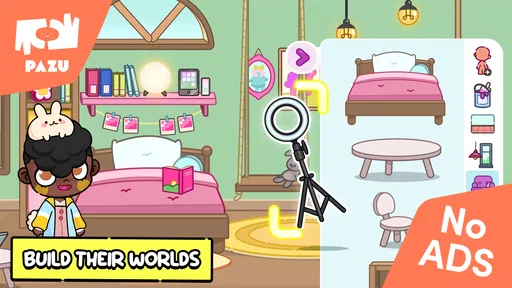
Compared with a straightforward dress-up app, Avatar Maker Dress up for kids makes a broader promise: the avatar can become the seed for a personal world and story. That is a meaningful difference in how I would introduce it. Rather than asking only which outfit looks best, I would ask what the character is like and what they might do. The child’s imagination, not a score or challenge, becomes the measure of a satisfying session.
Compared with a drawing app, the experience offers a more guided route into visual creativity. A child who feels unsure about starting with a blank page may find it easier to make choices around an avatar. The reverse is true for a child who wants complete control over every mark, pose, and scene: a drawing tool may give them more freedom. This game is best understood as a character-focused starting point, not a substitute for every kind of creative activity.
It is also less suitable for a child who wants a conventional progression loop. If the main attraction is completing missions, unlocking a clear sequence of rewards, or competing against others, an open avatar-making format may feel thin. I would choose a more structured game for that child, while keeping this one in mind for a different mood: relaxed, self-directed play where there is no single correct outcome.
Although the game is free, its in-app purchases make it sensible for a parent to check the purchase controls on the device before handing it over. The listed items range from $6.49 to $59.99, a wide enough spread that a child may encounter offers with very different costs. I would explain in advance whether purchases are allowed and make sure the child knows that making an avatar does not mean they should buy anything.
That cost range also affects how I would assess the free experience. Try the game first and see whether the choices available without paying are enough to keep the child engaged. If the child quickly feels blocked or repeatedly asks for paid content, pause before spending and decide whether the extra options would genuinely change how they play. A purchase is easier to justify when it supports repeated creative use, not when it is a quick response to a moment of frustration.
The game requires Android 6.0 or later, which is a useful compatibility check for families using an older device. It is free to download, but that does not make it cost-free in every practical sense: a child may encounter in-app purchase decisions, and parents may need to set expectations around them. I would treat those settings as part of preparing the activity, not as an afterthought once a request to buy something appears.
I would recommend trying it with a child who enjoys character design, make-believe, and choosing visual details. It can also be a good option for a parent looking for a gentle prompt for storytelling: make an avatar together, then ask the child to invent the next part of the character’s day. That shared approach is especially useful if the child is interested in creative play but needs a little help getting started.
I would skip it for a child who becomes frustrated when a game does not tell them exactly what to do, or for someone looking for a deep building simulation with clearly defined systems. I would also be cautious if the household is not ready to manage in-app purchases. The free entry point is convenient, but the purchase range means a quick download should not be mistaken for a completely hands-off experience.
The overall rating of 3.3 is a reminder that user experiences are not uniformly enthusiastic, but it does not identify the reason for each person’s reaction. I would use it as a nudge to test the game with your own child rather than make a decision from the score alone. A child who loves open-ended avatar play may find plenty to enjoy, while a child who needs stronger goals may not stay interested for long.
If you are considering the game, start with a short session and observe what the child actually does: do they make deliberate choices, tell a story about the avatar, or keep looking for instructions? That is a more useful test of fit than assuming that an educational label guarantees a particular kind of learning. The best sign is not simply that the child stays on the screen, but that the character-making leads to ideas they want to express.
For existing users, the version number gives a straightforward way to identify the current release, but I would look for clear release notes before assuming an update changes a specific feature. The product’s future may bring changes, yet those are expectations rather than established facts. What matters now is whether the current version works for your child, whether the purchase setup is comfortable for your family, and whether the open-ended format is a strength or a source of friction.
My overall view is that Avatar Maker Dress up for kids is worth a try for children who like inventing characters and can turn visual choices into their own stories. Its appeal is creative freedom, not a tightly directed campaign, and that same freedom is its main limitation. Start with a simple story prompt, keep purchases under adult control, and choose a more goal-driven alternative if your child needs clearer direction. For the right young player, it can be a pleasant springboard for imagination; for everyone else, the lack of structure may make it easy to leave behind.
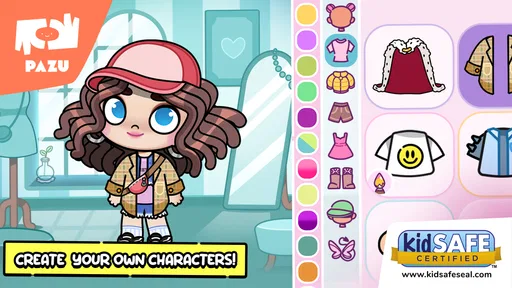
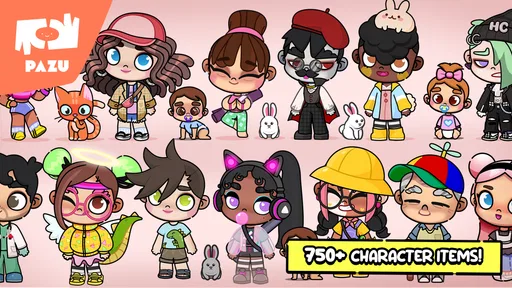
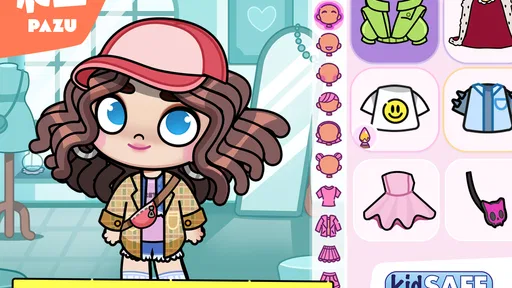
Avatar Maker Dress up for kids lets children create a character and customize its appearance with available hairstyles, facial features, outfits, and accessories. It is designed for creative, casual play rather than a story-driven game, so kids can experiment with different looks at their own pace. The exact choices and tools may vary by version or device, so check the app listing and screenshots before downloading.
The dress-up and character-creation format is generally easy for children to understand, and it does not require advanced gaming skills. However, age suitability depends on the app’s content, advertisements, privacy practices, and any links to external services. A parent or guardian should review the store’s age rating and privacy information, then explore the app with the child before allowing independent use.
Some basic avatar-making features may work without an internet connection, but this can depend on the version and how the app delivers its content. Advertisements, optional purchases, updates, or online features may require connectivity. If offline play is important, install the app and test its main tools before travel or other situations without reliable internet access, and confirm any requirements in the store listing.
The presence of advertising or optional purchases can differ between versions, regions, and platforms, and may change after updates. Before downloading, check the Google Play or Apple App Store listing for labels such as ads and in-app purchases. For a child’s device, consider using the platform’s parental controls to restrict purchases, manage screen time, and reduce exposure to content or links that may not be appropriate.
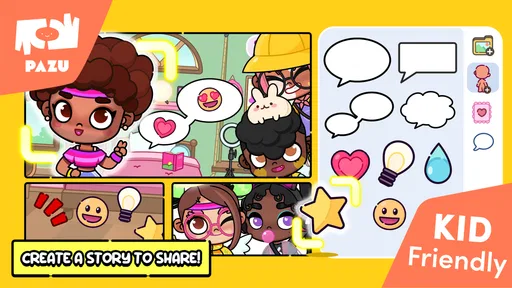
Saving or sharing options may be available, but the exact features depend on the current app version and the permissions it requests. Review the app’s settings and privacy information to learn whether creations stay on the device or can be shared through other services. If a child wants to post an avatar online, an adult should supervise and avoid sharing personal details, photos, or identifying information.
On Android, Avatar Maker Dress up for kids asks for these permissions.
3.3 out of 5
123,013 reviews
Educational · Pazu Games

Educational4.4 out of 5

Educational4.3 out of 5

Educational4.5 out of 5

Educational4.1 out of 5
Educational3.3 out of 5

Educational4.4 out of 5

Role Playing4.7 out of 5
Educational4.4 out of 5
Educational4.5 out of 5

Educational4.6 out of 5
Educational4.5 out of 5

Educational4.5 out of 5

Educational4.6 out of 5
Educational4.5 out of 5

Educational3.8 out of 5

Educational4.4 out of 5

Educational4.6 out of 5

Educational4.5 out of 5

Educational4.4 out of 5



Gamesive reviews games on its own and is not paid by developers for scores. We do not host game files: the download buttons open the official Google Play and App Store pages. Names, icons and screenshots belong to their owners.