
Toca Boca World
Educational4.4 out of 5

For Android · Timpy Games For Kids, Toddlers & Baby




 Analysis by Gamesive
When I choose a cooking game for a young child, I look beyond the food theme. The important questions are whether the play feels approachable, whether a child can enjoy it without constant adult help, and whether the experience suits a short stretch of downtime. Timpy Cooking Games for Kids is aimed at toddlers and children who like pretend kitchen play, with pizza at the center. That focus makes it easy to understand, though it also means this is a better fit for a child drawn to making food than for one looking for a broad learning game.
This is an educational game from Timpy Games For Kids, Toddlers & Baby, designed around playful cooking rather than realistic kitchen instruction. I would treat it as a themed activity: a child can explore the idea of preparing pizza in a low-pressure setting, while a parent can use the food theme to start a conversation about ingredients, choices, or meals. It is not a substitute for hands-on cooking, but it can be a simple way to make pretend play feel interactive.
The game is marked for Everyone, and its broad age rating makes it a reasonable candidate for family devices. That label is not a guarantee that every child will find it equally easy or engaging, though. A toddler may enjoy tapping through a food activity with an adult nearby, while an older child who wants challenges, instructions, or a longer progression may move on quickly. I’d judge the fit by the child’s interest in pretend cooking, not by age alone.
The practical decision is whether pizza-centered play is enough. If a child repeatedly asks to help make pizza, this theme gives you a ready-made activity for a quiet moment. If they prefer puzzles, stories, number practice, or a rotating collection of different tasks, a broader educational app may hold their attention longer. The specific appeal here is the kitchen fantasy, not variety across unrelated subjects.
In my view, the narrow focus is one of the game’s real strengths. A child does not have to learn a complicated premise before starting: pizza is familiar, visually inviting, and easy to connect to everyday life. That can make it a useful choice while waiting for dinner, during a calm break at home, or when a parent wants a food-themed activity without bringing out ingredients and utensils.
There is also a small but useful way to extend the play beyond the screen. I’d ask a child what they would put on a pizza, then let them make choices in the game and compare those ideas with a real meal later. This turns a brief session into a conversation about preferences and food without pretending that tapping through a game teaches cooking skills by itself. For a young child, that kind of shared play may be more valuable than the activity alone.
The store’s short description calls it Timpy Cooking Games, while the fuller title makes clear that it is aimed at kids. In practice, I would present it to a child as a pretend pizza-making game rather than a lesson app. That sets expectations well: the fun comes from the theme and interaction, while any learning is informal and depends on how an adult connects the play to real life.
Compared with general early-learning apps, this game has a more concrete imaginative hook. A child who is uninterested in abstract drills may be more willing to engage with a familiar food activity. On the other hand, a parent who wants one app to cover several kinds of learning may get more mileage from a collection that includes different subjects and play styles. Those alternatives serve a different purpose; they are not automatically better, but they may suit children whose interests change quickly.
It also sits apart from open-ended drawing or digital toy apps. Those can give children room to invent without a specific end theme, whereas a pizza-focused game offers a narrower frame. That structure can help a younger child decide what to do, but it can feel limiting to one who wants to build, tell stories, or switch between many kinds of play. I would choose based on whether a clear food theme helps the child get started or makes them feel boxed in.
Nor would I pick it as a replacement for cooking together. Real kitchen activities involve waiting, textures, measuring, and adult supervision; a mobile game cannot offer those experiences. The app is more suitable for a quick bit of pretend play when a real cooking session is impractical, or as a gentle introduction to talking about pizza before helping with a safe, age-appropriate task at home.
The game has an average rating of 4.5 from around 22,000 ratings, with 112 written reviews, and it has passed 10 million installs. Those figures suggest that many families have tried it, but popularity does not settle the question of whether it fits a particular child. A child who loves food-themed play may be delighted; one who expects a wide range of activities may not be.
For me, the best way to assess its appeal is to watch what happens after the first few minutes. Does the child stay interested in the pizza theme, make choices, or invite an adult into the play? If so, it may earn a place among occasional quiet-time activities. If they tap through once and immediately ask for something else, that is useful information too: the theme may simply not match their interests.
The game is free to download, with in-app purchases listed at $4.49 to $4.99 per item. I would check the purchase options in the app store before handing a device to a child, and decide in advance whether spending is on the table. That is a sensible routine for any children’s app with optional purchases, especially on a shared phone or tablet where a child may not understand the difference between play and a paid choice.
It is worth thinking about the cost in terms of use, not just the initial download. If your child returns to pizza play regularly, a purchase may feel worthwhile to your household; if this is likely to be a one-time distraction, there is little reason to spend before seeing whether the free experience holds attention. I would let the child try it first, then make any purchase decision myself rather than treating payment as necessary for the app to be worth trying.
The game was released on March 28, 2023, and its current version is 6.7.9. It requires Android 6.0 or later. Those details matter when choosing a device: check the operating system on an older tablet before planning to use it, and make sure there is enough room for another children’s game if storage is tight. It is also available as a free game, so the initial decision is relatively low-commitment.
I would expect a young child to benefit from an adult introducing the theme and staying nearby, especially during the first session. That is not because every child needs coaching, but because a little context can turn tapping into pretend play: ask what kind of pizza they are making or who they are making it for. Once the child understands the basic idea, you can see whether they are happy to explore independently or prefer to play alongside you.
A practical routine is to offer it as one short option rather than leaving a device open indefinitely. For example, while a parent finishes preparing dinner, a child can have a brief turn, then talk about what they chose when the meal is ready. The game’s theme makes that transition natural. If the child becomes frustrated, loses interest, or starts asking for a different kind of activity, I would stop rather than trying to stretch the session.
One trade-off is that a focused game can become repetitive for a child who wants new settings and goals. I would rotate it with non-screen play, picture books, or other activities instead of expecting it to occupy a long period. That approach also makes the game feel like a specific treat for pizza-loving moments, rather than a catch-all solution for every quiet spell.
I would recommend Timpy Cooking Games for Kids to a family looking for an approachable food-themed activity for a toddler or young child, particularly one who already enjoys pretend kitchens or asks questions about meals. Its Everyone age rating, free starting point, and clear subject make it easy to consider for a family device. Timpy Games For Kids, Toddlers & Baby has built the experience around a simple idea, and that clarity is more useful here than a long list of unrelated features would be.
I would look elsewhere if the main goal is structured learning across several subjects, extended problem-solving, or a digital activity that changes theme frequently. A broader educational game may be a better match for those needs, while a real kitchen activity is the stronger choice when the aim is practical cooking experience and an adult can supervise. This game is at its best as a small, themed piece of play—not as a complete learning plan or a stand-in for family cooking.
My recommendation is to try it when the child’s interest in pizza is already there, keep the first session relaxed, and see whether the theme leads to genuine engagement. The rating of 4.5 gives a useful sign of its reception, but the child’s response matters more than any average. If pizza-making prompts conversation and imaginative choices, it could be a handy addition to your rotation; if the child wants more variety, moving on to a broader alternative is a sensible choice.
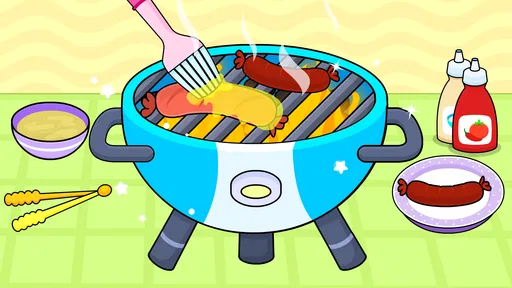
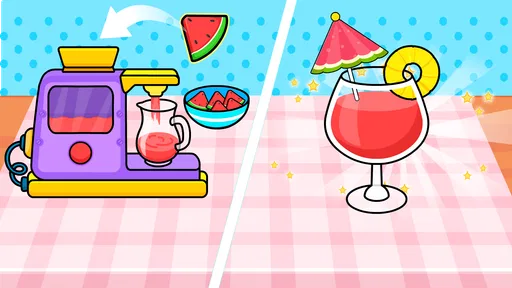
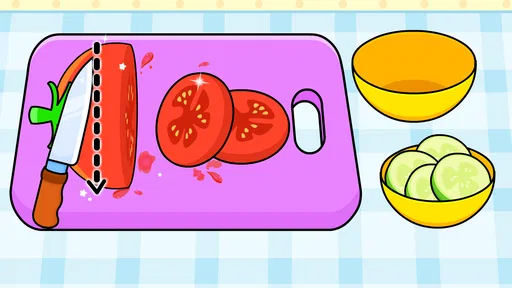
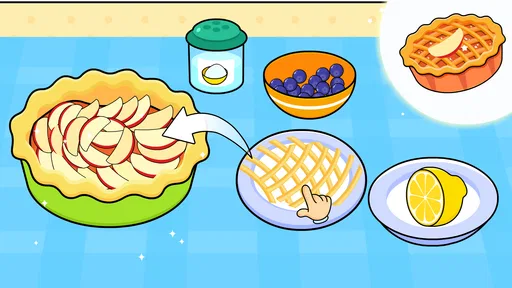
Timpy Cooking Games for Kids offers pretend-play cooking activities in which children can prepare a variety of dishes by following simple on-screen steps. Depending on the activity, they may choose ingredients, use virtual kitchen tools, assemble food, and decorate the finished dish. The focus is on playful exploration rather than realistic cooking instruction, so children can experiment with food-themed tasks in a colorful, child-oriented environment.
The game is designed primarily for young children, with straightforward interactions that are generally easier to approach than games requiring reading, fast reactions, or complex controls. Suitability still depends on a child’s age, interests, and comfort using a touchscreen. A parent or caregiver should preview the activities and check the current store listing for the developer’s stated age guidance and any age-related notices.
The app may be available to download without an upfront charge, but that does not necessarily mean every activity or feature is free. Some versions of children’s games offer optional purchases, subscriptions, or locked content, and availability can vary by platform, region, and update. Before letting a child play, review the app-store listing and device purchase settings, and use parental controls to help prevent unintended spending.
Some activities may be playable after installation without a continuous internet connection, but offline access can depend on the specific version and whether content has already been downloaded. Internet access may still be needed for installation, updates, advertisements, purchases, or other online features. If reliable offline play matters, test the game in airplane mode before relying on it during travel, and check the current store description for connection requirements.
The game is intended for children, but parents should still check its privacy information, permissions, advertisements, and purchase options before use. Policies and features can change between versions, so consult the current Google Play or Apple App Store listing rather than assuming the app has no online elements. For a safer setup, use the device’s child profile or parental controls, supervise younger players, and disable or restrict purchases where possible.
On Android, Timpy Cooking Games for Kids asks for these permissions.
4.5 out of 5
22,170 reviews
Educational · Timpy Games For Kids, Toddlers & Baby

Educational4.4 out of 5

Educational4.3 out of 5

Educational4.5 out of 5

Educational4.1 out of 5

Educational3.3 out of 5

Educational4.4 out of 5
Educational4.4 out of 5

Educational3.3 out of 5
Educational4.5 out of 5

Educational4.6 out of 5
Educational4.5 out of 5

Educational4.5 out of 5

Educational4.6 out of 5
Educational4.5 out of 5

Educational3.8 out of 5

Educational4.4 out of 5

Educational4.6 out of 5

Educational4.4 out of 5



Gamesive reviews games on its own and is not paid by developers for scores. We do not host game files: the download buttons open the official Google Play and App Store pages. Names, icons and screenshots belong to their owners.