
Toca Boca World
Educational4.4 out of 5
For Android & iOS · KIGLE
 Analysis by Gamesive
I think Cocobi Baby Care - Babysitter makes the most sense as a short, friendly play activity for a young child, rather than as a deep educational program or a game meant to hold an older player’s attention for hours. Its dinosaur-friend theme gives pretend caregiving a playful frame, and the experience is aimed at children who enjoy looking after characters and following simple activities. I’d consider it for a calm stretch at home, but I’d treat it as one option in a child’s routine—not a substitute for shared play or a complete learning plan.
The easiest way to approach the game is to let a child explore at their own pace, then offer a small prompt if they seem unsure what to do next. A parent might say, “Let’s see what our dinosaur needs,” and let the child decide how to respond. That turns the game into a bit of imaginative role-play instead of a sequence to rush through. I find this style particularly useful with preschool-age children who like copying everyday caring actions but are not ready for complicated rules.
Because this is a kids’ educational game, its appeal lies more in participation and pretend play than in formal lessons. Children can practise noticing a character’s needs, making a choice, and seeing what follows. Those are small interactions, but they give a caregiver something concrete to talk about: what the dinosaur might be feeling, what the child chose, and what they would do next in real life. I would keep those conversations light; the game can prompt them, but it should not be presented as a reliable way to teach childcare or health knowledge.
A realistic use case is a short break while a parent prepares a meal or waits for an appointment to start. I’d first sit with the child for a moment, help them get oriented, and then give them room to try. If they lose interest, I wouldn’t push them to finish anything. The value here is a manageable bit of themed play, not completing a long campaign. That expectation also makes it easier to stop without turning screen time into a negotiation over progress.
The dinosaur characters are a useful hook for children who already like pretend play. A child can treat the care activities as a story, while an adult can follow along without needing to explain a complicated fictional world. In my view, that makes this a better fit for a shared, conversational session than for a child who wants an elaborate adventure with a plot, exploration, or a strong sense of progression.
I’d use the game as a prompt for naming actions and feelings rather than as a passive distraction. For example, when the child makes a choice for a dinosaur, ask what they noticed or what they think the character needs. Keep questions simple and avoid turning play into a quiz. A child who wants to narrate their own story may get more from that exchange than from being asked to identify a “correct” answer.
There is also a practical boundary worth setting before handing over a device: decide together whether this is a quick activity or part of a longer play break. That expectation matters more than trying to optimise every interaction. If the child knows the session is ending after a short spell, it is easier to transition to a book, a toy, or a real caregiving activity such as helping set out a snack. The game works best as one small piece of a varied routine.
The game is free to download, but it includes in-app purchases priced at $1.99 per item. I’d check the purchase controls on the device before a child plays independently, especially if they can reach the store or payment prompts. This is a general household precaution rather than a reason to avoid the game: the important point is to make sure a young player cannot accidentally make a purchase while exploring.
It is rated for Everyone, and the minimum operating system is Android 7.0. Those details help with basic suitability and compatibility, but an age rating does not tell a parent whether a particular child will enjoy the activities or how much adult help they may need. I’d try the opening session together and watch how the child handles the choices. Some will settle in quickly; others may prefer an adult to narrate what is happening or may simply move on to a different kind of play.
KIGLE is the developer, and the current version is 1.0.33. The game was released on March 16, 2023, and it has reached over 10 million installs. Its average rating is 3.8 from around 7,900 ratings, alongside 96 written reviews. I wouldn’t treat those figures as a verdict on a child’s experience: they offer context about its audience, while the more useful test is whether your child enjoys this kind of gentle dinosaur-themed role-play.
One habit I recommend is checking the device setup before the child starts, rather than interrupting play to deal with an unexpected prompt. Keep the device within view, confirm that the child is using the intended profile, and make sure the volume is comfortable for the room. These are ordinary practical steps, not special game settings, but they make a short session smoother. If the device is shared, a parent can also establish which apps are available before handing it over.
Children often enjoy repeating familiar activities, so there is no need to push for a different outcome every time. If your child likes a particular care moment, let them revisit it and explain what they are doing. Repetition can be reassuring, especially for younger players who are still learning how a game responds. A parent can make each visit feel fresh by inviting the child to tell a different story about the dinosaur, rather than expecting the app itself to provide a new challenge every session.
For a smoother routine, I’d keep the game in a predictable place in the day: perhaps after a meal or during a brief wait, rather than handing it over whenever a child is upset. That makes it easier to frame the activity as play instead of an automatic way to settle every difficult moment. It also gives you a natural stopping point. When the child has had their turn, suggest a connected offline activity, such as caring for a stuffed animal or drawing a dinosaur. That little bridge helps the theme continue without extending screen time by default.
Another useful approach is to let the child take the lead while the adult stays nearby. Avoid tapping through on their behalf unless they are stuck; doing everything for them removes the chance to make choices. At the same time, don’t assume that every child will understand an interaction immediately. A brief demonstration followed by an invitation to try is often a better balance than either leaving them frustrated or taking over the whole session.
Compared with many children’s games built around fast movement, collecting, or competitive goals, this one is better suited to quieter pretend play. Compared with a physical doll, toy animal, or role-play set, it offers a screen-based activity with dinosaur characters but cannot provide the same hands-on, open-ended possibilities. I’d choose the game when a child wants a guided digital play option, and choose toys or a storybook when you want more physical interaction, conversation, or a break from screens.
The game’s focus is also its main limitation. A child looking for a broad world to explore, increasingly difficult puzzles, or a substantial narrative may find baby-care play too narrow. Older children may quickly want more agency or variety than a simple caregiving theme can provide. I would not choose it as a long-term answer to boredom, and I would not expect its educational label to mean it offers structured lessons in literacy, numeracy, or another school subject.
It may also be less appealing to a child who is not interested in dinosaurs or pretend care. In that case, a drawing app, construction toy, or game focused on a subject they already love may be a better match. Likewise, if your goal is to encourage real-world nurturing, a plush toy and a conversation can invite more imaginative freedom. The digital version can be convenient, but it is still bounded by what the app presents and by the child’s willingness to interact with a screen.
I’d also be cautious about using it as a reward that has to be earned or as a tool to end every tantrum. That can make the device the centre of the routine rather than the activity itself. A clearer plan—when the game is available, how long the child can play, and what happens next—usually works better. The best result is a child who enjoys a short session and can move on, not one who needs increasingly long play periods to stay engaged.
I’d recommend Cocobi Baby Care - Babysitter to a caregiver looking for a free, approachable game for a young child who enjoys dinosaur characters and pretend caregiving. It is especially worth considering when you can be nearby for the first session, help the child make sense of the play, and keep purchases controlled. With more than 10 million installs, it has reached a large audience, but popularity alone should not decide whether it belongs on your device.
I’d skip it if you want a substantial educational curriculum, a challenging game for an older child, or an activity that can replace hands-on play. The 3.8 average rating suggests experiences vary, so I’d make the decision by trying a brief session with your child rather than assuming the theme will work for everyone. For a child who enjoys caring for characters, it can be a pleasant, low-pressure way to spark conversation. For a child who wants exploration and progression, another game—or a toy away from the screen—will probably be the better choice.
My overall view is that the game works best when an adult supplies the structure the app itself does not need to provide: a calm start, a little conversation, sensible purchase safeguards, and a clear stopping point. Used that way, it can offer a pleasant burst of dinosaur-themed role-play without pretending to be more than it is. I’d keep it as an occasional option in a balanced play routine, and let the child’s interest—not the install count or the educational label—decide whether it earns a regular place.
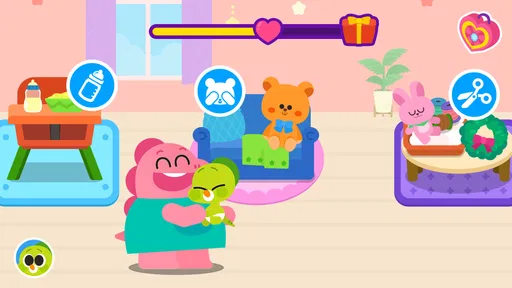
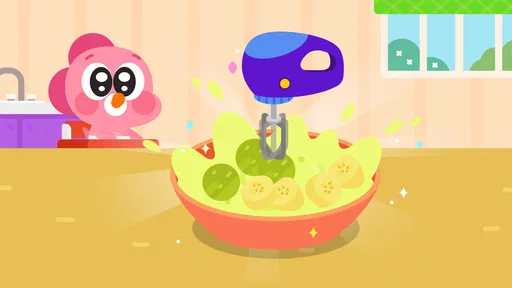
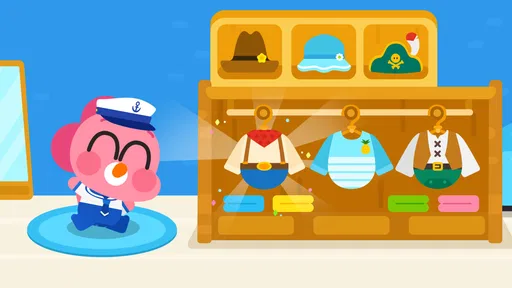
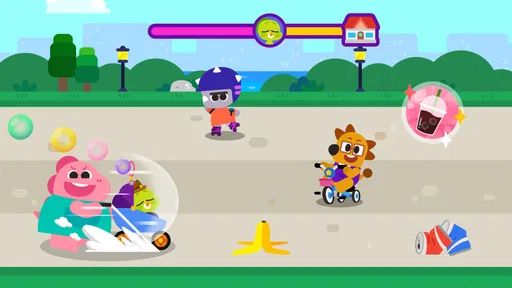
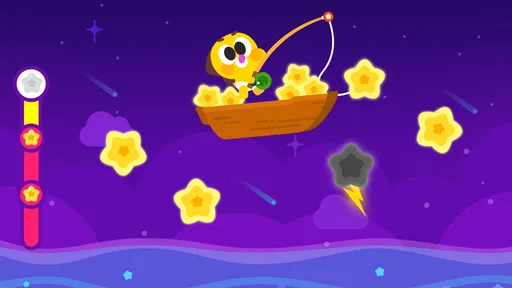
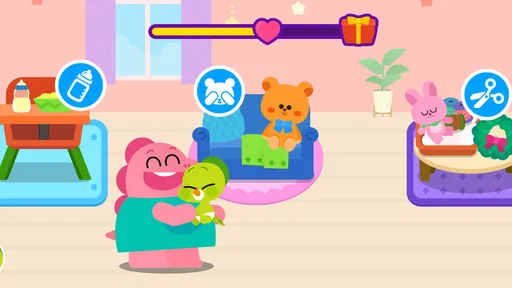
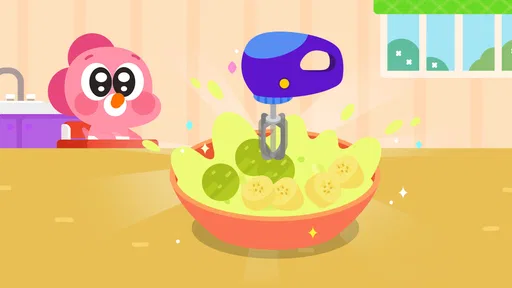
Cocobi Baby Care - Babysitter is a child-friendly care game centered on looking after babies. Players can take on everyday babysitting tasks, such as feeding, bathing, changing, and helping little ones rest. The experience is designed around simple interactions rather than complex controls, making it approachable for young players. The exact activities and available items can vary by version, so check the current app listing for details.
The game is aimed at children and uses a playful, colorful presentation with straightforward tasks. Younger players may still need help from an adult, particularly with navigating menus or understanding any prompts. Suitability can also depend on a child’s age, attention span, and sensitivity to ads or in-app purchase prompts. Before handing over a device, review the store’s age guidance and the app’s current privacy and family settings.
Some basic gameplay may be available offline after the game has been installed, but features such as advertisements, updates, or other online services may require a connection. Offline availability can differ between app versions and devices, so it is best to test the game in airplane mode before relying on it during travel. Downloading and updating the app generally requires internet access and enough storage space.
The business model can vary depending on the platform, country, and version available in your app store. Check the store listing for disclosures about ads, in-app purchases, and any paid edition before installing. Since this game is intended for children, an adult should review device purchase controls and parental settings. These steps can help prevent accidental purchases and limit exposure to advertising or external links.
Confirm that the app is available for your Android or iOS device, meets its operating-system requirements, and has enough storage for installation and updates. Read the current store listing for age guidance, privacy information, permissions, advertisements, and purchase details. It is also sensible to download only from an official app store and to supervise young children while they play, especially if the device is shared.
On Android, Cocobi Baby Care - Babysitter asks for these permissions.
Cocobi Baby Care - Babysitter is also available in 1 other languages on our site.
3.8 out of 5
7,858 reviews
Educational · KIGLE

Educational4.4 out of 5

Educational4.3 out of 5
Educational4.5 out of 5

Educational4.1 out of 5
Educational3.3 out of 5

Educational4.4 out of 5

Educational3.8 out of 5
Educational4.4 out of 5

Educational3.3 out of 5
Educational4.5 out of 5

Educational4.6 out of 5
Educational4.5 out of 5

Educational4.5 out of 5

Educational4.6 out of 5
Educational4.5 out of 5

Educational3.8 out of 5
Educational4.4 out of 5

Educational4.6 out of 5

Educational4.5 out of 5



Gamesive reviews games on its own and is not paid by developers for scores. We do not host game files: the download buttons open the official Google Play and App Store pages. Names, icons and screenshots belong to their owners.