
Toca Boca World
Educational4.4 out of 5

For Android & iOS · BabyBus

 Analysis by Gamesive
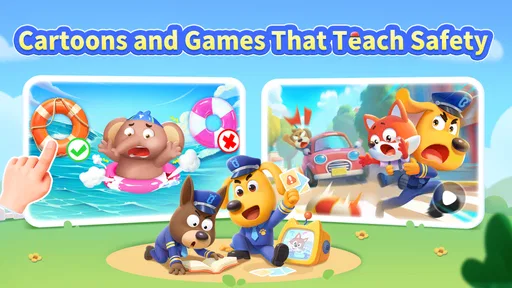
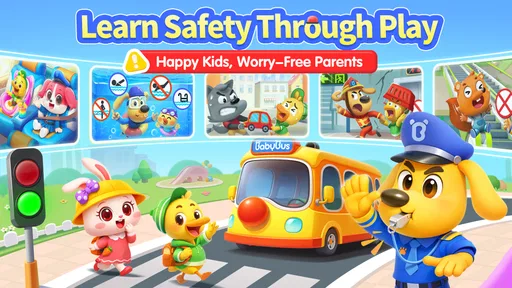
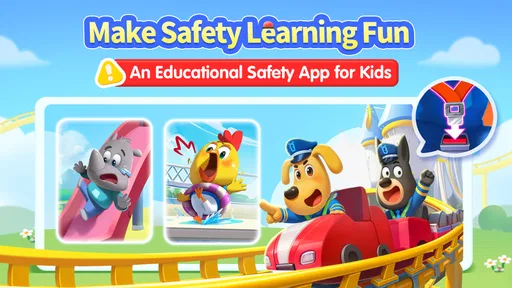
I see Sheriff Labrador Safety Games as a child-focused way to bring safety lessons into play, rather than as a conventional game built around competition or difficult challenges. It is an educational game from BabyBus, centered on Sheriff Labrador and a mix of activities, cartoons, and stories. That variety gives parents more than one kind of screen-time option: a child can watch, listen, or take part in a game, depending on their mood and attention span.
My main recommendation is to treat it as a conversation starter, not as a substitute for an adult explaining safety in real life. A child may enjoy the characters and remember a lesson more readily when it is presented as a story, but the most useful moment often comes afterward, when you connect what happened in the app to a familiar situation at home or outside.
On a first visit, I would sit with the child and explore the different kinds of content together rather than handing over the device and expecting them to find a suitable activity alone. The app’s broad mix can make it appealing, but that same variety means a young player may move from one item to another without settling on a lesson. A short shared session helps you discover what holds their attention and gives you a natural opening to explain what they have seen.
A useful routine is to choose one activity, watch or play through it, and then ask the child to describe the safety idea in their own words. For example, after a story, you might ask what Sheriff Labrador did and why. I would keep the question relaxed rather than turning it into a quiz: the point is to see whether the child understood the situation, not to test them on details. If they are unsure, you can discuss the lesson together before moving on.
This approach is especially practical during a quiet stretch at home, such as while waiting for dinner or winding down before a family activity. Instead of treating the app as background entertainment, make the session specific: one story or game, followed by a real-world example. That repeatable pattern can make the content easier to recall later than a long, unstructured stretch of screen time.
The game is rated for Everyone, which makes it broadly accessible as a family-friendly choice, but an age label is not a guide to every child’s reading level, patience, or comfort with a particular topic. I would still preview content with a younger child and stay nearby if they need help understanding what is happening. The app works best when the adult’s role is light but present: offering context, answering questions, and helping the child connect a lesson to everyday decisions.
The combination of games, cartoons, and stories is a strength when a child’s attention changes from day to day. A child who is not in the mood to participate in a game may be more receptive to watching a story; another may respond better when they can actively engage. Rather than insisting on one format, I would use the choice as a small decision-making opportunity: ask whether they want to watch or play, then keep the session focused on the safety theme they are exploring.
There is a trade-off, though. A collection of different formats can feel less directed than a single-purpose learning tool with a clearly defined sequence. If you want a carefully structured lesson plan, the range here may not provide the same sense of progression. I would think of it as a flexible library for short, informal learning moments, not a complete safety curriculum.
Before making the game part of a regular routine, I would take a moment to look through the available settings and the app-store controls on the device. The practical questions are simple: can the child reach the content you intend them to use, are purchases protected by an adult-controlled process, and does the device have enough space and a suitable operating system? The game requires Android 6.0 or later, so an older device may not be compatible.
It is free to download, but it also offers in-app purchases ranging from $0.49 to $29.99 per item. That makes purchase safeguards worth checking before a child plays independently. I would not assume that “free” means every part of the experience is included at no cost; instead, review the purchase controls on the device and explain, in age-appropriate terms, that buying anything requires an adult’s permission.
It is also sensible to check how the app behaves on your family’s device before relying on it in a specific situation. If you plan to use it during a trip or while waiting somewhere, open it at home first and see whether the content you expect is available and easy for your child to reach. That small test avoids turning a planned quiet activity into a troubleshooting session. I would also keep an eye on the device itself, since a child absorbed in a safety game still needs the usual screen-time boundaries and supervision.
Once you know which stories or activities your child enjoys, a little preparation can make each session smoother. I would agree on a simple rule before opening the app: choose one item, finish it, then talk about one thing the child noticed. This reduces aimless browsing and gives the session a clear ending. It is a useful habit for children who tend to keep tapping from one piece of content to the next.
Another practical pattern is to connect a lesson to something that is about to happen. If the family is getting ready to go out, a relevant safety story can lead into a brief discussion about staying with the adult. If the child has just watched a cartoon, ask them to point out the choice that seemed safest. These examples should stay grounded in your family’s actual plans; the app is most useful as a prompt for conversation, not as a source of instructions for every possible situation.
I would also vary the format when a child loses interest, rather than repeating the same activity until it becomes a chore. Switching from a game to a story can refresh attention while keeping the broader safety theme in view. The important distinction is to change the format for a reason, not simply to maximize screen time. A short, attentive session can be more valuable than letting a child move through everything available without discussion.
These habits do not depend on hidden tools or special controls. They rely on choosing content together, keeping the goal clear, and using the child’s own questions as a guide. That makes the approach easy to repeat across different days and helps a parent see whether the app is genuinely engaging the child or merely holding their attention.
Compared with a basic video app, Sheriff Labrador Safety Games has the advantage of combining viewing with game-style participation, so it can suit children who want more than a passive cartoon. Compared with a narrowly focused educational app, it offers a broader mix of stories and play, which may be more inviting for casual use but less suited to parents seeking a tightly organized course. That is the main choice I would make: flexibility and character-led entertainment here, versus a more structured learning path elsewhere.
The game has a 4.8 average from around 15,000 ratings and has been installed over 5 million times. Those figures suggest that many families have tried it, but they do not tell me whether a particular child will connect with its style. A child who likes Sheriff Labrador and story-led learning may settle into it quickly; a child who prefers open-ended building, fast competition, or a single uninterrupted activity may be less interested.
It is also worth being clear about what a safety-themed game can and cannot do. It can introduce situations and give families a shared starting point, but it cannot judge the details of a child’s real surroundings or replace an adult’s guidance. If your priority is a hands-on lesson, a conversation or supervised practice in the relevant setting may be more useful. If your priority is a child-friendly screen activity that can lead into those conversations, this game has a more natural role.
The main limitation I see is that a broad collection can make it harder for a parent to know exactly what a child has taken away from a session unless they watch or talk about it afterward. Young players may remember a character or funny moment more readily than the underlying safety point. That is not a reason to avoid the app; it is a reason to stay involved enough to check understanding and correct any confusion in plain language.
Children also differ in how much guidance they need. An older child who can navigate the content independently may enjoy exploring, while a younger child may need an adult to help choose an activity and interpret a story. If you do not want to supervise, set boundaries, or check purchase controls, this is not the best choice for unattended use. A simpler, preselected video or an offline activity may be easier for that situation.
The current version is 8.76.42.01, and the game was released on July 24, 2024. For families deciding whether to install it, the more important practical point is to check that the device meets the Android requirement and to review the experience on the device your child will actually use. A strong rating or a familiar character cannot replace that quick compatibility and suitability check.
I would recommend Sheriff Labrador Safety Games to parents who want safety-themed play in a child-friendly format and are willing to turn a few minutes of screen time into a small conversation. Its blend of cartoons, stories, and games gives families options when a child’s attention or mood changes, and the free download makes it easy to try before deciding whether it belongs in a regular routine. The 5M+ install milestone and Everyone rating offer useful context, but the best test is still whether your child engages with the content and can talk about its lessons.
I would skip it if you are looking for a comprehensive, step-by-step safety course, a game focused mainly on deep gameplay, or an experience you can hand over without checking settings and purchase protections. For those needs, a more structured learning resource or a simple activity you guide yourself may be a better fit. For everyday family use, though, I like its potential as a short, repeatable prompt: choose one story or game, discuss the choice that mattered, and then connect it to real life. That is the habit that makes this particular app more useful than just another way to fill a quiet moment.
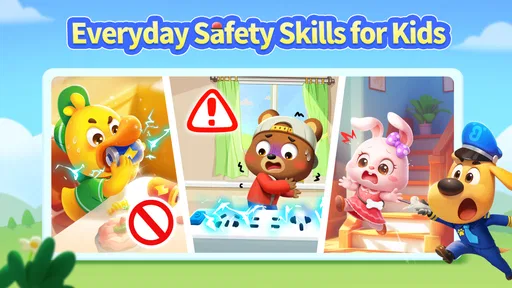
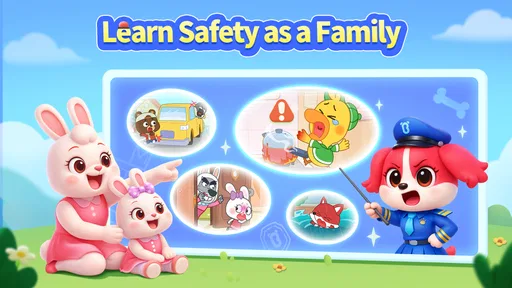
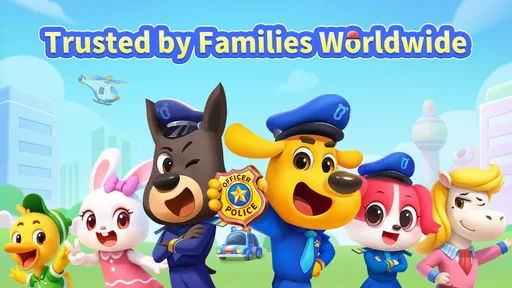
Sheriff Labrador Safety Games is a child-focused collection of activities built around Sheriff Labrador and safety-themed stories. Depending on the activity, children may follow simple scenarios, spot hazards, make choices, or complete playful tasks that reinforce everyday safety ideas. The exact activities can vary by version, so check the app listing and screenshots to confirm what is included before downloading.
The game is designed with a young audience in mind, using familiar characters and straightforward activities rather than complex controls. However, suitability depends on a child’s age, reading ability, and comfort with the themes presented. An adult should review the store description and try the game first, then supervise play as needed, particularly if the child is very young or easily unsettled by emergency-related scenarios.
Whether the game works offline may depend on its current version and the specific activities offered. Some content may be available after installation without a connection, while downloads, advertisements, updates, or other features could require internet access. Check the app’s store listing for its latest requirements, and consider testing it in airplane mode before relying on it for travel or offline play.
Pricing and monetization can differ between platforms, regions, and app versions. The game may be free to download while offering advertisements, optional purchases, or other paid content, so the download price alone does not tell the whole story. Review the Google Play or Apple App Store listing for current purchase and advertising details, and use device-level parental controls if children can access the app.
Before installing, confirm that the listing is the intended Sheriff Labrador game and that it supports your device and operating system. Review the age rating, privacy information, permissions, advertising and purchase disclosures, and recent user feedback. These details can change with updates. After installation, explore the activities yourself and decide whether the content, controls, and any connected features are appropriate for your child.
On Android, Sheriff Labrador Safety Games asks for these permissions.
4.8 out of 5
15,330 reviews
Educational · BabyBus

Educational4.4 out of 5

Educational4.3 out of 5

Educational4.5 out of 5

Educational4.1 out of 5

Educational3.3 out of 5

Educational4.4 out of 5
Educational4.4 out of 5
Educational4.5 out of 5
Educational4.4 out of 5

Educational3.3 out of 5

Educational4.5 out of 5

Educational4.6 out of 5

Educational4.5 out of 5

Educational4.5 out of 5

Educational4.6 out of 5
Educational4.5 out of 5

Educational3.8 out of 5

Educational4.4 out of 5

Educational4.6 out of 5

Educational4.5 out of 5



Gamesive reviews games on its own and is not paid by developers for scores. We do not host game files: the download buttons open the official Google Play and App Store pages. Names, icons and screenshots belong to their owners.