Toca Boca World
Educational4.4 out of 5
For Android · Piggy Panda Inc

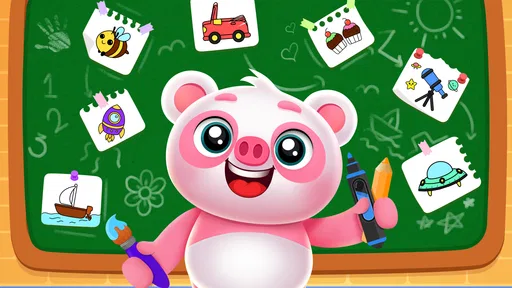
 Analysis by Gamesive
I’d treat Toddler Drawing Games For Kids as a low-pressure first step into digital drawing, not as a full art studio or a structured preschool course. Its appeal is straightforward: a young child can spend time coloring and painting without needing to manage a complicated creative app. That simplicity is useful when a grown-up wants a calm activity at home, but it also means the game is best judged by how well it suits a short, supervised play session rather than by how much it can teach on its own.
This is an educational game from Piggy Panda Inc, aimed at children who are still getting comfortable with drawing and color. It is free to download, carries an Everyone age rating, and has reached over five million installs. Its average rating is 3.5 from around 2.2 thousand ratings, a mixed but respectable response that suggests it will work well for some families while not being everyone’s preferred option.
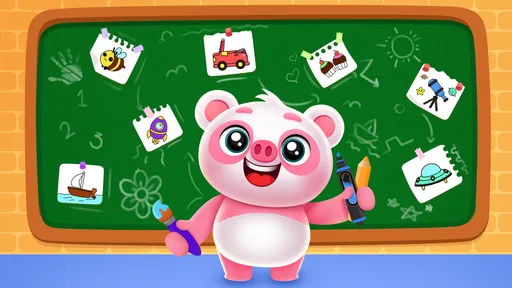
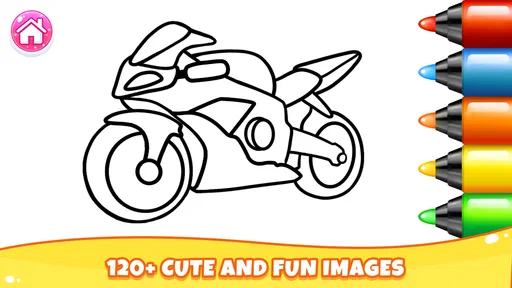
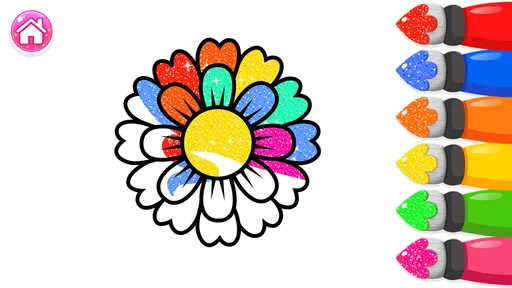
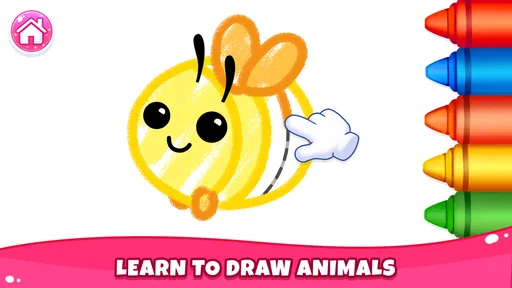
The most useful way to approach it is as a digital coloring book with room for experimentation. A toddler can choose a picture, make marks, and see color fill the screen without worrying about keeping a page neat. That can make drawing feel less intimidating for a child who hesitates with crayons or loses interest when an activity has too many steps. The screen offers an immediate response, which is often enough to keep a young child engaged for a little while.
I also like that the premise is easy for an adult to explain. You do not need to set up a complicated project or teach a sequence of controls before the child can begin. A parent can introduce the activity in a sentence, then let the child explore while staying nearby. For families who already use paper and crayons, this is better as an extra option than a replacement: the app can provide a quick change of pace, while physical drawing remains useful for practicing pressure, grip, and movement away from a screen.
The strongest case for this kind of activity is a brief everyday pause. If a child is waiting while dinner is prepared, or needs a quiet activity during a short break at home, a simple coloring game can be easier to start than setting out art supplies and cleaning up afterward. I would still keep the session intentional: sit with the child, let them pick a picture, and ask what they are making. That turns tapping colors into a small conversation rather than simply handing over a phone.
There is also a helpful low-stakes quality to digital coloring. A child can try a color choice without worrying about wasting paper or making a permanent mark. That freedom may encourage experimentation, especially for a preschooler who likes to change direction midway through an activity. The trade-off is that the screen cannot provide the same tactile feedback as a thick crayon or paintbrush, so I would alternate it with hands-on art rather than relying on it as the only drawing practice.
One practical tip is to treat the app as a prompt for offline drawing. After a short turn, invite the child to recreate a favorite color combination with crayons, or draw a similar shape on paper. This gives the digital activity a clear endpoint and helps connect screen choices to real-world hand movements. It is a more useful routine than leaving the game open indefinitely, particularly for children who tend to move quickly from one screen activity to another.
The name and purpose make clear that this is designed around toddler drawing, not advanced illustration. I would not choose it for a child who wants precise control, layers, detailed brushes, or a broad set of tools for making original artwork. A more capable drawing app would be a better match for an older child who has started creating specific pictures and wants the freedom to build them from scratch.
Likewise, families looking for lessons with a clear progression may find the experience too open-ended. Coloring can support attention, color recognition, and hand-eye coordination, but a child is not automatically receiving a structured lesson just by using a drawing game. Parents who want deliberate practice can add their own simple challenge: “Can you make the sky blue?” or “What happens if you choose a different color?” The game can provide the canvas for that interaction, while the adult supplies the teaching goal.
Another consideration is that the game is free to start but includes in-app purchases, with individual items ranging from $1.99 to $35.99. I would check the purchase settings on the device before handing it to a young child, and make it clear that tapping around should not mean buying anything. That is a sensible precaution for any free children’s app with paid options. The potential range is wide enough that parents should decide their own boundaries in advance rather than leaving a child to explore purchase prompts alone.
It is also worth remembering that a toddler’s experience depends heavily on the adult’s setup. A phone or tablet can be easy for little hands to hold, but a child may still need help navigating, choosing a picture, or returning to the activity after an interruption. I would test the game myself first, then sit alongside the child during the first sessions. That makes it easier to see whether the interaction is genuinely comfortable for them and whether the screen activity fits the family’s routine.
Compared with a paper coloring book, this game is more convenient to start and does not require supplies or a surface to protect. It may suit a short wait or a tidy-up-sensitive moment better than paints and markers. Paper still wins for sensory variety and direct practice with pencils, crayons, and brushes. If the goal is to develop physical drawing habits, I would reach for art materials first and use the app as a companion activity.
Compared with general-purpose drawing apps, the toddler-focused approach is the main distinction. A full-featured art tool can offer more control, but that extra choice can be confusing for a very young child. Here, the simpler purpose is potentially a strength: the child can focus on coloring rather than learning a complex interface. The reverse is true for older children. If they want to sketch characters, plan a picture, or refine small details, a more flexible app will likely hold their interest longer.
Parents should also think about what kind of screen experience they want. This is a creative activity rather than a substitute for an adult-led craft, a story, or outdoor play. It can be useful when a brief, contained activity is needed, but I would not count it as a complete creative routine. A good balance might be a short digital turn followed by a question about the picture or a related activity away from the device.
I would recommend giving it a try if you have a toddler or preschool-age child who enjoys choosing colors, likes drawing but needs a gentle starting point, or benefits from an activity that is quick to begin. It may also suit a caregiver who wants a simple screen-based option to use occasionally while remaining close enough to guide the child. The Everyone rating makes its broad age suitability clear, though an adult should still decide whether the content and screen time work for their own child.
I would skip it if you are looking for a robust digital art program, a curriculum with measurable learning steps, or an app that can keep an older child engaged through increasingly complex projects. It is also not the best choice if you prefer to avoid in-app purchases altogether; in that case, check the app’s purchase controls carefully or choose a coloring activity without paid items. For children who do not enjoy touchscreens or need the feel of real drawing tools, a paper book and washable crayons are likely to be more satisfying.
The game’s current version is 4.8, and it runs on Android 8.0 or later. It was released on April 13, 2023, and its average rating reflects a product that has found an audience without being an automatic hit for every family. I would use those details as context, not as a substitute for trying it with the child who will actually play. Temperament matters: one toddler may happily color for a few minutes, while another may prefer a physical book or a more guided activity.
My overall view is positive but specific: this is a modest, accessible option for introducing a young child to coloring on a screen. Its value lies in ease and low pressure, not in depth. If you set expectations accordingly, keep sessions short, and stay involved, it can be a handy addition to a family’s collection of creative activities. I would not make it the only drawing experience a child gets, and I would manage purchase access before letting them use it independently.
For a quick toddler-friendly coloring break, it is worth considering; for serious drawing practice or structured teaching, choose a different tool. That distinction is what makes the game easier to recommend honestly. It can help make a small moment calmer and more creative, but the best results come when a grown-up turns the screen into a starting point for conversation, imagination, and perhaps a little drawing on paper afterward.
Toddler Drawing Games For Kids is a drawing and coloring app designed for young children who are beginning to explore creative activities on a touchscreen. Apps with this name may offer simple tools, guided drawing, pictures to color, or playful animations. Features can vary by version, so check the app’s store listing and screenshots to confirm what is included before downloading.
The app is intended for toddlers and young children, but the right age depends on your child’s ability to use a touchscreen and the specific content in the version you choose. Review the age rating, recommended age, and parental guidance information on the app store page. It is also wise to try the app with your child first and supervise play, especially for very young users.
Some drawing and coloring activities may be available offline after installation, but availability depends on the app and its version. An internet connection may be needed for the initial download, advertisements, optional content, or other online features. To find out what works offline, check the developer’s description and test the app with Wi-Fi and mobile data turned off before relying on it during travel.
The price and monetization model can differ between apps and versions with this title. A free download may still include advertisements, optional purchases, or paid features, so read the store listing carefully before installing. For a child’s device, consider using parental controls to restrict purchases and limit exposure to ads, and check whether the app offers a paid or ad-free option.
The app is aimed at children, but its privacy and safety details should be checked before use. Review the developer’s privacy policy, the app-store privacy disclosures, and any information about data collection, advertising, or external links. Set up parental controls, supervise your child, and avoid entering personal information unless you understand why it is needed. Store ratings and policies can change, so verify current details before downloading.
On Android, Toddler Drawing Games For Kids asks for these permissions.
3.5 out of 5
2,155 reviews
Educational · Piggy Panda Inc

Educational4.4 out of 5
Educational4.3 out of 5
Educational4.5 out of 5
Educational4.1 out of 5
Educational3.3 out of 5
Educational4.4 out of 5

Role Playing4.3 out of 5
Educational4.4 out of 5

Educational3.3 out of 5
Educational4.5 out of 5

Educational4.6 out of 5
Educational4.5 out of 5

Educational4.5 out of 5

Educational4.6 out of 5
Educational4.5 out of 5
Educational3.8 out of 5
Educational4.4 out of 5

Educational4.6 out of 5

Educational4.5 out of 5



Gamesive reviews games on its own and is not paid by developers for scores. We do not host game files: the download buttons open the official Google Play and App Store pages. Names, icons and screenshots belong to their owners.