Word Collect - Word Games Fun
Word4.7 out of 5

For Android & iOS · PlaySimple Games
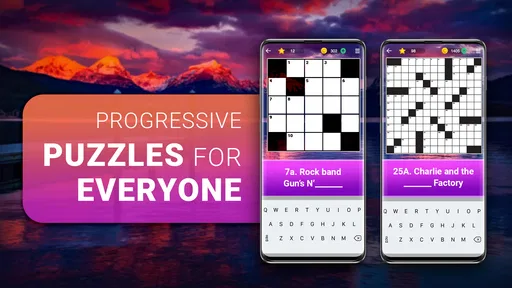
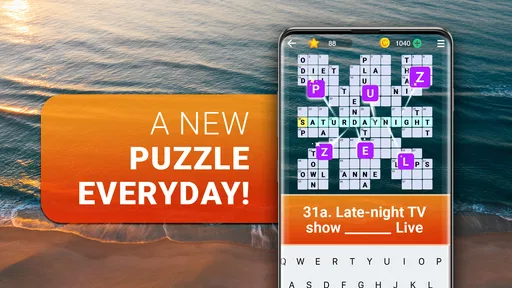
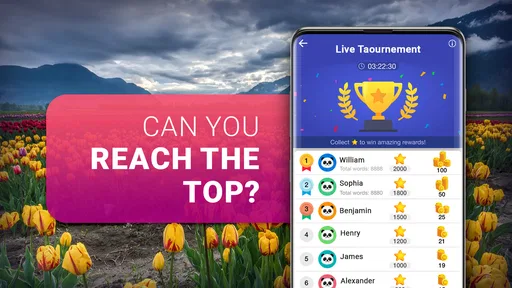
 Analysis by Gamesive
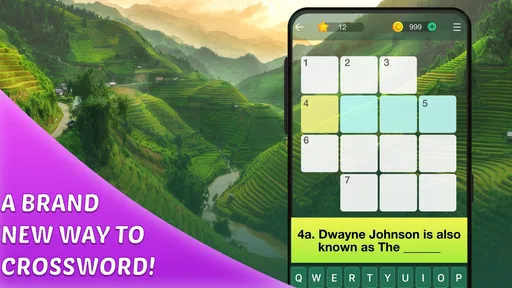
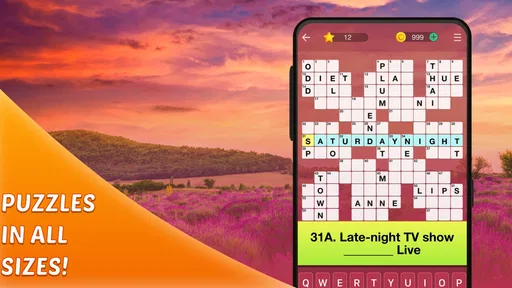
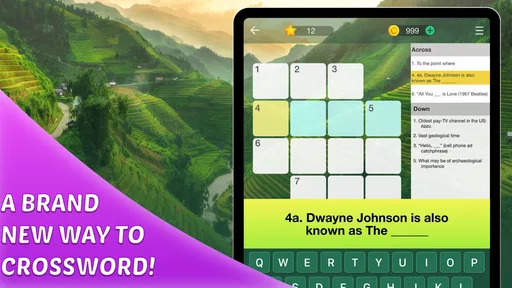
I like crossword games that let me settle into a clue without turning a short break into a complicated setup. Crossword Puzzle Explorer, a word game from PlaySimple Games, is aimed at that kind of casual session: it offers puzzles across a range of difficulty and can be played offline. The appeal is straightforward, but the experience depends on what you want from a crossword. If you enjoy working through clues at your own pace, it has a clear place in your routine; if you need a highly customizable puzzle tool or a social competition, you may want a different kind of app.
Crosswords are most satisfying when a clue gives you just enough of a nudge to retrieve a word. They can also stall abruptly: one unfamiliar answer blocks several crossing entries, and a puzzle that felt relaxing starts to feel like a test. The useful thing about a range of difficulty is that you can choose a gentler challenge when you want momentum and a harder one when you have time to think. That makes this game easier to fit around an ordinary day than a crossword routine that assumes every session will be a long, focused one.
When I get stuck in a crossword, I try not to guess blindly. I fill in the answers I know, then use their crossing letters to narrow down the uncertain clue. That approach is especially useful on a phone, where it is easy to tap an answer too quickly and then lose track of which letters were guesses. Treating each entry as a small deduction rather than a memory test keeps the puzzle engaging and helps prevent one uncertain answer from influencing the whole grid.
A practical habit is to leave a stubborn clue alone for a moment and return after solving a nearby entry. The new crossing letters may make the answer obvious, and the brief pause can help you notice a different meaning in the clue. This is a better fit for a casual crossword than repeatedly forcing the same guess. It also gives the game a natural rhythm: solve what you can, use the crossings, then revisit the places that remain unclear.
The variety in difficulty matters for another reason: the right level depends on your attention, not just your skill. A harder puzzle may be enjoyable with a quiet stretch of time, but frustrating when you are waiting for an appointment and keep getting interrupted. I would choose a level that lets me make steady progress in that situation, then save a tougher challenge for a calmer session. That small adjustment is more useful than assuming every puzzle should be approached with the same patience.
The game is free to install and is rated for Everyone, so it can suit a broad range of players looking for a word pastime. Its store rating is 4.9 from around 46,000 ratings, and it has more than 5 million installs. Those figures suggest a well-established audience, but I would still judge it by whether its puzzle style suits you: popularity cannot tell you if you prefer compact casual play or the conventions of a newspaper crossword.
Before installing, check that your device runs Android 8.0 or later if you are using Android. The current version is 1.404.0. If an installation or update does not go smoothly, checking the operating system version and making sure the app store has completed its download are sensible first steps. I would avoid assuming that a puzzle issue is caused by the game until the basic device and installation checks are done.
Offline play is a particularly useful part of the experience. It means you can plan to play somewhere with unreliable reception, such as during a commute or while waiting in a place where mobile data is inconvenient. If you are specifically downloading it for offline use, it is sensible to open the game and confirm it works before you leave a dependable connection. That is a general preparation habit, not a promise about any particular download or setup process.
There is no need to make a crossword session elaborate. I would start with a difficulty that feels approachable, solve a few clear clues, and see whether the pace suits me before committing to a longer session. If you are introducing the game to someone else, let them try a puzzle rather than explaining how they ought to solve it. A comfortable first experience depends more on choosing a manageable challenge than on having an elaborate strategy.
When progress stalls, the first recovery step is to review the answers you already entered. A single questionable letter can make multiple crossings look impossible, so I check uncertain entries before adding more guesses. If a word does not fit the clue once its crossing letters are considered, I treat that as a reason to reconsider it, not as proof that the whole puzzle is unfair. This method keeps the work organized and makes it easier to return after a distraction.
For interrupted sessions, it helps to leave yourself a mental note: which clue is the blocker, which crossing letters seem reliable, and which entry remains a guess. You do not need a separate system to do that; a quick pause to identify the uncertain spot is enough. When you come back, you can resume with a clear target instead of scanning every clue from the beginning. This is particularly helpful in short breaks, when remembering the state of a puzzle can otherwise take up much of the time.
If a puzzle seems to behave oddly, distinguish a mistaken answer from a technical problem. Recheck the letters, tap carefully, and see whether the same issue occurs again. If the entire app appears unresponsive, closing and reopening it is a reasonable general troubleshooting step; it is not a guarantee that a particular problem will be fixed. Keeping the app updated through the store is also sensible, especially if the issue began after a change to your device or software.
Because the game can be played offline, a weak connection is not automatically a reason to abandon a crossword. That is useful when the puzzle itself is the point and you do not want a network interruption to dictate whether you can spend a few minutes solving clues. Still, offline play should not be confused with a guarantee that every installation, update, or store-related action will work without a connection. For those tasks, check the connection and let the store finish its work before troubleshooting the puzzle itself.
Not every frustrating session means the game is at fault. Crossword clues can depend on word knowledge, interpretations, and conventions that vary between players. If a clue feels obscure, try reading it in another way and use the crossing letters to test possibilities. If you often dislike the style of clues in a particular crossword, the mismatch may be about the kind of wordplay you enjoy rather than a problem with the app.
Device conditions can also affect how comfortable a session feels. A small screen, an awkward grip, or frequent interruptions can make entering letters feel less pleasant, even when the puzzle itself is working as intended. I would try a brief session in a comfortable position before deciding whether the game is a good fit. If interacting with a grid on a phone is the main irritation, a printed crossword or a larger-screen option may suit you better.
The game is not the right choice if you want every puzzle to feel like a demanding newspaper challenge, or if you are looking for head-to-head play, elaborate customization, or a broader collection of word-game formats. Crossword Puzzle Explorer is centered on crosswords, so its appeal is also its boundary. Players who want a quick, self-contained word activity may appreciate that focus; people who need a different kind of variety should compare it with other word games before settling in.
It is also worth keeping the cost model in mind. The game is free, with optional in-app purchases priced from $0.99 to $49.99 per item. I would treat the free experience as the starting point and decide for myself whether anything additional is worth considering. If you prefer apps with no in-app purchase options at all, that may be a reason to choose another crossword, even if you never feel a need to buy anything here.
Compared with a printed puzzle, a phone game is easier to carry and can be used in short bursts, while paper offers a larger physical surface and a screen-free experience. A newspaper crossword may be a better choice if you specifically enjoy its editorial voice or want a daily publication routine. Crossword Puzzle Explorer makes more sense when you want an accessible digital option that can accompany you away from home and remain usable offline.
Compared with broad word-game collections, this title is more focused. That is a benefit if you already know that crosswords are what you want to play; you spend your time on clues and crossing answers rather than choosing between unrelated modes. It is a limitation if you get bored with one format or want a different kind of word challenge after a few minutes. I would pick it for crossword time, not as a substitute for every word game on my phone.
PlaySimple Games has made a game that is easy to understand at a glance: choose a challenge, work through the clues, and use the intersecting answers to keep moving. The strongest practical reason to try it is the combination of varied difficulty and offline play, especially if you want a crossword available during small gaps in the day. The trade-offs are just as clear: it is a focused crossword experience, and optional purchases may not appeal to everyone.
I would recommend Crossword Puzzle Explorer to someone who likes solving clues casually, wants a game that can work without an internet connection, and appreciates having different levels of challenge. A realistic use is opening it while waiting for a friend: solve the easy entries first, keep the uncertain ones in mind, and return to the puzzle later if the wait ends. That workflow makes a short session feel complete without requiring a long stretch of concentration.
With a 4.9 average and thousands of written reviews, it has clearly found an audience, but the best test is whether its crossword format matches your habits. I would skip it if I wanted competitive play, a wide menu of game types, or a fully screen-free puzzle. For everyone else, the no-fuss focus is appealing: it is a practical crossword companion for spare moments, rather than a promise to replace every kind of word puzzle. I would try it with a manageable difficulty, pay attention to how the clues feel, and keep it only if that rhythm makes me want to come back.
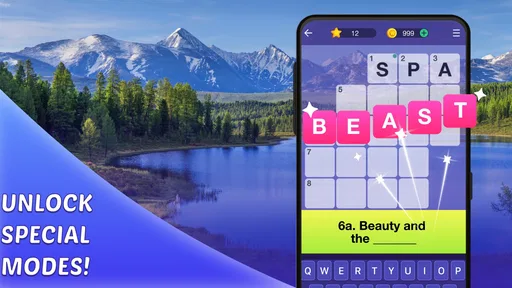
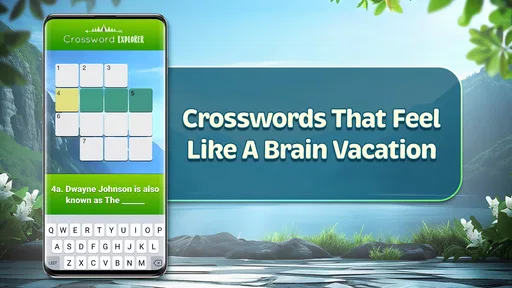
Crossword Puzzle Explorer is a mobile word-puzzle game built around solving crossword-style clues on a grid. Players read each clue and enter a word that fits the available spaces, using crossing answers to check and refine their guesses. The exact puzzle selection, themes, and available modes can depend on the app version, so check the store listing and in-app details before downloading.
Crossword Puzzle Explorer can be approachable for people who are new to crosswords, since the basic goal is to match clues with words and use intersecting answers for help. Difficulty may vary from puzzle to puzzle, and some clues can rely on vocabulary or general knowledge. If you get stuck, look for any hints or assistance options provided in the game, and check whether using them affects progress.
Offline availability can vary by version and by the feature you want to use. Some crossword games let players solve puzzles already downloaded to a device without an internet connection, while downloads, advertisements, events, or progress syncing may require access. Before relying on offline play, try opening a puzzle with your connection disabled and review the app’s store description for current requirements.
The app’s price and monetization may differ by platform, region, or release. It may be free to download while offering advertisements, optional purchases, or paid help such as hints; these details should be confirmed on the Google Play or App Store listing and in the game itself. Review purchase settings before playing, especially if children use the device, to avoid unexpected charges.
Check that the app is compatible with your Android or iOS version and has enough storage space for installation and any additional puzzle downloads. Read the current store listing for information about permissions, ads, in-app purchases, offline access, and privacy practices. Also confirm the developer and recent user feedback, since features and performance can change between updates and may differ across devices.
On Android, Crossword Puzzle Explorer asks for these permissions.
4.9 out of 5
46,173 reviews
Word · PlaySimple Games
Word4.8 out of 5

Word4.7 out of 5

Word4.9 out of 5

Word4.9 out of 5
Word4.8 out of 5

Word4.8 out of 5
Word4.9 out of 5
Word4.9 out of 5

Word4.8 out of 5
Word4.8 out of 5
Word4.7 out of 5

Word4.5 out of 5

Word4.9 out of 5
Word4.7 out of 5
Word4.8 out of 5

Word4.7 out of 5
Word4.9 out of 5
Word4.9 out of 5

Word4.9 out of 5

Word4.5 out of 5

Word4.1 out of 5

Word4.6 out of 5



Gamesive reviews games on its own and is not paid by developers for scores. We do not host game files: the download buttons open the official Google Play and App Store pages. Names, icons and screenshots belong to their owners.