
Piano Fire: Edm Music & Piano
Music4.6 out of 5

For Android & iOS · Gismart
 Analysis by Gamesive
I approach Real Guitar - Music Band Game as a pocket practice tool rather than a replacement for a real instrument. It is a music game from Gismart that turns a phone or tablet screen into a guitar fretboard, letting you explore guitar-style playing without carrying an instrument. That makes it appealing to curious beginners, casual players, and anyone who wants to experiment with chords in a spare moment. My main question is not whether it can reproduce every part of learning guitar—it cannot—but whether its on-screen approach is comfortable and useful for different people and everyday situations.
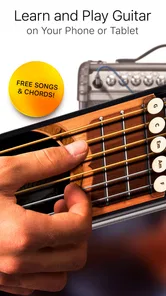
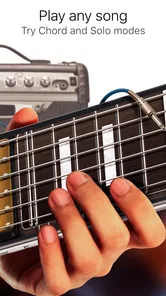
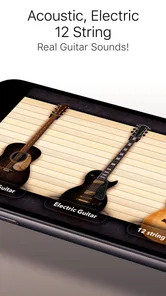
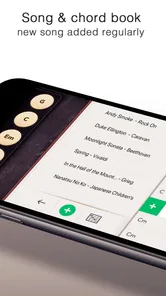
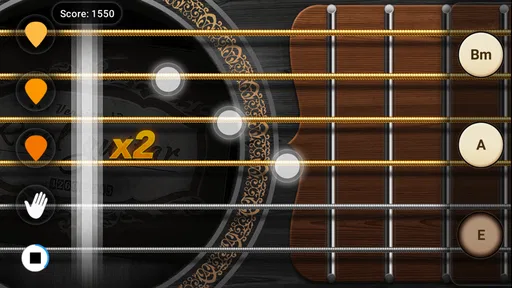
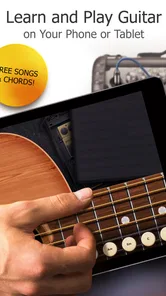
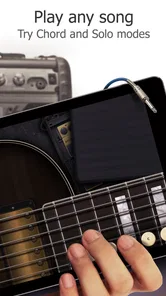
The basic idea is easy to grasp: you tap the screen to make guitar sounds, and the app offers both electric and acoustic tones alongside chords and tabs. That gives a newcomer a more concrete starting point than a sound-only music toy. You can hear the difference in tone, try chord shapes, and connect a visual layout with what you hear. The app’s short store description is simply “Real Guitar,” but I think it is best understood as a touch-based guitar simulator with learning and play value, not as a full course.
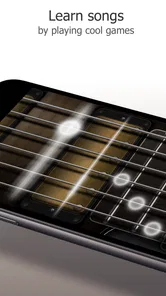
Navigation matters especially when an app is meant to be picked up in brief sessions. A guitar interface can look busy because strings, frets, and chord information compete for screen space. On a phone, I’d begin by choosing one task at a time: explore a sound, test a chord, or follow a tab. That keeps the screen from becoming a wall of musical details. If you are new to guitar, focusing on a small section is more useful than trying to understand every control at once.
There is a practical distinction between recognizing a chord visually and learning to form it with your hands on a physical guitar. The app can help make chord names and sound relationships less abstract, but a touchscreen does not reproduce the pressure, finger reach, or string feel of a real instrument. I would use it to build familiarity and curiosity, then treat any real guitar practice as a separate skill that still needs physical repetition.
Its popularity gives some context, although it is not a substitute for judging fit: the game has passed 100 million installs, while its average rating is 3.1 from around 682,000 ratings. I read that combination as a sign of broad reach paired with a mixed experience. A free download makes it low-risk to try, but the presence of in-app purchases—from $1.99 to $89.99 per item—means I would check what is being offered before spending. You do not need to make a purchase just to decide whether a touchscreen guitar suits you.
Touch instruments can be forgiving in one way and demanding in another. There is no need to hold a guitar neck or coordinate a pick, so someone who finds those physical actions difficult may still be able to explore guitar sounds. At the same time, tapping a precise place on a small screen can be challenging for people with limited fine-motor control, hand tremors, or reduced reach. The phone’s screen size and the way you hold it can change how easy it is to target strings and chord positions.
One useful approach is to rest the device on a stable surface instead of holding it in one hand while playing with the other. This can reduce the effort of keeping the screen steady and give your tapping hand more freedom. A larger tablet may also make the fretboard easier to see and reach, though it is less convenient to carry. If you use a phone, try landscape and portrait orientations if the app allows them, and keep the display at a comfortable distance rather than bending your neck toward it.
Because the interaction is touch-based, the app may be more approachable than a physical instrument for someone who wants to hear a chord without first mastering finger placement. But that does not mean every movement is effortless. Repeated tapping can tire a hand, and quick changes between positions may be frustrating if your movement is limited. I would treat short sessions as a sensible way to explore, rather than expecting a long practice routine to feel comfortable for everyone.
Sound is another part of access. The guitar tones are central to the experience, so headphones can help when you want to hear details without disturbing people nearby. They are not essential to the basic idea, but a quiet setting can make it easier to distinguish chord changes and compare acoustic with electric character. Conversely, anyone sensitive to repeated or sharp sounds may prefer low volume and brief tests before settling into a longer session. The important point is that the app is still built around listening; visual chord information alone does not provide the full experience.
I can imagine opening it during a lunch break to check how a chord sounds, or while waiting for a friend when bringing a real guitar would be awkward. It is also a handy way for a parent and child to experiment with musical sounds together, especially since the content rating is Everyone. That rating does not tell you whether every sound or interaction will suit a particular child, so I would still listen along and keep an eye on any purchase prompts.
For an adult who is curious about guitar but unsure about committing to lessons or equipment, the app offers a low-pressure first step. You can explore sounds and chord shapes before deciding whether you want to learn on strings. It may also help a songwriter remember a chord idea away from home, although a touchscreen is less dependable for capturing the nuances of rhythm and technique than a real instrument or a dedicated recording setup.
That distinction helps when comparing it with usual alternatives. A real guitar gives you authentic string response and builds the hand coordination needed to play songs, but it takes space, practice, and sometimes an initial equipment expense. A guitar-learning course can offer a more structured path, while a general music-making app may be better for building arrangements with several instruments. Real Guitar sits between those choices: more focused on guitar sounds and chord interaction than a broad music studio, but not as physically instructive as an actual guitar.
For a quick check of a chord, I would open the app and listen for its character rather than judge whether I could perform the shape on a real instrument. For practice, I would use it to refresh names or experiment with a sound, then move to a real guitar if the goal is finger strength, clean fretting, or consistent strumming. This two-step workflow avoids a common disappointment: mistaking a successful screen tap for a fully learned guitar technique.
The biggest limitation is the gap between tapping and playing. A touchscreen can make a guitar approachable, but it cannot teach the tactile adjustments involved in pressing strings cleanly or controlling their vibration. If your goal is to perform songs confidently on a physical guitar, this should be a companion at most, not your main method. A beginner course or an in-person teacher is a better choice when you need feedback on posture, fingering, timing, and mistakes that are hard to notice from sound alone.
There is also a learning trade-off in having a compact interface. A phone is convenient, but its limited space can make chord details and tapping targets feel cramped. Someone with low vision may find the small visual elements difficult, while someone who depends on audio cues may still need clear sound and a quiet environment. I would not assume that the app’s visual presentation or touch controls will suit every access need; test it on your own device before building a routine around it.
Its scale is striking: Real Guitar has more than 100 million installs and around 14,000 written reviews, yet its average rating remains 3.1. That should encourage realistic expectations rather than dismissing the app outright. People may approach it for different reasons—casual sound play, chord exploration, or serious learning—and those goals are not equally well served by a virtual fretboard. My advice is to decide what you want to do before installing, then judge it against that narrow purpose.
Gismart released the game on May 17, 2013, and its current version is 3.41. It is free to download, is rated for Everyone, and requires Android 9 or later on Android devices. Those details make it broadly available to many users, but device compatibility and individual comfort are separate questions. If your screen is older or small, the experience may feel different from playing on a larger, newer display.
I’d recommend Real Guitar to someone who wants an easy, portable way to explore guitar-like sounds, test chord ideas, or share a casual music moment. Its strongest inclusive quality is that it removes some physical barriers of holding and fretting a real guitar, while still giving users a visual and audible way to engage with chords. It may be a welcome entry point for a person who is curious but not ready to buy an instrument.
I would not recommend relying on it as the only route to learning guitar, or assuming that a touch interface automatically makes music accessible to everyone. Small targets, visual detail, repeated tapping, and sound sensitivity can all affect comfort. If those are concerns, try it in short sessions, stabilize the device, adjust the listening environment, and compare how it feels on a larger screen if one is available. If the interface still gets in the way, a physical instrument with adapted positioning, a structured lesson, or a different music app may be a better fit.
Overall, I see this as a useful, low-commitment guitar companion with clear boundaries. It can make guitar sounds and chord ideas easier to approach in everyday settings, but it cannot replace the feel, feedback, or skill-building of real strings. I’d start with the free experience, explore whether the controls suit your hands and eyes, and spend only if a specific paid option genuinely adds something you want. That is the fairest way to find out whether this virtual guitar belongs in your musical routine.
Real Guitar - Music Band Game is a mobile music app that lets you play guitar-style notes and chords on a virtual instrument. It is designed for casual practice and entertainment, with touch controls that imitate strumming and fret selection. The experience can vary by device and app version, so check the store listing for current features, compatibility, and any in-app purchase details before downloading.
Yes. The virtual guitar format can be approachable for beginners because you can experiment with notes and chords without owning a physical instrument. It may help you get familiar with basic guitar sounds and finger positions, but it is not a substitute for structured lessons or real-world practice. Start with the app’s available guidance, play at a comfortable pace, and check whether your version includes tutorials or other learning tools.
Some core virtual-instrument features may be available without an internet connection, but access can depend on the app version and the specific content you want to use. Online access may be needed for downloads, updates, advertisements, or connected features. Because offline support can change, it is a good idea to open the app once while connected, then test the features you plan to use before relying on it away from Wi-Fi or mobile data.
The app’s price and business model can differ between Android and iOS, regions, and release versions. It may be free to install while offering advertising or optional in-app purchases, but do not assume every feature is free. Review the current store page for purchase information, subscription terms if applicable, and age or privacy disclosures. If a purchase prompt appears, confirm the amount and payment method before proceeding.
Check that your phone or tablet meets the current operating-system requirements and has enough storage for the installation and any additional content. Also review recent store ratings, permissions, privacy information, and the developer’s notes about ads or purchases. Since touch response and sound quality can vary across devices, use headphones or adjust your audio settings if needed, and download the app from an official app store.
On Android, Real Guitar - Music Band Game asks for these permissions.
3.1 out of 5
681,754 reviews
Music · Gismart

Music4.3 out of 5

Music4.6 out of 5
Music4.5 out of 5

Music4.2 out of 5

Music3.7 out of 5

Music4.0 out of 5
Word4.6 out of 5
Music4.6 out of 5

Music4.3 out of 5

Music4.3 out of 5

Music3.7 out of 5

Music4.4 out of 5

Music4.1 out of 5

Music4.6 out of 5

Music4.5 out of 5

Music4.8 out of 5

Music4.6 out of 5

Music4.0 out of 5

Music4.8 out of 5



Gamesive reviews games on its own and is not paid by developers for scores. We do not host game files: the download buttons open the official Google Play and App Store pages. Names, icons and screenshots belong to their owners.