Piano Fire: Edm Music & Piano
Music4.6 out of 5
For Android · Bilkon
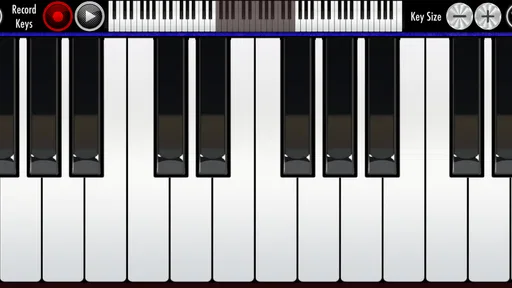
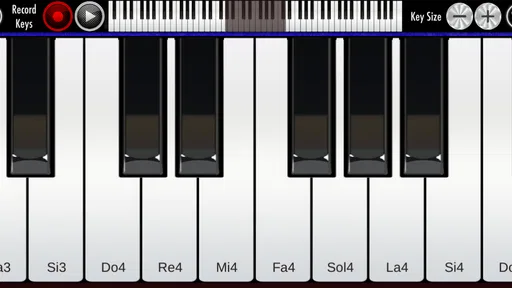
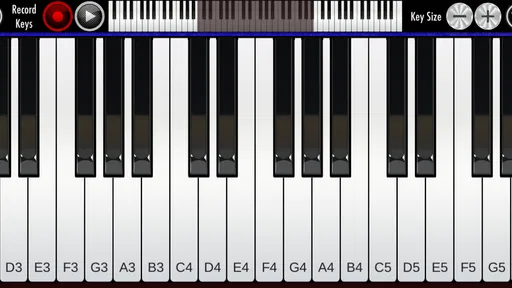
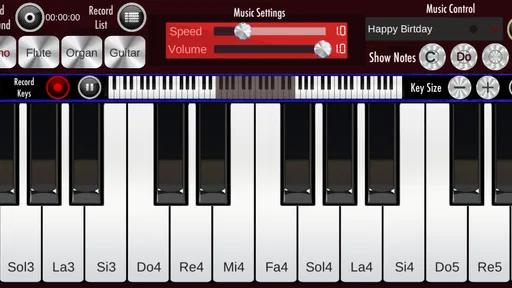
 Analysis by Gamesive
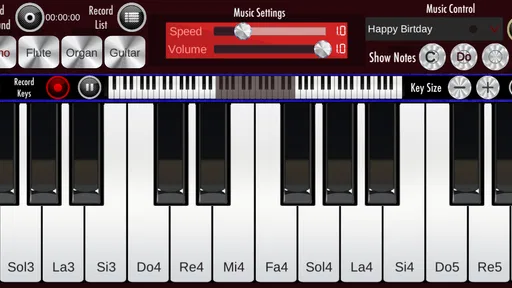
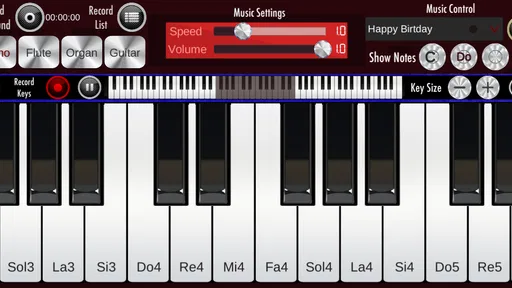
I think of Real Piano as a pocket instrument for casual playing, not a shortcut to becoming a pianist. It gives you a place to tap out a tune, test a melody, or pass a few spare minutes with music. That simple role is also its clearest strength: you can try piano-style playing on your phone without first buying an instrument or committing to lessons.
Real Piano is a free music game from Bilkon, and its appeal is easy to understand if you want a piano-like experience on Android rather than a full music-learning course. It has been available since June 2, 2017, and its current version is 1.31. The game is rated for Everyone, so it is suitable to consider for casual use across ages, though a parent should still make their own decision about any app a child uses.
The scale of its audience is notable: it has more than 100 million installs, with a 3.7 average from around 261,000 ratings and about 2,400 written reviews. Those figures suggest broad reach, but they are not a guarantee that the game will suit every phone or playing style. My practical advice is to treat it as an accessible way to explore piano sounds and finger movement, not as a substitute for a keyboard, structured practice, or a teacher.
The name sets an expectation of an instrument, but the phone changes the experience. A touchscreen has no physical key travel, and your fingers cover part of the display as you play. That makes it convenient for quick experimentation, while limiting how naturally you can build the touch and coordination used on a real piano. If you already play, you may enjoy it as a sketchpad; if you are starting from nothing, it can help make the idea of playing less intimidating.
A realistic use is a short break at home: you have a melody in mind, open the game, and tap through the notes before the idea fades. It can also be a low-pressure way to let a child explore a piano-like layout, or a handy distraction when there is no instrument nearby. In those situations, instant access matters more than deep instruction.
One useful way to approach a touch piano is to focus on small musical goals. Try finding a short tune by ear, repeat a few notes until your fingers remember their positions, or use the screen to check whether a melody you are humming moves upward or downward. These exercises are modest, but they turn tapping into purposeful play. They also help keep expectations realistic: the app can support musical curiosity without teaching everything a piano student needs.
For a beginner, I would use it in brief sessions and choose one simple task at a time. A screen piano can encourage exploration, but it cannot provide the same resistance, spacing, or tactile feedback as physical keys. If you find yourself repeatedly guessing where notes are, that is a sign to move to a larger keyboard or a lesson resource rather than assuming more tapping alone will solve the problem.
Real Piano is best judged as a casual game rather than a progression system. The verified description identifies it as a piano app, but does not establish a curriculum, lesson path, scoring structure, or competitive ladder. I would not install it expecting a guided route from beginner to advanced player. The lack of that expectation can be freeing: you can simply play for enjoyment and stop whenever you like.
That freedom has a trade-off. Without a clear practice framework, it is easy to repeat familiar notes and feel occupied without making much musical progress. A simple personal routine helps: choose a small phrase, play it slowly, then try it again without staring at every finger. If the screen makes that awkward, use the session to experiment rather than measuring yourself against a standard the app has not promised to provide.
There is also no need to turn every session into a test. For a child or a curious adult, relaxed repetition can be the point. For someone preparing for a recital, learning notation, or building reliable two-hand technique, a dedicated teaching app or an actual keyboard is a better fit. Real Piano’s value is in lowering the barrier to trying, not in replacing a complete learning setup.
The game is free, which makes trying it a low-commitment choice. The purchase details available here establish that it costs nothing to download; they do not establish whether optional purchases, advertising, or other spending features are present. I would not assume either that the experience is entirely free of prompts or that payment is required. If spending matters to you, check the current app-store screen and device settings before handing the phone to a child.
That distinction matters when deciding what “fair” means. There is no verified competitive mode or paid advantage to assess, so I would not describe Real Piano as a fair or unfair contest. For casual solo use, the key question is whether the free experience gives you enough musical interaction to justify keeping it. For a family, it is sensible to supervise the first session and review the device’s purchase controls rather than relying on the game’s age rating alone.
Compared with a physical keyboard, the game wins on portability and cost of entry but loses on feel and expressive control. Compared with a conventional piano-learning app, it may appeal more to someone who wants immediate, informal play than to someone seeking lessons and measurable milestones. Those alternatives are not interchangeable: choose Real Piano for an easy musical diversion, a teaching app for guided study, and a keyboard when touch and technique matter.
Screen size is likely to shape how comfortable the experience feels. A phone is easy to carry, but its limited playing surface can make accurate finger placement harder, especially if you try to play quickly or use several fingers at once. A larger screen can be easier to see and reach, though it still will not behave like physical keys. If you are deciding whether it suits you, test a short melody rather than judging only by the first few taps.
Another useful tip is to avoid treating speed as proof of skill. On a touchscreen, rapid tapping can become a test of aim as much as musical ability. Slow down, keep the phrase short, and notice whether you can reproduce it consistently. If the display or your own hands make that frustrating, the limitation is not necessarily a lack of musical aptitude; it may simply be the wrong input device for the task.
Android compatibility is also worth checking before installing. The minimum operating system is Android 7.1, so an older device below that requirement will not be a suitable choice. The game’s current version is 1.31, but the number alone does not tell you how it will perform on a particular handset. I would check the app store on the device you plan to use and try it there, especially if you expect a child to play or want to rely on it during a specific routine.
I would recommend Real Piano to someone who wants a free, approachable way to tap out melodies on an Android device. It is especially suited to casual players, curious beginners, or anyone who wants a small musical distraction without setting up an instrument. Its large install count shows that many people have tried it, while the 3.7 average is a reminder that popularity does not mean universal satisfaction.
I would skip it if your main goal is a structured course, accurate piano technique, dependable practice feedback, or performance preparation. A real keyboard is better for developing touch and hand coordination; a dedicated learning tool is better when you want lessons and a clear sequence. And if you mainly want music to listen to rather than notes to play, a music player is a more direct choice.
My trust verdict is straightforward: I see Real Piano as a convenient, low-pressure music game, not a complete instrument or a promise of rapid progress. Its free price and Everyone rating make it easy to consider, while its touch controls and lack of verified learning or competition details call for sensible expectations. If you approach it as a portable place to experiment with piano-like playing, it can be worthwhile; if you need depth, tactile realism, or guided instruction, choose a more purpose-built option.
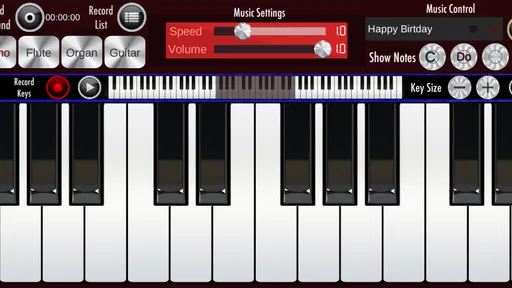
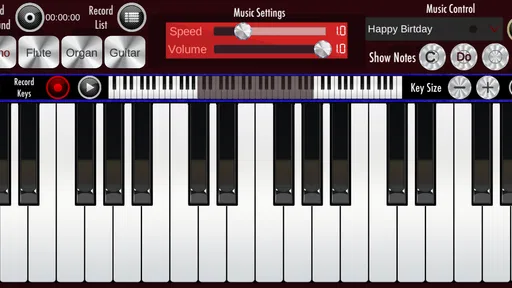
Real Piano is a virtual piano app that lets you play a keyboard on your phone or tablet. You can tap the on-screen keys to practice melodies, explore chords, or experiment with musical ideas without carrying a physical instrument. The exact tools and lesson options can vary by version, so check the app listing and in-app menus to confirm which features are available on your device.
It can be a convenient starting point for beginners who want to become familiar with piano keys and try simple tunes. Playing on a touchscreen may help with basic note recognition, but it does not fully reproduce the feel, spacing, or technique of a real keyboard. Treat it as a practice aid rather than a complete course, and check whether the version you download includes guided lessons or other learning tools.
Basic keyboard playing may be available offline after the app is installed, but connectivity requirements can differ between versions and features. Ads, downloads, account functions, or online lessons may require an internet connection. If offline use matters to you, test the app in airplane mode and review its store description and permissions before relying on it while traveling or in a location with limited service.
The download may be free, but that does not necessarily mean every feature is available at no cost. The app could display advertising or offer optional purchases, depending on the edition and your platform. Check the current Google Play or App Store listing for pricing, in-app purchase details, and subscription terms before installing, since availability and business models can change over time.
Confirm that your phone or tablet meets the app’s current operating-system requirements and has enough storage for installation. Also review the latest user ratings, update date, permissions, and privacy information in the relevant app store. Touchscreen keyboard apps can feel more comfortable on larger displays, and sound quality may depend on your device’s speakers or headphones, so your experience can vary by model.
On Android, Real Piano asks for these permissions.
Real Piano is also available in 2 other languages on our site.
3.7 out of 5
261,157 reviews
Music · Bilkon

Music4.3 out of 5
Music4.6 out of 5
Music3.1 out of 5
Music4.5 out of 5
Music4.2 out of 5

Music4.0 out of 5
Music4.6 out of 5

Music4.3 out of 5
Music4.3 out of 5

Music3.7 out of 5
Music4.4 out of 5

Music4.1 out of 5
Music4.6 out of 5
Music4.5 out of 5

Music4.8 out of 5

Music4.6 out of 5
Music4.0 out of 5
Music4.8 out of 5



Gamesive reviews games on its own and is not paid by developers for scores. We do not host game files: the download buttons open the official Google Play and App Store pages. Names, icons and screenshots belong to their owners.