Piano Game: Classic Music Song
Music4.0 out of 5
For Android & iOS · TINYMAX HONGKONG LIMITED
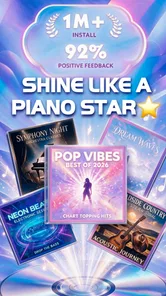
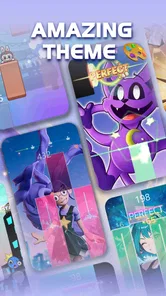


 Analysis by Gamesive
I like music games that let me get into a song quickly, without asking me to learn a complicated control scheme first. Piano Star is built around that kind of quick start: you follow the notes on screen, tap in time, and try to keep your run going. Its appeal is easy to understand, but the part that determines whether I’d return is how well the taps, musical feedback, and urge to try again fit together.
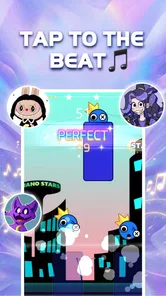
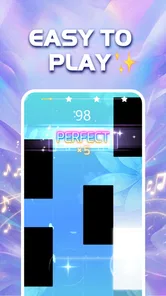
The basic idea is approachable even if you have never played a piano game. You watch the notes approach and tap the matching spots as they arrive. The first useful adjustment is to focus on the incoming pattern rather than the tile you have just touched. That small shift makes it easier to anticipate the next beat, especially when a song moves from steady notes into a busier passage.
This is a music game, not a piano lesson. I would not choose it to learn fingering, read sheet music, or practise a real instrument. The screen turns musical timing into a sequence of visual cues, so the challenge is reacting accurately rather than building traditional piano technique. That distinction matters: it makes the game welcoming for casual play, while limiting its value for someone looking for structured musical instruction.
On a short break, that low barrier is a strength. I can start a song without needing to plan a long session or remember a complicated set of controls. The catch is that “easy to start” does not mean every section stays easy. As the pattern changes, I need to watch closely and keep my taps controlled; treating every note as a frantic button press is a reliable way to lose the rhythm.
One practical habit is to keep the device still and use a consistent tapping position. A shifting grip can make visual timing feel less comfortable, particularly when attention is split between the moving notes and the next tap. If I am playing while commuting or waiting in a busy place, I would rather choose a stable moment than try to chase a difficult sequence while distracted. The game is casual in setup, but a run still rewards concentration.
The central feedback is immediate: the notes arrive, I respond, and the run reflects how well I kept pace. That creates a clear link between what I do and what happens next. When I settle into a song, the tapping starts to feel less like separate reactions and more like following a beat. That flow is the strongest reason I would recommend it to someone who enjoys rhythm challenges.
There is also a useful distinction between being familiar with a tune and being ready for its pattern in the game. Recognising a melody may help me feel oriented, but it does not remove the need to read the screen. I still have to watch the cues and respond at the right time. For a more focused attempt, I would listen for the pulse while keeping my eyes on the notes, rather than assuming I can play from memory.
That screen-led approach is also the game’s main trade-off. Players who enjoy translating a song into a visual timing challenge are likely to find the format inviting. If I want an experience centred on free playing, instrument practice, or composing, I would look for a different kind of music app. Piano Star makes the song a timed task, and its satisfaction comes from meeting that task rather than making music on my own terms.
It is worth being patient when a run breaks down. Repeatedly tapping faster is not always the answer; the more helpful response is to notice where attention slipped and begin the next attempt with a calmer rhythm. A missed moment can come from looking too late, anticipating too early, or losing track of the pattern. Separating those possibilities gives a retry a purpose instead of turning it into the same rushed attempt again.
The reward loop is straightforward: I make progress by staying with the notes, get immediate evidence of how the attempt went, and then decide whether I want another try. For me, that is more compelling than a vague promise of improvement. A run has a clear goal in the moment, and getting further or playing more cleanly gives me a reason to repeat it.
Still, the game is best approached as a quick entertainment break rather than a serious training plan. A better run can reflect stronger attention and timing in that session, but I would not treat it as proof that my real-world piano skills are advancing. This is an important expectation to set before downloading: the game can make musical timing playful, but it does not replace a teacher, an instrument, or a lesson app.
Its broad reach suggests that the format has found an audience: Piano Star has over 100 million installs, with an average rating of 4.3 from around 173,000 ratings. Those figures are useful context, not a guarantee that every player will enjoy the same loop. Someone who likes score-chasing and short rhythm challenges may see the attraction quickly; someone who dislikes repeating a section after a mistake may find the same structure irritating.
I also appreciate that the game is free to download, while optional in-app purchases range from $0.99 to $19.99 per item. I would treat any purchase as optional spending rather than assume it is necessary to enjoy the basic idea. If I am trying the game casually, I would play first and decide later whether anything offered inside is worth paying for. That keeps the initial decision simple and avoids confusing a purchase with the core timing challenge.
The reset is part of the design’s pull. A broken run does not require me to learn a whole new control system; I can return to the same kind of task and try to respond more carefully. That makes another attempt feel approachable. The danger is that retries can become automatic: tap again immediately, repeat the same mistake, and hope for a different result. I get more from the loop when I pause briefly and identify what I want to do differently.
A realistic use case is a short wait between errands. I can open the game, focus on a song, and then put it away when my turn comes. In that setting, the simple action-feedback-reset cycle fits better than a game that demands a long story session. But I would not recommend playing while I need to listen for announcements or watch traffic. The notes ask for visual attention, so this is not a good choice for moments when my eyes or hands should be doing something else.
Compared with a conventional piano-learning app, this is less about instruction and more about immediate play. Compared with a broader rhythm game, it keeps the musical-tile idea at the centre instead of asking me to learn a more elaborate set of actions. That simplicity is a genuine advantage for newcomers, but it can also make the experience feel repetitive if I want varied objectives or a deeper creative toolset. Which side matters more depends on whether I am opening a game to relax or an app to develop a skill.
The game is published by TINYMAX HONGKONG LIMITED, is rated Everyone 10+, and its current version is 1.8.53. It was released on April 17, 2022, and runs on Android 7.0 or later. Those details make it easier to judge whether it fits a device and household, but the more personal question is whether its screen-timing format sounds enjoyable. I would especially think about the age rating if a younger child will be using the device, and check the app store for the current availability on the platform I use.
I would suggest Piano Star to a friend who wants a music-themed game that is easy to pick up, enjoys visual timing challenges, and does not mind retrying a song to improve a run. It is also a reasonable choice for someone who wants a compact activity during a quiet break rather than a full-length gaming session. The most useful mindset is to treat each attempt as a small test of focus, not as a piano exam.
I would point a learner toward a dedicated lesson app or real piano practice instead if their main goal is to read music, develop technique, or understand how songs are constructed. I would also steer away from it if repeated attempts feel more frustrating than motivating, or if I want a game where music is background rather than the main timing cue. Those are not flaws that a better tapping technique will solve; they are differences in what the player wants from the experience.
My verdict is that the loop works when I want quick, focused musical play: watch the cues, tap in time, see how the run went, and choose whether to reset. Its strongest quality is how little it asks me to learn before I can begin, while its clearest limitation is that this same narrow focus may not hold my interest for long sessions. If you enjoy chasing a cleaner rhythm run more than learning an instrument, it is an easy game to try; if you want musical instruction or broad gameplay variety, I would choose something else.
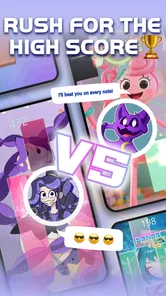
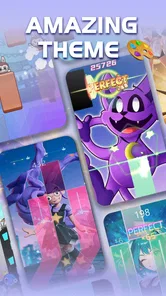
Piano Star is a rhythm game built around tapping tiles in time with music. As a song plays, notes move across the screen, and you tap the corresponding tiles to keep the performance going. The basic controls are easy to understand, but staying accurate can take practice as songs become faster or more demanding. Check the game’s current song selection and modes in its store listing, since content can vary by version.
Piano Star may be available to download at no upfront cost, but that does not necessarily mean every feature is free. Rhythm games commonly offer optional in-app purchases, advertisements, or paid content, and the available arrangements can differ by platform or region. Before installing, review the App Store or Google Play listing for the current price, in-app purchase details, and any subscription information. You can also check your device’s purchase controls if children may use the game.
Whether Piano Star works without an internet connection can depend on the version and the feature you want to use. Some games allow previously downloaded songs or basic play offline, while other content, rewards, advertisements, or account features may require a connection. To avoid surprises, open the game once while online and check whether songs can be accessed after disconnecting. Confirm the developer’s current listing for up-to-date offline-play details before relying on it during travel.
The tap-based gameplay is approachable for newcomers, and starting with slower or simpler songs can help you get used to the timing. Difficulty may rise with faster tracks and longer note sequences, so the experience can still be challenging. Accessibility options such as adjustable note speed, visual settings, or left-handed controls should not be assumed; check the settings on your device before downloading if you need a particular accommodation. A touchscreen with responsive input also helps.
Before installing, confirm that the app is the intended Piano Star title by checking its developer, screenshots, ratings, and recent reviews in the official Google Play Store or Apple App Store. Make sure your device meets the listed operating-system and storage requirements, and review the app’s privacy information and requested permissions. Also check regional availability, advertising, and in-app purchases. These details can change over time, so the current store page is the best source.
On Android, Piano Star asks for these permissions.
Piano Star is also available in 2 other languages on our site.
4.3 out of 5
172,501 reviews
Music · TINYMAX HONGKONG LIMITED

Music4.3 out of 5
Music4.6 out of 5
Music3.1 out of 5
Music4.5 out of 5
Music4.2 out of 5
Music3.7 out of 5
Music4.0 out of 5
Music4.6 out of 5
Music4.3 out of 5

Music3.7 out of 5
Music4.4 out of 5
Music4.1 out of 5
Music4.6 out of 5
Music4.5 out of 5

Music4.8 out of 5
Music4.6 out of 5
Music4.0 out of 5
Music4.8 out of 5



Gamesive reviews games on its own and is not paid by developers for scores. We do not host game files: the download buttons open the official Google Play and App Store pages. Names, icons and screenshots belong to their owners.