
Color Block: Combo Blast
Puzzle4.3 out of 5
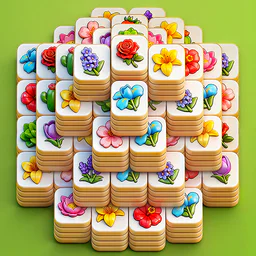
For Android & iOS · Oakever Games








 Analysis by Gamesive
When I first opened Tile Explorer - Triple Match, I expected a familiar tile-matching puzzle: spot three matching pieces, clear them, and keep the board moving. That basic idea is easy to grasp, but the satisfying part is deciding which tiles to take now and which to leave available for later. I’d recommend it to someone who wants a calm, easy-to-start puzzle rather than a game that demands a long session or a complicated tutorial.
This is a free puzzle game from Oakever Games, built around matching three tiles. Its store description is brief, so the clearest way to understand the appeal is through the core decision: every match makes progress, but choosing a tile also affects the options you have left. A move that looks obvious can close off a useful match, which gives the simple rules a little more thought than a quick visual sweep.
The game’s scale suggests that many players enjoy this style of short-form challenge: it has a 4.9 average from around 2.4 million ratings, and it has passed 100 million installs. Those numbers are reassuring if you’re looking for a widely played puzzle, though they don’t tell you whether its rhythm will suit you personally. I’d treat the match-three premise as a good fit for brief, focused play, not as a promise of deep strategy or a sprawling campaign.
In practice, I find this kind of puzzle works best when I slow down enough to read the board before tapping. The challenge is less about speed than keeping track of what I’ve collected and avoiding choices that leave me with no useful match. That makes it an easy game to pick up while waiting for a kettle to boil, but it can also punish distracted tapping. If you want something completely mindless, the need to watch your selections may be a drawback.
Because the rules are straightforward, Tile Explorer can be a comfortable first puzzle game for someone who does not usually play games. It is rated Everyone, so its age rating is broad, though adults and children may enjoy it for different reasons: younger players can practice noticing patterns, while adults may appreciate a small mental task between other activities. I’d still expect the player to be comfortable making choices and learning from a round that does not go as planned.
The game is free to download, and its current version is 2.8.1. It requires Android 7.1 or later. If you’re checking compatibility before installing, the Android requirement is the practical detail to look at first. The developer is Oakever Games, and in-app purchases are available, with listed items ranging from $0.99 to $44.99 each. I’d begin by playing at the free entry point and decide later whether anything offered is worth considering.
For a first session, I wouldn’t try to optimize every move. Look over the visible tiles, identify a set of three that appears available, and notice how taking them changes the choices that remain. That simple before-and-after comparison is more useful than tapping quickly: it helps you see how the board’s arrangement influences the next decision. Treat the opening round as a chance to learn the game’s visual language, not as a test you need to ace.
One useful habit is to pause before taking a tile that does not immediately complete a match. Ask yourself whether it is opening access to something you want or simply occupying space in your collection. This small check can prevent a string of impulsive picks. It also gives you a concrete way to improve without needing a guide or a complicated strategy: make one deliberate choice, then look at what it changed.
For a realistic everyday use, I’d play a round during a short break when I have enough attention to follow the board but not enough time to start a longer game. If I’m standing in a queue, I can make a few considered moves and put the phone away when needed. If I’m in the middle of a conversation or trying to multitask, I’d choose a game that is less dependent on remembering what I’ve already selected. The best moment for Tile Explorer is a small pocket of spare time, not a situation where every tap is rushed.
The first satisfying milestone is not simply making a match; it is completing one while understanding why your choices worked. Start with an obvious trio if one is available, then check which tiles have become more useful or accessible. When another match follows from a choice you made deliberately, you’ll have learned the essential loop: scan, choose, and reassess. That’s a more reliable first success than trying to clear the board as fast as possible.
If a round goes badly, use it to identify the point where your options narrowed. Was there a tile you picked without a clear plan? Did you overlook a visible match while chasing a different one? Asking one question after a misstep is enough. I wouldn’t turn every loss into a long analysis; the game is most enjoyable when reflection stays light and helps you make a better next move rather than making a casual puzzle feel like homework.
There’s also a practical distinction between playing carefully and playing timidly. You do need to make choices, and waiting for a perfect sequence can drain the fun. I’d take clear matches when they appear, but pause on less obvious picks. That balance keeps the puzzle moving while preserving enough attention for the decisions that matter. It is especially useful if you’re new to triple-match games and are still learning to judge the board at a glance.
For players who like visible progress, the repeated cycle of spotting and clearing groups can be rewarding without requiring a large time commitment. But if your idea of success is a story conclusion, a character build, or a competitive score to chase, this is not the kind of experience I’d choose. Its appeal is the puzzle itself. You return for another round because you want another small matching challenge, not because the game’s premise promises a different genre of payoff.
The most common source of confusion is assuming that every visually appealing choice is a good one. In a triple-match puzzle, a tile can look tempting while making your next set harder to assemble. I recommend checking whether a tap contributes to a match you can reasonably see, rather than collecting pieces simply because they stand out. If the board starts to feel cluttered, stop for a moment and look for the simplest available path instead of changing your plan repeatedly.
Another adjustment is accepting that a familiar rule does not make every round automatic. The broad match-three concept is easy to understand, but choosing among several possible moves still calls for attention. Players who expect the game to select the best move for them may find that process frustrating. I see the decision-making as the point: the rules stay approachable while the player remains responsible for keeping useful options open.
It is also worth separating the free download from the purchase choices. The game costs nothing to get, but it offers in-app purchases priced from $0.99 to $44.99 per item. That range matters if you are setting a spending limit for yourself or handing the device to a child. I’d review purchase prompts with that in mind and avoid treating an optional purchase as necessary before you’ve had a chance to see whether the basic puzzle is enjoyable.
Players should also be realistic about attention. A quick round may fit a break, but the puzzle is not ideal if you need to look away constantly or make taps without checking what they do. Someone who wants a pure reflex test may prefer a fast arcade game; someone who wants a word challenge may get more from a crossword or word search. Tile Explorer sits between those alternatives as a visual matching puzzle: more deliberate than a reaction game, less language-focused than a word puzzle.
I’d point a first-time player toward this game if they enjoy sorting patterns, want rules they can learn quickly, and like having a small decision to make on each turn. It is also a reasonable choice for someone curious about triple-match games who would rather start with a free download than commit to a paid puzzle. The large player base and strong average rating suggest broad appeal, but personal preference still matters more than popularity when the central activity is repeated matching.
I’d steer away from it if you need a rich narrative, extensive strategic systems, or a social competition to keep you interested. It may also be a poor match if you prefer puzzles with a single logical solution, like some number or word games. Here, the enjoyment comes from handling a board of tiles and making sensible matching decisions; if that specific loop feels repetitive to you, a different puzzle format is likely a better use of your time.
Compared with a typical match-three game that emphasizes lining up pieces on a grid, this experience is better approached as a tile-selection puzzle. That distinction changes what I pay attention to: rather than focusing only on arranging a match, I’m considering which tiles to take and how that affects later choices. Compared with a solitaire-style card puzzle, it asks for pattern recognition rather than sequencing suits or ranks. If you already know those genres, think of this as a compact alternative for moments when you want to scan and match rather than plan a long chain.
Once the basic loop feels comfortable, I’d make one adjustment at a time: take a second to survey the available tiles, choose a clear match, and notice the consequence before making the next pick. That gives you a simple personal routine without turning play into a checklist. If you’re regularly making rushed moves, slow down; if you’re overthinking every choice, trust the obvious trio and keep the round moving. The right pace is the one that leaves the puzzle engaging rather than stressful.
The best reason to try Tile Explorer is that it makes a familiar matching idea feel like a small exercise in careful selection. I would not describe it as a fit for every puzzle fan, but it is easy to approach, free to install, and suitable for short sessions when you want something more attentive than a passive time-killer. Its main trade-off is that the simple format can feel repetitive, and the purchase options are worth keeping in view if spending matters to you.
Tile Explorer - Triple Match was released on May 17, 2024, and its current version is 2.8.1. For a newcomer, I’d start with a single relaxed round, focus on completing one deliberate match, and decide from that first useful success whether the board-by-board rhythm is satisfying. If it is, the game offers an uncomplicated way to return for another brief puzzle. If you want a deeper storyline or a different kind of problem-solving, I’d choose another genre rather than expecting this one to become something it is not.
Tile Explorer - Triple Match is a casual tile-matching puzzle game built around finding and collecting sets of three identical tiles. You tap tiles to move them into a holding area, aiming to clear the board before that area fills up. The central rules are straightforward, while changing layouts and tile combinations provide the challenge. It is suited to short play sessions, though the difficulty and available features may vary by level or version.
Look across the board for three matching tiles, then tap them to collect them and remove the completed set. Tiles may be layered or positioned so that some are not available until others are cleared. Each selected tile occupies a slot in the tray, so choosing a match carefully matters: if the tray fills before you can complete sets, the level can end. Pay attention to the remaining tiles and use any in-game helpers when you need them.
The game may be available to download without an upfront purchase, but that does not necessarily mean every feature or play session is free of cost. Like many mobile puzzle games, it may include advertisements, optional in-app purchases, or items that help with challenging levels. Check the current store listing for the exact price, purchase options, and any regional differences before installing. If children will play, review purchase settings and parental controls on the device.
Whether the game works without an internet connection can depend on its current version and which features you want to use. Core puzzle levels may be available offline in some releases, while advertisements, events, rewards, or progress syncing can require a connection. For a reliable answer, check the app’s store description and test it after installation by briefly disconnecting your device. Keep in mind that offline play may not synchronize progress until you reconnect.
The basic triple-matching rules are easy to learn, so beginners can usually start playing without much instruction. Later boards may require more planning because the holding tray has limited space and some tiles can be blocked by others. Before downloading, check that your device meets the current system requirements and review the app’s permissions, privacy information, ads, and in-app purchases in the store listing. Difficulty, content, and features can change between updates.
On Android, Tile Explorer - Triple Match asks for these permissions.
4.9 out of 5
2,367,152 reviews
Puzzle · Oakever Games
Puzzle4.8 out of 5

Puzzle4.7 out of 5

Puzzle4.8 out of 5

Puzzle4.8 out of 5

Puzzle4.9 out of 5

Puzzle4.9 out of 5
Puzzle4.9 out of 5

Word4.8 out of 5

Puzzle4.7 out of 5
Puzzle4.3 out of 5

Puzzle4.4 out of 5

Puzzle4.7 out of 5

Puzzle4.8 out of 5

Puzzle4.8 out of 5

Puzzle4.1 out of 5

Puzzle4.9 out of 5

Puzzle4.9 out of 5
Puzzle4.8 out of 5

Puzzle4.9 out of 5

Puzzle4.9 out of 5

Puzzle4.9 out of 5



Gamesive reviews games on its own and is not paid by developers for scores. We do not host game files: the download buttons open the official Google Play and App Store pages. Names, icons and screenshots belong to their owners.