
Ball Sort Puzzle - Color Game
Puzzle4.9 out of 5

For Android · NimbleMind Network Inc.
 Analysis by Gamesive
The appeal of a hidden-object puzzle is simple: look closely, spot what does not belong, and enjoy the small satisfaction of finding it. Hidden Object Games: Seek It is built around making that kind of play fit into a short break. I’d reach for it when I have a few minutes to settle my attention, not when I’m looking for a long story or a demanding puzzle campaign. Its brief rounds are a useful boundary: I can finish a session before a spare moment turns into a commitment.
That focus makes the game easy to understand, but it also sets expectations. The pleasure is in scanning a scene and recognising objects, rather than learning a complicated rule set. If you like visual search and want something approachable, it has a clear purpose. If you prefer deep logic problems, elaborate progression, or a game that rewards long sessions, its central idea may feel too narrow.
In practice, I’d treat each round as a small attention reset. A natural moment is waiting for a kettle, sitting between appointments, or taking a pause after reading on a screen. Instead of opening a sprawling game and trying to remember where I left off, I can start with a straightforward task: inspect the picture, pick out the requested items, and stop when the round is done. That makes hidden-object puzzles a good fit for people who enjoy observation without wanting a big time investment.
The most useful habit is to scan with a plan rather than tapping at random. I start by checking the whole scene for large, distinctive shapes, then move through it in sections, such as left to right or from the edges toward the middle. After that, I look again at areas where objects overlap or blend into the background. This simple routine reduces the chance of repeatedly searching the same obvious patch while overlooking a small detail elsewhere.
It also helps to read the object prompt carefully before beginning a sweep. A familiar item can be drawn at an unusual angle or partly hidden among similar shapes, so searching only for a textbook silhouette can be misleading. I try to identify the feature that makes an object distinctive—its outline, colour, or position—and then compare that cue against the scene. That is a practical way to make each short round feel more deliberate without turning a casual game into homework.
The game is a puzzle title from NimbleMind Network Inc., and its presentation is aimed at a broad audience: its age rating is Everyone. It is free to start, while optional in-app purchases range from $0.99 to $99.99 per item. I’d keep that in mind if I’m choosing a game for a child or simply want a no-cost pastime: the free entry point is clear, but purchases are part of the experience’s commercial setup, so it is sensible to check the app store’s purchase controls on a device used by younger players.
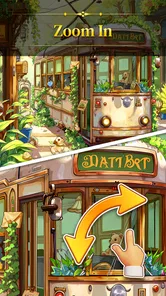
I would begin by checking the game’s available settings before settling into a routine, especially on a phone with a small display. A comfortable screen brightness and a display position that avoids glare matter more in a search game than they do in a mostly text-based puzzle. I would also check any controls or sound options that are actually presented in the app and choose what feels comfortable for the situation. I’m not assuming a particular hint system, zoom control, or accessibility feature; the practical point is to inspect what is available instead of building a strategy around an option that may not be there.
Short rounds make interruptions less frustrating, but they do not eliminate them. If I’m likely to be called away, I’d start only when I can give the screen a little attention, rather than trying to search while walking or crossing a busy place. For a quick break at home, I can put the phone down between rounds and return when I’m ready. That is a better fit than opening the game during a task that requires frequent switching, because visual search loses its rhythm when attention keeps moving elsewhere.
Another useful habit is to avoid tapping every possible candidate immediately. A hurried tap can interrupt a careful scan, and repeated guesses are less informative than a deliberate check of the object’s outline. I pause for a moment, compare the candidate with the requested item, and then tap. This is especially helpful when objects are close together: the aim is not merely to notice something plausible but to verify that it matches the target.
For a player who wants a calmer session, I’d use a consistent pace rather than treating every round as a race. The short format may tempt you to rush because the task looks small, but careful scanning is the part that makes the game satisfying. If I feel my eyes skipping over the same scene, I take a brief break instead of tapping faster. Returning with fresh attention is often more useful than squeezing in one more round while tired.
A repeatable search route is the strongest technique I can recommend. Divide the image mentally into a few zones and finish one before moving on. The zones do not need to be precise; the goal is simply to avoid jumping from a promising corner to the centre and back again. Once the whole scene has had one pass, use a second pass for the less obvious regions. This gives each round structure while keeping the game casual.
I also find it useful to change the kind of attention I’m using between passes. First, look for broad colour or shape contrasts. Next, focus on small details and edges. Then check crowded sections where one object may visually merge with another. This is more reliable than staring harder at the entire picture at once. It is a general visual-search method, not a claim that the game provides special scanning tools, and it works particularly well when an object is easy to miss because its colour resembles the background.
When playing with another person, a quiet shared search can make a round more engaging without requiring a formal competitive mode. One person can scan one side while the other checks a different area, then both can compare what they noticed. I would only do this if the people involved enjoy taking turns and looking closely; calling out guesses too quickly can make the scene feel chaotic. This is also a handy way to introduce the game to someone who is unsure whether they like hidden-object puzzles.
For families, I’d suggest letting a younger player lead the search rather than pointing out the answer as soon as I spot it. Asking what shape or colour they are looking for turns the round into a gentle observation exercise. Because the content rating is Everyone, it is positioned for a wide age range, though I’d still supervise purchases on a shared device. The game can be approachable for a child, but the best experience depends on the child enjoying picture-search tasks rather than expecting a story or action game.
The quick-round design is both the main strength and the main limitation. It suits people who want a small, self-contained activity, but players who value layered clues, evolving mechanics, or a sense of long-term mastery may want more than finding objects can provide. Compared with a traditional logic puzzle, this asks more of visual attention and less of deduction. Compared with a large hidden-object adventure, it is easier to fit into a short break, but it is not the choice I’d make when I want a rich narrative to carry me through a long evening.
There is also a difference between relaxing play and effortless play. Searching is low-pressure, but it still asks you to keep your eyes on a small screen and distinguish details. On a cramped display, in bright glare, or when tired, that can become uncomfortable. If the scene is visually busy, I’d rather pause than keep searching by guesswork. Anyone who dislikes close visual scanning should consider a word puzzle or a more audio-focused casual game instead.
Version 1.38.1 is the current version, and the game runs on Android 7.0 or later. Its reach is substantial: it has over 10 million installs, with an average rating of 4.9 from around 348,000 ratings and about 4,600 written reviews. Those figures suggest that many players respond well to the straightforward concept, but they do not guarantee that its particular style will suit you. I’d use them as context, then decide based on whether a short visual-search loop sounds appealing.
Since the game is free to download but includes optional purchases, I would decide in advance whether I’m comfortable spending anything. The in-app purchase range runs from $0.99 to $99.99 per item, so the upper end is worth noticing rather than assuming every purchase is a small convenience. I’d check the purchase options before handing a device to a child, and I would not treat spending as necessary to enjoy the basic idea. If you prefer games with no purchase prompts or a single clear upfront cost, a paid puzzle app may be a better match.
I’d recommend Hidden Object Games: Seek It to someone who likes looking carefully at illustrations, wants a casual puzzle that can be approached in short visits, or needs an easy activity to share with a family member. Its strongest everyday use is a deliberate pause: sit down, complete a round, and return to whatever you were doing. It is also a reasonable starting point for someone curious about hidden-object games but not ready to commit to a long adventure.
I would steer a different player toward another kind of game if they want complex mechanics, a narrative that unfolds over many sessions, or a substantial challenge that depends on planning several moves ahead. This is a visual-search experience, so the core pleasure comes from noticing and confirming objects. People who find repeated picture scanning tedious are unlikely to be won over just because the rounds are short. Likewise, anyone seeking a rich, hands-free way to play should look elsewhere: the central task depends on looking closely at the screen.
The developer, NimbleMind Network Inc., has made a game with a clear and accessible premise rather than one that needs a long explanation. That simplicity is valuable when I want to begin quickly, but it leaves less room for variety than a puzzle game built around several different systems. My advice is to judge it by the search itself: do you enjoy the small moment of spotting a shape that was hiding in plain sight? If yes, the compact format is a genuine advantage. If not, a broader puzzle collection will probably hold your attention longer.
I see this as a focused option for short, low-pressure play, not an all-purpose puzzle recommendation. Its best qualities are the accessible premise and the way a round can fit into an ordinary gap in the day. The best way to get more from it is not to chase a perfect technique, but to use a steady scan, check the target before tapping, and stop when your attention starts to fade. Those habits make the simple format feel more satisfying without pretending it offers a deeper system than it does.
If you already enjoy hidden-object puzzles, or want a small visual challenge that is easy to pick up, I think it is worth trying at its free entry point. Keep the purchase range in mind, especially on a shared device, and check the available settings to make the screen comfortable for you. If you prefer intricate logic, story-led exploration, or long sessions with steadily changing mechanics, choose another puzzle game. For the right player, though, this is a neat way to turn a spare few minutes into a focused search.
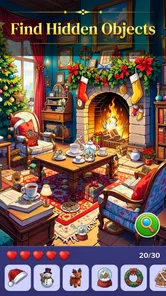
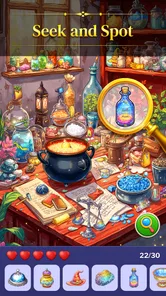
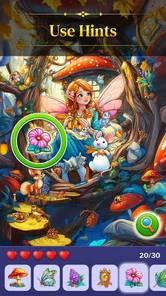
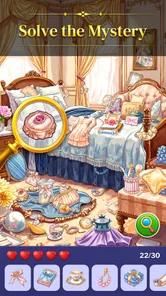
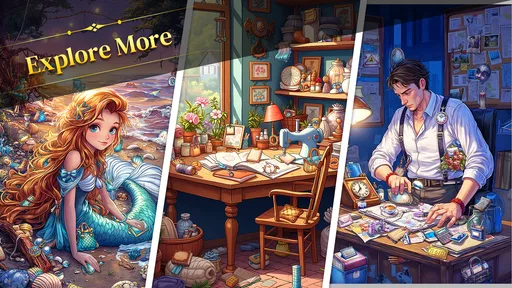
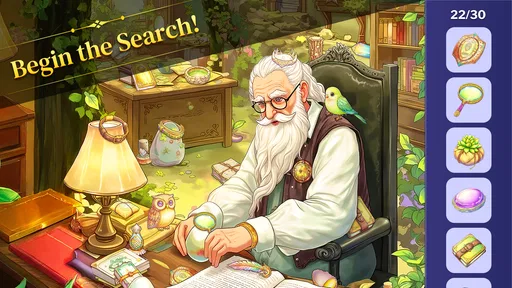
Hidden Object Games: Seek It is a puzzle game built around searching illustrated scenes for objects shown in a list or by clues. Each level asks you to inspect the picture carefully, spot items that may blend into the background, and tap them to complete the search. The exact themes and level structure can vary by version, so check the store listing for the current description and screenshots before downloading.
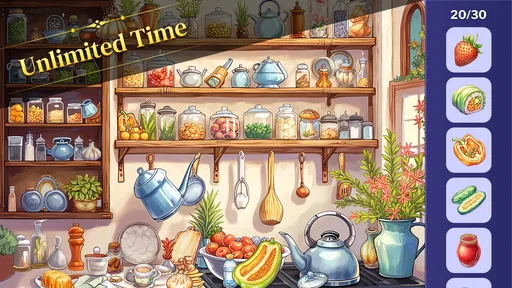
Choose a scene and look across the image for the objects the game asks you to find. Tap an item when you spot it, then continue until the list or objective is complete. Small details, overlapping decorations, and similar colors can make some searches challenging, so it helps to scan the scene systematically rather than tapping at random. Controls, hints, timers, and scoring may differ between versions or levels.
The game may be available to download at no upfront cost, but that does not necessarily mean every feature is free. Some editions of mobile puzzle games include advertisements, optional in-app purchases, or other paid extras. Store pricing and monetization can also change by region and over time. Before installing, review the Google Play or App Store listing for current costs, in-app purchase details, and any subscription information.
Offline access depends on the specific version and how its levels, ads, and other features are delivered. A game may let you play already available scenes without a connection while still requiring internet for downloads, advertisements, purchases, or progress synchronization. If playing offline matters to you, check the app’s store description and test its behavior after installation before relying on it during travel or in places with limited connectivity.
Check that the app is compatible with your device and operating system, and look at its recent ratings, update date, screenshots, and developer information. Review the permissions and privacy details, especially if you want to understand what data may be collected or shared. It is also worth confirming whether the game contains ads, in-app purchases, or internet-dependent features, since these details can vary between releases and regions.
On Android, Hidden Object Games: Seek It asks for these permissions.
Hidden Object Games: Seek It is also available in 2 other languages on our site.
4.9 out of 5
347,589 reviews
Puzzle · NimbleMind Network Inc.
Puzzle4.8 out of 5

Puzzle4.9 out of 5

Puzzle4.7 out of 5

Puzzle4.8 out of 5

Puzzle4.8 out of 5

Puzzle4.9 out of 5
Puzzle4.9 out of 5
Puzzle4.3 out of 5

Puzzle4.4 out of 5

Puzzle4.7 out of 5

Puzzle4.8 out of 5

Puzzle4.8 out of 5

Puzzle4.1 out of 5

Puzzle4.9 out of 5

Puzzle4.9 out of 5
Puzzle4.8 out of 5

Puzzle4.9 out of 5

Puzzle4.9 out of 5



Gamesive reviews games on its own and is not paid by developers for scores. We do not host game files: the download buttons open the official Google Play and App Store pages. Names, icons and screenshots belong to their owners.