
Brain Test 4: Tricky Friends
Trivia4.7 out of 5
For Android & iOS · Quiz & Trivia Games by Mno Go Apps
 Analysis by Gamesive
On a shared tablet, a trivia game has to do more than fill a quiet moment: it should be easy for different people to pick up, enjoyable in short bursts, and clear about what kind of experience they are getting. QuizzLand is a free trivia game from Quiz & Trivia Games by Mno Go Apps, built around general-knowledge questions with a brain-training slant. I’d consider it for a household that likes passing a device around, while keeping in mind that it is a game for individual turns rather than a tool for managing several players’ progress.
The natural way to use a trivia game at home is in small, informal sessions: one person answers a few questions while waiting for dinner, then hands the tablet to someone else. QuizzLand suits that pattern better than a long, uninterrupted game because its central appeal is answering questions and testing what you know, not committing to a lengthy story or a complicated match. It can give a family or group something to talk about, especially when an answer prompts a “how did you know that?” moment.
There is a useful distinction, though, between sharing a device and sharing a game identity. A shared screen makes it easy for several people to take turns, but it does not automatically mean that each person has a separate record or personalized experience. If everyone cares about keeping their own progress distinct, I would agree on a simple routine before starting: take turns in clearly separated sessions, and avoid treating one shared run as a fair comparison of everyone’s knowledge.
That small bit of coordination matters more than it may seem. A trivia game can make a quick household contest feel fun, but a shared device can blur who answered what. For casual play, that is no problem; for a serious “who knows more?” challenge, it can make the result less meaningful. I’d use it as a conversation starter rather than a reliable scoreboard between family members.
One practical approach is to agree on a short turn before passing the device along. That keeps one eager player from absorbing the whole session and makes the game easier to fit around everyday interruptions. It also helps younger or less confident players join without feeling that they need to keep pace with someone who answers quickly.
For a mixed-age group, I would let each person answer at their own pace and talk through the reasoning afterward. The value is not only in getting a question right; it is also in noticing why a tempting answer sounded convincing. If a question lands outside someone’s interests or knowledge, move on rather than turning the session into a test. That makes the game more welcoming without pretending every question will suit every player.
This casual method also avoids a common shared-device frustration: one person’s turn stretching longer than everyone expected. QuizzLand works best as a light activity that can be paused socially by handing over the device, not as the centerpiece of a tightly organized family competition.
When I share any game on a household device, I think about two boundaries separately: who is playing, and who is making decisions about purchases or device settings. QuizzLand is free to download, but it offers in-app purchases priced from $0.79 to $22.99 per item. That is worth mentioning to anyone sharing a phone or tablet with children. I would check the device’s purchase safeguards and make the household rule clear before handing it over, rather than assuming that a free game can never lead to a spending prompt.
The game’s current version is 3.18.007, and the stated minimum operating-system requirement is 7.1. Those details are useful when deciding whether an older household device can run it, but compatibility alone should not decide whether it belongs on a child’s screen. The more important questions are whether the adult is comfortable with the game’s content and whether purchases are controlled at the device level.
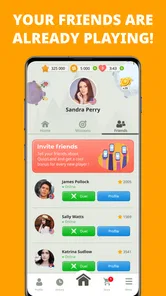
I would also keep expectations modest about personal boundaries. QuizzLand can be played casually by people taking turns, but I would not treat it as a dedicated family account system or assume it separates everyone’s activity. If separate histories matter, each player should use an arrangement that genuinely keeps their activity separate instead of relying on a shared session to do that work.
The game is rated Everyone, which makes it broadly suitable for a general audience from an age-rating perspective. That is a helpful starting point for parents, but it is not a substitute for deciding whether the question style and the way a child engages with a quiz game feel right for them. I’d sit nearby for an initial session with a younger player, both to see how they handle questions they do not know and to explain that a wrong answer is part of playing, not a judgment of their ability.
That reassurance matters in a game framed around knowledge and brain training. Some children enjoy the challenge; others may take a score or a missed answer personally. A gentle household rule—try an answer, discuss it, and move on—keeps the activity from becoming an unwanted test. Older players can simply use it as a low-pressure way to keep their minds occupied.
The app has a 4.8 average from around two million ratings, alongside about 35,000 written reviews and over 100 million installs. Those figures suggest that it has found a very large audience, but popularity does not guarantee that every household will enjoy its pace or question mix. I would use the rating as a reason to give it a fair try, not as proof that it will match each person’s tastes.
Compared with a conventional quiz night, QuizzLand is easier to reach for when nobody wants to prepare questions, keep score, or organize teams. It is also a different kind of option from a head-to-head party quiz: the emphasis here is on answering and exercising general knowledge, rather than relying on a room full of players to create the entertainment. That makes it convenient for solo downtime and small shared-device turns, but less suitable when the main goal is lively, synchronized competition.
It is also not the best fit for someone who wants a focused learning course. Trivia can expose gaps in what you know and make facts memorable, but a stream of questions is not the same as a structured lesson with a planned path through a subject. If you want to study a particular topic deeply, I would choose a dedicated learning resource. If you want a quick general-knowledge challenge that can be picked up between chores, this game makes more sense.
A useful way to get more from it is to treat missed answers as prompts for curiosity rather than as a reason to rush into another round. Pause long enough to discuss what made the right answer surprising, then hand the device over. This turns a quick quiz into a small shared learning moment and gives quieter players a way to participate even when they were not the one holding the screen.
I’d recommend QuizzLand to people who like general-knowledge questions, want a lightweight brain exercise, or need an easy game to dip into during a spare moment. It can work particularly well in a household where several people enjoy taking casual turns but nobody wants to arrange a full game night. Its free entry makes it easy to try, with the purchase options worth keeping in mind on a device used by children.
I would skip it if your priority is a clearly separated profile for every household member, a formal multiplayer contest, or a step-by-step course in one subject. I would also look elsewhere if trivia tends to make the people around you feel tested rather than entertained. Those are not problems that a high rating can solve; they depend on what your household wants from a game and how you plan to share the device.
QuizzLand is a practical choice for relaxed quiz sessions, especially when the device is already nearby and people can take turns without keeping score too seriously. Its broad audience, free download, and Everyone rating make it approachable, while its in-app purchases call for sensible purchase boundaries on shared devices. The developer, Quiz & Trivia Games by Mno Go Apps, has built a trivia game that is easy to understand as an idea: answer questions, challenge your knowledge, and use the experience as a small mental break.
My recommendation is to try it as a casual household activity, agree on who gets the next turn, and keep purchases under adult control. The strongest reason to choose it is its fit for quick, low-pressure trivia; its main limitation for shared use is that taking turns is not the same as having separate player boundaries. If that distinction suits your family, it can make an ordinary waiting moment more engaging. If you need robust individual tracking or a purpose-built group competition, another kind of quiz game will be a better match.
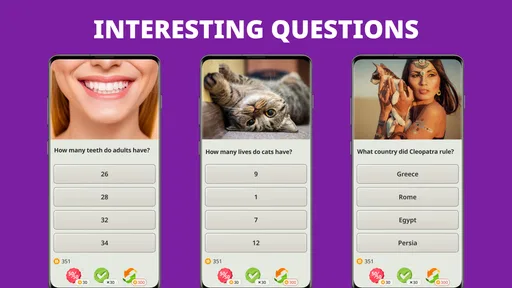
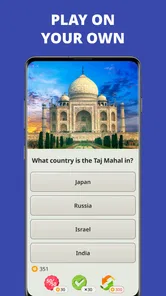
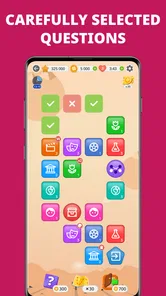
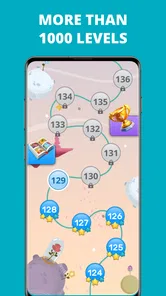
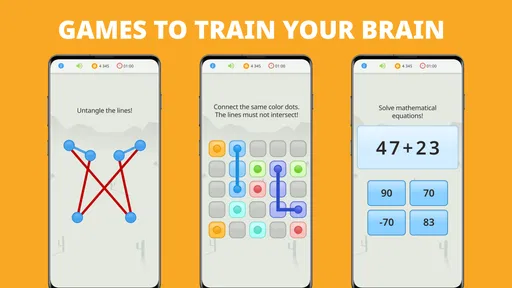
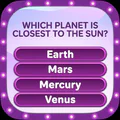
QuizzLand is a quiz and trivia game built around answering multiple-choice questions across a range of subjects. Players progress through levels by choosing answers, with correct responses helping them move forward and incorrect ones potentially costing a life. It combines general-knowledge challenges with a level-based format, so it can suit both quick play sessions and longer attempts to advance through the game.
QuizzLand can generally be downloaded and played without paying upfront, but the free experience may include advertisements and optional in-app purchases. Purchases can offer items or other benefits, depending on the current version and region. Check the app store listing before installing for the latest pricing and purchase details, and review your device’s purchase settings if you want to prevent accidental spending.
Some parts of QuizzLand may be available offline, but features that rely on online services—such as certain content, advertisements, updates, or account-related functions—may require an internet connection. Offline availability can also vary by app version and device. If you expect to play while travelling or away from Wi-Fi, try launching the game in advance and confirm which features remain accessible without a connection.
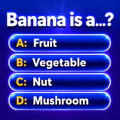
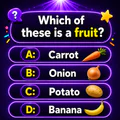
QuizzLand features trivia questions spanning general-knowledge categories, which may include topics such as science, history, geography, culture, and entertainment. Questions are typically presented with several answer choices, and the game may provide explanations or additional information after an answer. The exact categories, question pool, and difficulty can change as the app is updated, so the experience may not be identical for every player.
QuizzLand can offer an educational way to practise general knowledge, but suitability depends on a child’s age, reading ability, and comfort with the game’s content and challenge level. Parents should check the current age rating, privacy information, advertising practices, and in-app purchase options in the store listing. Using device-level parental controls can help manage purchases and screen time while a child plays.
On Android, QuizzLand. Quiz & Trivia game asks for these permissions.
QuizzLand. Quiz & Trivia game is also available in 2 other languages on our site.
4.8 out of 5
1,962,412 reviews
Trivia · Quiz & Trivia Games by Mno Go Apps

Trivia4.7 out of 5

Trivia4.4 out of 5

Trivia4.7 out of 5
Trivia4.6 out of 5

Trivia4.4 out of 5
Trivia4.5 out of 5
Trivia4.8 out of 5
Trivia4.8 out of 5
Trivia4.8 out of 5
Trivia4.9 out of 5
Trivia4.7 out of 5

Trivia4.8 out of 5

Trivia4.8 out of 5
Trivia4.8 out of 5
Trivia4.8 out of 5

Trivia4.7 out of 5

Trivia4.5 out of 5

Trivia4.8 out of 5

Trivia3.8 out of 5

Trivia4.1 out of 5

Trivia4.6 out of 5
Trivia4.8 out of 5



Gamesive reviews games on its own and is not paid by developers for scores. We do not host game files: the download buttons open the official Google Play and App Store pages. Names, icons and screenshots belong to their owners.