
Block Craft 3D:Building Game
Arcade4.5 out of 5
For Android · JindoBlu



 Analysis by Gamesive
I like 2 Player games : the Challenge best when there’s another person nearby and neither of us wants to spend time choosing a complicated game. It turns one phone or tablet into a shared arcade, so you can sit side by side and compete without setting up separate devices. That simple idea is the game’s real appeal: it makes a spare moment feel like an easy little contest.
This is an arcade game from JindoBlu, built around two people playing on one device. Rather than asking you to learn one deep game and stick with it, it offers a collection of short challenges. The appeal is variety and immediacy: hand over the screen, pick something to try, and see who comes out ahead.
That format suits a particular kind of play. I’d reach for it during a quiet lunch break, while waiting for food, or when a friend is visiting and we want a quick distraction. It’s also a natural choice for a parent and child who want to play together without needing two phones. The age rating is Everyone, which makes the basic idea approachable for a broad range of players.
There’s no need to treat it like a long gaming session. The individual contests are better thought of as rounds in a casual face-off than as a campaign to work through. That also means it can fill a gap that ordinary solo arcade games don’t: instead of trying to beat your own score, you have a person right beside you reacting to every close call.
The numbers suggest that many players enjoy this pick-up-and-play approach: it has a 4.6 average from around 739,000 ratings, with more than 100 million installs. Popularity doesn’t guarantee it will fit every pair of players, though. If your group wants a substantial story, online matchmaking, or a game designed for one person to master over many sessions, this is probably not the right match.
Sharing a screen removes the usual friction of finding a game both people own, connecting devices, and waiting for a match. But it also changes how you play. You need to be physically together, and both players need a comfortable view of the screen. On a small phone, fingers can crowd the play area, especially when both people lean in at once.
I’d put the device on a table or hold it steady between you before starting. That small adjustment makes the controls easier to see and helps avoid accidental bumps. If one player is much more experienced with mobile games, swapping sides or taking turns choosing a challenge can also make the session feel less one-sided.
The first step is simply to install the game and open it when you’re with someone who wants to play. It’s free to download, though in-app purchases are offered at $6.99 per item. I’d begin with the free experience and decide later whether anything beyond that is worthwhile for your use; there’s no need to make a purchase just to find out whether the shared format suits you.
Once you’re in, focus on choosing a challenge rather than searching for a perfect one. For a first round, pick something whose goal is clear at a glance. Short, obvious contests are better introductions than anything that makes either player stop to decipher instructions. The point is to get a quick result, then use that result to decide what you both want to try next.
A useful first-session routine is to play one round, switch who chooses, and then try a different challenge. That gives each person a say without turning the menu into a lengthy debate. It also helps you discover whether you prefer fast reactions, careful timing, or a more relaxed contest—without assuming every activity will feel the same.
For a first meaningful success, don’t begin by trying to prove who is best. Agree that the first round is a practice run, pay attention to how the screen is divided between players, and notice whether the controls respond to taps, holds, or movement as expected. Then replay the same challenge. A rematch is more satisfying because you can compare what changed, rather than blaming a confusing first attempt.
One small but useful habit is to make the starting position fair. Keep the device centered, give both players an unobstructed view, and let the person who didn’t choose the game start the next round if there’s any uncertainty. That helps prevent the familiar “I couldn’t see” argument and keeps a casual match friendly.
Another good way to make a short session feel complete is to agree on a simple stopping point before you begin: a few rounds, a best-of series, or stopping when one person has to leave. The game is designed for quick shared play, so a clear endpoint keeps it from becoming an awkward search for something else to do once the novelty wears off.
The biggest expectation to adjust is that “two players” means local, shared-device play. This isn’t the same as a typical online multiplayer game where each person plays from their own phone. If your friend is across town, you’ll need a different option; this one is at its best when both people can reach the same screen.
It’s also easy to mistake a collection of small challenges for a single arcade mode with one consistent control scheme. Give each activity a moment to explain itself before a competitive round. If you jump straight into a contest, one player may understand the objective sooner and win for reasons that have little to do with skill. A quick practice attempt is a fairer test.
Age suitability and social suitability are not quite the same thing. The Everyone rating makes it broadly accessible, but a very young player may still need help understanding what to do, while an older player may find the short contests too lightweight. I’d choose it for shared fun, not as a substitute for a game with deeper progression or a more involved challenge.
Compared with a solo arcade game, the strongest difference is that the entertainment comes from the person beside you as much as from the screen. A solo high-score game gives you a reason to replay and improve privately; this one gives you a quick way to tease a friend, settle a small rivalry, or make a wait less dull. If no one is available to play with, its central advantage naturally disappears.
Compared with online multiplayer, the trade-off is convenience versus reach. You don’t have to coordinate separate devices or rely on playing at a distance, but you do have to be in the same place. Compared with a full party game, it is easier to start and less of a commitment, though it won’t necessarily provide the breadth or structure that a longer group session calls for.
The practical distinction is worth keeping in mind: choose this for a quick two-person distraction on one screen; choose a solo arcade title for personal score-chasing; choose online multiplayer if you want to play with people who aren’t physically there. That’s a clearer way to decide than expecting one app to cover all three situations.
I’d recommend it to friends, siblings, couples, or families who often have one device between them and enjoy low-stakes competition. It can be especially handy when you want something more interactive than taking turns watching videos, but don’t want to explain a complicated board game or start a long console session.
I’d skip it if you mainly play alone, dislike sharing a small screen, or want detailed long-term progression. It may also frustrate people who are looking for serious competitive balance: quick mini-games are useful for spontaneous fun, but a brief contest is not the same as a carefully structured competitive game. The best results come when both players treat it as a playful break rather than a test of expertise.
For a first-time player, the path is straightforward: install it, sit beside someone, choose an easy-to-understand challenge, try a practice round, then replay and switch who chooses. That sequence gets you to the part that matters—sharing a laugh or a close finish—without demanding much preparation.
The game remains a low-commitment download, and its current version is 7.21.3; it requires Android 6.0 or later. I’d try it when you already have someone to play with rather than installing it expecting a solo arcade routine. That expectation makes a big difference: the collection is a facilitator for face-to-face play, not simply another high-score game.
My honest verdict: this is a convenient little choice for turning one device and a few spare minutes into a shared contest. Its limitations are part of the deal—local play, a crowded screen, and a lightweight feel—but those are easy to accept when the goal is a quick match with someone next to you. If that describes your situation, 2 Player games : the Challenge is worth trying; if you want depth or distance play, I’d look elsewhere.
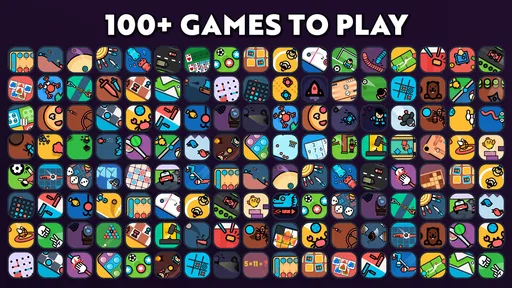
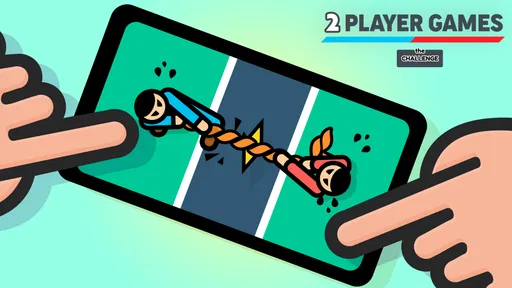
2 Player games: the Challenge is a collection of quick, competitive mini-games designed for two people to play on the same device. Instead of needing separate phones or an online match, players share the screen and take turns or compete at the same time, depending on the game. It is aimed at casual play, making it easy to start a short match without learning a complicated set of rules.
The main appeal of 2 Player games: the Challenge is local multiplayer, so you can challenge someone sitting beside you using one device. Some versions or game modes may offer solo play, but the available options can vary by app version. Many mini-games are suitable for offline sessions, although advertisements, updates, or other app features may require an internet connection, so check the current store listing for details.
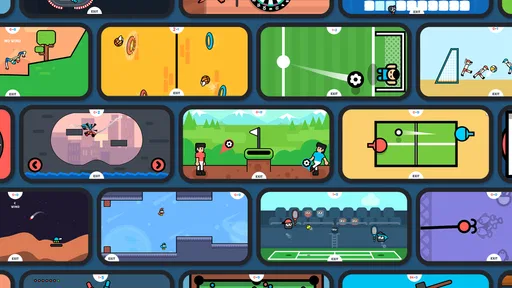
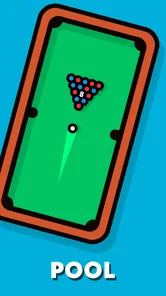
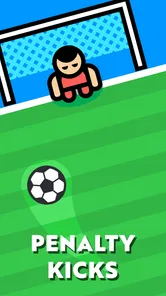
The app brings together short arcade-style challenges, which may include sports, racing, reflex, board-game, or other head-to-head formats. Each mini-game has its own simple objective, such as scoring more points, reaching a finish first, or reacting faster than your opponent. The exact selection can change between versions, so look at the screenshots and description in your app store before downloading if a particular game is important to you.
Its straightforward controls and short matches can make 2 Player games: the Challenge accessible to children, especially when an adult or another player explains the rules. However, suitability also depends on the child’s age and the content, advertisements, and in-app options shown in the current version. Parents should review the store’s age rating and privacy information, and supervise younger players, particularly if ads or external links are available.
The app may be available to download without an upfront price, but free-to-play games can include advertisements or optional in-app purchases. What is offered may differ by platform, region, and app version, so do not assume that every feature is free or that ads can be removed without a payment. Check the Google Play or Apple App Store listing for current pricing, purchase details, and the developer’s disclosures before installing.
On Android, 2 Player games : the Challenge asks for these permissions.
2 Player games : the Challenge is also available in 2 other languages on our site.
4.6 out of 5
739,204 reviews
Arcade · JindoBlu

Arcade4.6 out of 5

Arcade4.5 out of 5

Arcade4.2 out of 5

Arcade4.4 out of 5

Arcade4.7 out of 5

Arcade4.3 out of 5

Casual4.6 out of 5

Arcade4.6 out of 5
Arcade4.5 out of 5
Arcade4.4 out of 5

Arcade4.6 out of 5

Arcade4.2 out of 5

Arcade4.5 out of 5

Arcade4.7 out of 5

Arcade4.5 out of 5

Arcade4.4 out of 5

Arcade4.4 out of 5

Arcade4.2 out of 5

Arcade4.7 out of 5

Arcade4.8 out of 5



Gamesive reviews games on its own and is not paid by developers for scores. We do not host game files: the download buttons open the official Google Play and App Store pages. Names, icons and screenshots belong to their owners.