Block Craft 3D:Building Game
For Android & iOS · Wildlife Studios
- 4.5 out of 5Rating
- 3.06MReviews
- 500.00M+Downloads
- ArcadeGenre
Game details
- Version
- 4.9.1
- Updated
- Requires
- 7.0
- Price
- Free
- Age rating
- Everyone
- In-app purchases
- $0.99 - $119.99 per item
Screenshots
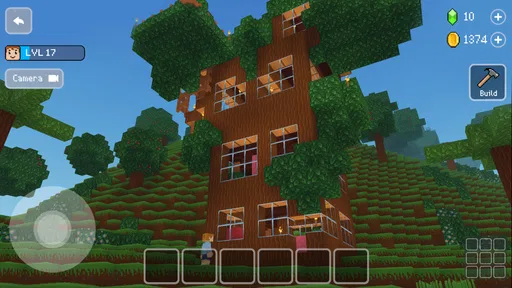
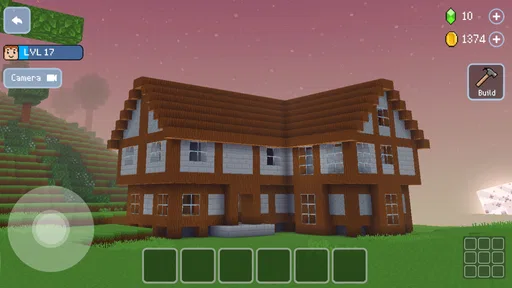
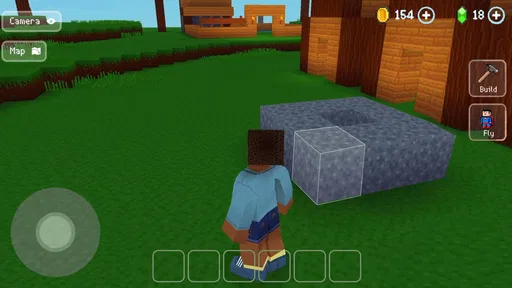
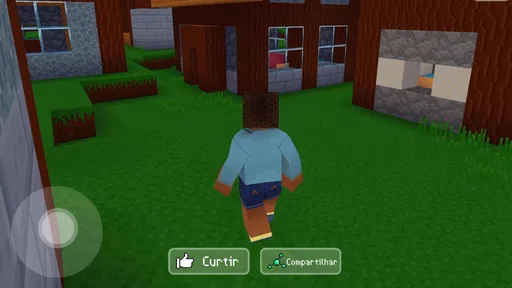
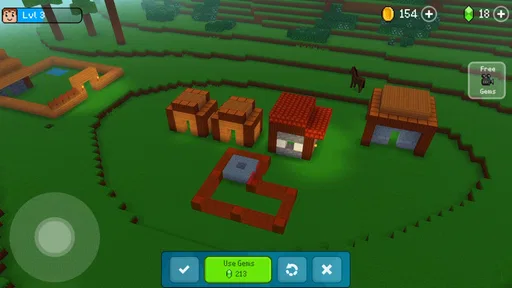
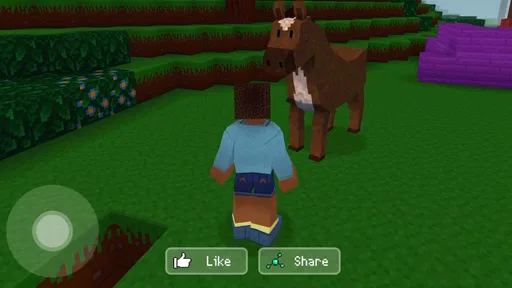
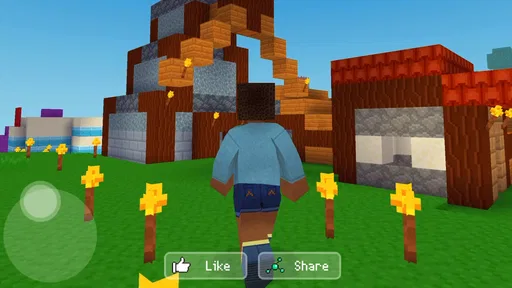
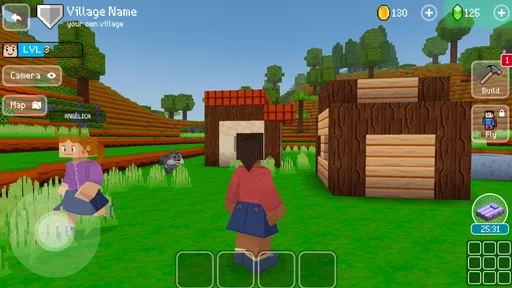
Block Craft 3D:Building Game review
 Analysis by Gamesive
I like Block Craft 3D best when I treat it as a relaxed building sandbox rather than a game that needs to be rushed. Its appeal is easy to understand: you shape a place block by block, then decide what you want to make next. That open-ended rhythm suits short breaks as well as longer sessions, though it also means the fun depends on whether you enjoy planning your own goals. If you want a clear campaign or constant action, this is probably not the right fit.
Getting comfortable with a block-by-block city
Block Craft 3D: Building Game is a free arcade game from Wildlife Studios, built around making a city in a three-dimensional block world. The premise is simple, but the hands-on appeal comes from turning a vague idea into something you can walk around and adjust. I find that more satisfying than simply watching a city grow automatically: the layout reflects your choices, and even a modest build can feel personal.
It is aimed at a broad audience, with an Everyone age rating, and its accessible premise makes it easy to approach without knowing much about building games. The game first appeared on August 24, 2016, and its current version is 4.9.1. It runs on Android 7.0 or later. Those details help with basic compatibility checks, but the more important question is whether you like constructing things at your own pace.
The game has a large audience: it has over 500 million installs, an average rating of 4.5 from around 3.1 million ratings, and about 77,000 written reviews. That popularity is a useful sign that the basic idea has broad appeal, not a guarantee that every player will enjoy its pace. I would judge it by your own preference for creative building over missions, competition, or tightly directed progression.
Where players can get stuck
The first hurdle is not necessarily learning how to place blocks; it is deciding what is worth building. A blank area can feel freeing, but it can also make a new player hesitate. I recommend starting with a compact project: a small house, a simple street corner, or one recognizable landmark. A defined footprint gives you a reason to make each placement and makes it easier to notice when the design is taking shape.
It also helps to plan the outline before filling in walls. I usually decide where the entrance and main spaces should go, then build upward and add detail only after the basic shape works. This is a practical way to avoid spending time decorating a structure whose layout you later want to change. For a city project, repeat a few visual ideas—such as similar building heights or a consistent street edge—rather than trying to make every structure elaborate.
Another source of friction is expectation. A creative building game does not automatically provide the same satisfaction as a level-based arcade game. If you open it hoping for a quick sequence of challenges, an open-ended session may feel aimless. Before starting, set a small personal target: finish one facade, connect two buildings visually, or improve an existing corner. That makes a short visit feel complete without needing to turn play into a long project.
Touchscreen building can also call for patience. Small adjustments are harder when you are working close to corners, narrow gaps, or intricate shapes. I find it sensible to build the broad structure first and leave fussy details until the main proportions are settled. If a placement looks wrong, pause and inspect the surrounding shape instead of rapidly adding more blocks; a few deliberate changes are easier to manage than a chain of corrections.
Setup checks before you build
Before installing, check that your device runs Android 7.0 or newer. The game is free to download, but it includes in-app purchases ranging from $0.99 to $119.99 per item. I would treat those purchases as optional spending rather than part of the basic decision to try the game. If a child will play, it is worth reviewing purchase controls on the device and agreeing on expectations before handing it over.
Because the game’s core appeal is making and revising a place, a comfortable session matters more than a particular play style. Give yourself enough time to finish a small task rather than starting a complicated design just before you need to leave. A quick sketch or even a mental note of the next change—“extend the roof” or “finish the front wall”—makes it easier to return without having to rethink the whole build.
If installation or loading is slow, start with the ordinary checks that apply to mobile games: confirm the device has a working connection when the store or game needs one, make sure there is room for the installation, and restart the app if it has become unresponsive. These are general troubleshooting steps, not a promise that every issue has the same cause. Avoid repeatedly tapping purchase or installation controls when a screen appears to be waiting; first give it a moment, then check the device’s status.
There is no need to spend money just to see whether the building style suits you. I would try a modest project first and pay attention to two things: whether placing and revising blocks feels comfortable on your screen, and whether you enjoy inventing your own next objective. Those answers are more useful than judging the game by how impressive a large city might look after extensive play.
Recovering a build when the session goes wrong
When an app closes or a session is interrupted, the safest response is to reopen it and check the current state before making more edits. Do not assume that a particular recovery tool or automatic save option exists unless you can see it in the game. If a project looks different from what you expected, take a moment to inspect the area carefully before changing it again; hurried rebuilding can make it harder to tell what actually happened.
For future sessions, a simple workflow reduces the cost of interruptions. Work on one section at a time, complete a recognizable piece, and then move to the next. On a city-scale project, that could mean finishing one building’s shell before starting another. This approach is useful even when nothing goes wrong: it gives you natural stopping points and makes a large, open-ended task feel manageable.
If controls seem to respond inconsistently, distinguish between a design mistake and an app problem. Try a slower input, move away from a crowded or detailed area, and see whether the same action works elsewhere. If the whole game is unresponsive, close and reopen it; if only one placement is awkward, changing your view or simplifying the immediate build may be enough. These small checks help avoid treating every awkward moment as a technical fault.
When a problem persists, use the standard device-level route: check for an available game update in the app store, restart the device, and make sure the operating system meets the minimum requirement. If the issue appears only on one device or after a particular system change, that context is useful when seeking support. I would avoid deleting an installation as an early troubleshooting step unless I understood how the game handles saved progress, since removing an app can have consequences for local data.
When the game may not be the cause
A slow or unstable experience does not always point to the game itself. A device with little free storage, other apps competing for resources, or a temporary connection issue can affect installation and general responsiveness. Close unused apps, check available space, and retry after a restart before concluding that the building game is at fault. If other apps are also struggling, the broader device or network is a more plausible place to investigate first.
It is also useful to separate a purchase question from a gameplay problem. The game is free, while optional in-app items have a wide price range. If a payment prompt appears, read it before proceeding and use the platform’s purchase controls if you do not intend to buy anything. A prompt or blocked payment does not necessarily mean the building itself is broken; it may be an account, store, or device setting that needs attention.
For parents, the Everyone age rating is a helpful starting point, but it does not replace a quick look at how the child uses the device. I would explain that the game can be played without treating every purchase screen as a required step, and review the device’s spending safeguards. This is especially sensible for a creative game that may invite a player to keep expanding a project over many sessions.
Who will enjoy it, and what it does differently
Compared with arcade games that emphasize quick reflexes or a fixed series of stages, this one places more weight on making something at your own pace. Compared with more elaborate building or city-management games, its block-based presentation keeps the idea approachable, but players who want deep planning systems, detailed simulations, or a carefully directed campaign may find the experience too loose. The trade-off is clear: less pressure and a lower barrier to starting, but more responsibility for supplying your own goals.
I think it suits creative players, younger builders, and anyone who enjoys making a small improvement whenever they have spare time. A realistic everyday use is opening the game during a quiet break, finishing one building detail, and leaving the next change for later. That works better than expecting every session to deliver a dramatic milestone. It can also be a pleasant shared activity if someone enjoys suggesting designs while another person handles the building, though the game is not a substitute for a structured multiplayer or competitive experience.
I would skip it if you dislike open-ended tasks, get frustrated by touch-based placement, or want a game that tells you exactly what to do next. If your favorite part of this genre is managing resources, optimizing a complex city, or completing a tightly paced campaign, a more specialized simulator or mission-driven game will likely serve you better. Here, the central reward is seeing a place take shape through your own small decisions.
My practical verdict
Block Craft 3D is easiest to recommend to someone who wants a low-pressure building game and is happy to invent their own projects. Its strongest quality is the simple satisfaction of turning an empty area into a personal creation; its main limitation is that the open structure can leave players without direction. I would begin with a small, clearly defined build, keep purchases optional, and see whether the process itself feels enjoyable.
My final advice is to approach it as a creative pastime, not as a demanding city simulator or a traditional arcade challenge. Check Android compatibility, set sensible purchase boundaries, and build in manageable stages. If you enjoy making practical design choices—where a wall goes, how a roof meets a facade, or how separate buildings belong together—the game has room for a relaxing routine. If you need constant objectives or precision controls, another style of game is likely a better match.
What we like
- Easy controls make building accessible to younger players.
- Creative mode lets players design without resource limits.
- A wide range of blocks supports varied structures.
- Visiting other players' creations can inspire new builds.
- The game is free to download and play.
What could be better
- Optional purchases can speed up progress.
- Ads may interrupt play for free users.
- Some content requires an internet connection.
- Large builds can take considerable time to complete.
- The gameplay may feel repetitive after extended play.
Frequently Asked Questions
What is Block Craft 3D: Building Game?
Block Craft 3D is a casual building game where you create structures from blocks in a colorful, voxel-style world. You can start with simple homes and expand into larger or more detailed creations, while also exploring buildings made by other players. Its relaxed, open-ended approach makes it suitable for players who enjoy designing at their own pace rather than following a demanding story or competitive campaign.
Can I play Block Craft 3D offline?
Some building activities may be available without a continuous internet connection, but features that rely on online services—such as visiting or sharing other players’ creations—may require connectivity. Availability can vary by version and device, so it is sensible to check the game after installing it if offline play matters to you. An internet connection may also be needed for updates, ads, or in-game purchases.
Is Block Craft 3D free to download and play?
Block Craft 3D is generally offered as a free-to-download game, though it may include advertisements and optional in-app purchases. These purchases can provide game currency or other conveniences, but they are not necessarily required to enjoy the basic building experience. Check the store listing for current pricing and purchase details in your region, and review device settings if you want to restrict accidental spending.
Is Block Craft 3D suitable for children?
The game’s simple controls and creative building focus can make it appealing to younger players, but parents should still review the current age rating and privacy information for their country. Online features may let players view or interact with creations from others, and advertisements or purchase options may appear. Consider using parental controls, supervising online activity, and disabling or limiting purchases where appropriate.
What can I build in Block Craft 3D, and do I need building experience?
You do not need prior building experience to begin. The game is designed for experimenting with blocks, so you can make a basic structure first and gradually try more ambitious designs, such as houses, towers, or decorative spaces. Available blocks, tools, and progression systems may shape what you can create, while visiting other players’ builds can provide ideas. The experience is best suited to patient, creative play.
Permissions
On Android, Block Craft 3D:Building Game asks for these permissions.
- Photos/Media/Files
- read the contents of your USB storage
- Storage
- read the contents of your USB storage
- Wi-Fi connection information
- view Wi-Fi connections
- Other
- view network connections, full network access, run at startup, control vibration, prevent device from sleeping, Google Play license check
User reviews
4.5 out of 5
3,058,954 reviews
- 78%
- 7%
- 6%
- 2%
- 6%
Download Block Craft 3D:Building Game
Arcade · Wildlife Studios · Free
Games like Block Craft 3D:Building Game
View all: Games like Block Craft 3D:Building Game
Mob Control
Arcade4.3 out of 5

Paper.io 2
Arcade4.1 out of 5

Sled Surfers
Arcade4.4 out of 5

Bulldozer Master: Crush & Mine
Arcade4.4 out of 5
More from Wildlife Studios
View all: More from Wildlife Studios
Color by Number:Coloring Games
Board4.6 out of 5
About this listing
- Game
- Block Craft 3D:Building Game
- Developer
- Wildlife Studios
- Package
- com.fungames.blockcraft
- Version reviewed
- 4.9.1
Gamesive reviews games on its own and is not paid by developers for scores. We do not host game files: the download buttons open the official Google Play and App Store pages. Names, icons and screenshots belong to their owners.