Block Craft 3D:Building Game
Arcade4.5 out of 5
For Android & iOS · Rovio Entertainment Oy
 Analysis by Gamesive
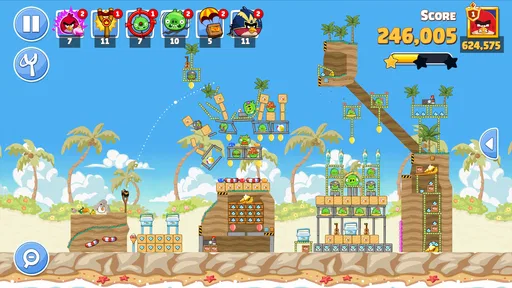
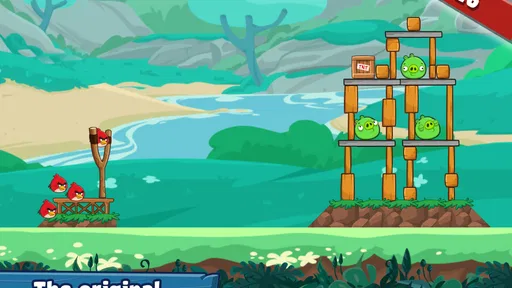
I still enjoy a physics puzzle most when a small adjustment changes the whole result. In Angry Birds Friends, that pleasure comes from lining up a bird, judging an arc, and watching a structure react to the shot. It feels immediately familiar if you know the series, but its appeal is less about a sprawling adventure and more about fitting clever attempts into spare moments.
As an arcade game from Rovio Entertainment Oy, it keeps the focus on slingshot puzzles rather than elaborate controls. The basic idea is easy to grasp, yet a level can still make me pause over whether to aim high, hit a support, or save a stronger shot for later. That mix of quick access and small tactical decisions is the reason I would recommend trying it—provided you enjoy experimenting rather than expecting a calm, purely linear puzzle campaign.
The first impression is of a game that should start quickly: the central action is aiming and releasing, not learning a complicated control scheme. That makes it convenient when I have only a short break. A single attempt is easy to understand, and a failed shot usually gives me a clear question to consider: did I choose the wrong angle, or did I hit the structure in the wrong place?
The pace is not the same as mindless tapping. A rushed shot can waste an opportunity, especially when the arrangement suggests that one well-placed impact might do more than a direct hit on the obvious target. I get the best rhythm by taking a moment to inspect the layout, making a deliberate attempt, then deciding whether a retry is worth it. The game rewards attention more than frantic input.
That distinction matters if you are choosing between this and a conventional arcade action game. Friends is still in the arcade category, but its main satisfaction is puzzle-solving through physics. I would pick it over a reflex-heavy game when I want a compact challenge without needing to memorize a long sequence of controls. If I want continuous action, precise platforming, or a story that carries me through a lengthy session, this is not the better fit.
My most useful habit is to treat each shot as information, not just a pass-or-fail attempt. If a structure barely moves, I reconsider the point of impact; if it shifts in a promising way, I may repeat the general plan with a slightly altered angle. This keeps retries from becoming random. The game’s physics are the attraction, but they also mean that the same broad plan can produce a different-feeling result when the aim changes.
It is also worth looking beyond the nearest target. A direct hit may feel intuitive, but a support or a lower section can be the more useful point to attack if the rest of the arrangement is likely to follow. I would not assume every level has one obvious trick. Instead, I scan for pieces that seem to hold up other pieces, then choose a shot that could turn one impact into a chain reaction.
The easy-to-repeat shot loop can stretch a short break into a longer session. If I miss a promising attempt, I tend to want one more try—not because the controls are demanding, but because the layout makes it tempting to test a better solution. That is enjoyable when I have time to spare and less convenient when I am trying to stop after a strict few minutes.
For that reason, I would use it differently depending on the moment. Waiting for a friend or taking a brief pause between tasks is a natural fit: I can make an attempt, assess the result, and put the game down. Before bed or during a tightly scheduled commute, I would be more cautious about opening it if I know I get absorbed in refining a shot. The challenge is self-contained, but the urge to improve a result can make the session feel less brief than planned.
One practical approach is to set a personal stopping point before starting: a handful of attempts, or one puzzle that I am willing to leave unfinished. That is more useful than expecting every session to end neatly after a single successful shot. The game is strongest when I treat experimentation as the point, rather than turning every level into a test of how quickly I can clear it.
With this kind of game, reliability is not only about whether it opens; it is also about whether aiming and releasing feel consistent enough for me to judge my decisions. When the controls respond as expected, I can learn from a miss. If input feels interrupted or the game does not behave as I anticipate, it becomes harder to tell whether my plan was flawed. I would pay attention to that distinction before blaming the puzzle itself.
I cannot promise identical performance on every phone or tablet. Devices differ, and so can the conditions under which a game is used. My practical advice is to try a level or two in the setting where you expect to play most often. If the game feels smooth and the aiming is comfortable there, the simple control scheme is easy to return to. If it feels awkward on your screen, a more forgiving puzzle game with less reliance on precise placement may suit you better.
For recovery after an interruption, I would avoid assuming that every unfinished moment will resume exactly as I want. A sensible habit is to finish or abandon an attempt before switching away when possible, especially if the result matters to you. This is general caution rather than a special feature: mobile apps can be interrupted by calls, low battery, or other tasks. The puzzle itself is easy to understand again, so losing the thread of a shot is less serious than in a story-driven game, but it can still be irritating if you were close to a satisfying result.
The game is free to download and rated for Everyone, which makes it approachable for a broad audience. It includes optional in-app purchases, with items ranging from $0.19 to $239.99 each, so I would check purchase prompts carefully and use suitable device-level safeguards if children will play. The existence of purchases does not change the central appeal of aiming at a puzzle, but it is a reason to be deliberate about spending rather than tapping through prompts automatically.
The listed minimum operating system is version 10, and the current version is 14.9.0. Those details help with basic compatibility decisions, though they do not tell me how demanding the game will feel on a particular device. If your phone is older or already struggles with games, try it before making it a regular part of your routine. The straightforward interaction may be easy to learn, but I would not infer low battery use, small storage needs, or flawless performance from simple controls alone.
For a quick reality check, compare it with other familiar arcade choices. A fast runner is usually better when I want motion and reflexes without stopping to inspect a layout. A traditional match puzzle is better if I prefer planning around fixed pieces and predictable combinations. Friends sits in a different spot: I decide where a shot lands, then read how the physics changes the scene. That makes it a more tactile kind of puzzle, but it can also feel less predictable than a grid-based alternative.
The game has an average rating of 4.4 from around 1.3 million ratings, and it has passed 100 million installs. Those figures suggest that the formula has reached a large audience, but popularity alone is not a reason to expect every level or session to suit your taste. Rovio Entertainment Oy has built a recognizable slingshot style; whether it works for you depends on how much you enjoy repeated aiming, small corrections, and learning from imperfect shots.
I think it is a strong choice for someone who likes bite-sized physics challenges and does not mind retrying a level to improve an approach. It also works for casual play with another person nearby: one player can suggest a target while the other takes the shot, turning the decision-making into a small shared puzzle without requiring a complex setup. That is a more engaging use than simply passing the phone around to see who can tap fastest.
I would skip it if repeated attempts quickly feel like busywork, or if you want a carefully paced campaign with a clear narrative payoff. It is also not my first pick for a player who dislikes uncertainty in physics puzzles. When a structure reacts differently than expected, that unpredictability can be the fun; for someone who wants exact, repeatable outcomes, a more deterministic puzzle game is likely a better match.
The game was released on May 2, 2013, and its long-running presence is reflected in its substantial community: it has around 51,000 written reviews. I see that as context, not proof that it is the right choice for everyone. The useful question is whether you still enjoy the simple pleasure of finding a better angle after a miss. If you do, this familiar format has plenty of room for short, satisfying sessions.
My recommendation is to try it for the aiming-and-reaction puzzle, not for promises of speed or device efficiency. The controls are easy to approach, and the short-shot structure makes it convenient for gaps in the day. At the same time, precision matters, retries can draw out a session, and real-world performance depends on the device and circumstances in which you play. I would begin with a brief session, see how comfortable the aiming feels, and decide whether the physics encourages you to think or merely frustrates you.
For me, the most appealing part is that a better result often comes from changing the plan rather than simply firing again. That makes Angry Birds Friends worth considering if you want an approachable arcade puzzle with tactile, physics-led decisions. Choose another kind of game if you need a guaranteed burst of nonstop action, a predictable grid challenge, or a long story to follow. When I want a compact problem that invites one more thoughtful shot, this is an easy one to pick up.
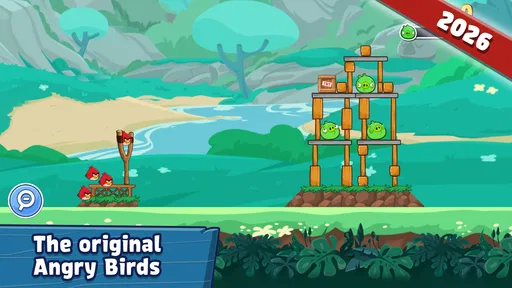
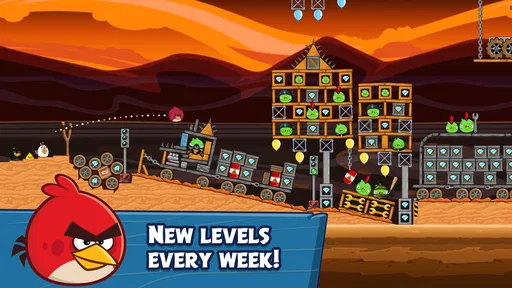
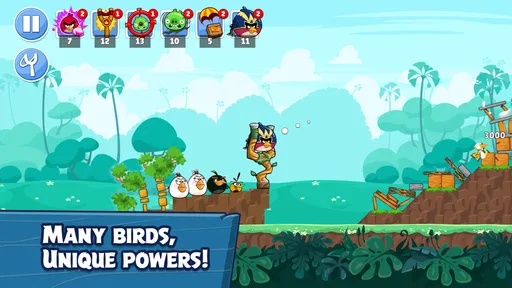
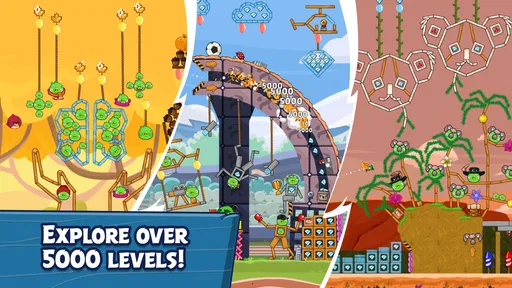
Angry Birds Friends is a casual puzzle game built around the familiar Angry Birds slingshot action. Players aim and launch birds at structures to defeat pigs, with each level testing accuracy, timing, and an understanding of how different birds behave. The game also features regularly changing themed levels and competitive events, so it offers more than a one-time set of puzzles. The exact activities and available content can change with updates.
The game is generally free to download, and you can play levels without paying upfront. It may offer optional in-app purchases, such as items or resources that can help with progress or add convenience. These purchases are not necessary for every player, but they can affect how quickly you advance. Check the game’s store listing and your device’s purchase settings for current pricing, available offers, and options for restricting accidental spending.
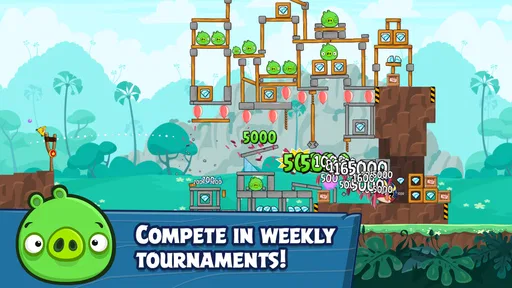
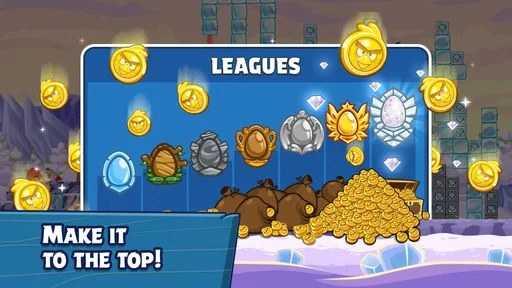
Yes. A major feature of Angry Birds Friends is its competitive play, including tournaments where you can compare scores with other players. Depending on the current version and event, you may also be able to connect through supported social or account features. Competition is based on solving levels and earning scores rather than controlling a character in real time with another person. Check the game’s current settings and event details to see which connection options are available.
Some parts of the game may be playable without a constant connection, but online features such as tournaments, leaderboards, event updates, and account-related services generally need internet access. Availability while offline can depend on the version, device, and whether the relevant content has already loaded. If you plan to play while travelling or with limited data, open the game beforehand and check which levels remain accessible without a connection.
The game’s simple slingshot puzzles are easy to understand, but parents should review the current age rating and store listing before downloading, as ratings and policies can vary by region. The app may include advertisements, online competition, or optional in-app purchases, so it is worth checking the available privacy and parental controls. Adults can also review purchase permissions and decide whether social or online features are appropriate for the child using the device.
On Android, Angry Birds Friends asks for these permissions.
Angry Birds Friends is also available in 1 other languages on our site.
4.4 out of 5
1,327,518 reviews
Arcade · Rovio Entertainment Oy

Arcade4.6 out of 5

Arcade4.5 out of 5

Arcade4.2 out of 5

Arcade4.4 out of 5

Arcade4.7 out of 5
Arcade4.3 out of 5
Arcade4.5 out of 5
Arcade4.4 out of 5
Arcade4.6 out of 5

Arcade4.2 out of 5
Arcade4.5 out of 5

Arcade4.7 out of 5

Arcade4.5 out of 5

Arcade4.4 out of 5

Arcade4.2 out of 5

Arcade4.7 out of 5

Arcade4.8 out of 5
Arcade4.6 out of 5



Gamesive reviews games on its own and is not paid by developers for scores. We do not host game files: the download buttons open the official Google Play and App Store pages. Names, icons and screenshots belong to their owners.