
Block Craft 3D:Building Game
Arcade4.5 out of 5

For Android & iOS · JindoBlu
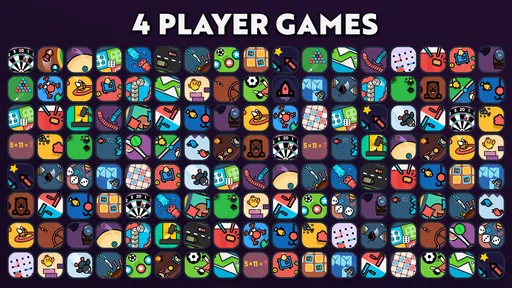







 Analysis by Gamesive
I’d describe 1 2 3 4 Player Games - Offline as a handy collection for turning a spare phone into a shared activity. Instead of asking everyone to install the same game or take turns passing around a device, it is built around several people playing together on one screen. That simple idea is especially useful when a group wants a quick diversion and does not want to make account setup, matchmaking, or a long rules explanation part of the evening.
It is an arcade game from JindoBlu, offered free and rated for Everyone. Its broad appeal is clear: the game has a 4.6 average from around 180,000 ratings and has passed 100 million installs. Those figures suggest that the format has reached many casual players, but they do not guarantee that every activity will suit every group. The important question is whether sharing one device feels comfortable and practical for the people around you.
The strongest accessibility idea here is also the game’s defining constraint: several players share one display. That makes it easy to understand the basic social setup, but it changes how readable and navigable the experience feels. With the phone lying between players, everyone needs a useful view of the screen, and the person holding the device may naturally have a better angle than someone seated opposite.
I would treat the first few minutes as a group check rather than assuming every game will work equally well. Choose an activity, look at the screen from each seat, and make sure the controls and action are understandable before starting a competitive round. If one person is squinting, leaning over someone else, or repeatedly asking what is happening, switching to a different activity or changing where the device sits is a better fix than expecting them to catch up.
The collection format is convenient when a group has not settled on one kind of play. A short, easy-to-explain activity can help everyone join in without a lengthy tutorial, while a more demanding choice may be better for players who already enjoy quick arcade challenges. I recommend agreeing on the game before handing the phone around; otherwise, the person navigating may end up making every choice while the rest wait.
For a casual session, the clearest workflow is to keep the device on a stable, shared surface and let one person handle selections while everyone else watches. This reduces fumbling and keeps the screen in a consistent position. It also gives the group a natural chance to check whether the next game is comfortable for all players, rather than treating the collection as a single fixed experience.
Shared-screen games can make motor demands more noticeable than solo play. Players may need to reach different parts of the display, coordinate around one another, or react quickly while watching the same small area. The exact experience depends on the selected game, so I would not assume that every activity is equally manageable for someone with limited reach, tremor, reduced coordination, or a preference for slower play.
A practical tip is to decide seating and device placement before a competitive round begins. Put the phone where each person can reach their part of the screen without crossing another player’s hands. If that arrangement feels awkward, choose a different activity or let the player who finds the controls difficult watch and join in through conversation instead of pressuring them to compete. That is not the same as direct participation, but it can keep a social session welcoming.
Fast reactions can also be tiring or stressful for players who need extra time to interpret movement or instructions. I would start with a low-stakes round and watch how the group responds. If someone is consistently behind because the action is too quick, changing games is more considerate than repeatedly restarting the same challenge. The point of a party game is shared enjoyment, not proving who can react fastest.
Sensory comfort deserves the same attention. A lively arcade activity can be exciting for some players and overwhelming for others, particularly in a noisy room or when several people are talking over the game. Keep the surroundings calm enough for players to follow what is happening, and take a break if the visual pace or group energy becomes tiring. I would not use this as a quiet, low-stimulation activity by default; its social, arcade framing is better suited to a group that enjoys active play.
The one-device approach is useful in situations where everyone is physically together but does not have a convenient way to join a networked game. It can work during a visit, while waiting for food, or during a family gathering when a phone is already available and the group wants something more interactive than watching a video. Because the play is shared, it can also help people who are less confident with online lobbies or separate device controls take part in a familiar social setting.
For a realistic everyday example, imagine a few friends waiting for a delayed ride. Rather than asking everyone to download a game, one person can bring out the phone and invite the group to try a short round. The best approach is to keep expectations modest: this is a quick way to fill a pause, not a replacement for a full-length game night. A small screen and nearby players make it more suitable for brief bursts than for a long session where comfort and personal space matter.
It is also a reasonable option for households with children and adults who want a shared activity without turning the moment into separate screen time. The Everyone rating makes the game broadly suitable by age classification, though adults should still decide whether a particular activity, pace, and level of competition fit the children in their care. A rating is not a promise that every player will find every game comfortable or easy.
Compared with the usual solo arcade game, this collection’s main trade-off is clear: it favors immediate group interaction over a private, carefully tailored session. Compared with online multiplayer games, a shared device avoids the need for each person to play on a separate screen, but it also means everyone must fit around one display. If your friends are in different places, or if each player needs independent controls and a larger screen, a networked multiplayer game is the better choice.
The same compact setup that makes the game convenient can create barriers. A phone screen may be too small for a group, especially when players sit at different distances or have different eyesight. One person may block another’s view, and reaching across the device can feel uncomfortable. A tablet or larger display might improve visibility if available, but I would not assume that simply changing the device resolves every issue: control reach, posture, pace, and the chosen activity still matter.
There is also a social imbalance to watch for. The person who knows the interface may make all the selections, while less confident players become spectators. I find it helps to rotate who chooses the next activity and to pause briefly after each round so everyone can say whether they want to continue. That small routine gives quieter players a chance to influence the session without making the game feel like a formal meeting.
Another limitation is that “multiplayer” does not automatically mean equally comfortable for every number of participants. The store description presents play for two, three, or four people, but the group still needs enough room around the phone and a clear view of the action. If four people crowd around a small device, the practical experience may be less enjoyable than playing with fewer people. I would prioritize visibility and comfortable posture over filling every available player position.
The game is less suitable for anyone looking for a deep solo arcade experience, a long campaign, or a dependable way to play with friends remotely. It is also not my first pick when a player needs larger, isolated controls, a slower pace, or an interface that can be independently positioned for each participant. In those situations, a solo game with adjustable presentation or a multiplayer title designed for separate screens will likely be a better fit.
I’d recommend 1 2 3 4 Player Games - Offline to people who often find themselves together with one phone and want a quick, low-commitment group activity. It is particularly appealing for casual players who like switching between short arcade-style diversions rather than investing in one elaborate game. At no cost to download, it is easy to try in that setting, and its 3.4.1 version supports Android 6.0 and later.
The game is less compelling if your priority is accessibility customization, relaxed solo play, or a polished experience built around a large screen. I would also think twice if the group includes people who cannot comfortably reach the shared display or who find rapid visual action tiring. In those cases, it may still be possible to include them as a chooser, commentator, or scorekeeper, but that is a compromise rather than an ideal substitute for accessible controls.
For a first session, I suggest choosing a quiet moment, placing the device where everyone can see it, and trying a short round before committing the group to a longer stretch. Rotate the person making selections, invite players to change activities if the pace feels uncomfortable, and do not treat sitting out a round as a failure. These simple habits make the shared format more considerate and help reveal which games work for the people actually present.
As an arcade collection built around a shared phone, this game has a clear social strength: it lowers the effort needed to start playing together. That can make it a useful choice for spontaneous breaks and informal gatherings, especially for people who prefer face-to-face play to separate screens. Its large audience and strong average rating point to broad appeal, but popularity should not be mistaken for universal comfort.
My recommendation is conditional but positive. If your group can comfortably see and reach the device, enjoys quick arcade play, and is willing to switch activities when one does not suit everyone, this is a practical free option to keep in mind. If players need individually adjustable controls, a calmer pace, or room to spread out, choose another format instead. For me, the best way to use it is as a flexible social toolkit—not as a one-size-fits-all answer to accessible multiplayer.
1 2 3 4 Player Games - Offline is a collection of casual mini-games designed for one or more people to play on the same device. The available challenges can vary by version, but typically include quick, simple activities suited to short sessions, such as racing, sports, or arcade-style contests. Its shared-device format makes it an option for passing a phone or tablet around rather than connecting several players online.
The game is presented as an offline collection, so its core mini-games are intended to be playable without a continuous internet connection. You should generally be able to use it while traveling or in places with limited service. However, an internet connection may still be needed to download the app, receive updates, or access features such as advertisements or other online services, depending on the version and device.
The title indicates support for one, two, three, or four players, with multiplayer intended for people sharing a single device. How comfortable this is depends on the game mode and the size of the screen: several players may need to tap different areas at once, which can feel crowded on a small phone. Check the controls and player options in the particular version before starting a group session.
Its quick mini-games and straightforward controls may make the app easy for children to pick up, and playing together can suit family or casual group sessions. Still, suitability depends on the specific game collection and the child’s age. Before handing over a device, review the store listing, in-app content, permissions, and any advertising or purchase options. Younger children may also need help navigating menus or managing screen time.
The app may be offered as a free download, but availability, advertising, and optional purchases can differ by platform, region, and release. Before installing, check the current Google Play or App Store listing for the developer, device compatibility, required storage, recent updates, privacy information, and any in-app purchase details. These checks are useful because similarly named editions may have different features or policies.
On Android, 1 2 3 4 Player Games - Offline asks for these permissions.
1 2 3 4 Player Games - Offline is also available in 2 other languages on our site.
4.6 out of 5
179,554 reviews
Arcade · JindoBlu

Arcade4.6 out of 5

Arcade4.5 out of 5

Arcade4.2 out of 5

Arcade4.4 out of 5

Arcade4.7 out of 5

Arcade4.3 out of 5

Casual4.6 out of 5

Arcade4.6 out of 5
Arcade4.5 out of 5

Arcade4.4 out of 5

Arcade4.6 out of 5

Arcade4.2 out of 5

Arcade4.5 out of 5

Arcade4.7 out of 5

Arcade4.5 out of 5

Arcade4.4 out of 5

Arcade4.4 out of 5

Arcade4.2 out of 5

Arcade4.7 out of 5

Arcade4.8 out of 5



Gamesive reviews games on its own and is not paid by developers for scores. We do not host game files: the download buttons open the official Google Play and App Store pages. Names, icons and screenshots belong to their owners.