
Solar Smash
Simulation4.6 out of 5

For Android · ComputerLunch

 Analysis by Gamesive
I like that Cell to Singularity: Evolution turns a huge subject into something I can approach in small bursts. It is a simulation game about the long arc from simple life toward dinosaurs, human civilization, and technology, but it does not ask me to manage a complicated world minute by minute. I can open it, make a few deliberate choices, watch progress accumulate, and leave. That makes it an easy game to fit around a commute or a quiet break—though its gradual pace will not suit everyone.
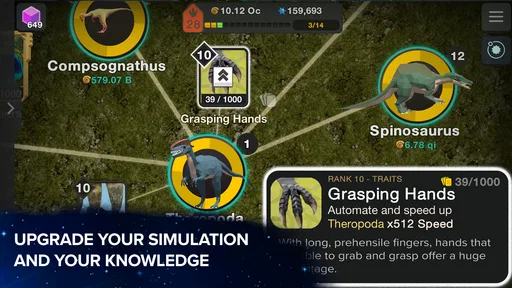
At its simplest, the game invites you to develop an evolving system by tapping and investing in progress. The satisfying part is not just seeing a number rise; it is connecting each step to a broader sense of change. I find that framing more engaging than a typical idle clicker, where upgrades can feel like a stack of unrelated bonuses. Here, the subject matter gives progression a theme and encourages curiosity about what comes next.
My most comfortable routine is to start a session by checking what has become affordable, choose an upgrade that helps the current bottleneck, and then let the game run while I do something else. When I return, I review the next choices rather than tapping without a plan. That small habit makes sessions feel purposeful and avoids the impression that progress depends only on frantic screen tapping.
There is a useful distinction between playing actively and checking in. Active play gives you more to do in the moment, while idle-style progress makes it possible to leave and return later. I would treat it as a relaxed background game, not as a challenge that demands constant attention. If you want a simulation where every minute requires a decision, this is likely too hands-off; if you enjoy occasional check-ins with a visible sense of advancement, the format works well.
The game is free to start, and optional in-app purchases range from $0.99 to $99.99 per item. I would begin without spending and see whether the pace suits you. Purchases are most relevant to someone who already knows they enjoy the loop and wants to consider paying for convenience or extra content; they are not a reason to rush through the early experience. The key question is whether you enjoy watching gradual progress, not whether you can accelerate it.
When several upgrades are available, I avoid choosing solely by the largest number shown. I look for the option that helps the part of progression I am currently waiting on. If one resource or step is holding up everything else, improving that bottleneck is usually more useful than spreading attention evenly. This is a general decision-making habit rather than a secret trick, but it helps make the game feel less like random tapping.
I also try not to treat every return to the game as a command to buy everything. A quick look at the available choices is often enough to identify one or two meaningful actions. That keeps the routine light, which is important for a game designed to accommodate short visits. It also makes it easier to notice how one investment changes what becomes practical next.
Before settling into a long routine, I recommend looking through the settings and adjusting anything that makes the game more comfortable on your device. In an incremental game, the best setup is often the one that lets you check progress without making each visit feel like a chore. I would pay attention to how the interface feels during repeated short sessions and whether the presentation is comfortable for the way you prefer to play.
I would not assume that a settings menu contains a hidden shortcut or a special progression method. Instead, think of settings as a way to make ordinary play easier to return to. If you mostly open the game in brief pauses, keep your routine simple: check the current goal, make a useful purchase, and close it. If you prefer longer sessions, take time to explore the available choices and follow the progression at a more deliberate pace.
A practical everyday example is opening the game during a lunch break, checking what has progressed, and choosing one upgrade before returning to work. Later, a longer evening session can be used to explore the next set of developments. This split works better for me than trying to turn every spare moment into a tapping session. The game’s gradual structure gives short visits a purpose without requiring a fixed schedule.
One small but helpful habit is to decide what counts as a satisfying stopping point before you begin. It might be reaching the next available development or simply making a purchase that improves your current rate of progress. Without that stopping point, an idle game can encourage aimless checking. With it, I can enjoy a quick visit and put the phone away without feeling that I need to keep watching the screen.
Many simulation games focus on building and maintaining a place, balancing a workforce, or responding to a stream of practical demands. Cell to Singularity takes a more abstract route: the appeal is following an evolutionary progression rather than decorating a town or managing a detailed, constantly changing environment. I find that makes it easier to dip into, but it also means players who want hands-on construction or tactical control may prefer a city builder or management sim.
Compared with a conventional clicker, the evolutionary theme gives each step more context. That helps when I want a game that feels lightly educational in subject matter without requiring me to sit through a formal lesson. Still, I would not choose it as a substitute for a detailed science reference or a deep strategy game. Its main job is to make progression enjoyable and approachable; the simulation framing is not the same as managing a realistic ecosystem.
The trade-off is clear: low pressure and easy check-ins come at the cost of limited urgency. If you need frequent surprises, tight goals, or a strong sense of competition, the steady pace may feel repetitive. I would recommend a more active simulation for someone who wants to make consequential decisions every few seconds. For a player who likes gradual accumulation and a large-scale theme, the slower rhythm is a strength.
I would recommend it to curious players who like incremental games, evolutionary themes, or simulations that do not require constant supervision. It is also a reasonable fit for someone who wants a game that can be checked briefly and then left alone. The age rating is Everyone 10+, and the overall subject is accessible, although younger players may still benefit from an adult’s judgment about whether the game’s style and purchase options are appropriate for them.
It may be a poor fit if you dislike waiting for progress, prefer direct control over every system, or want a narrative that unfolds through tightly scripted scenes. The game’s appeal relies on returning to a developing process. If that loop feels like watching counters rather than making meaningful choices, no amount of optimization will change the basic experience.
There is also a useful distinction between curiosity and completionism. If you are happy to discover developments at your own pace, the game can be a relaxed companion. If you feel compelled to unlock everything quickly, the incremental structure may lead you to check too often or consider purchases before you know whether you enjoy the core loop. I would give the free version enough time to reveal its rhythm before deciding how much attention or money to put into it.
ComputerLunch is the developer, and the game has an average rating of 4.5 from around 400,000 ratings, with roughly 13,000 written reviews and over 10 million installs. Those figures suggest that its blend of idle progression and evolutionary subject matter has reached a broad audience. They do not guarantee that its slow, incremental style will suit you, so I would use them as context rather than as a substitute for trying the game yourself.
The game was released on April 6, 2020, and its current version is 51.75. That continuing version progression is a reason to check the app store for the latest release on your device, rather than assuming an old installation reflects the present experience. It requires Android 7.0 or later. The game is free to download, but the optional purchases are worth keeping in mind if you share a device or want to avoid accidental spending.
One of the most useful ways to judge whether it is working for you is to notice how you feel when you return. Do you enjoy choosing the next step, or do you open it only because you feel obliged to collect progress? That distinction matters more than how quickly you advance. If the theme makes you curious and the check-in routine feels pleasant, the game is doing its job. If it becomes another notification-driven chore, taking a break is a better strategy than trying to optimize harder.
Cell to Singularity is strongest when I treat it as a patient, low-pressure simulation rather than a race. The combination of evolutionary subject matter and incremental progress gives a familiar idle loop a clearer identity, while the ability to play in short bursts makes it easy to keep around. I would start free, establish a simple check-in habit, and spend only when I am sure the pace itself is enjoyable.
For experienced players, mastery is less about discovering a hidden button and more about making repeatable choices: identify the current bottleneck, invest where it matters, use short visits intentionally, and stop when the session has served its purpose. That approach keeps the game satisfying without turning it into a constant task. If you want a relaxing way to watch a broad evolutionary journey unfold, I think it is worth trying; if you want fast action or detailed hands-on management, another kind of simulation will probably be a better match.
My bottom line: this is a thoughtful idle simulation for people who enjoy steady progress and a science-flavored theme, not a substitute for an active strategy game. Its best quality is how easily it fits into ordinary downtime; its biggest limitation is that the same relaxed pace can feel repetitive when you want more control or urgency.
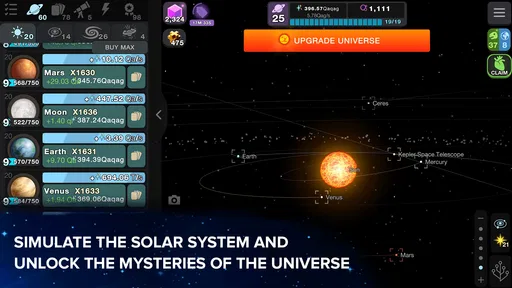
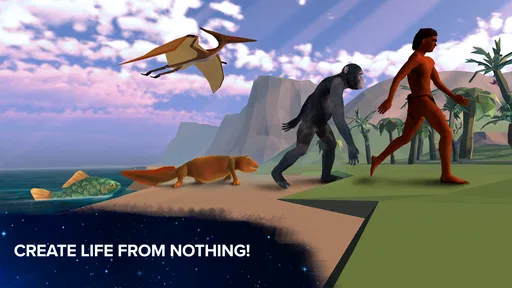
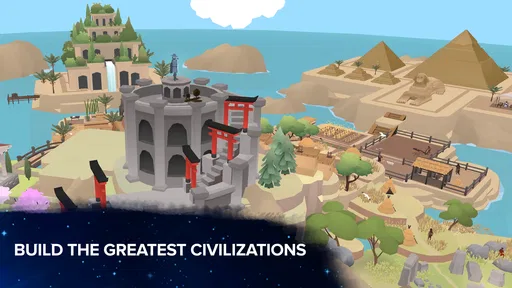
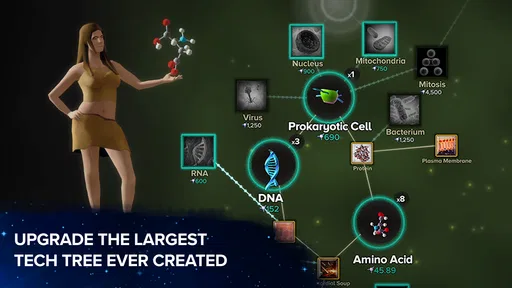
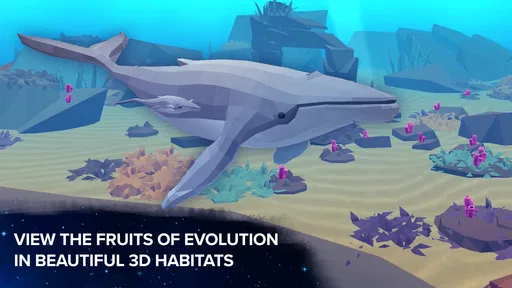
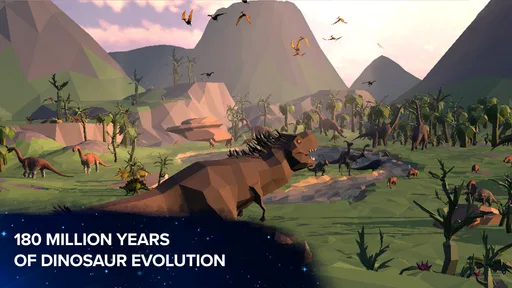
Cell to Singularity: Evolution is an incremental science and evolution game in which you guide life from its earliest beginnings toward complex organisms and human civilization. You collect resources, unlock upgrades, and explore topics such as biology, technology, and the history of life. Its educational themes are presented through accessible explanations and visual progression, while the central gameplay focuses on steadily expanding your simulation.
The game is generally available to download and play for free, but it may offer optional in-app purchases and advertising-related rewards. You can make progress without paying, although purchases or bonuses may help speed up certain parts of the experience. Check the store listing on your device for current pricing, available purchases, and any regional differences before downloading.
Some features and rewards may require an internet connection, and connectivity can be needed for ads, events, or online services. Basic progression may be available offline in some circumstances, but this can depend on the version and the feature you are using. If you plan to play without a connection, test the game beforehand and avoid assuming that every activity or reward will work offline.
The game explores scientific ideas, including the development of life and human civilization, in a simplified and approachable format. It can prompt curiosity about evolution and technology, but it is still a game rather than a complete or formal science course. Parents and teachers may want to review its explanations and store-page age rating, and consider whether optional purchases or advertisements are appropriate for younger players.
Cell to Singularity: Evolution is designed around incremental progress: you gather resources, purchase upgrades, and unlock new stages over time. Some waiting and repeated upgrading are part of the experience, so it may suit players who enjoy gradual advancement more than fast-paced action. Progress and available content can change with updates, and device compatibility, storage requirements, and save behavior should be checked on your app store listing.
On Android, Cell to Singularity: Evolution asks for these permissions.
4.5 out of 5
400,166 reviews
Simulation · ComputerLunch

Simulation4.3 out of 5

Simulation4.2 out of 5

Simulation4.4 out of 5

Simulation4.6 out of 5

Simulation4.7 out of 5

Simulation4.5 out of 5
Simulation4.6 out of 5

Simulation4.5 out of 5

Simulation4.4 out of 5

Simulation4.5 out of 5

Simulation4.1 out of 5

Simulation4.4 out of 5

Simulation4.5 out of 5

Simulation2.9 out of 5

Simulation4.5 out of 5

Simulation4.8 out of 5

Simulation4.3 out of 5

Simulation4.5 out of 5



Gamesive reviews games on its own and is not paid by developers for scores. We do not host game files: the download buttons open the official Google Play and App Store pages. Names, icons and screenshots belong to their owners.