
Solar Smash
Simulation4.6 out of 5

For Android · Metagame.Ltd

 Analysis by Gamesive
I found Block Craft 3D: Realm Builder easiest to enjoy when I treated it as a relaxed building canvas rather than a game with a strict checklist. Its appeal is the freedom to shape a place at my own pace: start with a simple idea, place blocks, and keep adjusting until the surroundings feel like mine. That makes it a comfortable fit for short creative sessions, especially if I want something calmer than a competitive or mission-heavy game.
It is a free simulation game from Metagame.Ltd, with a 3.5 average from around twelve thousand ratings and over ten million installs. Those figures suggest that many people have tried it, but the rating also hints that the experience will not suit everyone equally. I would approach it as a casual creative outlet, not as a guaranteed substitute for a deep sandbox or a polished construction simulator.
The central pleasure is straightforward: decide what you want your realm to look like, then build it one piece at a time. I like that this premise leaves room for small personal projects rather than insisting that every session has to end with a major achievement. A compact house, a recognizable landmark, or a themed corner can be a satisfying goal when I only have a little time.
The game’s free-form approach also puts more responsibility on the player. If you enjoy inventing your own objectives, that freedom can be a strength; if you prefer clear instructions, a steady stream of defined tasks, or a campaign that tells you exactly what to do next, the open-ended structure may feel directionless. Before settling in, it helps to choose a modest project and a visual idea, such as a cozy home or a small public space. That gives the session a purpose without turning play into work.
I would describe the pace as best suited to relaxed experimentation. Block building invites you to test shapes and revise a layout, so the first version of an idea does not need to be the final one. A useful habit is to build the outline before filling in details: establish the footprint, check whether the overall shape looks right, and only then spend time refining the appearance. This reduces the frustration of decorating a design that later needs a major rethink.
The title’s promise of creating a realm is also a helpful way to think beyond a single structure. Instead of asking only, “What building should I make?”, consider how separate pieces could feel connected. A path, an open area, or a consistent visual theme can make individual builds read as part of one place. That sort of planning is where the game’s creative premise becomes more rewarding than simply placing blocks at random.
For an everyday session, I might open the game while waiting for a meal or winding down after a busy day, then work on one clearly bounded task: reshape a roof, make a tiny garden, or plan the entrance to a larger build. This is more satisfying than beginning with an enormous project and expecting to finish it in one sitting. The best use case is not necessarily producing something elaborate; it is having a low-pressure space to make visible progress in small steps.
One practical trick is to take a moment before building to decide what should be recognizable from a distance. A strong outline often does more for a creation than a lot of scattered detail. I would also keep a simple mental record of the next change before leaving a project. Returning with one specific idea—extend a wall, balance a shape, or clarify an entrance—makes an open sandbox easier to pick up again than returning with only the vague instruction to “keep building.”
That workflow is particularly useful for players who enjoy visual trial and error. If a shape feels wrong, changing the structure can be more effective than trying to disguise it with extra decoration. The trade-off is that creative freedom can invite endless tweaking. I find it helps to set a stopping point, such as finishing the outline or completing one section, rather than trying to make every corner perfect.
Compared with construction games organized around objectives, this is the better choice when I want authorship over the project and do not need a long sequence of challenges to keep me moving. Compared with a deeper sandbox, it is a more approachable prospect for someone whose main interest is casual block-based creation. Those are different expectations, though: players who want complex systems, demanding progression, or extensive control over every design decision may be happier with a more specialized alternative.
I would not choose it as my first recommendation for someone looking primarily for a competitive experience or a tightly paced story. Its identity is centered on building a personal space, so its value depends heavily on whether that activity itself sounds enjoyable. A player who likes making and revising visual ideas can find a reason to return; someone who needs frequent external goals may run out of momentum sooner.
The game was released on April 2, 2025, and its current version is 1.9.5. That gives a clear snapshot of its current release stage, but it does not by itself explain what changed between versions. I would not infer specific new tools, performance improvements, or gameplay additions from a version number alone. For a returning player, the practical approach is to reopen an existing project and see whether the current build feels comfortable for the kind of construction they want to continue.
If you have played an earlier version, it is sensible to judge the present experience by the parts that affect your own routine: whether you can pick up a build easily, whether your usual projects still feel enjoyable, and whether the game’s current presentation suits your device. Those are more useful checks than assuming that a newer version necessarily changes the whole experience. New players, meanwhile, can begin with a small test build before committing to an ambitious realm.
The minimum operating-system requirement is Android 9, a useful compatibility detail to check before installing. The game is rated Everyone, so its stated audience is broad. It is free to download, with optional in-app purchases priced from $0.49 to $14.99 per item. I would keep that distinction in mind: a free starting point can be convenient, while optional purchases still deserve a quick review before spending, particularly if the game is being used by a child.
The biggest limitation of an open building game is that freedom cannot automatically provide inspiration. Some evenings I may have a clear design in mind; on others, a blank project can feel like a lot of possibility without a useful next step. Keeping a few small ideas ready can help, but if you want the game itself to constantly supply objectives, this may not be the right fit.
Another trade-off is the gap between a simple building concept and the depth a dedicated player may expect. Block placement is easy to understand as an idea, but long-term satisfaction depends on how much variety and control the individual player finds in the experience. I would try it with realistic expectations: see whether its building style clicks before deciding it can replace a more intricate sandbox. The average rating of 3.5 reflects a mixed reception, so it is fair to treat the game as appealing to a particular kind of player rather than universally satisfying.
It is also worth separating the fun of starting a build from the patience needed to finish one. Early progress can feel rewarding because a rough structure quickly becomes recognizable. Later refinements may take more thought, especially if you have not decided on a clear theme. I get better results by choosing a limited palette of shapes or a simple design rule for each project, then sticking with it long enough to make the realm feel coherent.
I would recommend Block Craft 3D: Realm Builder to someone who likes making small, personal structures and wants the freedom to decide what counts as progress. It is also a reasonable choice for casual players who prefer a low-pressure creative activity to fast reactions or competition. If that sounds like you, start with a house or a compact landmark, then expand only when you know what you want the surrounding space to become.
I would suggest skipping it if you need a strong storyline, tightly guided tasks, or highly demanding construction mechanics to stay engaged. Players who already know they want a more elaborate building toolkit should compare it with deeper sandbox options instead of assuming that every block-based game offers the same level of control. The best match here is someone who enjoys the act of shaping a space, including the trial and error that comes with it.
For families, the Everyone age rating may make the game worth considering, but I would still look at the purchase options together with the player. A useful routine is to agree that the first goal is a small build and to discuss any optional purchase before making it. That keeps the creative part at the center and avoids treating a paid item as necessary simply because it is available.
For the future, I would pay attention to how the current version develops rather than guessing at features that have not been established. The most meaningful changes for a game like this would be the ones that make it easier to return to a project, refine a design, or find inspiration without taking away the freedom that makes building appealing. Until a change is actually present, it is better to treat it as something to watch for, not a reason to install today.
My overall recommendation is measured but positive for the right player. This is a free, approachable block-building simulation that can turn a spare moment into a small creative project, and its large install base shows that it has reached a wide audience. At the same time, the mixed average rating and open-ended structure are reminders to check whether self-directed building is what you enjoy. If you like setting your own goals and improving a design one section at a time, give it a try; if you need a guided adventure or much deeper construction systems, another game is likely a better use of your time.
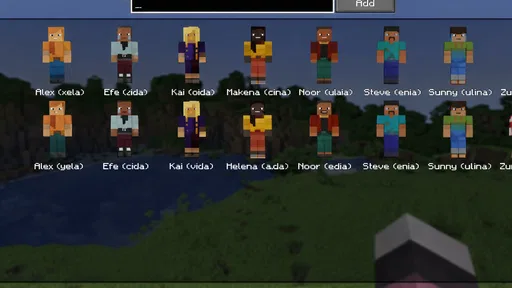
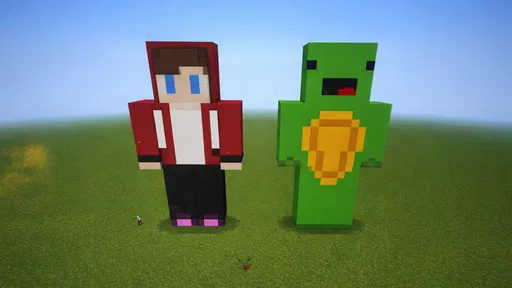
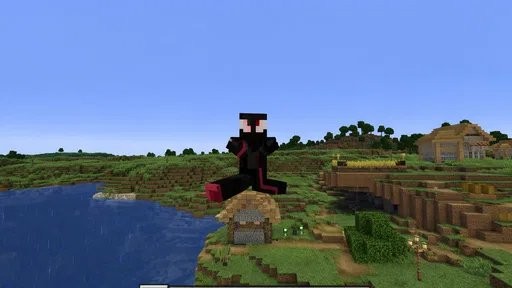
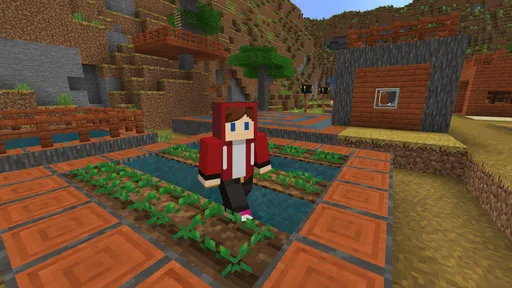
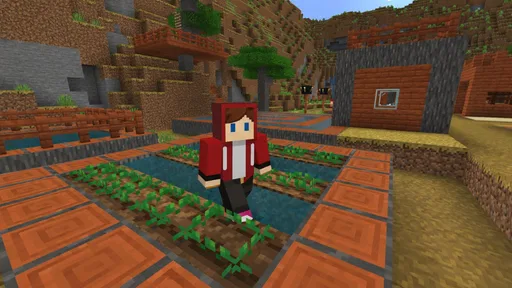
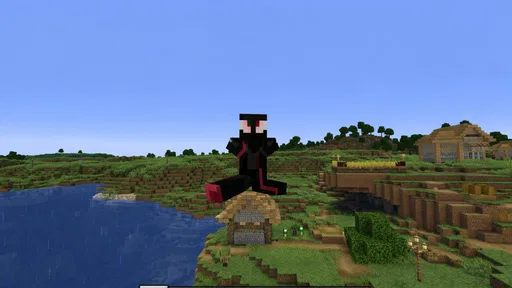
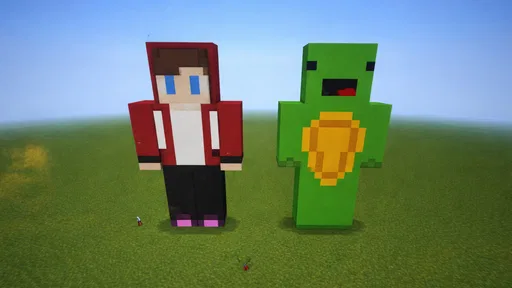
Block Craft 3D: Realm Builder is a casual building game centered on creating structures from blocks in a three-dimensional world. Players can design homes, landmarks, and other creations, then explore their work from different angles. It is aimed at players who enjoy open-ended construction and creative experimentation, rather than a story-driven campaign. Available features and game modes may vary by version and platform.
The game can generally be downloaded and played without paying upfront, but free-to-play games may offer optional in-app purchases, such as items, currency, or ways to speed up progress. Check the app-store listing on your device for current pricing, purchase options, and age information before installing. If children will play, consider reviewing purchase settings and using device-level controls to prevent accidental spending.
Whether an internet connection is needed can depend on the current version and which features you want to use. Some building or single-player activities may be available offline, while online features, synchronization, ads, or social functions may require connectivity. Because availability can change with updates, check the game’s store description and test its offline behavior before relying on it during travel or in places without a stable connection.
The game’s multiplayer or social options, if available in your version, may let players interact with other creations or take part in online activities. These features can depend on connectivity, account settings, and regional availability, so check the current in-game menus and store listing for details. Parents should also review any communication or community features and the game’s privacy settings before allowing younger players to use them.
Before downloading, confirm that your phone or tablet meets the latest operating-system and storage requirements shown on its official app-store page. Also review the listing for permissions, in-app purchases, ads, age guidance, and recent update information. The game’s size and features may change over time, and performance can vary by device, so using the official Google Play or Apple App Store listing helps you check the current details.
On Android, Block Craft 3D: Realm Builder asks for these permissions.
Block Craft 3D: Realm Builder is also available in 2 other languages on our site.
3.5 out of 5
12,243 reviews
Simulation · Metagame.Ltd

Simulation4.3 out of 5

Simulation4.2 out of 5

Simulation4.4 out of 5

Simulation4.6 out of 5

Simulation4.7 out of 5

Simulation4.5 out of 5

Adventure3.5 out of 5
Simulation4.6 out of 5

Simulation4.5 out of 5

Simulation4.4 out of 5

Simulation4.5 out of 5

Simulation4.1 out of 5

Simulation4.4 out of 5

Simulation4.5 out of 5

Simulation2.9 out of 5

Simulation4.5 out of 5

Simulation4.5 out of 5

Simulation4.8 out of 5
Simulation4.3 out of 5



Gamesive reviews games on its own and is not paid by developers for scores. We do not host game files: the download buttons open the official Google Play and App Store pages. Names, icons and screenshots belong to their owners.