
Offline Games - No Wifi Games
Casual4.6 out of 5
For Android & iOS · Fun Offline Games
 Analysis by Gamesive
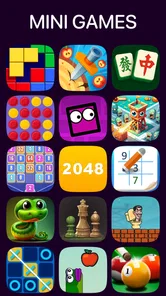
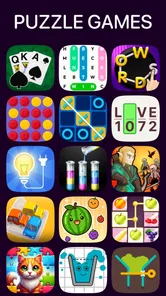
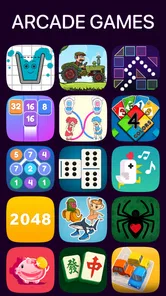
I find Offline Games No WiFi internet most useful as a shared-device option for those stretches when nobody wants to choose one big game. It is a casual collection from Fun Offline Games, bringing several kinds of play—such as puzzles, cards, blocks, and arcade games—under one roof. Rather than asking everyone to commit to a single hobby, it gives a household a menu of short activities to pass around. That convenience is its clearest strength, though the variety also means it may not satisfy someone looking for depth in one particular genre.
On a quiet evening, one person might want a quick puzzle while another would rather try a card game. A collection like this can make those handoffs easier: the device stays in use, but the kind of play can change with the person holding it. I would also consider it for a waiting room or a journey where internet access is unreliable, since offline play is the point of the package rather than an occasional bonus.
The practical appeal is not that every game will suit every player. It is that a single download can offer different ways to fill a spare moment. That can reduce the familiar household negotiation over which one game to install. It also makes the app a reasonable option for a shared tablet, provided users are comfortable taking turns and choosing activities from the same collection.
Because it is a casual game rather than a focused adventure, I would set expectations accordingly. It is better suited to brief sessions and changing interests than to a long, continuous story or a competitive experience built around a single ruleset. If a child wants one specific puzzle title, or an adult wants a serious card-game study tool, a dedicated app may be a better fit.
For shared use, I would treat the collection as a small activity shelf. Let each person choose one game for a short turn, then pass the device along rather than leaving the choice open-ended. That simple routine helps avoid a common weakness of bundles: spending more time browsing a broad assortment than actually playing. It is especially handy when the group has mixed patience levels, since someone who is finished can hand over the device without interrupting a larger session.
A useful approach is to match the activity to the moment. A block or puzzle game can suit a short pause when there is no time to learn a complicated system; cards may be more appealing when someone wants familiar rules; arcade play can offer a livelier change of pace. These are practical ways to think about the listed game types, not a promise that every title will match each mood perfectly.
Offline play can make the app appealing when a connection is unavailable, but it does not automatically make a shared device a shared account. I would keep personal boundaries clear: agree who can use the device, avoid passing around private accounts, and make sure the person responsible for the device is comfortable with how it is being used. The collection itself should not be mistaken for a household-management tool.
I would also check the app’s current in-app purchase settings on the device before handing it to younger users. The game is free to download, with in-app purchases listed from $0.99 to $5.49 per item. That is a useful distinction for a parent or caregiver: free access does not mean every possible purchase is free. Setting purchase approval at the device or account level, where available, is a sensible precaution for any shared game library.
Another small but worthwhile habit is to show a new player how to return to the collection and choose another activity before leaving them with the device. In a bundle, navigation between games matters as much as the individual games. A quick introduction can prevent a younger user from getting stuck in one activity or accidentally changing who gets the next turn. I would not assume that one person’s progress or preferences will automatically suit the next player.
For a family or group, the main coordination method is likely to be ordinary turn-taking. I would not approach this as a multiplayer hub where everyone meets in one shared session; its appeal is a range of games on one device, especially when offline. If several people want to play simultaneously, a dedicated local multiplayer game or a tabletop option is likely to be more satisfying.
That distinction is important for travel. On a long trip, the app can help one passenger occupy a quiet stretch, then another can take over. But it is not a substitute for a game designed around group play, and it will not resolve disputes about whose turn it is. Agreeing on a simple time or round limit before starting is more effective than expecting the app to manage the household’s schedule.
For a single user, the collection has a different advantage: switching between styles can keep a short session from feeling repetitive. I would use it when I have a few minutes and do not want to install several separate apps just to sample different kinds of casual play. The trade-off is that a broad collection can feel less tailored than a dedicated game whose menus, progression, and challenge are all built around one activity.
The content rating is Everyone 10+, so I would use that as a starting point when deciding whether it suits a child, not as a replacement for an adult’s judgement. Age ratings describe an intended audience; they do not tell a parent whether a particular activity will be engaging, frustrating, or appropriate for their own household. I would try the collection first and pay attention to how the child handles switching among different games.
For a younger player, I would introduce one activity at a time and explain the difference between playing and making purchases. For an older child or an adult, the range may be easier to explore independently. Either way, the most responsible setup is to keep purchase decisions with the person who manages the device, rather than relying on the game to provide controls that should not be assumed.
Offline use also has a practical trust benefit: when connectivity is not available, the core idea of playing without an internet connection still makes sense. I would not stretch that into a claim that every aspect of the app behaves identically in every situation. The useful expectation is narrower: it is intended to provide games that can be played offline, which makes it a candidate for places where a connection is inconvenient or absent.
Offline Games No WiFi internet has a 4.7 average from around 707,000 ratings, alongside roughly 3,500 written reviews and over 100 million installs. Those figures suggest that the collection has reached a very large audience, but popularity alone cannot tell me whether a specific game inside it will suit my taste. I would weigh the broad appeal against the fact that a bundle’s individual activities may vary in how much they hold a particular player’s attention.
The app is free, and its listed in-app purchases range from $0.99 to $5.49 per item. It was released on August 1, 2020, and its current version is 3.59; it requires Android 7.0 or later. These details make it easier to judge whether it fits an older Android device and what to expect around optional spending. The game is developed by Fun Offline Games, and its casual format is a better match for flexible, low-commitment play than for players seeking a single polished, long-form campaign.
I would skip this collection if my main goal were to master one game, follow a substantial story, or compete with friends in a structured online environment. A dedicated puzzle, card, or arcade title can offer a more coherent learning curve and a clearer sense of progress. Likewise, if several household members want to play together at once, an activity built specifically for shared multiplayer play will usually be a better choice than taking turns through a collection.
I would also think twice if the intended player dislikes browsing or gets overwhelmed by choices. A menu of different activities is convenient for someone who enjoys variety, but it can be less welcoming than opening a single-purpose game where the next step is obvious. In that case, choosing one focused app together may make the experience calmer and easier to manage.
For a home that shares a phone or tablet, Offline Games No WiFi internet is a practical pick when the goal is to have several casual options ready for short offline sessions. I especially like the idea of using it as a fallback during travel or an unplanned wait, then passing the device between people who prefer different kinds of play. The best results come from keeping turns simple and purchase expectations clear.
Its limitations are part of the decision: variety does not guarantee that every included activity will become a favorite, and a collection is not the same thing as a dedicated multiplayer or story-driven game. With that in mind, I would recommend it to someone who values choice, casual pacing, and offline access more than deep progression. If that describes your household, it is worth trying; if you need one carefully tailored game or simultaneous group play, I would look elsewhere.
My bottom line: this is a flexible casual-game shelf for shared, disconnected moments, not a complete solution for family coordination. Used with clear device and spending boundaries, it can make a spare phone or tablet more useful without asking everyone to enjoy the same kind of game.
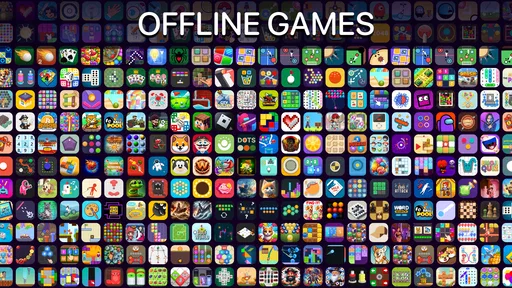
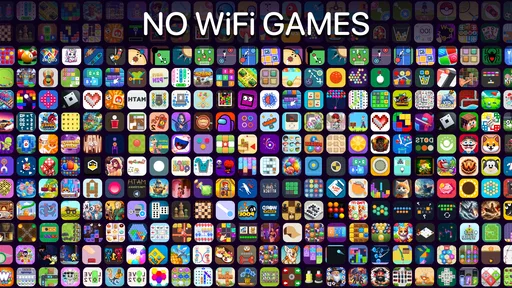
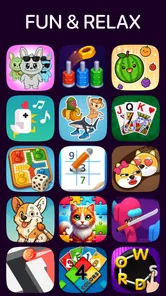
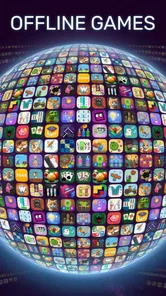
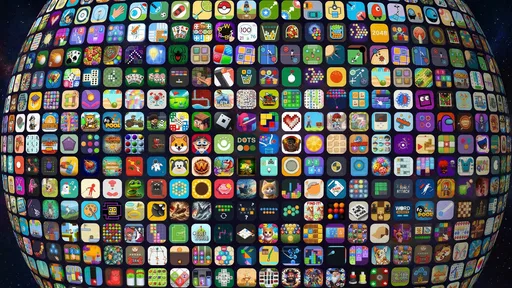
Offline Games No WiFi internet is a collection of games designed to be playable without an active internet connection. The exact selection and features can depend on the version you download, but these apps commonly bring several casual game types together in one place. Check the app’s store listing and screenshots to confirm which games are included, since the title alone does not identify every mode or feature.
The app is intended for offline play, so its available games should work without Wi-Fi or mobile data after installation. You may still need a connection to download the app, receive updates, or access any online-only features. Before going offline, open the games you plan to play and check that they load successfully; some versions may show ads or require internet access for certain functions.
Pricing and monetization can vary by platform and app version. Check the Google Play or Apple App Store listing for the current download price, in-app purchases, and subscription details before installing. A game may be free to download but still display advertisements or offer paid extras. If you want to avoid unexpected charges, review purchase settings and parental controls on your device.
The title suggests a bundle of casual games, but the precise genres and number of games depend on the particular listing and version. Look through the store description, screenshots, and recent reviews to see whether it includes the puzzles or arcade-style activities you enjoy. Also check whether all games are available immediately or whether some require additional downloads, unlocks, or an internet connection.
Suitability for children depends on the app’s content, advertisements, data practices, and any purchase options, which may differ between versions. Review the age rating and privacy information on the relevant app-store page, and check recent user feedback for reports about ads or permissions. For younger players, consider enabling parental controls and supervising the first launch before allowing the app to be used unsupervised.
On Android, Offline Games No WiFi internet asks for these permissions.
Offline Games No WiFi internet is also available in 2 other languages on our site.
4.7 out of 5
706,502 reviews
Casual · Fun Offline Games

Casual4.2 out of 5

Casual4.3 out of 5

Casual4.6 out of 5

Casual4.8 out of 5

Casual4.6 out of 5

Casual4.7 out of 5
Casual4.6 out of 5

Casual4.2 out of 5

Casual3.2 out of 5

Casual4.7 out of 5

Casual4.7 out of 5

Casual4.3 out of 5

Casual4.7 out of 5
Casual4.5 out of 5

Casual4.8 out of 5

Casual4.6 out of 5

Casual4.9 out of 5

Casual4.7 out of 5



Gamesive reviews games on its own and is not paid by developers for scores. We do not host game files: the download buttons open the official Google Play and App Store pages. Names, icons and screenshots belong to their owners.