
Offline Games No WiFi internet
Casual4.7 out of 5
For Android & iOS · Budge Studios

 Analysis by Gamesive
When a child already loves Bluey, a game built around her familiar world has an obvious advantage: it gives that enthusiasm somewhere to go beyond watching an episode. Bluey: Let’s Play! is a casual game from Budge Studios, and I see its appeal less in challenge or competition than in letting children spend a little time exploring and imagining with characters they know. That makes it a distinctive choice for a quiet play break, though it is not automatically the best fit for every child or every parent.
The basic idea is easy to understand: this is a kid-focused Bluey game intended for playful exploration and creativity. That matters in practice. A child who wants a fast-paced game with levels to beat, a score to chase, or a clear sense of winning may find the experience less satisfying than a more goal-driven alternative. A child who enjoys pretending, revisiting familiar characters, and making up little stories is more likely to settle in happily.
I would introduce it as a shared activity rather than hand over a device and expect it to occupy a child indefinitely. Sit together at first and let the child show you what catches their attention. That gives you a chance to judge whether the play feels engaging for them, and it also helps turn screen time into conversation: “What do you think Bluey will do next?” is often a more useful prompt than asking whether they have finished.
For a realistic everyday use, picture a short wait before dinner or a calm stretch at home when a child wants something familiar to do. This game may suit that moment better than a competitive title, because the appeal is imaginative play rather than pressure to improve a score. I would still set a clear stopping point beforehand. A gentle, open-ended activity can be hard to wrap up when a child is absorbed in their own story.
The game is listed for Everyone, and its audience is clearly family-oriented. That rating can help parents make an initial decision, but it does not replace checking how a particular child responds to the experience or reviewing the in-app purchase options together. Younger children may also need help with device controls and with understanding that some purchases cost money.
The game is free to download, while in-app purchases are listed at $9.99 per item. For me, that distinction is the most important value detail: trying the game does not require paying upfront, but “free” should not be mistaken for a promise that every part of the experience is included at no cost. I would look through the purchase choices before letting a child play independently, and make sure any purchase decisions remain with an adult.
That setup makes it reasonable to test whether the Bluey theme and style of play actually suit your household before spending anything. If a child loses interest quickly, the free entry point limits the initial commitment. If the game becomes a regular favorite, you can then decide whether any paid item is worth considering for your family. I would not treat the listed price of an item as proof of what it contains or how much play it adds; the sensible approach is to inspect the specific offer in the app store before buying.
As a free casual game, its value depends less on how many hours it keeps a child busy and more on whether it encourages play that feels pleasant and age-appropriate for your family. A familiar character can make it easier for a child to engage, but recognition alone does not guarantee lasting interest. If your child wants a new challenge each time they open a game, this may not provide the same value as a title designed around repeated goals or progression.
Compared with the usual alternatives in the casual category, Bluey: Let’s Play! is best understood as character-led play, not as a general puzzle collection or a competitive arcade game. That is a real strength when a child is drawn to Bluey specifically: the theme gives imaginative play a familiar starting point. It is also a limitation for children who do not know or care about the characters. In that case, a broader creative game or a simple puzzle app may hold their attention more reliably.
One useful way to judge whether it is working is to watch what happens after the screen is put away. If the child continues a pretend story, talks about a character, or turns the play into an idea of their own, the game may be doing more than simply filling time. If they mostly ask to tap through without showing interest in the Bluey world, the appeal may be short-lived. That distinction can help you decide whether this particular themed game deserves a place in your routine.
I would also think about the kind of screen-time moment you need. For a child who wants a clear objective and a quick sense of completion, choose a game with defined tasks. For a child who prefers familiar characters and open-ended make-believe, this is a more natural match. Neither style is universally better; the right choice depends on whether your child is looking for a challenge or a prompt for pretend play.
Another practical tip is to make the first session a low-pressure trial. Let the child explore while you stay nearby, then ask what they liked rather than steering them toward a particular way to play. This gives you a better read on whether the experience is genuinely engaging than simply seeing that they stayed on the device. It also gives you an opening to talk about the purchase options before a child encounters them alone.
The clearest tradeoff is that a licensed character can make a game immediately inviting, but it can also narrow its appeal. A Bluey fan may be delighted by the premise; a child who prefers animals, vehicles, puzzles, or creating without familiar characters may not connect with it. I would not choose it solely because it is a children’s game. Choose it because the Bluey setting is likely to matter to the child who will use it.
Open-ended play can be lovely when a child wants to invent a story, but it may feel aimless to someone who needs instructions and milestones. If your child often asks, “What do I do now?” in games, you may need to sit alongside them or choose something more structured. That is not a flaw for every player, but it is a meaningful difference from games built around explicit objectives.
Purchases are another point where adult involvement matters. The game is free to start, but the listed in-app items cost $9.99 each. Before a child plays, I recommend checking the device’s purchase controls and explaining simply that some choices in games cost real money. This is a practical safeguard, not a judgment about the game: young children may tap through prompts without understanding their consequences.
Finally, popularity is useful context but not a substitute for fit. The game has a 4.3 average from around 268,000 ratings, and it has passed 50 million installs. Those figures suggest that many families have tried it, but they cannot tell you whether your child prefers imaginative play or whether the purchase structure suits your household. I would use them as background, then make the decision based on your child’s interests and your own comfort with in-app spending.
I would recommend giving it a try if the child already enjoys Bluey and likes making up stories more than chasing scores. It may be a good fit for a parent and child to explore together, for a brief calm activity at home, or for a child who wants a familiar fictional world to revisit. Its free download makes a first test easy, as long as an adult handles purchase decisions.
I would skip it, or at least compare it with other options first, if the child is not interested in Bluey, wants a strong progression system, or tends to get frustrated without clear instructions. It is also not my first pick when the main goal is a tightly bounded activity with an obvious finish. A puzzle with defined rounds or a game with clear objectives may make that kind of session easier to manage.
Budge Studios released the game on August 13, 2023, and the current version is 2026.14.0. It supports Android devices running version 5.1 or later, so it can work on a range of older Android devices, though I would still check compatibility in the app store for the specific device in your home. The game is available at no upfront cost, with paid items offered inside.
My recommendation is a cautious yes for families with a Bluey fan who enjoys imaginative, character-based play. The free download gives you a sensible way to see whether the child connects with it, and the game’s casual approach is more suited to relaxed exploration than high-pressure competition. I would make the first session a shared trial, set expectations around screen time, and keep purchase decisions firmly with an adult.
It is not a universal children’s game, and I would not pay for an in-app item without first checking exactly what that specific offer provides. If the child wants structured goals or is indifferent to Bluey, another casual game may be better value for your family. But for the right player, Bluey: Let’s Play! can turn a familiar favorite into a small invitation to invent, explore, and play together.
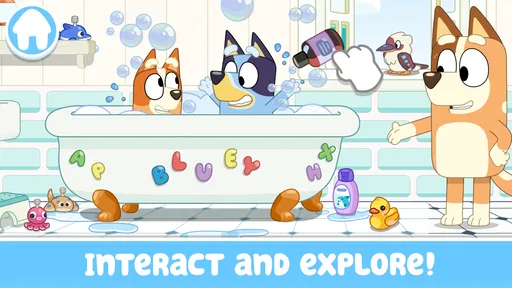
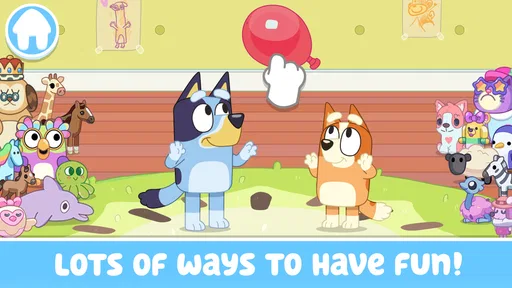
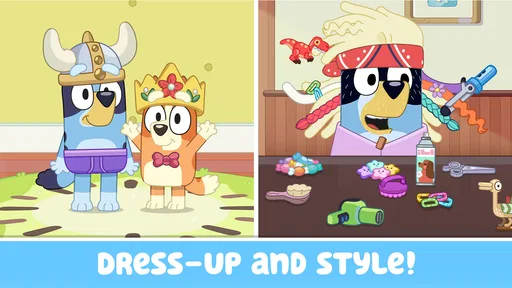
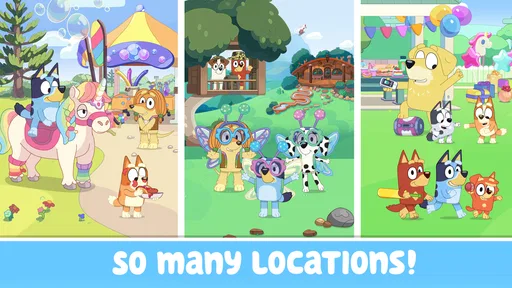
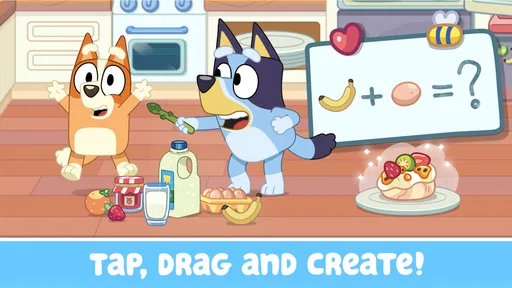
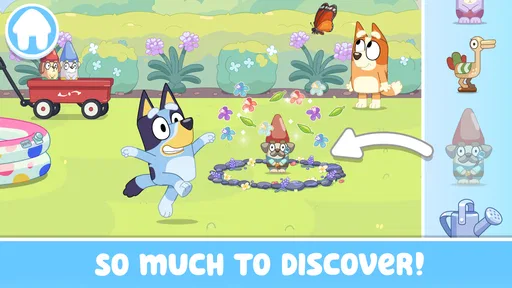
Bluey: Let’s Play! is a family-friendly game inspired by the animated series Bluey. It invites children to explore familiar settings, interact with characters and objects, and make up their own play scenarios rather than follow a demanding story or compete for high scores. The experience is designed for imaginative, casual play, so children can dip in and out at their own pace.
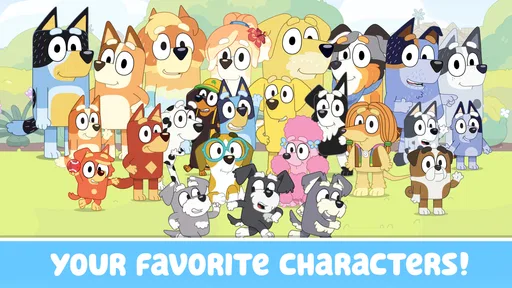
The game is aimed at young children and uses recognizable characters, colorful scenes, and simple interactions that are generally easy to understand. Parents should still check the age guidance and content information on the relevant app store, since suitability depends on each child. It is also worth playing together at first to see how your child responds and to help establish sensible screen-time limits.
Availability, pricing, and included content can vary by country, platform, and app-store listing. Before downloading, check whether the version offered in your region is free or paid and review its in-app purchase details. If purchases are available, use your device’s parental controls to prevent children from making unintended transactions, and confirm exactly what any optional purchase unlocks.
Some games can be played offline after installation, while downloading, updating, or accessing certain features may require an internet connection. The exact behavior can depend on the current version and device, so check the store description and test the game before relying on it during travel. For a child’s device, consider reviewing network permissions and enabling appropriate parental or privacy settings.
Bluey: Let’s Play! is offered for supported Android and iOS devices, but compatibility depends on the device model, operating-system version, and current app requirements. Check the Google Play or Apple App Store listing on the device you plan to use before downloading. The required storage can change with updates, so leave some free space for installation and future game data.
On Android, Bluey: Let's Play! asks for these permissions.
4.3 out of 5
267,841 reviews
Casual · Budge Studios

Casual4.2 out of 5

Casual4.3 out of 5

Casual4.6 out of 5

Casual4.8 out of 5

Casual4.6 out of 5

Casual4.7 out of 5
Casual4.7 out of 5

Casual4.6 out of 5

Casual4.2 out of 5

Casual3.2 out of 5

Casual4.7 out of 5

Casual4.7 out of 5

Casual4.7 out of 5

Casual4.5 out of 5

Casual4.8 out of 5

Casual4.6 out of 5

Casual4.9 out of 5

Casual4.7 out of 5



Gamesive reviews games on its own and is not paid by developers for scores. We do not host game files: the download buttons open the official Google Play and App Store pages. Names, icons and screenshots belong to their owners.