
Vita Mahjong
Board4.9 out of 5

For Android & iOS · GamoVation
 Analysis by Gamesive
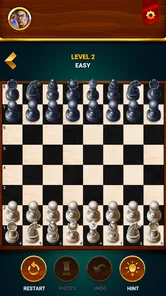
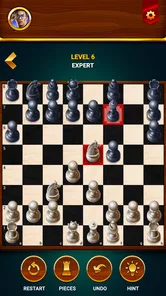
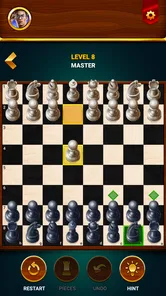
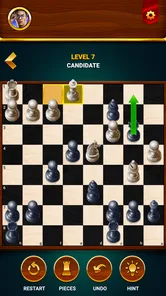
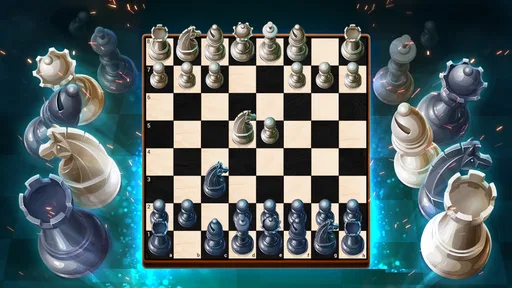
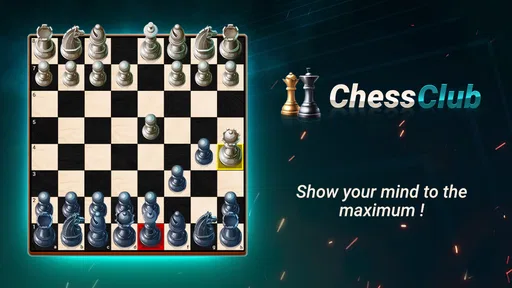
I find Chess - Offline Board Game most approachable when I treat it as a place to practise one decision at a time, rather than as a shortcut to becoming a strong player. It is a board game from GamoVation, and its focus is clear: chess puzzles and solo matches give a new player a way to think through positions without needing to arrange a game with someone else. That makes it easy to try during a quiet break or keep nearby for a short practice session.
The reassuring part for a beginner is that chess does not require a long setup before the first useful move. You can start with what you already know, even if that is only how the pieces move, and use a solo game to notice what happens when you leave a piece exposed or overlook a threat. I would approach each session with one small aim—protect a piece, look for checks, or pause before moving—rather than expecting every match to feel like a lesson.
This is a board game built around familiar chess, not a collection of unrelated mini-games. Its stated emphasis on puzzles and matches against the game makes it relevant both when you want to solve a compact position and when you want to play through a complete contest. I like that split: puzzles invite focused calculation, while a match shows how individual decisions connect over time.
The game is free to install, with optional in-app purchases priced from $1.99 to $27.99 per item. That distinction matters if you are simply looking to try chess: you can begin without paying, while the purchase range is worth noticing if you prefer to avoid unexpected spending. I would check purchase prompts carefully and keep any spending decision separate from the question of whether the basic chess experience suits you.
Its audience is broad. The age rating is Everyone, which makes it suitable to consider for family use, though younger players may still benefit from an adult explaining why a move is risky. On Android, it requires version 6.0 or later. The game has a 4.8 average from around 1.2 million ratings and more than 100 million installs, so it has reached a large audience; those figures are useful context, but they do not tell you whether its playing style matches your own.
One practical expectation to set is that playing chess on a phone changes how you interact with the board. A small screen can make it tempting to tap quickly and move on, especially when you already know the rules. I recommend taking an extra moment to scan the whole position before each move. The most valuable practice often comes not from making more moves, but from catching the one your opponent is threatening.
When I begin a new chess app, I first make sure I can identify every piece and its legal movement. If you are rusty, spend a minute reviewing that before you focus on winning. A quick reminder that bishops travel diagonally, rooks along ranks and files, and knights jump in an L shape prevents a lot of early frustration. The game becomes more useful once your attention can shift from the rules to the position.
For a first session, choose either a puzzle or a solo match based on how much time and concentration you have. A puzzle is the better opening if you want a contained task: look for forcing moves such as checks and captures, then consider what the opponent can do in reply. A match is better if you want to practise the rhythm of a full game, including quieter moves that improve your position rather than winning material immediately.
A simple routine helps. Before moving, ask three questions: Is my king in danger? Is one of my pieces attacked? Can I make a move that gives check or wins something? This is not a magic formula, and it will not identify every tactic, but it gives a beginner a dependable scan. I find it more useful than trying to memorize opening sequences before understanding why a piece is unsafe.
Keep your first goal deliberately modest. Try to finish a game while checking whether each piece is protected, or solve a puzzle without moving until you have considered the opponent’s reply. That makes success observable even if you do not win. Chess can feel punishing when the only measure is victory; a small process goal turns a short session into practice you can repeat.
A realistic first win may be less dramatic than delivering checkmate. Imagine opening the app while waiting for a bus, starting a solo match, and noticing that an opponent’s piece is attacking your queen. If you move the queen to safety instead of continuing your own plan, you have made a meaningful improvement: you read the board and prevented a loss. That kind of decision is exactly what beginners need to build.
In a puzzle, use the same method in a tighter setting. Look for moves that force the opponent to respond, especially checks, and then trace the position one reply further than your first idea. A move can look brilliant until the opposing king escapes or a valuable piece is left hanging. My practical tip is to name the opponent’s strongest reply before you commit. It slows you down just enough to catch many hopeful but unsound moves.
After a match, think back to the first moment when the position became difficult. Was a piece left undefended? Did you move the same piece repeatedly while other pieces stayed undeveloped? Did you chase an attack and forget your king? Pick just one answer to work on next time. Trying to correct every mistake at once usually makes practice feel like a chore; one recurring pattern is easier to notice and change.
This is also a sensible way to use the game with a child or a friend who is learning. Instead of taking over the board, ask what the other player thinks the opponent might do next. The question encourages calculation without turning a casual game into a lecture. Since chess mistakes are visible on the board, the position itself can provide a calm starting point for discussion.
The first common confusion is expecting a puzzle to reward the most attractive move. Chess puzzles are usually about finding a concrete continuation, so a visually aggressive move is not automatically correct. Check whether your move actually creates a threat and what happens if the other side declines the obvious response. If you cannot explain the next step, pause and examine checks and captures again rather than tapping through guesses.
Another trap is treating every exchange as a gain. Capturing a piece feels satisfying, but the reply may win something more valuable or open a line toward your king. Before taking, compare what is being exchanged and scan the squares around your king. This is a useful habit in any solo match because the immediate reward of a capture can distract from a more serious threat elsewhere.
Beginners also often confuse a good opening with memorized opening moves. Learning a sequence can help later, but copying moves without understanding their purpose is fragile: one unexpected reply can leave you unsure what to do. Early on, develop pieces, keep the king safe, and avoid moving a piece repeatedly without a reason. These principles travel better from one position to the next than a line learned by rote.
Finally, a solo opponent is not the same experience as a human opponent. A computer-controlled match can give you time to focus on the board, which is useful for practice, but it does not reproduce the conversation, surprises, or social pressure of playing another person. If you mainly want a shared activity, a physical board or a chess game with live human opponents may fit better. If your priority is private repetition and thinking at your own pace, solo play has a real advantage.
Compared with a physical board, this game is easier to pick up for a quick solo session and does not require finding someone else to play. The trade-off is that a screen encourages tapping, while a real board makes it natural to look around the position and discuss ideas together. I would choose the physical set for a relaxed face-to-face game, especially when teaching someone who benefits from moving pieces by hand.
Compared with chess apps centered on playing people online, the solo-and-puzzle emphasis is more inviting if you do not want a timed contest or the pressure of an unfamiliar opponent. Online human play is preferable when your goal is to test yourself against unpredictable decisions and share a game with another person. This title makes more sense as a convenient practice companion than as a substitute for every form of chess.
It also differs from watching chess videos or reading lessons. A video can explain a concept clearly, but it is easy to follow along without making a decision yourself. A puzzle asks you to search for a move, and a match makes you apply that thought across changing positions. I would combine the approaches if you want deeper improvement: use a lesson to understand a recurring idea, then play and see whether you recognize it on the board.
I would recommend Chess - Offline Board Game to someone who knows the basics, wants to practise alone, or would like a low-pressure way to return to chess. It is particularly suited to short sessions: solve a position during a break, play a match when you have more time, and carry one lesson from that game into the next. The developer is GamoVation, and the current version is 2.8.10; the game was released on September 27, 2021.
I would look elsewhere if your main aim is live competition, guided teaching with a structured curriculum, or a social chess club experience. Those needs call for a human opponent, dedicated lessons, or an in-person board. I would also skip it if you dislike studying positions and only want a very casual game with no strategic decisions: chess remains demanding even when the session is short.
For a first visit, keep the plan simple: learn the movement of any unfamiliar pieces, play a solo match or attempt a puzzle, and focus on noticing threats before making a move. If you lose, find one decision you would change and make that your next practice goal. That is the point where this game becomes more than a way to pass time. Its best value is the chance to practise careful thinking at your own pace, without needing a partner or a long commitment.
Yes. The game is designed for offline play, so you can start a match without Wi-Fi or mobile data. This is useful when traveling or when you want a quick game without connecting to an online opponent. Online features, if available in your version, may still require an internet connection, so check the game’s menus and store listing for details about multiplayer options.
It can be a convenient way for beginners to practice the rules and become familiar with moving pieces, planning turns, and recognizing common tactics. Playing against the device lets you try different approaches at your own pace. However, the exact learning tools and difficulty settings can vary by version, so look for features such as hints, tutorials, or adjustable opponents before downloading if guided lessons are important to you.
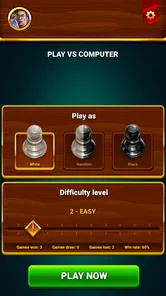
Chess games commonly provide multiple computer difficulty settings, and some versions may also let you play two people on the same device. These options can make the game suitable for casual matches as well as more challenging practice. Because available modes may differ between releases, review the app’s current store description and in-game settings to confirm which choices are included on your device.
The price, advertising, and purchase options depend on the specific app listing and may change over time. Some chess apps are free to download but display ads, offer optional purchases, or provide additional features through a paid upgrade. Check the Google Play or App Store listing before installing, and review the purchase and privacy information if you want to avoid unexpected costs or understand how the app is supported.
Confirm that the listing is for the intended chess app, that your phone or tablet meets its operating-system requirements, and that the download comes from Google Play or the Apple App Store. It is also sensible to review recent user feedback, the app’s permissions, and its privacy details. These checks can help you understand compatibility, available features, and how the developer says your information is handled.
On Android, Chess - Offline Board Game asks for these permissions.
Chess - Offline Board Game is also available in 2 other languages on our site.
4.8 out of 5
1,185,945 reviews
Board · GamoVation
Board4.1 out of 5

Board4.6 out of 5
Board4.6 out of 5

Board4.6 out of 5
Board4.8 out of 5

Board4.7 out of 5
Board4.9 out of 5

Board4.5 out of 5
Board4.6 out of 5

Board4.8 out of 5

Board4.7 out of 5

Board4.8 out of 5

Board4.9 out of 5
Board4.6 out of 5

Board4.7 out of 5

Board4.5 out of 5

Board4.9 out of 5

Board4.8 out of 5



Gamesive reviews games on its own and is not paid by developers for scores. We do not host game files: the download buttons open the official Google Play and App Store pages. Names, icons and screenshots belong to their owners.