
Chess - Play and Learn Online
For Android & iOS · Chess.com
- 4.7 out of 5Rating
- 3.46MReviews
- 100.00M+Downloads
- BoardGenre
Game details
- Version
- Varies with device
- Updated
- Requires
- Varies with device
- Price
- Free
- Age rating
- Everyone
- In-app purchases
- $1.00 - $229.99 per item
Screenshots
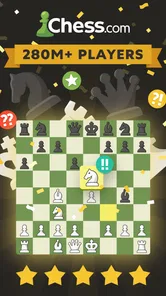
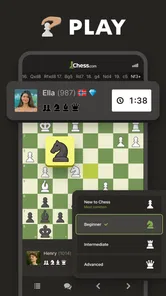
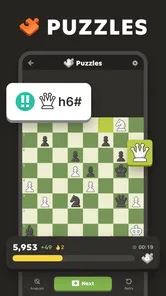
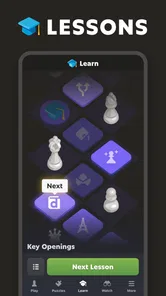
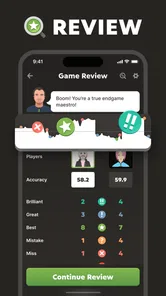
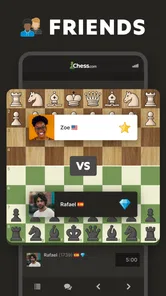
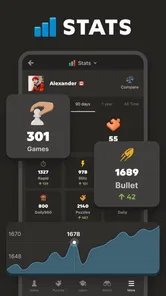

Chess - Play and Learn Online review
 Analysis by Gamesive
Chess - Play and Learn Online works best when I want chess to be more than a quick match against a faceless opponent. It combines online play with ways to study tactics and review decisions, so a game can turn into a small lesson rather than ending when the last piece is taken. That blend makes it a compelling board game for curious beginners and regular players alike. It is less appealing if you only want a quiet, offline chessboard with no account-based online experience.
Playing is only half the point
Chess is easy to start and difficult to master, and this game understands that the useful part is often what happens around a match. I can play against other people, try puzzles, and use analysis to look back at a position. Those activities address different needs: a game tests decisions under pressure, a puzzle isolates a tactical idea, and analysis helps explain where a plan went wrong.
That combination is more valuable than a bare digital board. In many basic chess apps, playing is the main attraction and improvement is left to books, videos, or separate tools. Here, the learning elements sit alongside online play, which makes it easier to act on a lesson while the position is still fresh in my mind. The strongest reason to choose this app is that practice and reflection belong in the same place.
The game is from Chess.com, a developer closely associated with online chess. It is listed as a board game, costs nothing to install, and is rated for Everyone. The app has a 4.7 average from around 3.5 million ratings, while more than 100 million installs show how broad its audience is. Those figures suggest a well-established option, but they do not guarantee that every match or learning feature will suit an individual player.
Turn a match into a useful lesson
One practical habit I recommend is to review a game before immediately starting another. Pick one moment where you felt uncertain, then use analysis to examine the position rather than trying to remember the whole game. This keeps review manageable: the goal is not to judge every move, but to understand one decision you might handle differently next time.
Puzzles are useful for a different reason. They let me focus on spotting tactics without the extra demands of managing an entire game. If I have only a few spare minutes, a puzzle can be a more deliberate use of that time than beginning a match I may need to leave unfinished. For a learner, alternating a short puzzle session with occasional game review is a sensible way to build pattern recognition and notice recurring mistakes.
There is also a useful distinction between knowing a move and understanding why it works. A puzzle can reward finding a forcing sequence, but it does not automatically teach how to reach that kind of position in a real game. I would treat puzzles as focused practice, not as a substitute for playing patiently and learning from varied positions.
Online chess fits real breaks, with a caveat
A realistic everyday use is a commute or a lunch break when I have enough time to concentrate but do not want to set up a physical board. I can choose a puzzle for a brief session or start a game when I can give it proper attention. The key is to match the activity to the time available: a full game is a poor choice if I expect to be interrupted, while a short training session is easier to fit around a busy day.
Playing online also offers variety that a solo board against a fixed computer opponent cannot provide. Human opponents make different choices, and that variety can expose habits I might not notice when repeating familiar practice. The trade-off is that online play depends on other people and a connection. If I want an entirely self-contained activity, or I need a reliably available opponent without online interaction, a simple offline chess app may be a better fit.
For a friendly game, playing with someone I know can make the experience more social than solving puzzles alone. Still, anyone looking for a casual, low-pressure match should remember that an online opponent may be focused on winning rather than teaching. I would not assume every game will feel like a coached lesson; the learning comes from using the available study tools and reflecting on my own choices.
Where it can frustrate new players
The biggest limitation is not a defect so much as the nature of chess: the app can put practice within reach, but it cannot make the game feel simple. A beginner may lose repeatedly, struggle to understand why a move was punished, or find analysis overwhelming if they inspect every detail at once. I would start with basic puzzles and one question after each game, such as whether a piece was left undefended, instead of trying to absorb every possible lesson.
Online competition can also be a poor match for someone who wants to play at their own pace without the pressure of another person waiting. Chess rewards sustained attention, and interruptions can turn a relaxing session into a frustrating one. If that sounds familiar, use the app for puzzles when time is uncertain and reserve games for a quieter stretch. If even that feels too competitive, a physical board with a friend may be more enjoyable.
Another trade-off is the free-to-start model. The game itself is free, but it offers in-app purchases ranging from $1.00 to $229.99 per item. I would decide whether the free experience meets my needs before spending, and avoid treating paid options as a requirement for learning the fundamentals. The broad price range also makes it worth checking the specific purchase details in the app store rather than assuming every extra has the same value.
Who will get the most from it
I would recommend it most to someone who already likes chess or is willing to be patient with a skill that grows through repetition. New players can use puzzles and post-game analysis to make practice more purposeful, while experienced players can benefit from having online matches and review tools together. It is particularly convenient for people who want to play with friends or use short pockets of free time for focused training.
It is not my first recommendation for someone who wants only a polished offline board, a purely relaxing game with no competitive element, or a structured course that explains every concept from the ground up. A book, a coach, or a dedicated teaching resource may suit a learner who needs a carefully sequenced curriculum. Likewise, people who dislike online interaction are better served by an offline alternative. This app is strongest when the player is happy to take responsibility for choosing a useful next step: play, solve, or review.
The release date is February 1, 2010, and the game’s long presence in mobile stores helps explain why it is a familiar choice for online chess. I would still judge it by whether its mix of play and learning fits my habits, not by popularity alone. Its age rating is Everyone, but chess itself can be demanding for younger or brand-new players; a patient approach matters more than the label when deciding whether it will be enjoyable.
A recommendation with a clear condition
Chess - Play and Learn Online earns my recommendation when I want one place to play, work on tactics, and revisit decisions. Its most practical strength is the loop it supports: play a game, identify a confusing moment, and use analysis or puzzles to make the next session more informed. That is a more convincing reason to keep it installed than a large opponent pool or a feature count on its own.
I would not call it the right chess app for everyone. It asks for concentration, online play may not suit every mood, and its learning tools work best when I approach them with a specific question instead of expecting instant improvement. But if you enjoy chess and want your phone to support both matches and thoughtful practice, this is a strong place to start. If you simply want an offline board or a guided lesson path, choose an option built around that preference instead.
What we like
- Play online games against opponents around the world.
- Puzzles offer a focused way to practice tactics.
- Lessons help explain chess concepts step by step.
- Analysis tools can help review completed games.
- You can choose from multiple game time controls.
What could be better
- Some lessons and features may require a paid membership.
- Online play depends on a stable internet connection.
- New players may find the range of features overwhelming.
- Opponent strength can vary from game to game.
- Notifications may encourage frequent play.
Frequently Asked Questions
What can you do in Chess - Play and Learn Online?
Chess - Play and Learn Online is designed for playing chess, practicing tactics, and learning the game through interactive lessons. Depending on the version and available features, you can play against other people online or challenge a computer opponent, review puzzles, and explore instructional content. It can suit beginners who want guided practice as well as experienced players looking for regular games.
Can you play Chess - Play and Learn Online with friends?
The app supports online chess, and social features may let you play friends or other players, depending on the current version and account settings. Before starting, check the available game modes and whether you need to sign in or share an invitation link or username. Online play requires an internet connection, and finding an opponent may depend on player availability and matchmaking.
Is Chess - Play and Learn Online suitable for beginners?
Yes, it can be useful for beginners because chess lessons and puzzles provide a way to learn rules, recognize common patterns, and practice making decisions. New players should start with introductory material and slower games, rather than relying only on quick matches. The app can support learning, but progress takes practice; reviewing mistakes after games is often more helpful than simply playing many games.
Does Chess - Play and Learn Online require an internet connection?
An internet connection is generally needed for online matches, account features, and content that is fetched from the service. Some learning activities or computer games may be available without a connection, but offline access can vary by app version and what has already been downloaded. If you expect to play while traveling, check which modes work offline before relying on the app.
Is Chess - Play and Learn Online free to download and use?
The app may be free to download, but some features, lessons, or benefits can require a subscription or in-app purchase, and availability can differ by platform and region. Review the store listing and the app’s purchase details before subscribing. Also check renewal terms and cancellation instructions if you start a trial, so you understand any costs before they are charged.
Permissions
On Android, Chess - Play and Learn Online asks for these permissions.
- Contacts
- read your contacts
- Location
- approximate location (network-based), precise location (GPS and network-based)
- Photos/Media/Files
- read the contents of your USB storage, modify or delete the contents of your USB storage
- Storage
- read the contents of your USB storage, modify or delete the contents of your USB storage
- Wi-Fi connection information
- view Wi-Fi connections
- Other
- view network connections, pair with Bluetooth devices, access Bluetooth settings, full network access, run at startup, control vibration, prevent device from sleeping
Languages
Chess - Play and Learn Online is also available in 2 other languages on our site.
User reviews
4.7 out of 5
3,457,484 reviews
- 85%
- 8%
- 2%
- 1%
- 4%
Download Chess - Play and Learn Online
Board · Chess.com · Free
Games like Chess - Play and Learn Online
View all: Games like Chess - Play and Learn Online
MONOPOLY GO!
Board4.6 out of 5
Color by Number:Coloring Games
Board4.6 out of 5
Mahjong Blast
Board4.8 out of 5

Vita Mahjong
Board4.9 out of 5
About this listing
- Game
- Chess - Play and Learn Online
- Developer
- Chess.com
- Package
- com.chess
- Version reviewed
- Varies with device
Gamesive reviews games on its own and is not paid by developers for scores. We do not host game files: the download buttons open the official Google Play and App Store pages. Names, icons and screenshots belong to their owners.