Color by Number:Coloring Games
For Android & iOS · Wildlife Studios
- 4.6 out of 5Rating
- 530.24KReviews
- 100.00M+Downloads
- BoardGenre
Game details
- Version
- 4.51.0
- Updated
- Requires
- 6.0
- Price
- Free
- Age rating
- Everyone
- In-app purchases
- $7.99 - $99.99 per item
Screenshots
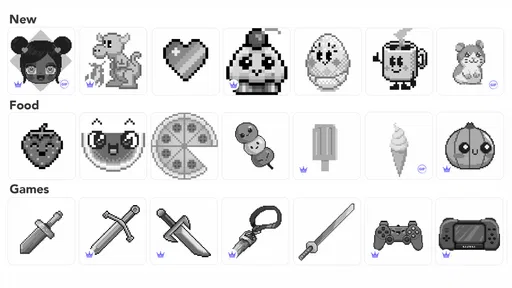
Color by Number:Coloring Games review
 Analysis by Gamesive
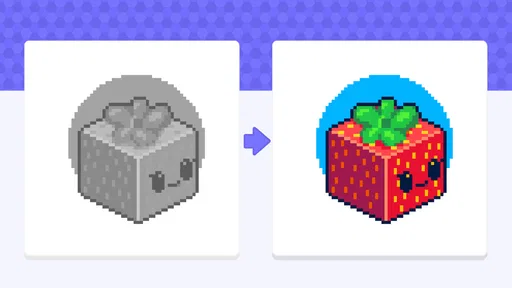
I find color-by-number games work best when they make it easy to settle into a small task without turning it into another thing to manage. Color by Number: Coloring Games is a board-style game from Wildlife Studios built around filling numbered areas with colors. It is free to start, and its pixel-art approach gives the activity a clear rhythm: choose an image, match a color to its number, and watch the picture take shape. I’d recommend it to someone who enjoys patient, low-pressure play more than competition or elaborate puzzles.
A simple coloring loop with a distinctive pixel-art feel
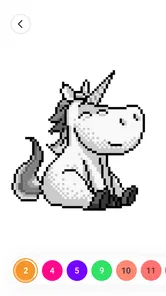
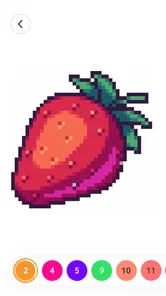
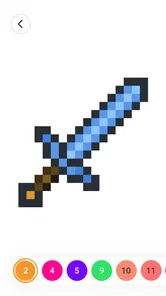
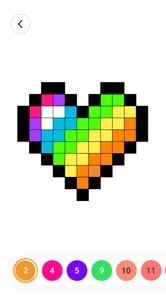
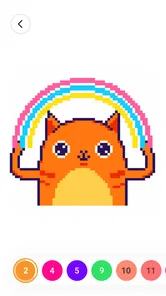
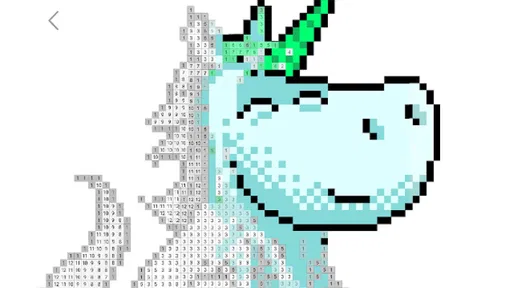
The appeal is in the gradual reveal. Rather than drawing freehand, you work from numbered spaces, so the main challenge is keeping track of where a color belongs. That makes the game approachable even if you don’t think of yourself as artistic. The pixel-art look also means the finished pictures have a crisp, mosaic-like character instead of the softer effect of a conventional coloring book.
In my view, that format is particularly suited to short breaks. You can make visible progress without needing to invent a composition or learn a complicated control scheme. It is closer to a relaxing board activity than to a drawing studio: the satisfaction comes from completing sections accurately, not from mastering a brush.
The game is listed for Everyone, which fits the basic idea of matching numbered spaces with colors. Still, the best fit depends less on age than on temperament. If you like methodical tasks and seeing a picture emerge piece by piece, the central loop should make sense quickly. If you want open-ended creativity, the numbered structure may feel restrictive.
What the current version means in practice
The current version is 4.51.0, and the game has been available since January 4, 2018. Those details suggest a product that has remained in circulation for years, but they do not tell me exactly what changed between releases. I wouldn’t assume a particular feature appeared in a recent update just from the version number. For a new player, the useful takeaway is simply that this is an established title rather than a newly launched experiment.
Wildlife Studios is the developer, and the game has reached more than 100 million installs. It holds a 4.6 average from around 530,000 ratings, with roughly 16,000 written reviews. Those figures point to broad interest, though they can’t guarantee that its pace or visual style will suit you personally. I’d treat them as a reason to consider trying it, not as a substitute for deciding whether number-based coloring is your kind of downtime.
One practical detail is device compatibility: the listed minimum operating system is Android 6.0. If you’re checking whether an older Android device can run it, that is a useful baseline. The game is free to download, while in-app purchases range from $7.99 to $99.99 per item. Since that is a wide spread, I’d be deliberate about purchases and check the price shown in the app store before confirming anything.
How I’d fit it into an ordinary day
Imagine waiting for a late appointment with ten minutes to spare. This is the sort of game I’d open when I wanted something more absorbing than scrolling but didn’t have the attention for a long session. I’d pick one image, fill a handful of areas, and stop when it was time to go. The numbered structure makes it easier to return to a partially finished picture than a freehand drawing task, because the next action is usually clear: find a color and locate its matching spaces.
A useful way to keep the activity relaxing is to work in passes rather than trying to finish everything at once. I would clear the easy, obvious regions first, then scan for smaller or less noticeable spaces as the picture fills in. That reduces the feeling of hunting randomly across the whole image. It also makes the final stretch less frustrating, because the remaining uncolored patches stand out more against the completed areas.
Another small but helpful habit is to pause before tapping rapidly through a color. In a numbered picture, accuracy matters more than speed; a hurried pass can make it harder to tell which spaces remain. I’d treat each color as a mini-task: select it, look over the image, finish the matching areas, and then move on. That approach is especially useful if you are playing in a noisy setting or checking the game only briefly.
Where it sits among coloring and board-game alternatives
Compared with a paper coloring book, this offers a more guided routine and avoids needing pencils, a table, or a place to store unfinished pages. Compared with a free-drawing app, it asks much less of your imagination and hand control. That is a strength when you want an easy activity, but a limitation if your goal is to make a picture that feels distinctly your own.
It also differs from a traditional board game. There is no need to gather other players or plan moves against an opponent; the board-like element is the ordered placement of colors in a picture. If you are looking for strategy, social play, or a win-and-lose match, a conventional board game will be a better choice. If you want a quiet solo pastime, the pixel-art format is a more natural fit.
The game’s short description mentions a three-dimensional sandbox and sketchbook-style painting, but the central experience I’d expect from its title and color-by-number format is guided coloring. I would not choose it on the assumption that it replaces a full-featured 3D art tool. Someone who wants to build objects, freely sketch, or control every detail of a canvas should look for a dedicated creative app instead.
Trade-offs to consider before settling in
The biggest limitation is also the source of the game’s accessibility: the numbers set the rules. You can enjoy the reveal without having to make artistic decisions, but you have less freedom over how the finished image looks. Players who like choosing palettes, mixing colors, or making deliberate changes to a reference image may find the process too prescribed.
There is also a difference between a free download and a completely cost-free experience. The game can be tried without an upfront purchase, but its in-app items have listed prices from $7.99 to $99.99. I would avoid buying anything just to see whether I like the basic loop. Spend time with the coloring first, and only consider an optional purchase if you understand what it provides and genuinely want it.
Another trade-off is the attention the format demands. It is calm, but not entirely passive: you still need to inspect the picture and match numbers. That makes it less suitable when you want audio-only relaxation or something you can ignore while doing another task. I’d also skip it if repetitive tapping quickly irritates you; the same orderly process that feels soothing to one person can feel monotonous to another.
What established players and newcomers should keep in mind
If you already play, a version number alone is not a reason to expect a dramatic change in how you color. I’d keep the decision practical: update when the app store offers a version for your device, and check the release notes there if you want to know what a particular update changes. The confirmed current version is 4.51.0, but I wouldn’t infer new image types, controls, or other additions without seeing them stated directly.
For someone starting fresh, the key question is whether guided completion sounds satisfying. You do not need drawing experience, and the pixel-art result gives each finished image a coherent look. On the other hand, if what you enjoy most is inventing your own art, the numbered layout may feel like following instructions rather than creating. I’d decide based on that distinction before worrying about the large install count or average rating.
When choosing whether to spend money, I’d make the same distinction between access and commitment. The game is free to install, but optional items can be costly, so it makes sense to try the basic activity first and keep purchases intentional. This is especially important if a child will be using the device: the Everyone age rating describes the content category, while purchase decisions still deserve the usual adult attention.
My recommendation
Color by Number: Coloring Games is an easy recommendation for people who enjoy careful, visual progress and want a solo activity that can fit into a spare moment. Its numbered pixel pictures remove the pressure of drawing from scratch, while still asking for enough attention to make each completed section feel earned. The long-running release history and broad adoption make it a familiar option in the category, but the real deciding factor is whether its structured pace suits you.
I’d pass on it if you want competitive board play, unrestricted sketching, or a creative tool with fine control over every mark. I’d also be cautious about purchases rather than treating “free” as a promise that every item costs nothing. For the right player, though, this is a pleasant way to turn a few idle minutes into a small finished picture. My advice is to try the guided coloring first, use a deliberate color-by-color rhythm, and judge it by whether the process itself helps you unwind.
What we like
- Simple tap-to-fill controls are easy to learn.
- Number labels make it clear which color belongs in each area.
- A wide range of pictures offers options for different tastes.
- Completed pictures can be saved and shared.
- Short sessions make it suitable for quick breaks.
What could be better
- Small sections can be difficult to tap accurately.
- Some pictures may require watching ads to unlock.
- Frequent prompts may interrupt the coloring flow.
- Color choices are limited by each picture's numbered palette.
- The experience can feel repetitive over time.
Frequently Asked Questions
What is Color by Number: Coloring Games?
Color by Number: Coloring Games is a digital coloring app built around numbered areas and matching colors. You choose an illustration, then tap the sections marked with the corresponding number to fill them in. The app is designed for casual, low-pressure coloring rather than freehand drawing, and its pictures may cover subjects such as animals, flowers, landscapes, or patterns. The exact catalog and features can vary by app version.
Is Color by Number: Coloring Games free to download and use?
The app may be available to download without an upfront payment, but free access does not necessarily mean every feature is free. Some versions include advertisements, optional in-app purchases, subscriptions, or paid picture collections. Check the store listing for the current pricing, payment terms, and available content before installing, and review any purchase prompts carefully. Availability and costs can differ by country, platform, and version.
How does the coloring gameplay work?
Select an image from the available gallery and use its numbered palette as a guide: choose a number, then tap the matching sections in the picture. This makes the process straightforward even if you do not have drawing experience. Depending on the version, tools such as hints, zooming, or progress indicators may be available. Controls and options can change, so check the in-app menus for the features included in your copy.
Can I use Color by Number: Coloring Games offline?
Some coloring apps let you continue working on pictures that have already been downloaded or opened, but features such as loading new artwork, viewing advertisements, syncing progress, or accessing online collections may require an internet connection. Offline support can differ between versions and devices. To avoid surprises, open a picture while connected, then test whether it remains available in airplane mode before relying on the app without internet.
Is Color by Number: Coloring Games suitable for children, and what should parents check?
Numbered coloring is simple to understand and can be suitable for children, but the right choice depends on the app’s content, advertising, and purchase options. Before handing over a device, review the age rating, privacy details, permissions, and any in-app purchases shown on the store page. If the app includes ads or links, consider using device-level parental controls and supervise younger children while they use it.
Permissions
On Android, Color by Number:Coloring Games asks for these permissions.
- Photos/Media/Files
- read the contents of your USB storage, modify or delete the contents of your USB storage
- Storage
- read the contents of your USB storage, modify or delete the contents of your USB storage
- Camera
- take pictures and videos
- Wi-Fi connection information
- view Wi-Fi connections
Languages
Color by Number:Coloring Games is also available in 1 other languages on our site.
ItalianoColor by Number: Colorare
User reviews
4.6 out of 5
530,242 reviews
- 83%
- 8%
- 4%
- 1%
- 4%
Download Color by Number:Coloring Games
Board · Wildlife Studios · Free
Games like Color by Number:Coloring Games
View all: Games like Color by Number:Coloring Games
MONOPOLY GO!
Board4.6 out of 5
Mahjong Blast
Board4.8 out of 5

Chess - Play and Learn Online
Board4.7 out of 5

Vita Mahjong
Board4.9 out of 5
More from Wildlife Studios
View all: More from Wildlife Studios
Block Craft 3D:Building Game
Arcade4.5 out of 5
About this listing
- Game
- Color by Number:Coloring Games
- Developer
- Wildlife Studios
- Package
- com.tfgco.apps.coloring.free.color.by.number
- Version reviewed
- 4.51.0
Gamesive reviews games on its own and is not paid by developers for scores. We do not host game files: the download buttons open the official Google Play and App Store pages. Names, icons and screenshots belong to their owners.