
Dream League Soccer 2026
Sports4.5 out of 5
For Android & iOS · Kitomy Limited








 Analysis by Gamesive
I like bowling games best when they make a quick match feel satisfying without pretending that a touchscreen can reproduce every detail of a real alley. Bowling Crew aims for that balance: it is a free sports game from Kitomy Limited, built around short bowling sessions and playing with friends. My main impression is that it is easiest to enjoy when I treat each match as a small test of timing and control, not as a full simulation of league bowling.
The appeal is immediate: bowling is familiar, and a match gives you a clear goal without asking you to learn a complicated rulebook first. That makes the game a natural fit for a spare moment, such as waiting for a ride or taking a short break. I would not expect every session to feel equally quick, though. A match can be brief, but choosing what to do next, playing against other people, and deciding whether to continue can turn a single game into a longer visit.
That distinction matters if you are downloading it specifically for instant play. The bowling itself is the draw, while the surrounding game experience can invite you to stay longer. I find it more useful to think of it as a compact competitive game than as a one-tap time-killer. If you have only a minute, you may prefer a simple offline puzzle; if you have time for a focused match, the bowling format has more payoff.
The game is designed for social play as well as individual participation, and its pitch is centered on joining friends and a large player community. In practical terms, that makes it a better fit for someone who likes comparing results and sharing a casual activity than for someone who wants a solitary, realistic bowling simulator. I would try it with a friend first if that is the reason you are interested, then decide whether the competitive loop holds up when you play alone.
A useful habit is to set a stopping point before opening the game. Bowling is naturally easy to repeat: after one result, it is tempting to try again and improve the next one. That is part of the fun, but it also means a supposedly quick break can expand. I would use a single match as a pause between tasks rather than opening it when I need to keep my attention on something else.
For a shared everyday scenario, imagine a friend group with a few minutes free after dinner. This is the sort of game that can give everyone a common activity without coordinating a real outing. The trade-off is that people who want to chat without concentrating may find a competitive match less relaxing than a casual word game. Bowling gives the group a clear focus; whether that helps or interrupts conversation depends on the mood.
Its rating is 4.6 from around 435,000 ratings, and it has passed 10 million installs. Those figures suggest that the basic idea has broad appeal, but they do not tell me whether a particular opponent, device, or session will feel smooth. I use them as a sign that the game has found an audience, not as a substitute for judging its style for myself.
The moments most likely to feel demanding are not necessarily the ones with the most elaborate graphics; they are the ones where you care about the result. When I am playing casually, a small pause is an annoyance. When a close match is on the line, the same pause can make timing feel less dependable. That is why I would avoid starting a serious session while moving between weak-signal areas or switching repeatedly between apps.
I cannot promise a particular connection quality or frame rate across every phone, so I would keep expectations practical: performance can depend on the device and network conditions. If a match seems unresponsive, first check whether the phone is busy with other tasks and whether the connection is stable. Closing unused apps and returning to a stronger connection are sensible first steps before deciding the game itself is at fault.
Heavy use also has a human side. Repeatedly chasing a better result can make a light sports game feel more intense than its subject suggests. I would take a break if I start rushing shots or reacting to every outcome as if it were a tournament. The game is most enjoyable for me when I focus on making a considered attempt, then accept the result and move on.
For any game built around matches, reliability means more than whether it opens. It also means whether the experience stays understandable when attention is interrupted. If I need to answer a message or leave the game briefly, I would avoid assuming that an active match will wait indefinitely. A sensible approach is to finish a round before switching away whenever possible, especially if the outcome matters to you.
If an unexpected interruption does happen, I would reopen the game and check what state it returns to before tapping quickly through anything. That simple pause helps avoid accidentally starting or confirming the wrong action. I would also keep the app updated through the app store, since the current version is 1.96; updates are a normal first troubleshooting step when an app behaves oddly, though they cannot guarantee a fix for every device-specific issue.
On a busy day, I would use it in the same way I use a quick card game: open it when I can give it a little attention, complete a match, and leave. It is less suited to a situation where I must keep stopping every few seconds. This is not a criticism of bowling as a format; it is simply the difference between a focused turn-based activity and something designed to be ignored while other tasks take priority.
The listed minimum operating system is 7.1, which gives a basic compatibility marker, but it does not guarantee identical performance on every device that can install the game. Older phones may have less headroom for a 3D game, particularly if storage is nearly full or many apps are running. If your device is already sluggish, I would close background apps and leave some free storage before judging how well this one runs.
The game is free to download and rated for Everyone. It also offers in-app purchases, with individual items ranging from $0.49 to $149.99. That range is wide enough that I would look carefully at each purchase before confirming it, especially if a child uses the device. The age rating does not remove the need for household spending controls, and I would set those controls in the device’s app-store settings rather than relying on a child to recognize the cost of an optional item.
My practical advice is to begin without spending and see whether the basic bowling loop is enough for you. Optional purchases are not automatically a problem, but the upper end of the listed range makes deliberate decisions worthwhile. If you prefer games with no paid extras at all, this may not be your ideal choice. If you are comfortable ignoring optional purchases, the free entry point makes it easy to test the game before deciding.
Compared with a traditional bowling simulator, this game is better approached as a mobile competition than as a tool for practicing real-world technique. A physical lane gives you the feel of a ball, the space to move, and the social atmosphere of being together; a phone game gives you convenience and a much easier way to start a match. If realism is your priority, a console or dedicated simulation may suit you better. If convenience and quick competition matter more, a phone is the more practical option.
Compared with broad sports games, the focus on one familiar activity makes the goal easier to grasp. You do not have to choose among many sports or spend time learning a large roster of controls before you can bowl. The compromise is variety: if you tire quickly of repeating one kind of match, a multi-sport game may keep your interest longer. I would choose this one for a specific appetite for bowling, not as a complete replacement for every sports game.
There is also a difference between playing with friends and simply wanting a social game. If your friends are available and enjoy a little competition, the shared context can make a familiar activity more engaging. If you want a game that works primarily as a private, quiet pastime, the social emphasis may matter less to you. I would not install it solely because it mentions a large community; I would install it because bowling itself sounds fun.
I would recommend Bowling Crew to people who like short competitive games, already enjoy bowling, or want an easy activity to share with friends. It is especially suitable if you prefer a recognizable sport with a simple central objective over a sprawling game that takes a long time to learn. The game’s strong average rating and substantial audience are encouraging, but the best reason to try it is that its core activity matches what you want to play.
I would skip it if you need a fully realistic bowling experience, dislike competitive repetition, or want a game that never offers optional purchases. I would also look elsewhere if you need every session to be reliably interruption-proof. A quiet puzzle game is a better fit for frequent pauses; a real bowling alley is better for physical technique and atmosphere; a broader sports title is better if you want several activities in one place.
My verdict is that this is a convenient bowling game whose strongest case is its focused, social format. The game is free, developed by Kitomy Limited, and has been available since December 18, 2018; its current version is 1.96. I would expect the pace to suit brief, attentive sessions rather than uninterrupted multitasking, and I would judge performance on my own phone and connection instead of assuming every device behaves the same.
Overall, I would give it a try if a quick bowling match sounds appealing and you are happy to keep optional spending in check. Start with a short session, see whether the controls and match rhythm feel comfortable on your device, and avoid beginning when you are likely to be interrupted. That is the clearest way to find out whether this particular take on mobile bowling belongs in your regular rotation.
Bowling Crew is free to download, and you can play matches without paying upfront. The game also offers optional in-app purchases, which may include currency, upgrades, or other items. Progress and access to some content can depend on playing regularly, so spending money is not essential, but purchases may help you advance or customize your experience more quickly. Check the store listing for current purchase details.
Bowling Crew is designed around online matches and multiplayer features, so you should expect to need an internet connection for the main game. A reliable connection helps matches run smoothly and keeps your progress and rewards synchronized. If you are traveling or have limited data, check whether the game is available in your region and review its current network requirements before downloading; offline access may be limited or unavailable.
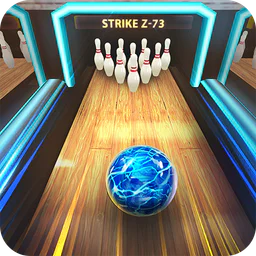
Matches use a simple swipe-based bowling control: you aim and swipe to send the ball down the lane, with your movement determining its direction and power. The presentation is designed for quick sessions, while lane conditions and ball characteristics add variety. New players can learn the basic motion quickly, but accuracy and choosing suitable equipment become more important as they face stronger opponents.
Bowling Crew focuses on competing against other players, with online matches and progression through different lanes or stages. The available social options and ways to challenge friends can change with updates, so check the in-game menus to see what is currently supported. Because matchmaking and multiplayer depend on an internet connection, the experience may be affected by connection quality or the number of active players.
As you play, you can earn rewards and collect or improve bowling balls with different characteristics, which can affect how they perform. Progress may require repeated matches, and some upgrades or items may take time to unlock. Optional purchases are available, but their contents and prices can vary by platform, region, and update. Review the store details and parental controls before making purchases, especially if children use the device.
On Android, Bowling Crew — 3D bowling game asks for these permissions.
4.6 out of 5
434,901 reviews
Sports · Kitomy Limited

Sports4.8 out of 5

Sports4.4 out of 5

Sports4.6 out of 5

Sports4.6 out of 5

Sports4.5 out of 5

Sports4.6 out of 5
Sports4.5 out of 5

Sports4.4 out of 5

Sports4.1 out of 5

Sports4.7 out of 5

Sports4.5 out of 5

Sports4.6 out of 5

Sports4.2 out of 5

Sports4.5 out of 5

Sports3.0 out of 5

Sports4.3 out of 5

Sports4.7 out of 5

Sports4.7 out of 5



Gamesive reviews games on its own and is not paid by developers for scores. We do not host game files: the download buttons open the official Google Play and App Store pages. Names, icons and screenshots belong to their owners.