PBS KIDS Games
For Android & iOS · PBS KIDS
- 4.3 out of 5Rating
- 55.44KReviews
- 10.00M+Downloads
- EducationalGenre
Game details
- Version
- 6.14.0
- Updated
- Requires
- 7.0
- Price
- Free
- Age rating
- Everyone
- In-app purchases
- No
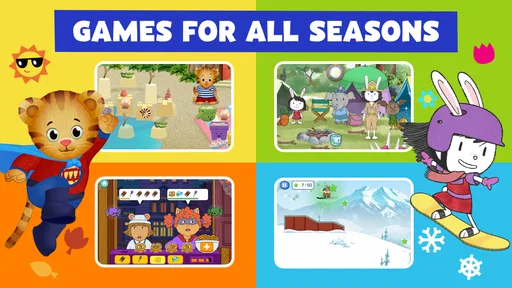
Screenshots
PBS KIDS Games review
 Analysis by Gamesive
When I want a child’s screen time to feel a little more purposeful without turning it into a lesson, PBS KIDS Games is the sort of app I’m happy to consider. It brings familiar PBS KIDS characters into a collection of educational games, so a child can move between playful activities rather than being asked to sit through a formal learning session. I see its main strength as giving families an easy starting point for short, supervised play—not as a complete curriculum or a substitute for time away from screens.
What free access means here
The game is free, which makes trying it out a low-commitment choice for a family. That is the cost detail I can rely on: I would not treat “free” as a promise about every possible expense or assume anything about purchases beyond what is confirmed. If you are deciding whether to install it, the practical point is that you can assess whether its activities suit your child without first paying a purchase price.
PBS KIDS is the developer, and the app is classed as an educational game for everyone. Its broad age rating is useful as a first signal, but it does not tell me that every activity will match every child’s reading ability, attention span, or interests. I would still sit with a younger player at first, see how they respond, and decide whether the content and pace feel right for them.
The game was released on April 27, 2016, and its current version is 6.14.0. It has a 4.3 average from around 55,000 ratings, with about 12,000 reviews, and has passed 10 million installs. Those figures suggest that many families have tried it, but they are context, not a guarantee that a particular child will enjoy it. It supports operating systems from version 7.0 onward, so device compatibility is worth checking before you plan to use it on an older phone or tablet.
What the play offers beyond a quick distraction
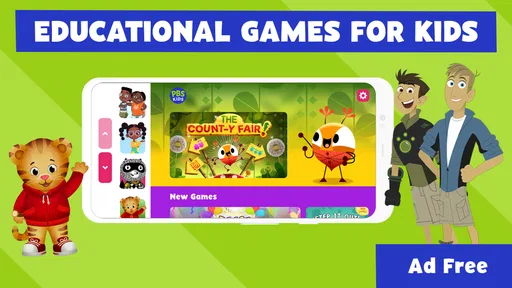
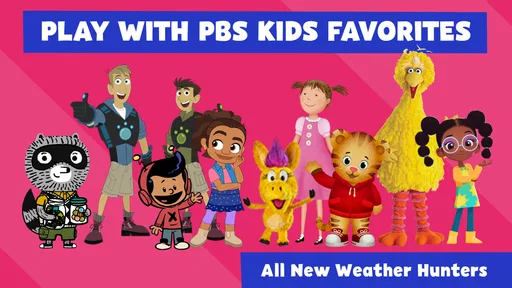
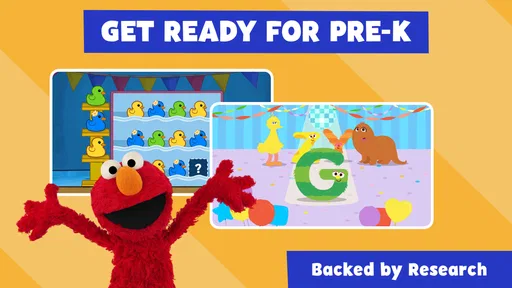
The appeal is the combination of recognizable characters and activities intended to be educational. The store summary names Daniel Tiger and Wild Kratts among the characters, which gives parents a useful sense of the worlds represented. A child who already enjoys those shows may be more willing to explore a game than to start with an unfamiliar learning app. That familiarity can make the first few minutes feel inviting, though it does not automatically make every activity a good fit.
I would use it in small, intentional windows: while waiting for an appointment, during a quiet stretch at home, or as a brief activity before moving on to something else. A useful routine is to let the child choose a game, watch how they approach it, and then ask what they noticed or enjoyed. That simple conversation makes the play easier to connect with real interests without pretending that an app session alone guarantees learning.
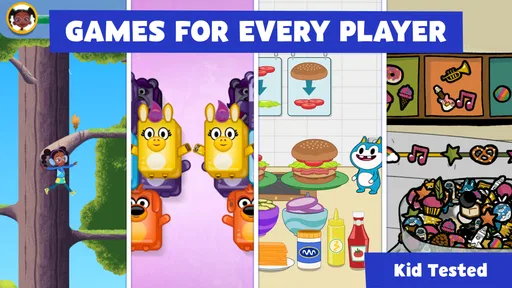
One practical strength of a character-based collection is that it can offer a different entry point for different children. A child drawn to Daniel Tiger may be more interested in a social or everyday-life theme, while a Wild Kratts fan may be motivated by animals and nature. I would use that difference when choosing what to open: start with the character the child already likes, then see whether curiosity carries them to another activity. This is more thoughtful than handing over a device and expecting the app to hold attention indefinitely.
Compared with a single-purpose early-learning app, a collection tied to several familiar programs may be easier to revisit when a child’s interests shift. Compared with open-ended video watching, games can invite participation rather than simply asking a child to keep watching. The trade-off is that a game collection may feel less focused than an app built around one skill, such as a particular reading or counting goal. If you want a structured sequence of lessons or measurable progress, I would look for a dedicated learning tool instead.
For families who already know PBS KIDS, the recognizable characters are a helpful bridge. For families who do not, the app may take a little adult involvement at the start: explain who a character is, help the child choose an activity, and check whether the game itself makes sense to them. I would not assume that a familiar television name means a child will immediately understand how to play, or that every child will be drawn to the same characters.
Trade-offs I would keep in mind
A collection can be convenient, but it also asks the adult to judge what the child should play and for how long. The app’s educational label does not tell me which specific skill a child will practise in each activity, so I would pay attention to the actual game rather than relying on the category alone. If your goal is to work on one clearly defined subject, a more focused app—or an activity with an adult—may be a better match.
Screen time is another trade-off. Even a child-friendly game is still time on a device, and free access does not make it automatically appropriate for every moment. I would set a simple boundary before handing over the phone, especially if the child tends to resist stopping. For a calm waiting-room distraction, it may be useful; for a bedtime routine where screens make winding down harder, a book or conversation is likely the wiser choice.
Children also differ in how much guidance they need. An older preschooler or early elementary-age child may be comfortable exploring independently, while a younger child may need help finding an activity or understanding what to do. The Everyone rating should not be read as a promise that the experience is equally easy for all ages. I would try it together first, then decide whether solo use is sensible for that child.
Another realistic limitation is that digital games cannot replace the kinds of interaction that happen away from the screen. If a child is curious about animals after playing, I would follow up with a library book, a walk, or a conversation rather than treating the game as the whole learning experience. That is not a flaw unique to this app; it is simply the boundary I keep in mind when using any educational game.
Who is most likely to get value from it
I think the best fit is a family looking for a free, character-led option for occasional play, especially when the child already likes PBS KIDS shows. It is also a reasonable choice for a parent who wants to sample educational games before deciding whether to build a regular routine around them. Since it is a game rather than a paid course, I would approach it as a flexible activity—not something that needs to justify a monthly learning plan or replace other resources.
It may be less useful for a child who is not interested in the featured characters, or for a parent who wants detailed instruction in a specific subject. If your child needs a highly structured path, a classroom companion, or a narrow skill-building tool, I would compare options designed around that goal. And if your household is trying to reduce screen use, there is no need to install another game simply because it is free; a screen-free activity may serve you better.
My everyday suggestion is to make the first session a shared trial rather than an open-ended handoff. Choose a quiet moment, let the child pick a character or activity, and stay nearby long enough to see whether they can engage comfortably. If they do, keep it as one option for short breaks. If they lose interest quickly or need constant adult help, that tells you more than the rating or install count can.
My verdict on whether to try it
I would try PBS KIDS Games if I wanted a free, approachable game collection with familiar children’s characters and an educational angle. Its strongest value is the easy invitation to play: a child can begin with a known character, while a parent can use the activity as a short, supervised break. Its broad reach and positive average rating are reassuring background, but I would still judge it by how my own child responds.
I would skip it—or choose something more focused—if I needed a specific curriculum, a clear learning progression, or a screen-free solution. The app makes most sense as one small part of a balanced day, not as a promise of academic progress. For families who want to explore a few character-based games without paying to try the app, it is a sensible option to test together and keep only if the child genuinely enjoys it.
Overall, my recommendation is a measured yes: give it a short trial, stay involved at first, and use the child’s reaction to decide whether it earns a place in your routine. Free access makes experimentation easy, while adult guidance keeps the experience purposeful; that combination is where I see the most value.
What we like
- Offers games based on familiar PBS KIDS characters.
- Activities cover topics like math and early reading.
- Designed for children with simple touch controls.
- Many games can be played without creating an account.
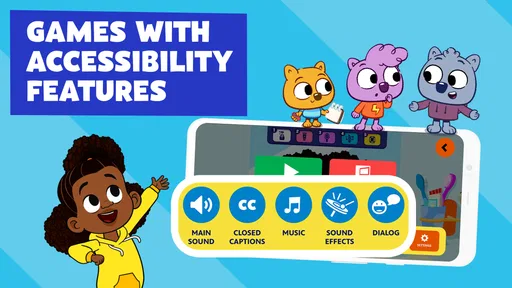
- Includes options to manage audio and accessibility.
What could be better
- Some activities may require an internet connection.
- The game selection can vary by device or region.
- Younger children may need help navigating the app.
- Some content may take time to download.
- The app may use significant storage as content grows.
Frequently Asked Questions
What is PBS KIDS Games, and what can children do in the app?
PBS KIDS Games is a children’s game app featuring activities based on characters and shows from PBS KIDS. Depending on the games available, children can explore puzzles, creative tasks, problem-solving challenges, and other playful activities. The app is designed for young audiences, but the exact selection may change as content is updated. Parents can browse the available games with their child to find activities that suit their interests and age.
Is PBS KIDS Games suitable for my child’s age?
PBS KIDS Games is made for children, with simple controls and activities intended to be approachable for younger players. The right fit still depends on your child’s age, reading ability, interests, and comfort with using a screen. Some games may require following instructions or making choices independently. It is a good idea to preview the app and try a few activities together before deciding whether the content is appropriate for your child.
Does PBS KIDS Games require an internet connection?
Some content or features may require an internet connection, and availability can depend on the device and the current app version. Do not assume every game will work offline: try opening the activities your child wants to play before relying on the app during travel or in a place without Wi-Fi. You can also check the app’s store listing and settings for current information about connectivity and content downloads.
Does PBS KIDS Games include ads, in-app purchases, or external links?
The app’s commercial features and policies can change, so review its current App Store or Google Play listing and the privacy information before installing. In particular, check whether the version offered in your region includes advertising, optional purchases, links to other services, or prompts that leave the app. Parents should also review device-level purchase and screen-time settings and supervise children while they explore any links or account-related options.
Is PBS KIDS Games safe for children, and what should parents check before downloading it?
PBS KIDS Games is intended for children, but parents should still check the current privacy policy, permissions, and age rating for their device and region. Confirm that the app comes from the official publisher, install it through a trusted app store, and review any data collection or account requirements. It is also sensible to explore the games yourself, use appropriate parental controls, and keep the app updated.
Permissions
On Android, PBS KIDS Games asks for these permissions.
- Photos/Media/Files
- read the contents of your USB storage, modify or delete the contents of your USB storage
- Storage
- read the contents of your USB storage, modify or delete the contents of your USB storage
- Wi-Fi connection information
- view Wi-Fi connections
- Other
- view network connections, full network access, prevent device from sleeping
User reviews
4.3 out of 5
55,436 reviews
- 73%
- 8%
- 5%
- 4%
- 10%
Download PBS KIDS Games
Educational · PBS KIDS · Free
Games like PBS KIDS Games
View all: Games like PBS KIDS Games
Toca Boca Jr: Fun Kids Games
Educational3.3 out of 5

Coloring Games: Color & Paint
Educational4.4 out of 5
Toca Boca World
Educational4.4 out of 5
Baby Games: Piano & Baby Phone
Educational4.4 out of 5
About this listing
- Game
- PBS KIDS Games
- Developer
- PBS KIDS
- Package
- org.pbskids.gamesapp
- Version reviewed
- 6.14.0
Gamesive reviews games on its own and is not paid by developers for scores. We do not host game files: the download buttons open the official Google Play and App Store pages. Names, icons and screenshots belong to their owners.