Crossword Go!
For Android · PlaySimple Games
- 4.9 out of 5Rating
- 75.41KReviews
- 1.00M+Downloads
- WordGenre
Game details
- Version
- 1.84.0
- Updated
- Requires
- 8.0
- Price
- Free
- Age rating
- Everyone
- In-app purchases
- $0.99 - $49.99 per item
Screenshots
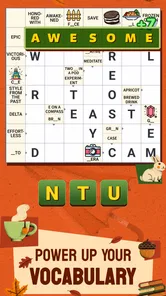
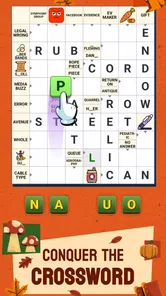
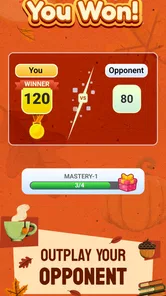
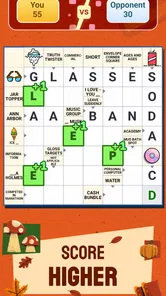
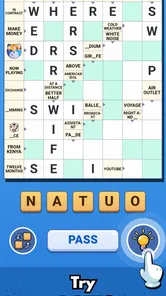
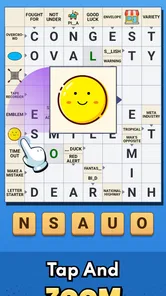
Crossword Go! review
 Analysis by Gamesive
I like word games that fit into an ordinary pause without demanding a long setup, and Crossword Go! is aimed squarely at that kind of play. It is a free crossword game from PlaySimple Games, built around short, approachable puzzles rather than the more formal feel of a newspaper crossword. Its central appeal is easy to understand: read a clue, work out a word, and enjoy the small satisfaction of making the grid come together. In my view, it works best when you want a light mental workout, not when you’re looking for a deep or highly customizable crossword tool.
What you can expect from a free crossword game
The game is free to download, which makes it easy to try without paying upfront. It also offers in-app purchases ranging from $0.99 to $49.99 per item, so the free starting point should not be confused with a promise that every possible purchase is inexpensive. I’d begin by playing without spending and decide whether the experience suits you before considering any optional purchases. That is the clearest way to judge its value for your own routine.
Crossword Go! is rated for Everyone, and its word-puzzle format is approachable enough for a broad audience. That doesn’t mean every clue will be easy: crossword solving naturally depends on vocabulary, familiarity with clue styles, and the letters already filled in. I find that mix useful. A puzzle can feel welcoming at first glance and still ask you to pause, reconsider a guess, or let an answer emerge from its crossings.
The game’s scale suggests that plenty of players have given it a try: it has over one million installs, with a 4.9 average from around 75,000 ratings. Those figures are encouraging context, but they are not a substitute for deciding whether its clue style is right for you. A high average can tell me that many players enjoy the game; it cannot tell me whether I’ll prefer this format to a more traditional crossword or a different kind of word game.
Where the value comes from
The value here is less about a long feature checklist and more about having an accessible crossword experience ready for spare moments. If you enjoy filling in words but don’t want to begin with a dense, intimidating grid, the easygoing approach is appealing. I can picture using it during a quiet stretch at home or while waiting for an appointment: solve a clue or two, put the phone down, and return when I have another minute.
That stop-and-start use is a practical strength for a mobile word game. Crosswords are naturally suited to brief sessions because a single answer can make progress feel tangible. When a clue stumps me, I can work through the crossing letters rather than needing to solve the whole puzzle in one uninterrupted sitting. If you’re playing with someone nearby, the clues also give you an easy way to compare ideas aloud: one person may recognize a phrase while the other spots a promising letter pattern.
The social-friendly idea behind the game can make it a pleasant shared activity, but I would treat that as a reason to try a puzzle together, not as a guarantee that every session will become a conversation. Some players prefer to solve quietly, and others may have different levels of vocabulary or patience. A useful way to keep it enjoyable is to take turns suggesting answers instead of letting one person dominate the grid. That small adjustment makes the clues feel like a shared challenge rather than a test.
PlaySimple Games has made a word game that is easy to place in a daily routine. It is not trying to replace every kind of puzzle; its strongest case is for people who like crossword thinking in a lighter, mobile-friendly form. The game is listed at version 1.84.0 and requires Android 8.0 or later on Android devices. If you use an older Android phone, checking that requirement before downloading can save a little frustration.
How I would approach the clues
One useful habit is to avoid locking onto the first answer that comes to mind. A word can fit a clue in isolation and still make the crossing answers impossible. I’d enter a likely response only when its length and neighboring letters support it, then revisit it if the rest of the grid stops making sense. This is a simple crossword technique, but it matters in a game built around compact clues: a questionable early guess can quietly send several later guesses in the wrong direction.
Another practical approach is to move between clues instead of staring at a difficult one. Fill the answers you recognize, then use the letters they reveal to narrow down the harder entries. That gives the puzzle a satisfying rhythm: easy wins create useful evidence, and the more uncertain clue becomes a word problem rather than a blank guess. If you tend to get impatient, this is a better strategy than repeatedly rereading the same clue and hoping it suddenly looks different.
For shared play, I’d suggest saying the clue aloud and explaining why an answer might fit. It exposes assumptions early: one person may be thinking of a different meaning or spelling, and a crossing letter can settle the disagreement. This also makes the game more welcoming when a child or less experienced solver joins in. The age rating makes it broadly suitable for Everyone, but I’d still choose clues together based on the players’ comfort and vocabulary rather than assuming every puzzle will suit every age equally.
Tradeoffs compared with other word games
Crossword Go! is a better fit for someone who likes interpreting clues than for someone who simply wants to form words from a rack of letters. That distinction matters when choosing between the usual alternatives. A word-search game is often more direct and visual; a letter-tile game tends to reward rapid word construction; a traditional crossword app may be a stronger choice for a solver seeking a more demanding, newspaper-like challenge. Here, the pleasure comes from connecting a clue to a word and then checking that answer against the grid.
The lighter approach is also a limitation if you want more control over difficulty or a specific style of crossword experience. I wouldn’t choose it as my only puzzle app if I wanted a rigorous daily challenge, specialized clue conventions, or a carefully tailored difficulty level. Nor is it ideal for someone who dislikes being asked to infer answers from brief wording. The format depends on enjoying that little leap between a clue and a possible answer; without that, even a friendly crossword can feel like guesswork.
There is a second tradeoff in the free-to-play model. You can start without paying, but in-app purchases are available, and the listed per-item range reaches $49.99. That makes it sensible to treat optional spending as a separate decision from whether the basic game is enjoyable. I would not assume that paying is necessary to have a worthwhile first impression, or that a purchase will improve the game in a particular way. The honest value judgment is straightforward: free access lowers the barrier to trying it, while the presence of paid items means you should review any purchase carefully before confirming it.
The game’s 3.5K reviews offer another sign of an active audience, although written reviews can reflect very different expectations. A player who wants a casual clue-solving break may judge it more warmly than someone comparing it with demanding crossword publications. When you read opinions in the app store, I’d focus on comments that describe the kind of puzzles and play experience the reviewer wanted. That is more useful than treating any single reaction as a universal verdict.
Who is most likely to get their money’s worth
I’d recommend giving it a try if you already enjoy crosswords but want something less formal to pick up on a phone. It also makes sense for a casual word-game player who likes solving clues more than competing for speed. Because it is free to download, you can test that fit before deciding whether to keep it in your regular rotation. The best sign that it suits you is not how quickly you finish a puzzle, but whether you enjoy the process of using one answer to unlock another.
It can also work for a family member or friend who wants a shared activity that does not require elaborate rules. You can solve together, compare interpretations, or simply let each person take a turn with a clue. For an everyday scenario, imagine having a few minutes before dinner: instead of opening a game that needs a long session, you work through a handful of crossword entries, then leave the rest for later. That kind of low-pressure use is where I see the clearest appeal.
I’d skip it if your main priority is an expert-level crossword, strict control over puzzle difficulty, or a word game with no optional purchases at all. I’d also look elsewhere if clue-solving itself is not your thing. A word search may suit you better if you prefer finding visible patterns, while a tile-based word game may feel more satisfying if you like building words from a fixed set of letters. Choosing the alternative that matches how you think is more important than choosing the app with the strongest headline rating.
My verdict on whether to try it
My overall impression is that Crossword Go! has a clear, useful place among mobile word games: it offers an approachable way to spend a short break thinking through crossword clues. Its strongest value is the low-commitment entry point and the way crossing answers can turn a blank grid into a sequence of manageable decisions. I especially like it as a casual solo activity or a small shared puzzle, provided everyone is happy with a relaxed pace.
The best reason to try it is that you can explore its crossword style before paying anything. Keep in mind that optional purchases are part of the experience, and make a deliberate choice if one appears. With a 4.9 average rating and a large player base, it is clearly appealing to many people, but your own preference for clue-based puzzles is the deciding factor.
Crossword Go! is worth a look if you want an easy-to-start crossword game for spare moments, and I’d recommend trying it free before deciding whether it deserves a place on your phone. If you want tougher, more customizable crosswords, or you would rather make words than interpret clues, another option will probably serve you better. For everyone else, it offers a simple reason to pause, think, and enjoy the moment when the right word finally clicks.
What we like
- Quick puzzles fit neatly into short breaks
- Hints help when a clue is difficult
- A clean layout keeps clues easy to read
- A range of puzzles offers variety
- Offline play suits travel without internet
What could be better
- Some puzzles may feel too easy for experienced solvers
- Hints can reduce the satisfaction of solving unaided
- Small screens may make the grid harder to navigate
- Repeated clue styles can make puzzles feel familiar
- Progress may take time if puzzles are locked
Frequently Asked Questions
What is Crossword Go!?
Crossword Go! is a mobile word-puzzle game built around solving crossword-style clues on a grid. You read each clue and enter the matching word, using intersecting answers to help work out letters you are unsure about. It is designed for short play sessions as well as longer puzzle-solving stretches. Check the store listing for the current version’s exact modes and features, since these can change with updates.
Is Crossword Go! suitable for beginners?
Crossword Go! can suit beginners who enjoy word games, because the basic task—using clues to fill a crossword grid—is easy to understand. Some clues may still require general knowledge, vocabulary, or careful reasoning, so the difficulty can depend on the puzzle and your experience. If you get stuck, check whether the current version offers hints or other assistance, and review the app’s description before downloading to confirm what help is available.
Can I play Crossword Go! without an internet connection?
Offline access depends on how Crossword Go! handles puzzle downloads, account features, advertisements, and progress syncing in the version available to you. The store description may indicate whether an internet connection is required, but requirements can also change after updates. If playing offline matters, check the latest listing and test the game’s access before relying on it during travel or in places with limited connectivity.
Is Crossword Go! free to download, and does it include ads or purchases?
The price and monetization details for Crossword Go! can vary by platform, region, and version. A free download may still include advertising, optional in-app purchases, or paid features, so the download price alone does not tell you the full cost. Before installing, review the game’s Google Play or App Store listing for current pricing, in-app purchase information, and any notes about advertisements.
What should I check before downloading Crossword Go!?
Before downloading Crossword Go!, confirm that the app is available for your device and operating-system version, and check its latest store listing for permissions, storage needs, privacy details, and monetization. User reviews can help you judge whether the puzzles and controls suit your preferences, though experiences may differ. It is also sensible to check the developer and update history so you know you are installing the intended, currently supported app.
Permissions
On Android, Crossword Go! asks for these permissions.
- Wi-Fi connection information
- view Wi-Fi connections
- Other
- view network connections, full network access, run at startup, control vibration, prevent device from sleeping, set an alarm, Google Play license check, read Google service configuration
User reviews
4.9 out of 5
75,409 reviews
- 93%
- 4%
- 1%
- 1%
- 2%
Download Crossword Go!
Word · PlaySimple Games · Free
Games like Crossword Go!
View all: Games like Crossword Go!
Word Search Explorer
Word4.9 out of 5

Wordscapes Search: Word Games
Word4.7 out of 5
Word Connect Association
Word4.8 out of 5
More from PlaySimple Games
View all: More from PlaySimple GamesWord Search Explorer
Word4.9 out of 5
Word Connect Association
Word4.8 out of 5
About this listing
- Game
- Crossword Go!
- Developer
- PlaySimple Games
- Package
- in.playsimple.crossword.go
- Version reviewed
- 1.84.0
Gamesive reviews games on its own and is not paid by developers for scores. We do not host game files: the download buttons open the official Google Play and App Store pages. Names, icons and screenshots belong to their owners.