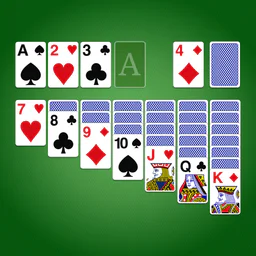
Solitaire - Classic Card Games
For Android & iOS · Guru Puzzle Game
- 4.9 out of 5Rating
- 731.31KReviews
- 50.00M+Downloads
- CardGenre
Game details
- Version
- 7.5.1-26092176
- Updated
- Requires
- 6.0
- Price
- Free
- Age rating
- Everyone
- In-app purchases
- $0.99 - $59.99 per item
Screenshots
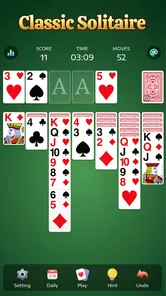
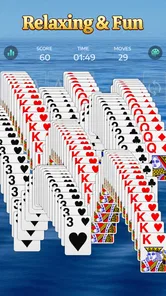
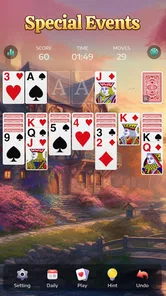
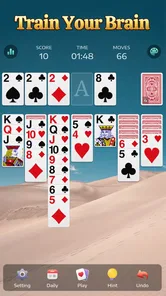

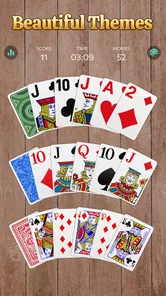
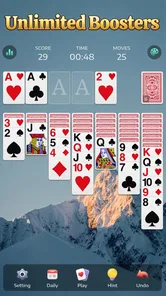
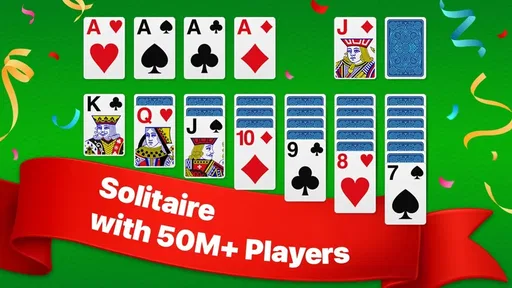
Solitaire - Classic Card Games review
 Analysis by Gamesive
When I open a solitaire game, I want it to get out of the way: deal a hand, let me think, and make it easy to leave when a task calls me back. Solitaire - Classic Card Games is built around that familiar card-game rhythm, and its appeal is less about novelty than about having a straightforward option for a short break. I’d consider it when I want a quiet, self-paced game rather than a competitive card experience.
A familiar game for small breaks
This is a free card game from Guru Puzzle Game, intended for players who already know the appeal of sorting a solitaire layout one move at a time. It is rated for Everyone, so it is presented as suitable for a broad audience. Its store description points toward classic solitaire play, not a story or a collection of unrelated activities; that focus is useful if you want to start playing without learning a new game system.
The game has an average rating of 4.9 from around 731,000 ratings, and it has been installed over 50 million times. Those figures show that it has found a large audience, but they don’t tell you whether every deal will suit your taste. Solitaire can still produce a run of awkward hands, and the familiar rules are a draw only if you enjoy planning moves and managing a tableau.
My best everyday use case is a short wait: I might open a hand while tea is brewing or during a quiet stretch between errands, then stop when something else needs my attention. That works because solitaire is naturally turn-based and doesn’t demand a teammate’s time. If you want a game that rewards fast reactions, frequent surprises, or social competition, this is probably not the right fit.
How quickly it fits into a session
For this kind of game, “fast” is mostly about how little effort it takes to get into the routine. The rules are familiar to many players, and there is no elaborate premise to absorb before a hand makes sense. I would approach it as a pick-up-and-play card game: the useful question is not whether it can replace a deep strategy game, but whether a few minutes of arranging cards feels relaxing rather than like another task.
A practical tip is to decide before starting whether you have time to finish a hand. Solitaire can look like an easy filler activity, but an interesting layout may keep you thinking longer than expected. If you only have a moment, it may be better to wait for a proper break instead of opening a game and feeling hurried through your decisions.
The store presents the game as classic solitaire, so the main comparison is with other digital versions of the same card pastime. Compared with a physical deck, an app is easier to carry and deal, while a physical game avoids screen time and can feel more tactile. Compared with a broader card-game collection, this focused option is a better match when you know you want solitaire; it is less appealing if you want several different rulesets in one place.
What changes during longer play
Solitaire’s pace makes it easy to play more than one hand in a sitting. That is convenient when I want a longer, low-pressure session, but it also means the basic loop can begin to feel repetitive. The enjoyment depends on whether I like the small decisions—what to uncover, where to move a card, and whether to hold back a move—rather than on constant new content.
One useful way to keep a session satisfying is to treat each hand as a separate puzzle instead of chasing an uninterrupted streak of play. If a layout stops being enjoyable, stepping away is often better than tapping through out of habit. This is a modest distinction, but it matters for a game designed around an activity people can repeat for as long as they like.
I would also be mindful of the game’s free-to-play framing. In-app purchases range from $0.99 to $59.99 per item. You can start without paying, but the presence of purchases means it is sensible to check what an optional item costs before confirming it, particularly if a child is using the device. I would not treat a purchase as necessary to enjoy the basic appeal of solitaire.
Reliability and the feel of a simple game
A solitaire app has a fairly clear job: present a readable card layout and respond predictably when I make a move. I value that more than flashy effects, because interruptions to the flow are especially noticeable in a calm, repetitive game. Still, I would not infer a guarantee of flawless performance from the game’s popularity or rating; individual experience can depend on the device and its software.
For a dependable routine, I’d keep the game updated through the app store and avoid assuming that a paused session will remain exactly as I left it. That is a sensible habit with any mobile game, especially when switching between apps or taking a call. If preserving a particular hand matters to you, finish it before closing the game rather than relying on an unconfirmed recovery behavior.
The current version is 7.5.1-26092176. That gives you a version reference if you are checking whether your install is current, but it is not a promise about how the game behaves on every phone. If you notice unusual delays or a problem returning to a hand, first make sure the app and operating system are up to date, then try a fresh session before judging the whole experience.
Device fit and practical expectations
The minimum operating-system requirement is Android 6.0. That makes the game an option for a wide range of Android devices that meet that requirement, though an older compatible phone may not feel identical to a newer one. I would avoid making strong claims about battery use, storage needs, or loading speed without testing the specific device; those details can vary, and the available product facts do not establish measurements.
In everyday use, the sensible expectation is modest: solitaire is not the sort of game people choose for demanding action or complex visual spectacle. That makes it an intuitive candidate for casual play, but it does not mean every handset will respond at the same speed. If your phone is already struggling with other apps, close what you do not need and see how a short session feels before deciding whether it is comfortable to keep installed.
The game was released on April 25, 2021, and its long-running presence suggests that it is not a brand-new experiment. Even so, release history alone cannot tell me whether a particular update has changed performance on your device. I’d judge it by the basics that matter for solitaire: whether the cards are easy for you to follow, whether input feels dependable, and whether the app fits the length of break you actually have.
Who will enjoy it—and who may prefer something else
I’d recommend it to someone who already likes classic solitaire and wants a convenient digital version for spare moments. It may also suit a player who prefers a quiet activity with no need to coordinate with others. The broad age rating makes it a plausible family-device option, though I’d still review purchase settings if younger players have access to the phone.
I would skip it if you find repeated solitaire hands dull, want multiplayer interaction, or expect a large variety of game modes. In those cases, a different card app with more rules or social play may give you more to explore. A physical deck is another better choice when you want to step away from screens, while a puzzle game with changing mechanics may hold attention more effectively for someone who needs constant novelty.
There is also a difference between relaxing and mindlessly tapping. If you enjoy studying a layout and making deliberate choices, the steady pace can be satisfying. If you mainly want a game to fill a long commute with changing challenges, the repeated structure may wear thin. Knowing which of those moods you are in will help you decide whether to open this game or choose something more varied.
My verdict on its performance and value
Solitaire - Classic Card Games makes sense as a focused, familiar card pastime, not as an all-purpose entertainment package. I like the clarity of that role: when I want a simple hand to occupy a short pause, the basic solitaire format is exactly the point. Its scale—over 50 million installs—shows broad reach, while the free entry point lets you try the experience before considering any optional purchase.
My performance verdict is deliberately practical. The game’s concept should suit brief, low-pressure sessions, but speed and stability are things to judge on your own device rather than assume from its popularity. The Android requirement begins at version 6.0, and the current version is 7.5.1-26092176; keeping the app updated and testing a short session are sensible first steps if you are unsure how it will feel on an older phone.
Overall, I’d choose it when I want classic solitaire close at hand and am comfortable with a repeated, thoughtful loop. I would choose another option for richer variety, competition, or a more demanding challenge. If your idea of a good break is quietly working through a card layout at your own pace, this is an easy game to try—just keep an eye on optional in-app purchases and don’t expect solitaire’s calm rhythm to become something it isn’t.
What we like
- Familiar rules make it easy to start playing.
- Short rounds fit well into brief breaks.
- Undo lets you reconsider a move.
- Hints can help when you get stuck.
- Offline play is useful without an internet connection.
What could be better
- Some deals may be unwinnable.
- Hints can make solving a deal less satisfying.
- Undo may reduce the challenge for some players.
- Frequent play can feel repetitive.
- Ads may interrupt the flow of a game.
Frequently Asked Questions
What is Solitaire - Classic Card Games?
Solitaire - Classic Card Games is a digital take on the familiar solo card game, usually referring to Klondike Solitaire. The main goal is to move cards into four foundation piles, building each suit from ace to king, while arranging the tableau in descending order with alternating colors. The exact modes and presentation can vary by developer, so check the app listing for details about its specific version.
How do you play Solitaire - Classic Card Games?
In a typical Klondike game, you move face-up cards between tableau columns, placing them in descending rank and alternating color. When a move reveals a face-down card, it becomes available to play. Aces start the foundation piles, which are built upward by suit. You can also draw from the stock pile when no useful tableau move is available. Some versions offer hints or undo, but their availability depends on the app.
Is Solitaire - Classic Card Games free to download and play?
The app may be available as a free download, but its pricing and monetization can depend on the particular developer and store version. Free solitaire games commonly include advertisements, optional purchases, or both; some may also offer paid features or an ad-free option. Review the Google Play or Apple App Store listing before installing, and check in-app purchase details if you want to avoid unexpected charges.
Does Solitaire - Classic Card Games require an internet connection?
Many solitaire apps allow you to play standard card rounds offline after installation, which makes them convenient for travel or short breaks. However, features such as advertisements, daily challenges, leaderboards, cloud saves, or statistics synchronization may need an internet connection. Offline behavior can differ between versions, so check the app description and test the game without a connection if offline play is important to you.
Is Solitaire - Classic Card Games suitable for beginners, and what should I check before downloading?
Solitaire is generally easy to learn, and a digital version may include helpful features such as hints, undo, or adjustable settings, though these are not guaranteed in every edition. Before downloading, confirm that the app supports your device and operating system, read recent user reviews, and check its privacy information, advertising, and in-app purchases. These checks can help you choose a version that fits your preferences.
Permissions
On Android, Solitaire - Classic Card Games asks for these permissions.
- Phone
- read phone status and identity
- Photos/Media/Files
- read the contents of your USB storage, modify or delete the contents of your USB storage
- Storage
- read the contents of your USB storage, modify or delete the contents of your USB storage
- Wi-Fi connection information
- view Wi-Fi connections
- Device ID & call information
- read phone status and identity
- Other
- view network connections, full network access, control vibration, prevent device from sleeping, read Google service configuration
Languages
Solitaire - Classic Card Games is also available in 2 other languages on our site.
User reviews
4.9 out of 5
731,306 reviews
- 93%
- 4%
- 1%
- 0%
- 2%
Download Solitaire - Classic Card Games
Card · Guru Puzzle Game · Free
Games like Solitaire - Classic Card Games
View all: Games like Solitaire - Classic Card Games
Pokémon TCG Pocket - Card Game
Card4.6 out of 5
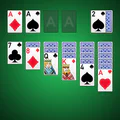
Solitaire
Card4.5 out of 5

Disney Solitaire
Card4.8 out of 5

Spades - Classic Cards
Card4.8 out of 5
About this listing
- Game
- Solitaire - Classic Card Games
- Developer
- Guru Puzzle Game
- Package
- solitaire.patience.card.games.klondike.free
- Version reviewed
- 7.5.1-26092176
Gamesive reviews games on its own and is not paid by developers for scores. We do not host game files: the download buttons open the official Google Play and App Store pages. Names, icons and screenshots belong to their owners.